
Add WordArt Watermark to Chart in Aspose.Cells
Contents
[
Hide
]
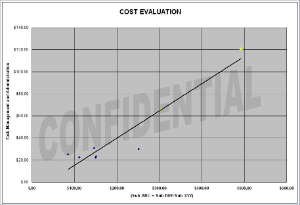
You can use WordArt to add special text effects to spreadsheets. For example, stretch a title, decorate text, make text fit a preset shape, or apply the affected text to a chart’s plot area as a watermark. The WordArt becomes an object that you can move or position in your spreadsheets to add decoration.
The following example shows how to add a WordArt shape as a watermark for an existing chart’s plot area. The example uses a template Excel file that already contains the chart.
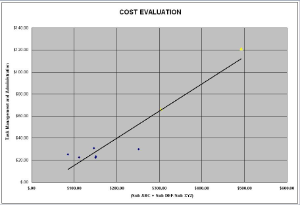
The input file
The output file
C#
string FilePath = @"..\..\..\Sample Files\";

string FileName = FilePath + "Add WordArt Watermark to Chart.xlsx";

//Open the existing excel file.

Workbook workbook = new Workbook(FileName);

//Get the chart in the first worksheet.

Aspose.Cells.Charts.Chart chart = workbook.Worksheets[0].Charts[0];

//Add a WordArt watermark (shape) to the chart's plot area.

Aspose.Cells.Drawing.Shape wordart = chart.Shapes.AddTextEffectInChart(MsoPresetTextEffect.TextEffect2,

"CONFIDENTIAL", "Arial Black", 66, false, false, 1200, 500, 2000, 3000);

//Get the shape's fill format.

Aspose.Cells.Drawing.MsoFillFormat wordArtFormat = wordart.FillFormat;

//Set the transparency.

wordArtFormat.Transparency = 0.9;

//Get the line format and make it invisible.

Aspose.Cells.Drawing.MsoLineFormat lineFormat = wordart.LineFormat;

lineFormat.IsVisible = false;

//Save the excel file.

workbook.Save(FileName);