
Getting Started
Installing Aspose.Note for .NET through NuGet
NuGet is the easiest supported way to download and install Aspose.Note for .NET. Open Microsoft Visual Studio and NuGet Package Manager, search for “Aspose.Note”, and install the selected package. NuGet downloads the package and references the compatible assembly for your project target framework.
Install or Update Aspose.Note using the Package Manager Console
You can follow the steps below to reference the Aspose.Note API using the Package Manager Console:
- Open your solution/project in Visual Studio.
- Select Tools -> NuGet Package Manager -> Package Manager Console from the menu.
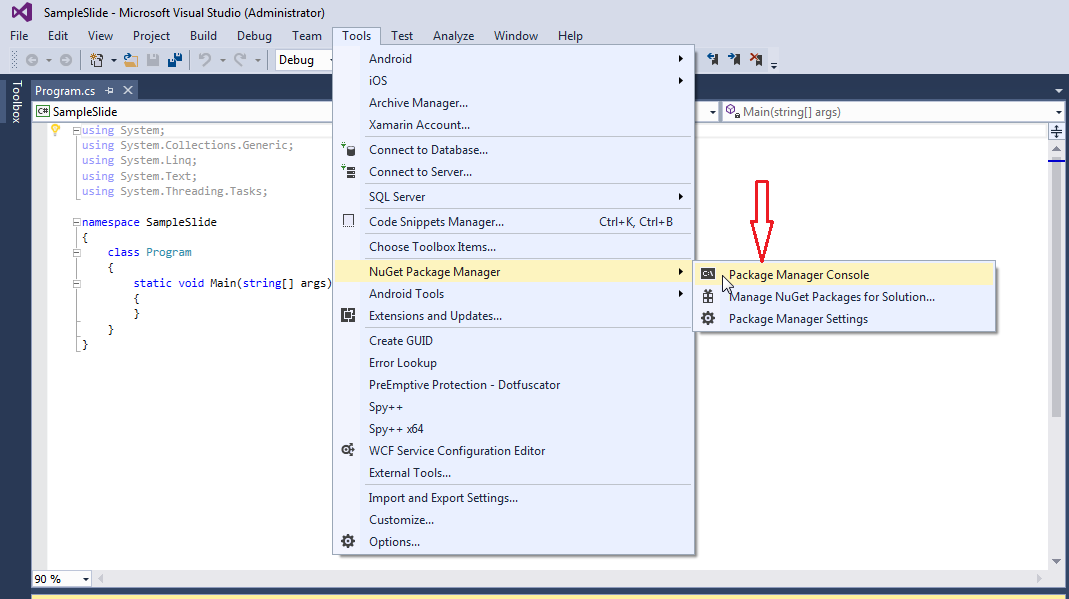
Type the following command and press Enter to install the current release into your application:
1Install-Package Aspose.Note -Version 26.4.0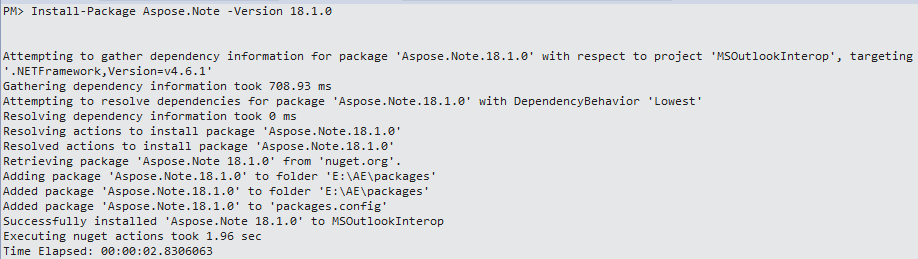
If you are not familiar with the Aspose EULA, read the license referenced in the URL.
You should now find that Aspose.Note has successfully been added and referenced in your application.
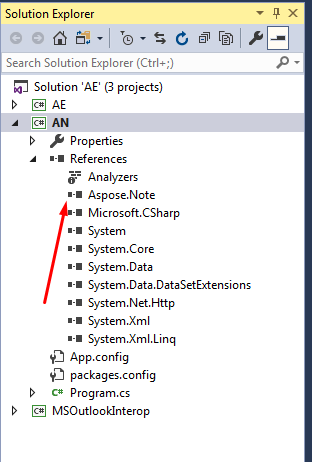
In the Package Manager Console, you can also use the following command to check for any updates to the Aspose.Note package and install them if present:
1Update-Package Aspose.NoteUninstalling Aspose.Note for .NET
If you installed Aspose.Note for .NET through NuGet, remove it through the NuGet Package Manager or run the following command in the Package Manager Console:
1Uninstall-Package Aspose.NoteFor projects that use packages.config, Visual Studio also removes the package reference from packages.config and updates the project reference.
Referencing Aspose.Note from a .NET Project
In order to use Aspose.Note in an application, add a NuGet package reference to it. The process described in this article assumes that you’re using Visual Studio.
For SDK-style projects, add the package reference to the project file:
1<ItemGroup>
2  <PackageReference Include="Aspose.Note" Version="26.4.0" />
3</ItemGroup>
For packages.config projects, install the same NuGet package through Visual Studio. NuGet selects the compatible assembly for the project target framework.
Referencing the API from a .NET Framework 4 Client Profile project
If your project’s target framework is .NET Framework 4 Client Profile, use the Aspose.Note package through NuGet. The package includes a net4.0-client assembly for this target.
For manual references, locate the package in the local NuGet package cache and reference lib/net4.0-client/Aspose.Note.dll.
For .NET Framework 4 projects, use the net4.0 assembly from the NuGet package. For runtimes that implement .NET Standard 2.0, use the netstandard2.0 assembly and the dependencies declared by the package.