# PHP에서 프레젠테이션을 HTML5로 변환
> Aspose.Slides for PHP via Java을 사용하여 PowerPoint 및 OpenDocument 프레젠테이션을 반응형 HTML5로 내보냅니다. 서식, 애니메이션 및 인터랙티브 기능을 보존합니다.
Source: https://docs.aspose.com/slides/ko/php-java/export-to-html5/
Updated: 2026-06-14
## **개요**
이 문서에서는 Aspose.Slides를 사용하여 PowerPoint 프레젠테이션을 HTML5로 변환하는 방법을 설명합니다. 웹 확장이나 추가 종속성이 없는 기본 HTML5 내보내기와 도형 애니메이션 및 슬라이드 전환을 제어하는 옵션을 다룹니다. 또한 표준 PowerPoint‑to‑HTML 내보내기 프로세스를 보여주고, 슬라이드 보기 모드에서 HTML5 출력물을 생성하는 방법과 레이아웃을 구성하여 내보낸 문서에 주석을 포함시키는 방법을 설명합니다.
## **PowerPoint를 HTML5로 내보내기**
이 PHP 코드는 웹 확장 및 종속성이 없는 상태에서 프레젠테이션을 HTML5로 내보내는 방법을 보여줍니다:
```php
$pres = new Presentation("pres.pptx");
try {
$pres->save("pres.html", SaveFormat::Html5);
} finally {
if (!java_is_null($pres)) {
$pres->dispose();
}
}
```
{{% alert color="primary" %}}
이 경우 깨끗한 HTML을 얻을 수 있습니다.
{{% /alert %}}
다음과 같이 도형 애니메이션 및 슬라이드 전환에 대한 설정을 지정할 수도 있습니다:
```php
$pres = new Presentation("pres.pptx");
try {
$html5Options = new Html5Options();
$html5Options->setAnimateShapes(false);
$html5Options->setAnimateTransitions(false);
$pres->save("pres5.html", SaveFormat::Html5, $html5Options);
} finally {
if (!java_is_null($pres)) {
$pres->dispose();
}
}
```
## **PowerPoint를 HTML로 내보내기**
이 Java 예제는 표준 PowerPoint‑to‑HTML 프로세스를 보여줍니다:
```php
$pres = new Presentation("pres.pptx");
try {
$pres->save("pres.html", SaveFormat::Html);
} finally {
if (!java_is_null($pres)) {
$pres->dispose();
}
}
```
이 경우 프레젠테이션 내용이 SVG를 통해 다음과 같은 형태로 렌더링됩니다:
```html
```php
```
{{% alert title="Note" color="warning" %}}
When you use this method to export PowerPoint to HTML, due to the SVG rendering, you will not be to apply styles or animate specific elements.
{{% /alert %}}
## **Export PowerPoint to HTML5 Slide View**
**Aspose.Slides** allows you to convert a PowerPoint presentation to an HTML5 document in which the slides are presented in a slide view mode. In this case, when you open the resulting HTML5 file in a browser, you see the presentation in slide view mode on a web page.
This PHP code demonstrates the PowerPoint to HTML5 Slide View export process:
```php
$pres = new Presentation("pres.pptx");
try {
$html5Options = new Html5Options();
$html5Options->setAnimateShapes(true);
$html5Options->setAnimateTransitions(true);
$pres->save("HTML5-slide-view.html", SaveFormat::Html5, $html5Options);
} finally {
if (!java_is_null($pres)) {
$pres->dispose();
}
}
```
## **Convert Presentations to HTML5 Documents with Comments**
Comments in PowerPoint are a tool that allows users to leave notes or feedback on presentation slides. They are especially useful in collaborative projects, where multiple people can add their suggestions or remarks to specific slide elements without altering the main content. Each comment shows the author's name, making it easy to track who left the remark.
Let's say we have the following PowerPoint presentation saved in the "sample.pptx" file.
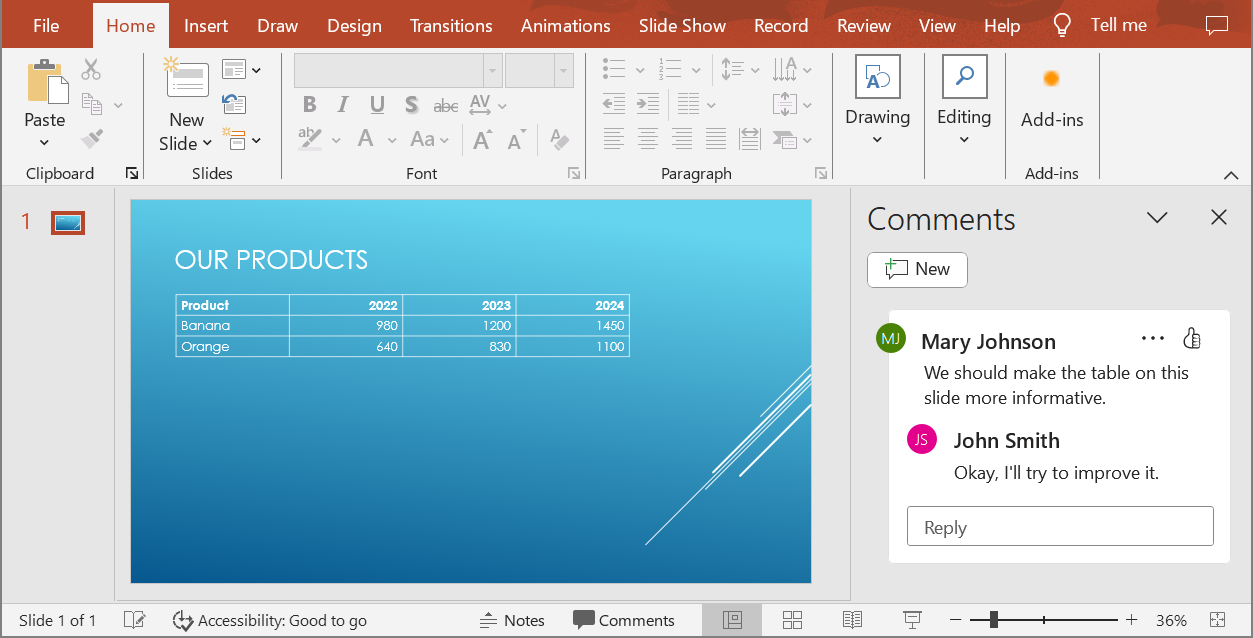
When you convert a PowerPoint presentation to an HTML5 document, you can easily specify whether to include comments from the presentation in the output document. To do this, you need to specify the display parameters for comments in the `getNotesCommentsLayouting` method of the `Html5Options` class.
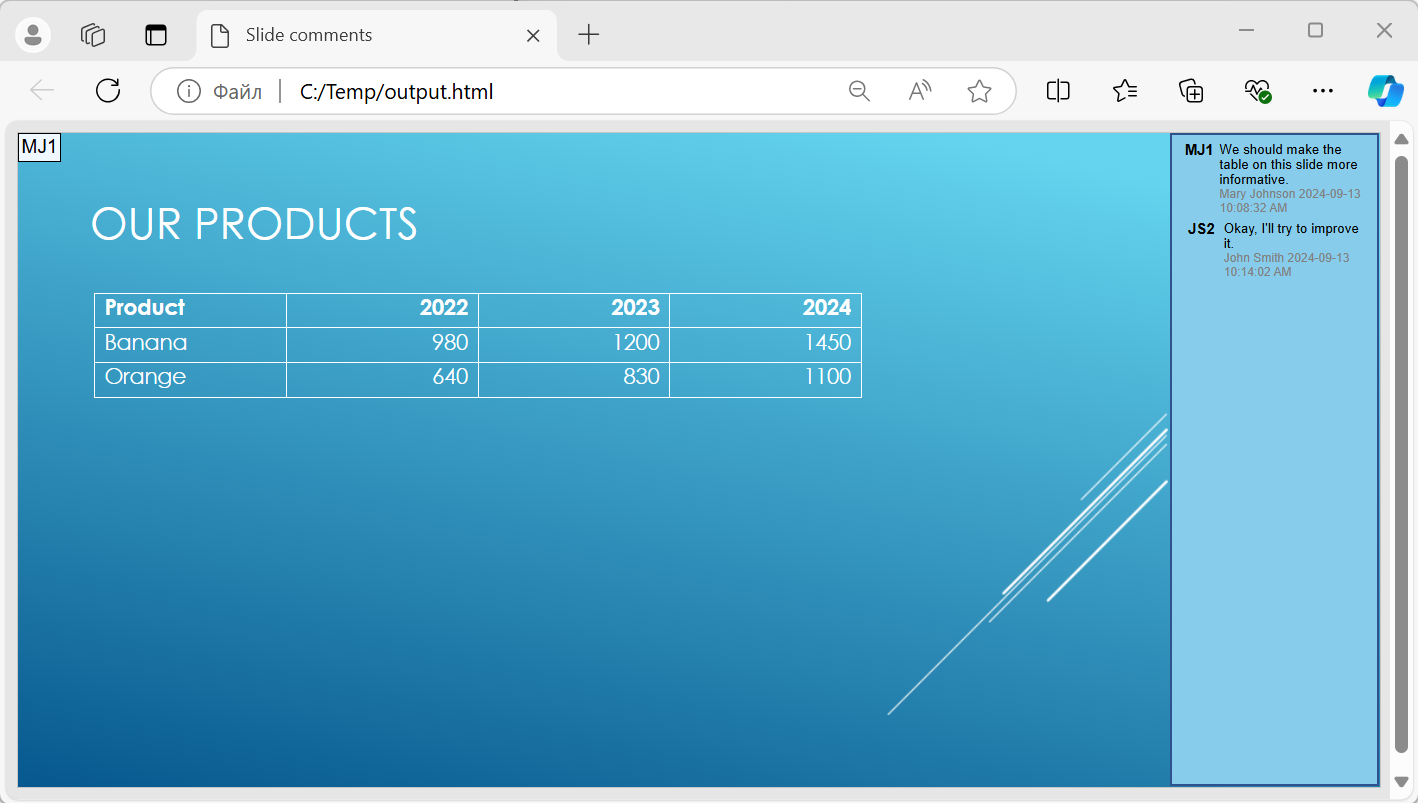
The following code example converts a presentation to an HTML5 document with comments displayed to the right of the slides.
```php
$html5Options = new Html5Options();
$html5Options->getNotesCommentsLayouting()->setCommentsPosition(CommentsPositions::Right);
$presentation = new Presentation("sample.pptx");
$presentation->save("output.html", SaveFormat::Html5, $html5Options);
$presentation->dispose();
아래 이미지에 "output.html" 문서가 표시됩니다.
## **FAQ**
**HTML5에서 객체 애니메이션 및 슬라이드 전환 재생을 제어할 수 있나요?**
예, HTML5에서는 [도형 애니메이션](https://reference.aspose.com/slides/ko/php-java/aspose.slides/html5options/setanimateshapes/)과 [슬라이드 전환](https://reference.aspose.com/slides/ko/php-java/aspose.slides/html5options/setanimatetransitions/)을 각각 활성화하거나 비활성화하는 별도 옵션을 제공합니다.
**주석 출력이 지원되며, 슬라이드에 대해 어느 위치에 배치할 수 있나요?**
예, HTML5에서 주석을 추가할 수 있으며, 노트와 주석에 대한 [레이아웃 설정](https://reference.aspose.com/slides/ko/php-java/aspose.slides/html5options/#setSlidesLayoutOptions)으로 슬라이드 오른쪽 등 원하는 위치에 배치할 수 있습니다.
**보안 또는 CSP 이유로 JavaScript를 호출하는 링크를 건너뛸 수 있나요?**
예, 저장 시 JavaScript 호출이 포함된 하이퍼링크를 건너뛰도록 하는 [설정](https://reference.aspose.com/slides/ko/php-java/aspose.slides/saveoptions/#setSkipJavaScriptLinks)이 제공됩니다. 이를 통해 엄격한 보안 정책을 준수할 수 있습니다.