# Presentaties converteren naar HTML5 in PHP
> Exporteer PowerPoint‑ en OpenDocument‑presentaties naar responsieve HTML5 met Aspose.Slides voor PHP via Java. Behoud opmaak, animaties en interactiviteit.
Source: https://docs.aspose.com/slides/nl/php-java/export-to-html5/
Updated: 2026-06-13
## **Overzicht**
Dit artikel legt uit hoe u PowerPoint‑presentaties kunt converteren naar HTML5 met Aspose.Slides. Het behandelt een basis‑HTML5‑export zonder web‑extensies of extra afhankelijkheden, evenals opties om vormanimaties en dia‑overgangen te controleren. Het artikel laat ook het standaard PowerPoint‑naar‑HTML‑exportproces zien, legt uit hoe u HTML5‑output in dia‑weergavemodus genereert, en demonstreert hoe u opmerkingen in het geëxporteerde document kunt opnemen door hun lay‑out te configureren.
## **PowerPoint exporteren naar HTML5**
Deze PHP‑code laat zien hoe u een presentatie kunt exporteren naar HTML5 zonder web‑extensies en afhankelijkheden:
```php
$pres = new Presentation("pres.pptx");
try {
$pres->save("pres.html", SaveFormat::Html5);
} finally {
if (!java_is_null($pres)) {
$pres->dispose();
}
}
```
{{% alert color="primary" %}}
In dit geval krijgt u schone HTML.
{{% /alert %}}
U kunt op deze manier instellingen voor vormanimaties en dia‑overgangen specificeren:
```php
$pres = new Presentation("pres.pptx");
try {
$html5Options = new Html5Options();
$html5Options->setAnimateShapes(false);
$html5Options->setAnimateTransitions(false);
$pres->save("pres5.html", SaveFormat::Html5, $html5Options);
} finally {
if (!java_is_null($pres)) {
$pres->dispose();
}
}
```
## **PowerPoint exporteren naar HTML**
Deze Java‑code demonstreert het standaard PowerPoint‑naar‑HTML‑proces:
```php
$pres = new Presentation("pres.pptx");
try {
$pres->save("pres.html", SaveFormat::Html);
} finally {
if (!java_is_null($pres)) {
$pres->dispose();
}
}
```
In dit geval wordt de presentatiewaarde gerenderd via SVG in een vorm zoals deze:
```html
```php
```
{{% alert title="Note" color="warning" %}}
When you use this method to export PowerPoint to HTML, due to the SVG rendering, you will not be to apply styles or animate specific elements.
{{% /alert %}}
## **Export PowerPoint to HTML5 Slide View**
**Aspose.Slides** allows you to convert a PowerPoint presentation to an HTML5 document in which the slides are presented in a slide view mode. In this case, when you open the resulting HTML5 file in a browser, you see the presentation in slide view mode on a web page.
This PHP code demonstrates the PowerPoint to HTML5 Slide View export process:
```php
$pres = new Presentation("pres.pptx");
try {
$html5Options = new Html5Options();
$html5Options->setAnimateShapes(true);
$html5Options->setAnimateTransitions(true);
$pres->save("HTML5-slide-view.html", SaveFormat::Html5, $html5Options);
} finally {
if (!java_is_null($pres)) {
$pres->dispose();
}
}
```
## **Convert Presentations to HTML5 Documents with Comments**
Comments in PowerPoint are a tool that allows users to leave notes or feedback on presentation slides. They are especially useful in collaborative projects, where multiple people can add their suggestions or remarks to specific slide elements without altering the main content. Each comment shows the author's name, making it easy to track who left the remark.
Let's say we have the following PowerPoint presentation saved in the "sample.pptx" file.
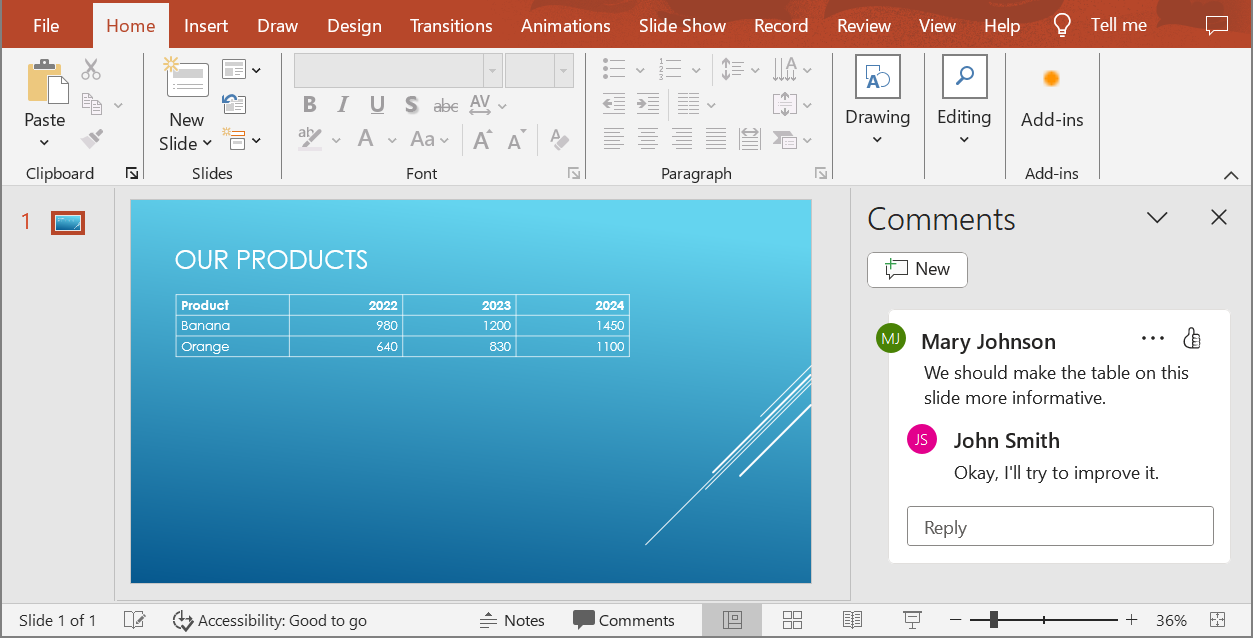
When you convert a PowerPoint presentation to an HTML5 document, you can easily specify whether to include comments from the presentation in the output document. To do this, you need to specify the display parameters for comments in the `getNotesCommentsLayouting` method of the `Html5Options` class.
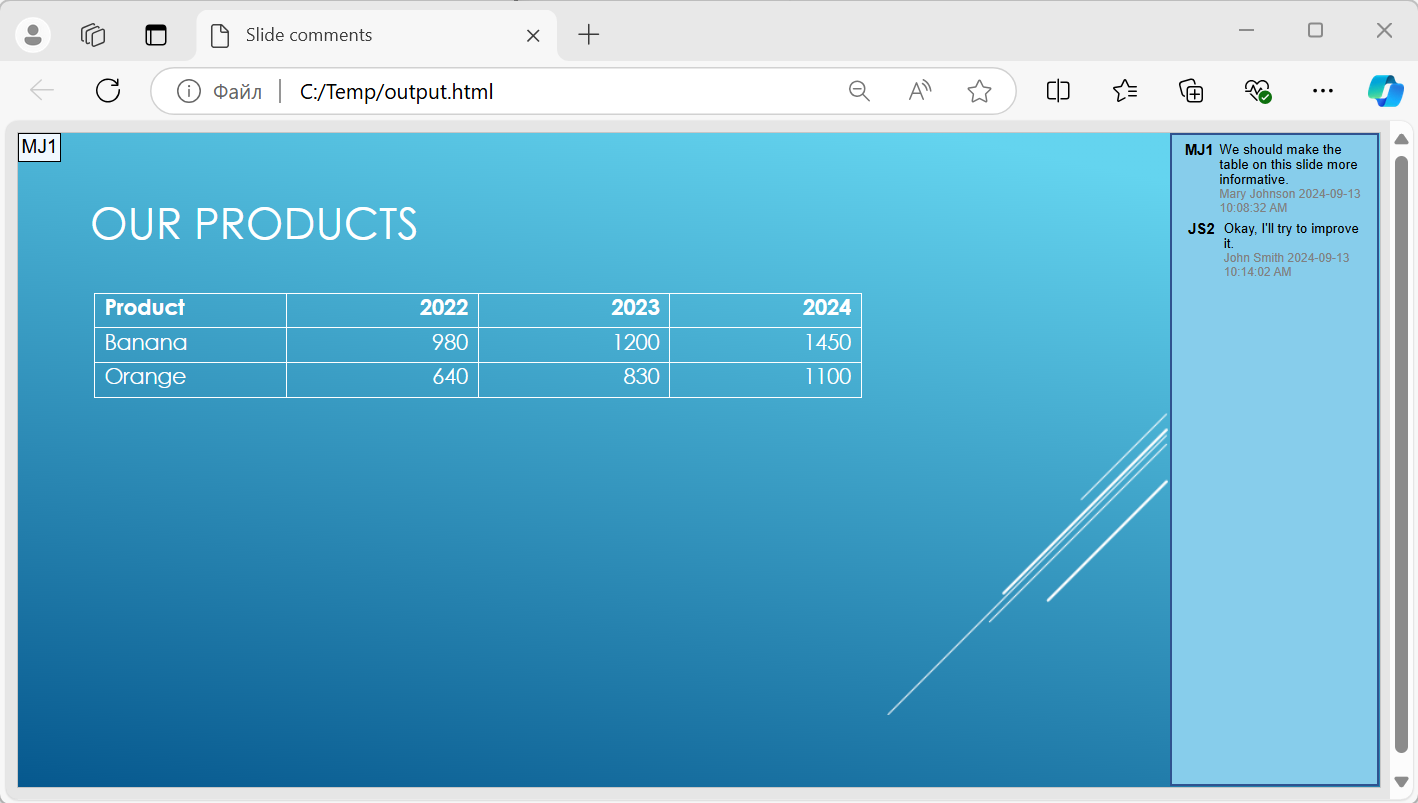
The following code example converts a presentation to an HTML5 document with comments displayed to the right of the slides.
```php
$html5Options = new Html5Options();
$html5Options->getNotesCommentsLayouting()->setCommentsPosition(CommentsPositions::Right);
$presentation = new Presentation("sample.pptx");
$presentation->save("output.html", SaveFormat::Html5, $html5Options);
$presentation->dispose();
Het document "output.html" wordt weergegeven in de afbeelding hieronder.
## **FAQ**
**Kan ik bepalen of objectanimaties en dia‑overgangen worden afgespeeld in HTML5?**
Ja, HTML5 biedt afzonderlijke opties om [vormanimaties](https://reference.aspose.com/slides/nl/php-java/aspose.slides/html5options/setanimateshapes/) en [dia‑overgangen](https://reference.aspose.com/slides/nl/php-java/aspose.slides/html5options/setanimatetransitions/) in of uit te schakelen.
**Wordt het exporteren van opmerkingen ondersteund, en waar kunnen ze worden geplaatst ten opzichte van de dia?**
Ja, opmerkingen kunnen worden toegevoegd in HTML5 en gepositioneerd (bijvoorbeeld rechts van de dia) via [lay‑outinstellingen](https://reference.aspose.com/slides/nl/php-java/aspose.slides/html5options/#setSlidesLayoutOptions) voor notities en opmerkingen.
**Kan ik links overslaan die JavaScript aanroepen om beveiligings‑ of CSP‑redenen?**
Ja, er is een [instelling](https://reference.aspose.com/slides/nl/php-java/aspose.slides/saveoptions/#setSkipJavaScriptLinks) waarmee u hyperlinks met JavaScript‑aanroepen kunt overslaan tijdens het opslaan. Dit helpt te voldoen aan strikte beveiligingsbeleid.