```php
```
{{% alert title="Note" color="warning" %}}
When you use this method to export PowerPoint to HTML, due to the SVG rendering, you will not be to apply styles or animate specific elements.
{{% /alert %}}
## **Export PowerPoint to HTML5 Slide View**
**Aspose.Slides** allows you to convert a PowerPoint presentation to an HTML5 document in which the slides are presented in a slide view mode. In this case, when you open the resulting HTML5 file in a browser, you see the presentation in slide view mode on a web page.
This PHP code demonstrates the PowerPoint to HTML5 Slide View export process:
```php
$pres = new Presentation("pres.pptx");
try {
$html5Options = new Html5Options();
$html5Options->setAnimateShapes(true);
$html5Options->setAnimateTransitions(true);
$pres->save("HTML5-slide-view.html", SaveFormat::Html5, $html5Options);
} finally {
if (!java_is_null($pres)) {
$pres->dispose();
}
}
```
## **Convert Presentations to HTML5 Documents with Comments**
Comments in PowerPoint are a tool that allows users to leave notes or feedback on presentation slides. They are especially useful in collaborative projects, where multiple people can add their suggestions or remarks to specific slide elements without altering the main content. Each comment shows the author's name, making it easy to track who left the remark.
Let's say we have the following PowerPoint presentation saved in the "sample.pptx" file.
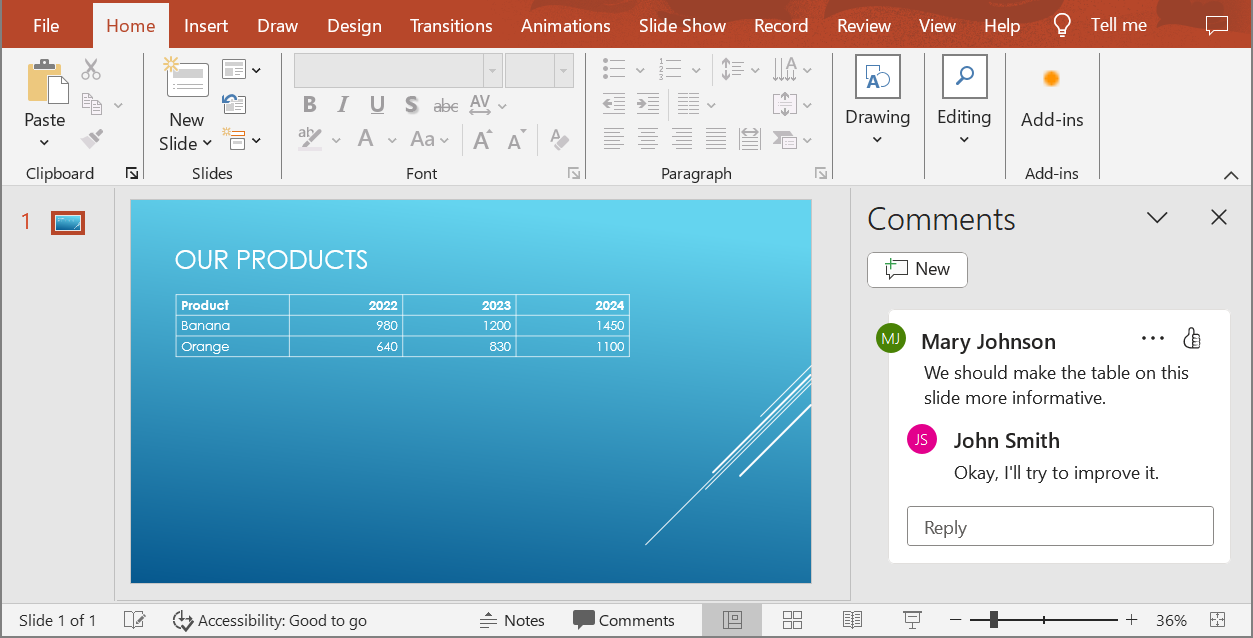
When you convert a PowerPoint presentation to an HTML5 document, you can easily specify whether to include comments from the presentation in the output document. To do this, you need to specify the display parameters for comments in the `getNotesCommentsLayouting` method of the `Html5Options` class.
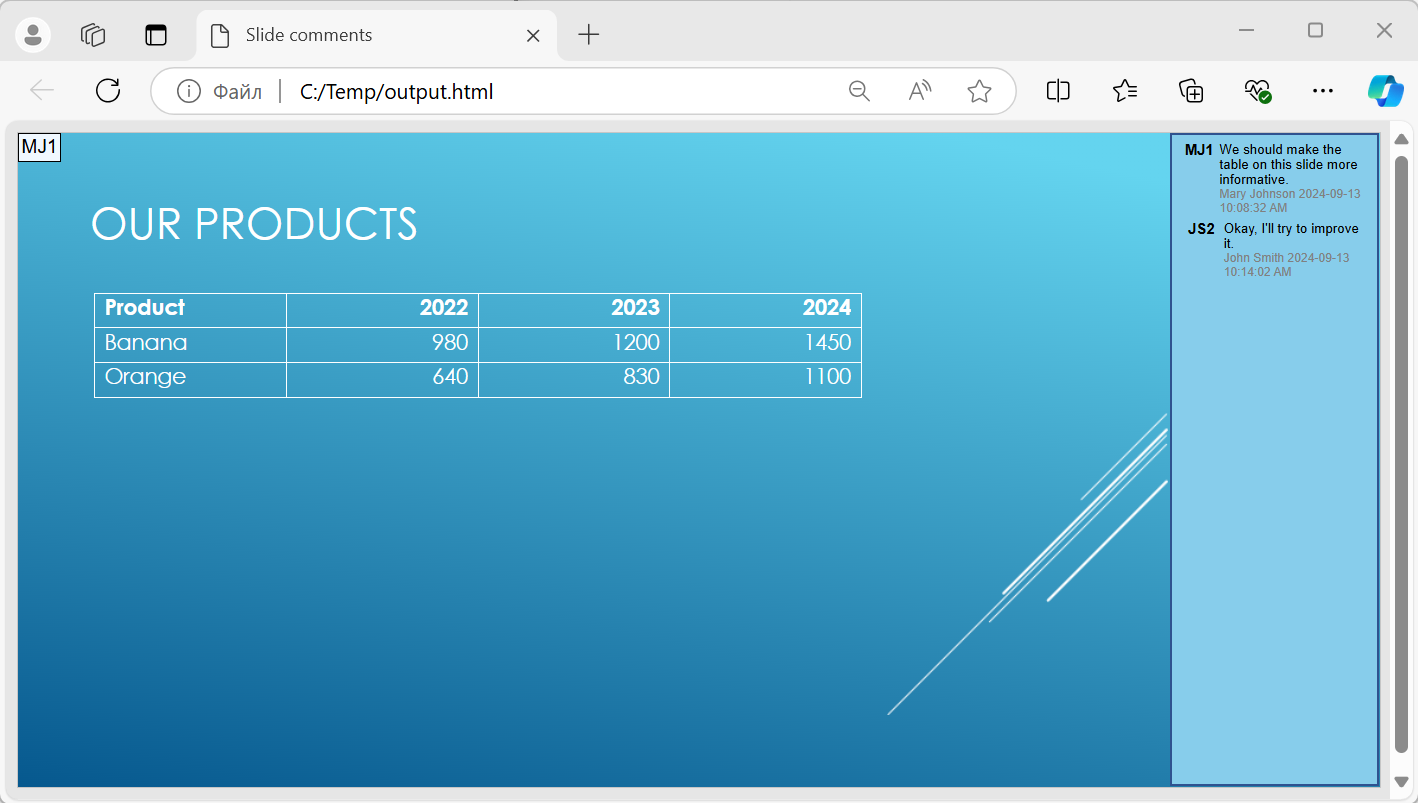
The following code example converts a presentation to an HTML5 document with comments displayed to the right of the slides.
```php
$html5Options = new Html5Options();
$html5Options->getNotesCommentsLayouting()->setCommentsPosition(CommentsPositions::Right);
$presentation = new Presentation("sample.pptx");
$presentation->save("output.html", SaveFormat::Html5, $html5Options);
$presentation->dispose();
เอกสาร "output.html" จะแสดงในภาพด้านล่าง
## **คำถามที่พบบ่อย**
**ฉันสามารถควบคุมว่าการเคลื่อนไหวของวัตถุและการเปลี่ยนสไลด์จะทำงานใน HTML5 หรือไม่?**
ได้, HTML5 มีตัวเลือกแยกต่างหากเพื่อเปิดหรือปิด [การเคลื่อนไหวของรูปร่าง](https://reference.aspose.com/slides/th/php-java/aspose.slides/html5options/setanimateshapes/) และ [การเปลี่ยนสไลด์](https://reference.aspose.com/slides/th/php-java/aspose.slides/html5options/setanimatetransitions/)
**การสนับสนุนการส่งออกคอมเมนต์เป็นอย่างไรและสามารถวางตำแหน่งคอมเมนต์สัมพันธ์กับสไลด์ได้ที่ไหน?**
ได้, สามารถเพิ่มคอมเมนต์ใน HTML5 และกำหนดตำแหน่ง (เช่น ทางด้านขวาของสไลด์) ผ่าน [การตั้งค่าเลย์เอาต์](https://reference.aspose.com/slides/th/php-java/aspose.slides/html5options/#setSlidesLayoutOptions) สำหรับโน๊ตและคอมเมนต์
**ฉันสามารถข้ามลิงก์ที่เรียกใช้ JavaScript เพื่อเหตุผลด้านความปลอดภัยหรือ CSP ได้หรือไม่?**
ได้, มี [การตั้งค่า](https://reference.aspose.com/slides/th/php-java/aspose.slides/saveoptions/#setSkipJavaScriptLinks) ที่ให้คุณข้ามไฮเปอร์ลิงก์ที่มีการเรียก JavaScript ระหว่างการบันทึก ซึ่งช่วยให้สอดคล้องกับนโยบายความปลอดภัยที่เข้มงวด