(u"pres.pptx");
pres->Save(u"pres.html", SaveFormat::Html);
```
在此情况下,演示文稿内容通过 SVG 渲染,形式如下:
```html
```
{{% alert title="Note" color="warning" %}}
使用此方法将 PowerPoint 导出为 HTML 时,由于 SVG 渲染,您将无法对特定元素应用样式或动画。
{{% /alert %}}
## **导出 PowerPoint 为 HTML5 幻灯片视图**
**Aspose.Slides** 允许您将 PowerPoint 演示文稿转换为 HTML5 文档,文档中的幻灯片以幻灯片视图模式呈现。此时,在浏览器中打开生成的 HTML5 文件,您将在网页上以幻灯片视图模式查看演示文稿。
下面的 C++ 代码演示 PowerPoint 到 HTML5 幻灯片视图的导出过程:
```c++
auto pres = System::MakeObject(u"pres.pptx");
auto html5Options = System::MakeObject();
html5Options->set_AnimateShapes(true);
html5Options->set_AnimateTransitions(true);
pres->Save(u"HTML5-slide-view.html", SaveFormat::Html5, html5Options);
```
## **将演示文稿转换为包含批注的 HTML5 文档**
PowerPoint 中的批注是一种工具,允许用户在幻灯片上留下备注或反馈。它们在协作项目中尤其有用,多个成员可以对特定幻灯片元素添加建议或评论,而不会更改主要内容。每条批注都会显示作者姓名,便于追踪是谁留下的备注。
假设我们有以下保存在 “sample.pptx” 文件中的 PowerPoint 演示文稿。
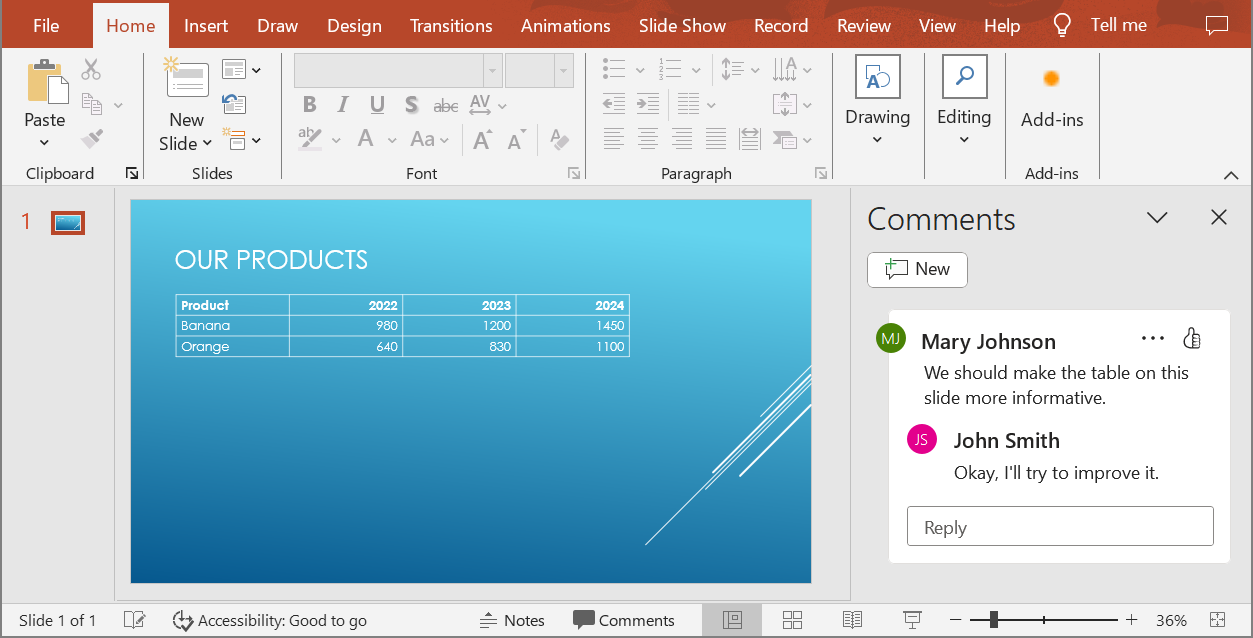
将 PowerPoint 演示文稿转换为 HTML5 文档时,您可以轻松指定是否在输出文档中包含批注。为此,需要在 [Html5Options](https://reference.aspose.com/slides/cpp/aspose.slides.export/html5options/) 类的 `get_NotesCommentsLayouting` 方法中设置批注的显示参数。
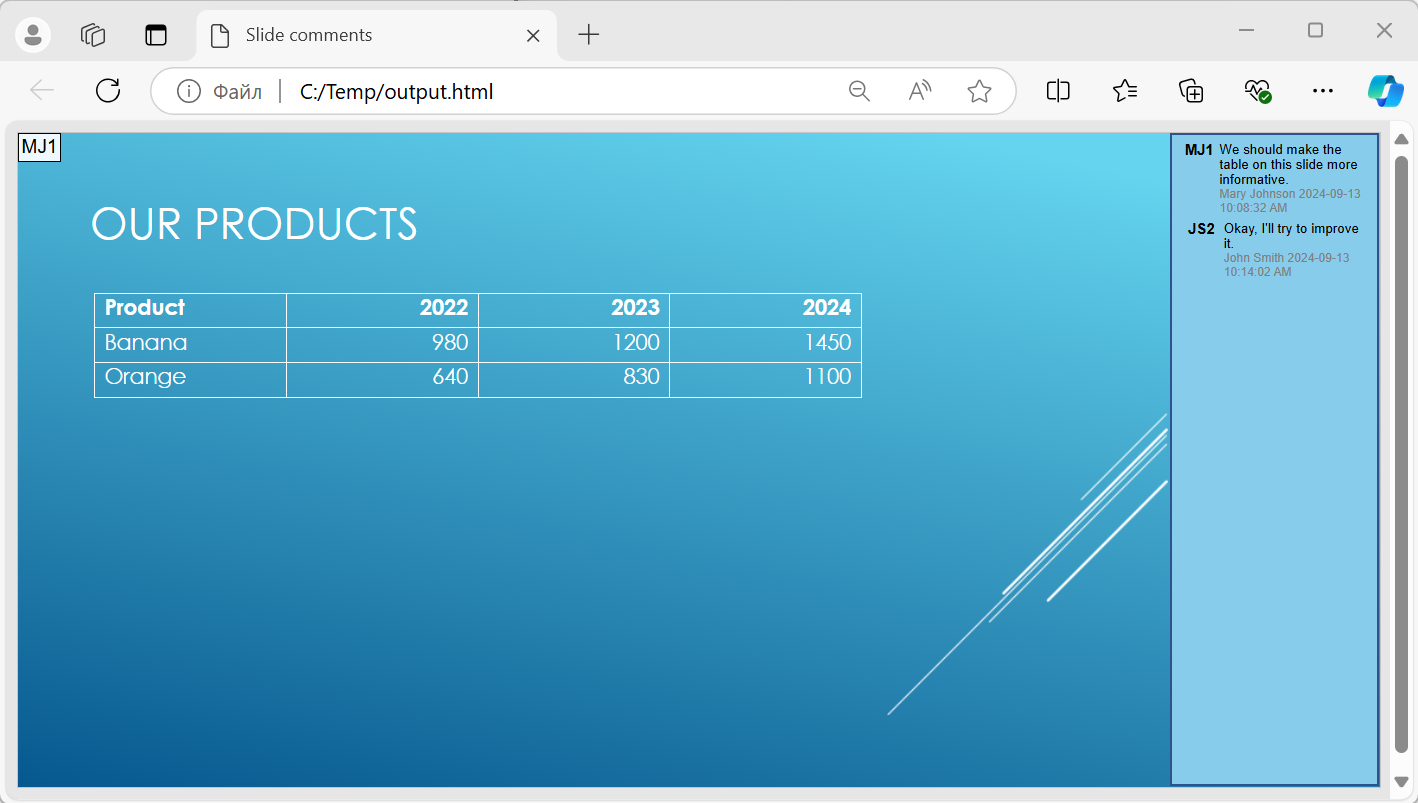
下面的代码示例将演示文稿转换为在幻灯片右侧显示批注的 HTML5 文档。
```cpp
auto html5Options = MakeObject();
html5Options->get_NotesCommentsLayouting()->set_CommentsPosition(CommentsPositions::Right);
auto presentation = MakeObject(u"sample.pptx");
presentation->Save(u"output.html", SaveFormat::Html5, html5Options);
presentation->Dispose();
```
下面的图片展示了生成的 “output.html” 文档。
## **FAQ**
**我可以控制对象动画和幻灯片切换是否在 HTML5 中播放吗?**
可以,HTML5 提供了分别启用或禁用 [shape animations](https://reference.aspose.com/slides/cpp/aspose.slides.export/html5options/set_animateshapes/) 和 [slide transitions](https://reference.aspose.com/slides/cpp/aspose.slides.export/html5options/set_animatetransitions/) 的选项。
**批注的输出是否受支持?它们可以相对于幻灯片放置在哪里?**
支持在 HTML5 中添加批注,并可通过备注和批注的布局设置将其定位(例如放在幻灯片右侧)。
**我可以跳过出于安全或 CSP 考虑而调用 JavaScript 的链接吗?**
可以,有一个 [setting](https://reference.aspose.com/slides/cpp/aspose.slides.export/saveoptions/set_skipjavascriptlinks/) 允许在保存时跳过包含 JavaScript 调用的超链接。这有助于遵守严格的安全策略。