

Analyzing your prompt, please hold on...
An error occurred while retrieving the results. Please refresh the page and try again.
Esta guía muestra cómo crear, cargar y leer archivos SVG en C# con Aspose.SVG for .NET. Aprenderá a inicializar un SVGDocument desde un documento vacío, contenido de cadena, stream, archivo local, URL, y a cargar documentos SVG con recursos externos de forma asíncrona.
La clase SVGDocument es el punto de entrada para trabajar con contenido SVG en Aspose.SVG for .NET. Representa la raíz de la jerarquía DOM de SVG, contiene todo el contenido del documento y sigue las especificaciones
W3C SVG 2.0 y
WHATWG DOM.
Los archivos SVG se pueden crear y cargar:
Los siguientes ejemplos de C# muestran los constructores de SVGDocument y escenarios de carga más comunes.
La forma más rápida de crear un documento SVG es pasar el marcado SVG como una cadena al constructor SVGDocument. Esto resulta útil cuando el contenido SVG se genera dinámicamente en la aplicación:
1using Aspose.Svg;
2...
3
4    string svgContent = "<svg xmlns=\"http://www.w3.org/2000/svg\" width=\"100\" height=\"100\"><circle cx=\"50\" cy=\"50\" r=\"40\" /></svg>";
5
6    using (SVGDocument document = new SVGDocument(svgContent, "."))
7    {
8        document.Save("circle.svg");
9 }Aspose.SVG for .NET API proporciona la clase SVGDocument, que se puede usar para crear un documento vacío mediante su constructor predeterminado. Una vez creado el objeto de documento, puede rellenarse más adelante con elementos SVG. El siguiente fragmento de código C# muestra el uso del constructor predeterminado SVGDocument() para crear un documento SVG.
1using Aspose.Svg;
2...
3
4    // Initialize an empty SVG document
5    using (SVGDocument document = new SVGDocument())
6    {
7        // Work with the SVG document here...
8    }
Si desea guardar el documento SVG vacío creado en un archivo, utilice el siguiente fragmento de código C#:
1using Aspose.Svg;
2using System.IO; 1// Create an empty SVG document using C#
2
3// Prepare an output path to save a document
4string documentPath = Path.Combine(OutputDir, "empty.svg");
5
6// Initialize an empty SVG document
7using (SVGDocument document = new SVGDocument())
8{
9 // Work with the SVG document here...
10
11 // Save the document to a file
12 document.Save(documentPath);
13}Encontrará más detalles sobre cómo guardar archivos SVG en la sección Guardar un documento SVG. En el artículo Editar archivo SVG, aprenderá a editar SVG con la biblioteca Aspose.SVG for .NET y verá ejemplos detallados para agregar nuevos elementos a documentos SVG y aplicar filtros SVG a mapas de bits.
Use el constructor
SVGDocument(string, string) cuando el marcado SVG ya exista en memoria, por ejemplo después de generarse en la aplicación o recibirse desde una base de datos, API o entrada del usuario.
El segundo argumento del constructor es el URI base. Aspose.SVG lo usa para resolver rutas relativas dentro del SVG, como imágenes vinculadas, archivos CSS o fuentes. Si el marcado SVG no hace referencia a recursos externos, puede pasar ".", como en el ejemplo de inicio rápido anterior. Si los referencia, pase la carpeta o URL donde se encuentran esos recursos:
 1using Aspose.Svg;
 2using System.IO;
 3...
 4
 5    // SVG markup contains a relative reference to an external image
 6    string documentContent = "<svg xmlns=\"http://www.w3.org/2000/svg\" width=\"200\" height=\"120\"><image href=\"images/logo.png\" width=\"200\" height=\"120\" /></svg>";
 7
 8    // Relative paths in the SVG are resolved against this base URI
 9    string baseUri = Path.Combine(DataDir, "assets") + Path.DirectorySeparatorChar;
10
11	// Initialize an SVG document from a string content
12	using (SVGDocument document = new SVGDocument(documentContent, baseUri))
13	{
14	    // Work with the document here...
15 }Para cargar SVG desde un stream, use uno de los constructores SVGDocument() que acepta un objeto Stream. Este patrón es útil para leer SVG desde archivos cargados por usuarios, recursos incrustados, búferes de memoria u otros orígenes que no son archivos:
 1using Aspose.Svg;
 2using System.IO;
 3...
 4
 5    //Prepare a path to a file required for a FileStream object creating
 6    string documentPath = Path.Combine(DataDir, "bezier-curves.svg");
 7
 8	// Create a FileStream object
 9	using (FileStream stream = new FileStream(documentPath, FileMode.Open, FileAccess.Read))
10	{
11	    // Initialize an SVG document from the stream
12		using (SVGDocument document = new SVGDocument(stream, "."))
13	    {
14	        // Work with the document
15	    }
16 }La SVG Builder API ofrece una forma potente y flexible de construir documentos SVG mediante programación. Con la clase SVGSVGElementBuilder, los desarrolladores pueden crear gráficos SVG complejos con opciones de personalización detalladas. Para obtener más información, consulte
Creación y modificación avanzada de SVG con Aspose.SVG Builder API.
Este ejemplo demuestra cómo crear un documento SVG personalizado con varios elementos gráficos:
1using System.IO;
2using Aspose.Svg;
3using Aspose.Svg.Builder;
4using System.Drawing; 1// Create SVG using Builder API
2
3// Initialize an SVG document
4using (SVGDocument document = new SVGDocument())
5{
6 // Create an <svg> element with specified width, height and viewBox, and add into it other required elements
7 SVGSVGElement svg = new SVGSVGElementBuilder()
8 .Width(100).Height(100)
9 .ViewBox(-21, -21, 42, 42)
10 .AddDefs(def => def
11 .AddRadialGradient(id: "b", cx: .2, cy: .2, r: .5, fx: .2, fy: .2, extend: ev => ev
12 .AddStop(offset: 0, stopColor: Color.FromArgb(0xff, 0xff, 0xFF), stopOpacity: .7)
13 .AddStop(offset: 1, stopColor: Color.FromArgb(0xff, 0xff, 0xFF), stopOpacity: 0)
14 )
15 .AddRadialGradient(id: "a", cx: .5, cy: .5, r: .5, extend: ev => ev
16 .AddStop(offset: 0, stopColor: Color.FromArgb(0xff, 0xff, 0x00))
17 .AddStop(offset: .75, stopColor: Color.FromArgb(0xff, 0xff, 0x00))
18 .AddStop(offset: .95, stopColor: Color.FromArgb(0xee, 0xee, 0x00))
19 .AddStop(offset: 1, stopColor: Color.FromArgb(0xe8, 0xe8, 0x00))
20 )
21 )
22 .AddCircle(r: 20, fill: "url(#a)", stroke: Color.FromArgb(0, 0, 0), extend: c => c.StrokeWidth(.15))
23 .AddCircle(r: 20, fill: "b")
24 .AddG(g => g.Id("c")
25 .AddEllipse(cx: -6, cy: -7, rx: 2.5, ry: 4)
26 .AddPath(fill: Paint.None, stroke: Color.FromArgb(0, 0, 0), d: "M10.6 2.7a4 4 0 0 0 4 3", extend: e => e.StrokeWidth(.5).StrokeLineCap(StrokeLineCap.Round))
27 )
28 .AddUse(href: "#c", extend: e => e.Transform(t => t.Scale(-1, 1)))
29 .AddPath(d: "M-12 5a13.5 13.5 0 0 0 24 0 13 13 0 0 1-24 0", fill: Paint.None, stroke: Color.FromArgb(0, 0, 0), extend: e => e.StrokeWidth(.75))
30 .Build(document.FirstChild as SVGSVGElement);
31
32 // Save the SVG document
33 document.Save(Path.Combine(OutputDir, "face.svg"));
34}Este fragmento de código crea un documento SVG con un diseño complejo y demuestra la flexibilidad y potencia de la SVG Builder API para generar gráficos SVG personalizados mediante programación. En el código C# anterior, creamos un documento SVG con elementos como círculos, elipses, trazados y degradados. La imagen SVG generada representa una cara sonriente:

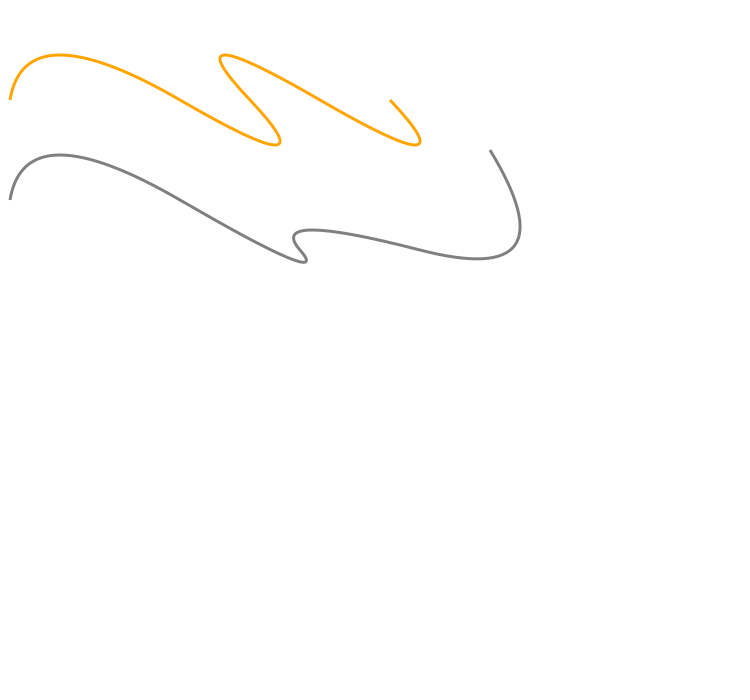
Para cargar SVG desde un archivo bezier-curves.svg, use el constructor predeterminado de la clase SVGDocument y pásele la ruta del archivo como parámetro de entrada.
 1using Aspose.Svg;
 2using System.IO;
 3...
 4
 5    // Prepare a path to a file loading
 6    string documentPath = Path.Combine(DataDir, "bezier-curves.svg");
 7
 8	// Load an SVG document from the file
 9	using (SVGDocument document = new SVGDocument(documentPath))
10	{
11	    // Work with the document
12 }También puede cargar SVG directamente desde una URL. Los siguientes ejemplos muestran cómo crear un SVGDocument desde una dirección web que apunta a un archivo SVG:
1using Aspose.Svg;
2...
3
4    // Load SVG from the Web at its URL
5    Url documentUrl = new Url("https://docs.aspose.com/svg/files/owl.svg");
6    using (SVGDocument document = new SVGDocument(documentUrl))
7    {
8        // Work with the SVG document here...
9 }1using Aspose.Svg;
2...
3
4 // Load SVG from the Web at its URL
5 using (SVGDocument document = new SVGDocument(new Url("https://docs.aspose.com/svg/files/basic-shapes.svg")))
6 {
7 // Work with the SVG document here...
8 }Si establece una URL incorrecta a la que no se puede acceder, la biblioteca genera una DOMException con el código especializado NetworkError para informar de que no se puede encontrar el recurso seleccionado.
Si un documento SVG hace referencia a recursos externos como imágenes, fuentes, archivos CSS o scripts, la carga puede requerir más tiempo y bloquear el hilo principal de la aplicación. En un modelo de carga asíncrona, puede suscribirse a los eventos Load y ReadyStateChange y notificar a la aplicación cuando el documento SVG y sus recursos estén listos.
El método
Navigate(Url) de la clase
SVGDocument carga el documento desde la URL especificada en la instancia actual.
1using Aspose.Svg;
2using System.Threading; 1// Load SVG asynchronously using C#
2
3Url documentUrl = new Url("https://docs.aspose.com/svg/files/owl.svg");
4ManualResetEvent documentEvent = new ManualResetEvent(false);
5
6SVGDocument document = new SVGDocument();
7
8// Subscribe to the event 'OnReadyStateChange' that will be fired once the document is completely loaded
9document.OnReadyStateChange += (sender, ev) =>
10{
11 if (document.ReadyState == "complete")
12 {
13 // Sets the state of the event to signaled to unblock the main thread
14 documentEvent.Set();
15 }
16};
17
18// Load an SVG document Async
19document.Navigate(documentUrl);
20
21// Blocks the current thread while the document is loading
22documentEvent.WaitOne();
23
24// Work with the documentPuede descargar los ejemplos completos y los archivos de datos desde GitHub. Encontrará información sobre cómo descargar desde GitHub y ejecutar los ejemplos en la sección Cómo ejecutar los ejemplos.
1. ¿Por qué no se cargan imágenes, fuentes o archivos CSS cuando creo SVG desde una cadena o stream?
Cuando se crea SVG desde una cadena o stream, las rutas relativas de recursos se resuelven respecto al URI base pasado al constructor SVGDocument. Si no se cargan imágenes, fuentes o archivos CSS vinculados, compruebe que el URI base apunta a la carpeta o URL donde se encuentran esos recursos.
2. ¿Qué ocurre si un archivo SVG contiene marcado no válido?
Aspose.SVG analiza SVG como contenido basado en XML. Si el marcado está mal formado o no se pueden resolver recursos necesarios, la carga del documento o su procesamiento posterior pueden fallar. Valide el marcado SVG generado y controle las excepciones de carga en código de producción.
3. ¿Puedo modificar un SVGDocument después de cargarlo?
Sí. Después de cargar un archivo SVG, puede navegar y modificar su DOM, agregar o quitar elementos, actualizar atributos, aplicar estilos y guardar el resultado. Para ejemplos detallados de edición, consulte el artículo
Editar archivo SVG.
4. ¿SVGDocument es adecuado para aplicaciones del lado del servidor?
Sí. Aspose.SVG for .NET puede usarse en servicios backend, aplicaciones ASP.NET, procesadores por lotes y flujos de automatización documental sin depender de automatización del navegador.
5. ¿Cuál es la diferencia entre SVG Builder API y la manipulación DOM?
SVG Builder API es conveniente para crear nuevas estructuras SVG en C# paso a paso. La manipulación DOM es mejor cuando trabaja con un documento SVG ya cargado y necesita cambiar sus elementos, atributos o estilos existentes.

Analyzing your prompt, please hold on...
An error occurred while retrieving the results. Please refresh the page and try again.