
Analyzing your prompt, please hold on...
An error occurred while retrieving the results. Please refresh the page and try again.
Quick Answer: To convert SVG to PNG in Python, load the source file with
SVGDocument, create
ImageSaveOptions, and pass both objects to
Converter.convert_svg(). PNG is the default image output format, and ImageSaveOptions lets you control the background color, page size, margins, and resolution.
PNG is a lossless raster format that supports transparency. It is a practical output format for web graphics, previews, thumbnails, and applications that cannot render SVG directly.
The following example converts document.svg to result.png using the default PNG settings:
1from aspose.svg import SVGDocument
2from aspose.svg.converters import Converter
3from aspose.svg.saving import ImageSaveOptions
4
5# Convert an SVG file to PNG using the default save options
6options = ImageSaveOptions()
7
8with SVGDocument("document.svg") as document:
9    Converter.convert_svg(document, options, "result.png")
The code performs three operations:
result.png.Use ImageSaveOptions when the PNG needs a specific canvas, background, or resolution. The following example converts winter.svg, adds a solid background, creates a 600 × 550 page with 10-pixel margins, and renders at 96 dpi:
 1import os
 2from aspose.svg import SVGDocument
 3from aspose.svg.converters import Converter
 4from aspose.svg.saving import ImageSaveOptions
 5from aspose.svg.drawing import Resolution, Page, Size, Margin
 6from aspose.pydrawing import Color
 7
 8# Convert SVG to PNG with a custom background, page, and resolution
 9input_folder = "data/"
10output_folder = "output/"
11input_path = os.path.join(input_folder, "winter.svg")
12output_path = os.path.join(output_folder, "winter.png")
13os.makedirs(output_folder, exist_ok=True)
14
15options = ImageSaveOptions()
16options.background_color = Color.from_argb(231, 217, 230)
17options.page_setup.any_page = Page(Size(600, 550), Margin(10, 10, 10, 10))
18options.horizontal_resolution = Resolution.from_dots_per_inch(96.0)
19options.vertical_resolution = Resolution.from_dots_per_inch(96.0)
20
21with SVGDocument(input_path) as document:
22    Converter.convert_svg(document, options, output_path)
The resulting PNG uses the requested page settings instead of relying only on the SVG viewport. The illustration compares the source SVG with the PNG rendered on the new background.
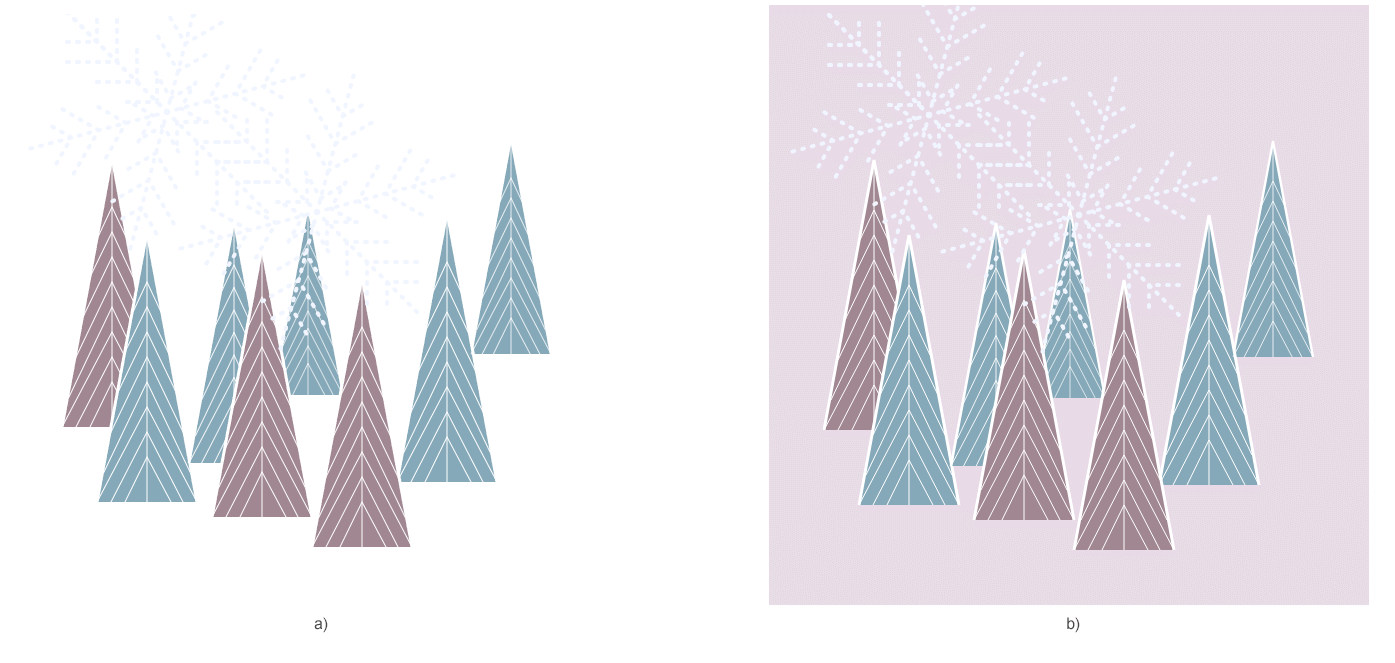
| Property | When to use it |
|---|---|
| background_color | Fill transparent areas with a chosen color |
| page_setup | Set page dimensions and margins |
| horizontal_resolution | Set horizontal output resolution in dpi |
| vertical_resolution | Set vertical output resolution in dpi |
| smoothing_mode | Control rasterization quality |
| text | Configure text rendering through TextOptions |
If background_color is not set, transparent SVG areas remain transparent in PNG. Resolution affects raster density, while page_setup controls the output canvas. When page dimensions are specified in pixels, pixel dimensions are usually more important than increasing dpi alone.
| Problem | Likely cause | Fix |
|---|---|---|
| The PNG is blank or cropped | The SVG has no usable viewport or the output page is too small | Define SVG width, height, or viewBox, or set options.page_setup.any_page |
| Transparent areas appear unexpected | No output background was specified | Set options.background_color when a solid canvas is required |
| Text looks different | A referenced font is unavailable | Install the font or vectorize text before conversion when exact glyph appearance is required |
| Linked images or CSS are missing | Relative resources cannot be resolved | Load the SVG from its file path or provide a correct base URI |
| Output dimensions are not as expected | Page size and resolution are being treated as the same setting | Use page_setup for dimensions and horizontal_resolution/vertical_resolution for dpi |
You can also test SVG to PNG conversion in a browser. Upload an SVG file, select PNG, and compare the result with your programmatic output.
Create ImageSaveOptions, open the source with SVGDocument, and call Converter.convert_svg(document, options, output_path).
Yes. PNG supports transparency, and transparent SVG areas remain transparent unless you set ImageSaveOptions.background_color.
Set ImageSaveOptions.page_setup with a Page, Size, and Margin. Use the resolution properties separately when you need a particular dpi.
Yes. Create an SVGDocument from the SVG string and a base URI, then pass that document to Converter.convert_svg().
PdfDevice rendering.
Analyzing your prompt, please hold on...
An error occurred while retrieving the results. Please refresh the page and try again.