---
title: "Find and Replace C#"
---
אתה יכול לנווט בקלות במסמך שלך באמצעות מקלדת ועכבר, אבל אם יש לך דפים רבים לגלול דרך, זה ייקח די הרבה זמן כדי למצוא טקסט מסוים במסמך ארוך. זה יהיה יותר זמן לצרוך כאשר אתה רוצה להחליף דמויות או מילים מסוימות שהשתמשת במסמך שלך. פונקציונליות "מצא והחלפת" מאפשרת לך למצוא רצף של דמויות במסמך ולהחליף אותו עם רצף אחר של דמויות.
Aspose.Words מאפשר לך למצוא תבנית מחרוזת מסוימת או ביטוי קבוע במסמך שלך ולהחליף אותו עם אלטרנטיבה ללא התקנה ושימוש יישומים נוספים כגון: Microsoft Word. זה יזרז משימות הקלדה ופורמטיביות רבות, שעלולות לחסוך שעות עבודה.
מאמר זה מסביר כיצד ליישם החלפת מיתר וביטויים קבועים עם התמיכה של metacharacters.
## דרכים למצוא ולחליף {#ways-to-find-and-replace}
Aspose.Words מספק שתי דרכים ליישם את החיפוש ולהחליף את הפעולה באמצעות הפעולות הבאות:
1.1 1. * החלפת מחרוזת פשוטה* - כדי למצוא ולהחליף מחרוזת מסוימת עם אחר, אתה צריך לציין מחרוזת חיפוש (דמויות אלפרמריות) אשר תוחלף על פי כל האירועים עם מיתר חלופי מוגדר אחר. שני המיתרים לא חייבים להכיל סמלים. קח בחשבון כי השוואה מחרוזת יכול להיות רגיש במקרה, או שאתה יכול להיות לא בטוח לחש או יש כמה לחשים דומים.
2. * ביטויים רשומים* - כדי לציין ביטוי קבוע למציאת משחקי המחרוזת המדויקים ולהחליפם על פי הביטוי הרגיל שלך. שים לב שמילה מוגדרת כמרכיבים רק דמויות אלפאמריות. אם החלפתם מבוצעת עם רק מילים שלמות תואמות ומחרוזת קלט מתרחשת להכיל סמלים, אז לא יימצאו ביטויים.
בנוסף, אתה יכול להשתמש metacharacters מיוחדים עם החלפת מחרוזת פשוטה וביטויים קבועים כדי לציין הפסקות בתוך מוצא והחלפת המבצע.
Aspose.Words מציג את הפונקציונליות וההחלפה עם [Aspose.Words.Replacing](https://reference.aspose.com/words/net/aspose.words.replacing/) שם. אתה יכול לעבוד עם אפשרויות רבות במהלך למצוא ולהחליף את התהליך באמצעות [FindReplaceOptions](https://reference.aspose.com/words/net/aspose.words.replacing/findreplaceoptions/) מעמד.
### Find and Replace Text Using Simple String {#find-and-replace-text-using-simple-string-replacement}
אתה יכול להשתמש באחד [Replace](https://reference.aspose.com/words/net/aspose.words/range/replace/#replace/) שיטות למצוא או להחליף מחרוזת מסוימת ולהחזיר את מספר ההחלפה שנעשו. במקרה זה, אתה יכול לציין מחרוזת שיש להחליף, מחרוזת שתחליף את כל האירועים שלה, בין אם ההחלפה היא רגישה במקרה, ואם רק מילים עומדות-אלון יושפעו.
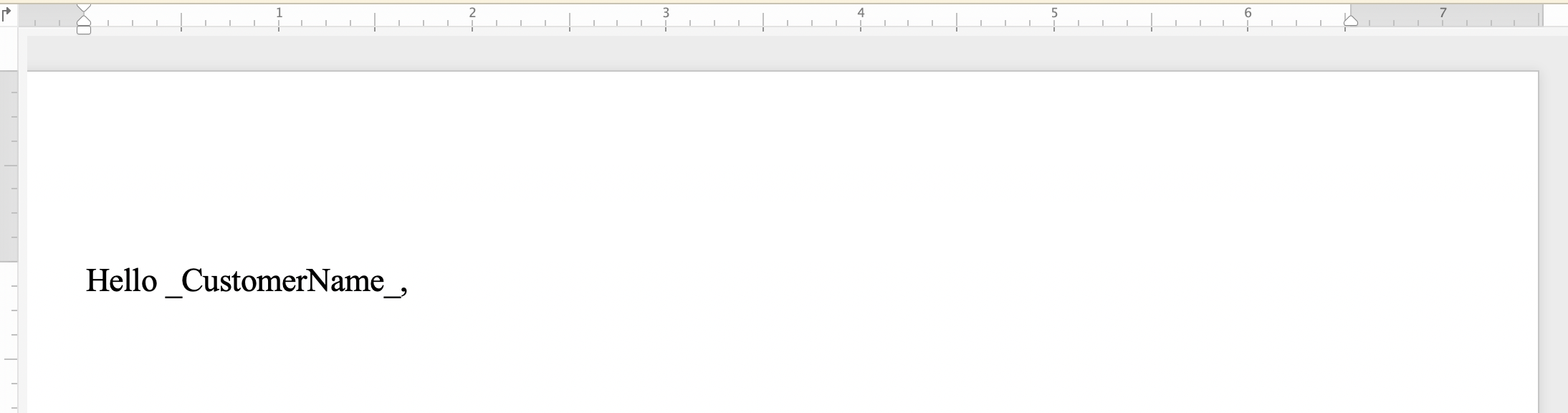
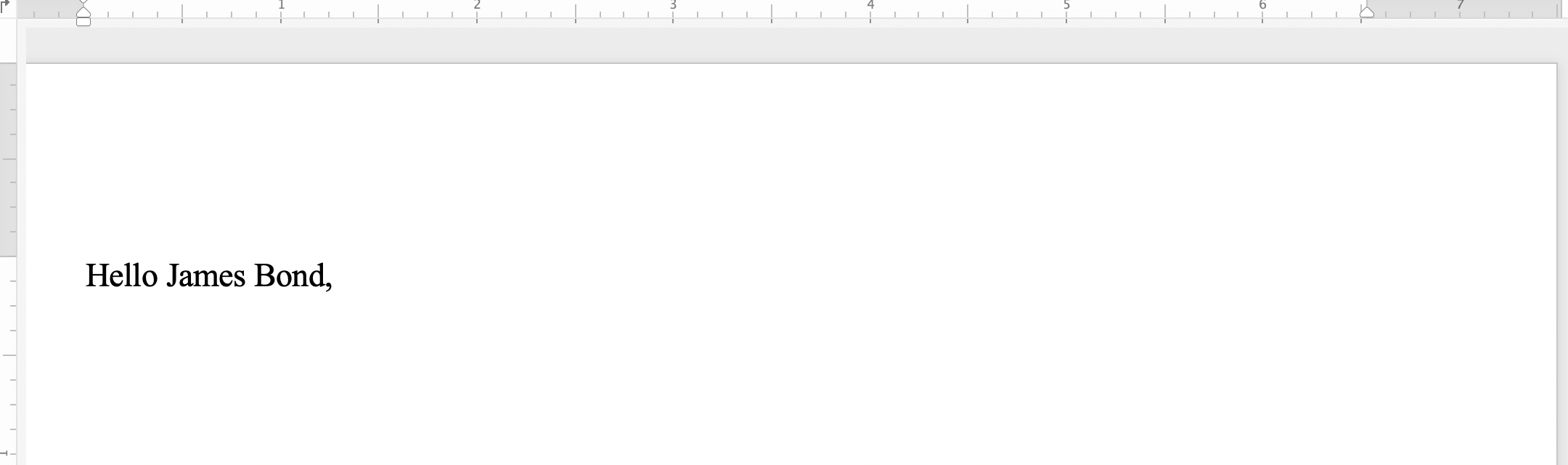
הדוגמה הקודית הבאה מראה כיצד למצוא את המיתרים "_Customername_" ולהחליף אותו עם המחרוזת *"ג'יימס בונד"*:
{{< gist "aspose-words-gists" "eacc4fc7407a98d683f3084bb86d58f7" "Examples-CSharp-Programming-Documents-Find-Replace-ReplaceWithString-ReplaceWithString.cs" >}}
ניתן להבחין בין המסמך לפני החלת החלפת מיתר פשוטה:
 לאחר הגשת החלפת מחרוזת פשוטה:
 ### מצא והחלפת טקסט באמצעות ביטויים רגילים {#find-and-replace-text-using-regular-expressions}
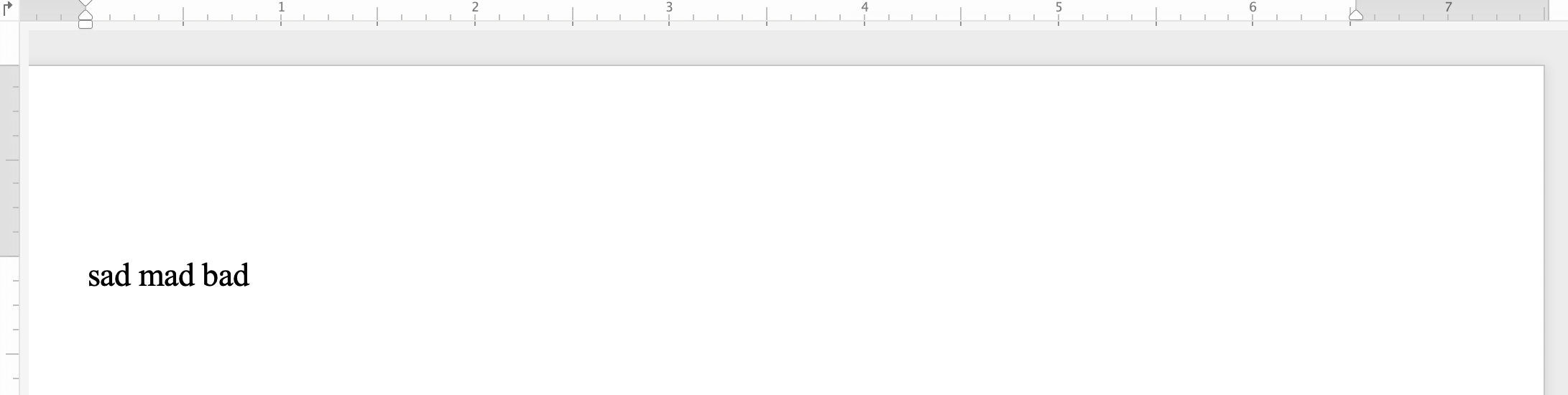
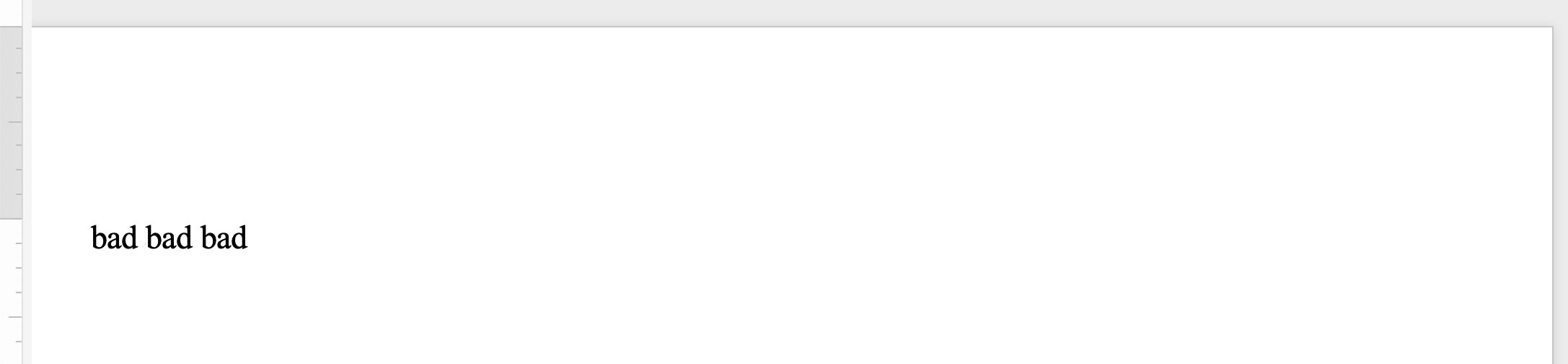
ביטוי קבוע (regex) הוא דפוס המתאר רצף מסוים של טקסט. נניח שאתה רוצה להחליף את כל האירועים הכפולים של מילה עם התרחשות מילה אחת. לאחר מכן תוכל ליישם את הביטוי הרגיל הבא כדי לציין את תבנית המילה הכפולה: `([a-zA-Z]+) \1`.
השתמש באחר [Replace](https://reference.aspose.com/words/net/aspose.words/range/replace/) שיטה לחיפוש ולהחלפת שילובי אופי ספציפיים על ידי הגדרת `Regex` פרמטר כתבנית ביטוי רגילה למציאת משחקים.
הדוגמה הבאה של הקוד מראה כיצד להחליף מיתרים שמתאימים לתבנית ביטוי רגילה עם מיתר חלופי מוגדר:
{{< gist "aspose-words-gists" "eacc4fc7407a98d683f3084bb86d58f7" "Examples-CSharp-Programming-Documents-Find-Replace-ReplaceWithRegex-ReplaceWithRegex.cs" >}}
אתה יכול להבחין בין המסמך לפני החלת החלפת מיתר עם ביטויים קבועים:
### מצא והחלפת טקסט באמצעות ביטויים רגילים {#find-and-replace-text-using-regular-expressions}
ביטוי קבוע (regex) הוא דפוס המתאר רצף מסוים של טקסט. נניח שאתה רוצה להחליף את כל האירועים הכפולים של מילה עם התרחשות מילה אחת. לאחר מכן תוכל ליישם את הביטוי הרגיל הבא כדי לציין את תבנית המילה הכפולה: `([a-zA-Z]+) \1`.
השתמש באחר [Replace](https://reference.aspose.com/words/net/aspose.words/range/replace/) שיטה לחיפוש ולהחלפת שילובי אופי ספציפיים על ידי הגדרת `Regex` פרמטר כתבנית ביטוי רגילה למציאת משחקים.
הדוגמה הבאה של הקוד מראה כיצד להחליף מיתרים שמתאימים לתבנית ביטוי רגילה עם מיתר חלופי מוגדר:
{{< gist "aspose-words-gists" "eacc4fc7407a98d683f3084bb86d58f7" "Examples-CSharp-Programming-Documents-Find-Replace-ReplaceWithRegex-ReplaceWithRegex.cs" >}}
אתה יכול להבחין בין המסמך לפני החלת החלפת מיתר עם ביטויים קבועים:
 לאחר יישום החלפת מיתר עם ביטויים קבועים:
 ### Find and Replace String Using Metacharacters {#find-and-replace-text-using-metacharacters}
אתה יכול להשתמש metacharacters במחרוזת החיפוש או מחרוזת החלפת אם טקסט מסוים או ביטוי מורכב פסקאות מרובות, חלקים או דפים. חלק מהמטגנים כוללים **&p** על הפסקה, **&b** עבור הפסקה, **&m** עבור דף נשבר, **&l** בשביל הפסקה קו.
{{% alert color="primary" %}}
תגית: metacharacter **&&** שווה **&**. לדוגמה, אם אתה צריך למצוא טקסט **&p** זה לא הפסקה, אז אתה יכול להשתמש **&&p**.
{{% /alert %}}
הדוגמה הבאה של הקוד מראה כיצד להחליף טקסט עם פסקה ושבר דף:
{{< gist "aspose-words-gists" "eacc4fc7407a98d683f3084bb86d58f7" "Examples-CSharp-Programming-Documents-Find-Replace-FindReplaceUsingMetaCharacters-ReplaceTextContaingMetaCharacters.cs" >}}
## Find and Replace String in Header/Footer of a Document {#find-and-replace-string-in-header-or-footer-of-a-document}
אתה יכול למצוא ולהחליף טקסט בחלק ראש / מ"ר של מסמך Word באמצעות מסמך Word באמצעות [HeaderFooter](https://reference.aspose.com/words/net/aspose.words/headerfooter/) מעמד.
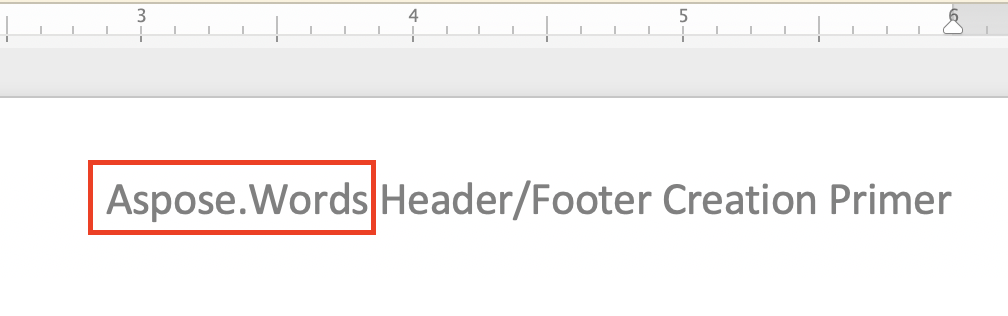
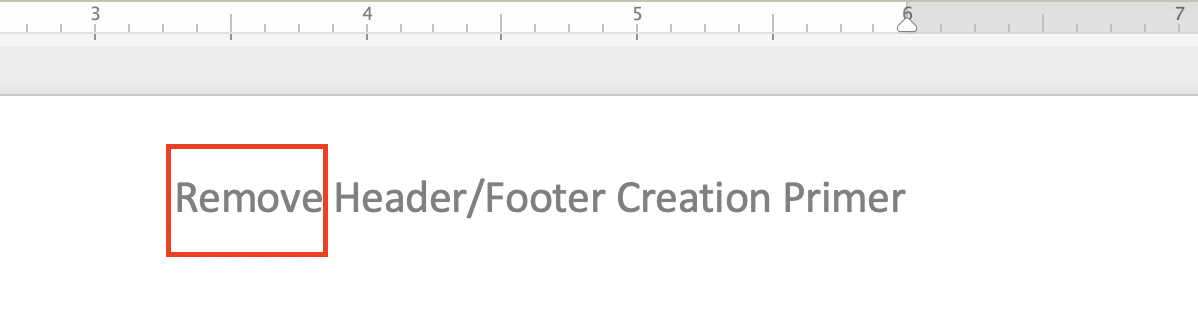
הדוגמה הבאה של הקוד מראה כיצד להחליף את הטקסט של הקטע הראשי במסמך שלך:
{{< gist "aspose-words-gists" "eacc4fc7407a98d683f3084bb86d58f7" "Examples-CSharp-Programming-Documents-Find-Replace-ReplaceInHeaderAndFooter-ReplaceTextInFooter.cs" >}}
ניתן להבחין בין המסמך לפני החלת החלפת מיתר ראש:
### Find and Replace String Using Metacharacters {#find-and-replace-text-using-metacharacters}
אתה יכול להשתמש metacharacters במחרוזת החיפוש או מחרוזת החלפת אם טקסט מסוים או ביטוי מורכב פסקאות מרובות, חלקים או דפים. חלק מהמטגנים כוללים **&p** על הפסקה, **&b** עבור הפסקה, **&m** עבור דף נשבר, **&l** בשביל הפסקה קו.
{{% alert color="primary" %}}
תגית: metacharacter **&&** שווה **&**. לדוגמה, אם אתה צריך למצוא טקסט **&p** זה לא הפסקה, אז אתה יכול להשתמש **&&p**.
{{% /alert %}}
הדוגמה הבאה של הקוד מראה כיצד להחליף טקסט עם פסקה ושבר דף:
{{< gist "aspose-words-gists" "eacc4fc7407a98d683f3084bb86d58f7" "Examples-CSharp-Programming-Documents-Find-Replace-FindReplaceUsingMetaCharacters-ReplaceTextContaingMetaCharacters.cs" >}}
## Find and Replace String in Header/Footer of a Document {#find-and-replace-string-in-header-or-footer-of-a-document}
אתה יכול למצוא ולהחליף טקסט בחלק ראש / מ"ר של מסמך Word באמצעות מסמך Word באמצעות [HeaderFooter](https://reference.aspose.com/words/net/aspose.words/headerfooter/) מעמד.
הדוגמה הבאה של הקוד מראה כיצד להחליף את הטקסט של הקטע הראשי במסמך שלך:
{{< gist "aspose-words-gists" "eacc4fc7407a98d683f3084bb86d58f7" "Examples-CSharp-Programming-Documents-Find-Replace-ReplaceInHeaderAndFooter-ReplaceTextInFooter.cs" >}}
ניתן להבחין בין המסמך לפני החלת החלפת מיתר ראש:
 לאחר יישום החלפת כותרות:
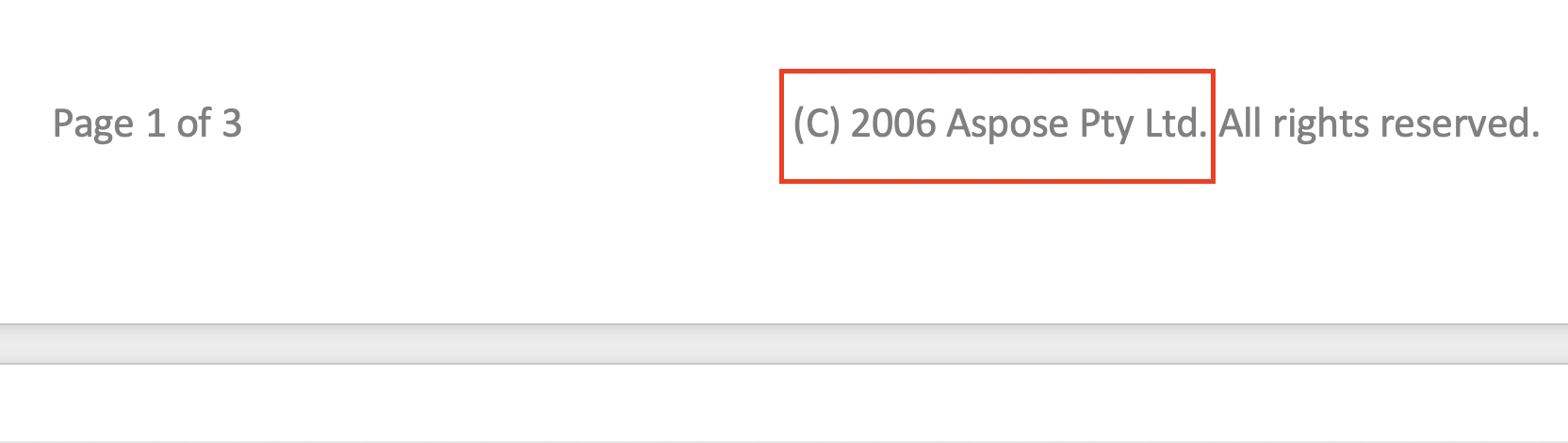
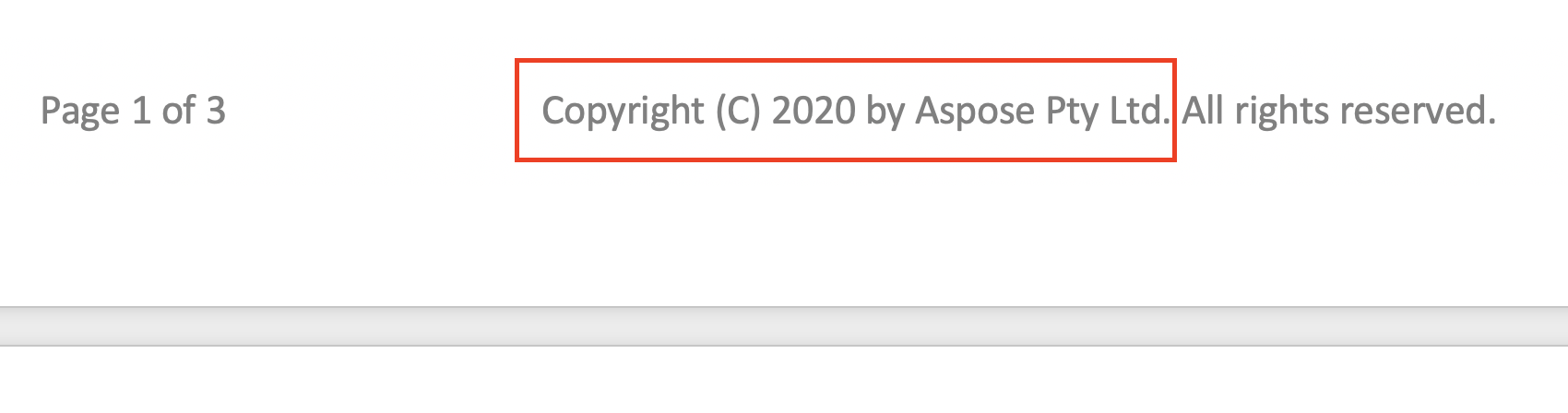
 דוגמא הקוד להחליף את הטקסט של סעיף ה- Footer במסמך שלך דומה מאוד לדוגמה הקודמת קוד ראשי. כל שעליך לעשות הוא להחליף את שני השורות הבאות:
{{< highlight csharp >}}
HeaderFooter header = headersFooters[HeaderFooterType.HeaderPrimary];
header.Range.Replace("Aspose.Words", "Remove", options);
{{< /highlight >}}
עם הדברים הבאים:
{{< highlight csharp >}}
HeaderFooter footer = headersFooters[HeaderFooterType.FooterPrimary];
int currentYear = System.DateTime.Now.Year;
footer.Range.Replace("(C) 2006 Aspose Pty Ltd.", $"Copyright (C) {currentYear} by Aspose Pty Ltd.", options);
{{< /highlight >}}
אתה יכול להבחין ההבדל בין המסמך לפני החלת החלפת מיתר רגל:
דוגמא הקוד להחליף את הטקסט של סעיף ה- Footer במסמך שלך דומה מאוד לדוגמה הקודמת קוד ראשי. כל שעליך לעשות הוא להחליף את שני השורות הבאות:
{{< highlight csharp >}}
HeaderFooter header = headersFooters[HeaderFooterType.HeaderPrimary];
header.Range.Replace("Aspose.Words", "Remove", options);
{{< /highlight >}}
עם הדברים הבאים:
{{< highlight csharp >}}
HeaderFooter footer = headersFooters[HeaderFooterType.FooterPrimary];
int currentYear = System.DateTime.Now.Year;
footer.Range.Replace("(C) 2006 Aspose Pty Ltd.", $"Copyright (C) {currentYear} by Aspose Pty Ltd.", options);
{{< /highlight >}}
אתה יכול להבחין ההבדל בין המסמך לפני החלת החלפת מיתר רגל:
 לאחר הגשת החלפת מחרוזת Footer:
 ## עקבו אחרי Find and Replace {#ignore-text-during-find-and-replace}
בעת החלת פעולת המוצא וההחלפה, אתה יכול להתעלם מקטעים מסוימים של הטקסט. לכן, חלקים מסוימים של הטקסט ניתן לשלול מן החיפוש, ואת הממצאים וההחלפה ניתן ליישם רק את החלקים הנותרים.
Aspose.Words מספק תכונות רבות להתעלמות מטקסט כגון [IgnoreDeleted](https://reference.aspose.com/words/net/aspose.words.replacing/findreplaceoptions/ignoredeleted/), [IgnoreFieldCodes](https://reference.aspose.com/words/net/aspose.words.replacing/findreplaceoptions/ignorefieldcodes/), [IgnoreFields](https://reference.aspose.com/words/net/aspose.words.replacing/findreplaceoptions/ignorefields/), [IgnoreFootnotes](https://reference.aspose.com/words/net/aspose.words.replacing/findreplaceoptions/ignorefootnotes/), ו [IgnoreInserted](https://reference.aspose.com/words/net/aspose.words.replacing/findreplaceoptions/ignoreinserted/).
הדוגמה הבאה של הקוד מראה כיצד להתעלם טקסט בתוך הסרת תיקונים:
{{< gist "aspose-words-gists" "eacc4fc7407a98d683f3084bb86d58f7" "Examples-CSharp-Programming-Documents-Find-Replace-IgnoreText-IgnoreTextInsideDeleteRevisions.cs" >}}
## עקבו אחרי Find and Replace {#customize-find-and-replace-operation}
Aspose.Words מספק הרבה שונה [properties](https://reference.aspose.com/words/net/aspose.words.replacing/findreplaceoptions/) למצוא ולהחליף טקסט כגון יישום פורמט ספציפי עם [ApplyFont](https://reference.aspose.com/words/net/aspose.words.replacing/findreplaceoptions/applyfont/) ו [ApplyParagraphFormats](https://reference.aspose.com/words/net/aspose.words.replacing/findreplaceoptions/applyparagraphformat/) תכונות, באמצעות החלפת דפוסים חלופיים [UseSubstitutions](https://reference.aspose.com/words/net/aspose.words.replacing/findreplaceoptions/usesubstitutions/) רכוש, ואחרים.
לדוגמה הקוד הבא מראה כיצד להדגיש מילה מסוימת במסמך שלך:
{{< gist "aspose-words-gists" "eacc4fc7407a98d683f3084bb86d58f7" "Examples-CSharp-Programming-Documents-Find-Replace-ReplaceWithString-HighlightColor.cs" >}}
Aspose.Words מאפשר לך להשתמש [IReplacingCallback](https://reference.aspose.com/words/net/aspose.words.replacing/ireplacingcallback/) ממשק כדי ליצור ולקרוא שיטה אישית במהלך הפעלה חלופית. ייתכן שיש לך כמה מקרים שבהם אתה צריך להתאים אישית את המצא ולהחליף את הפעולה כגון החלפת טקסט שצוין עם ביטוי קבוע עם תגי HTML, אז בעיקרון אתה תיישם להחליף עם הוספת HTML.
אם אתה צריך להחליף מחרוזת עם תג HTML, ליישם את המחרוזת **IReplacingCallback** ממשק כדי להתאים אישית את מציאת והחלפת הפעולה כך המשחק מתחיל בתחילת ריצה עם צומת ההתאמה של המסמך שלך. תן לנו לספק כמה דוגמאות לשימוש **IReplacingCallback**.
דוגמה לקוד הבא מראה כיצד להחליף טקסט שצוין ב-HTML:
{{< gist "aspose-words-gists" "eacc4fc7407a98d683f3084bb86d58f7" "Examples-CSharp-Programming-Documents-Find-Replace-ReplaceWithHTML-ReplaceWithHtml.cs" >}}
לדוגמה הקוד הבא מראה כיצד להדגיש מספרים חיוביים עם צבע ירוק ומספרים שליליים עם צבע אדום:
{{< gist "aspose-words-gists" "eacc4fc7407a98d683f3084bb86d58f7" "Examples-CSharp-Programming-Documents-Find-Replace-ReplaceWithHTML-NumberHighlightCallback.cs" >}}
הדוגמה הבאה של הקוד מראה כיצד להעביר מספר קו לכל קו:
{{< gist "aspose-words-gists" "eacc4fc7407a98d683f3084bb86d58f7" "Examples-CSharp-Programming-Documents-Find-Replace-ReplaceWithHTML-LineCounter.cs" >}}
## עקבו אחרי Find and Replace {#ignore-text-during-find-and-replace}
בעת החלת פעולת המוצא וההחלפה, אתה יכול להתעלם מקטעים מסוימים של הטקסט. לכן, חלקים מסוימים של הטקסט ניתן לשלול מן החיפוש, ואת הממצאים וההחלפה ניתן ליישם רק את החלקים הנותרים.
Aspose.Words מספק תכונות רבות להתעלמות מטקסט כגון [IgnoreDeleted](https://reference.aspose.com/words/net/aspose.words.replacing/findreplaceoptions/ignoredeleted/), [IgnoreFieldCodes](https://reference.aspose.com/words/net/aspose.words.replacing/findreplaceoptions/ignorefieldcodes/), [IgnoreFields](https://reference.aspose.com/words/net/aspose.words.replacing/findreplaceoptions/ignorefields/), [IgnoreFootnotes](https://reference.aspose.com/words/net/aspose.words.replacing/findreplaceoptions/ignorefootnotes/), ו [IgnoreInserted](https://reference.aspose.com/words/net/aspose.words.replacing/findreplaceoptions/ignoreinserted/).
הדוגמה הבאה של הקוד מראה כיצד להתעלם טקסט בתוך הסרת תיקונים:
{{< gist "aspose-words-gists" "eacc4fc7407a98d683f3084bb86d58f7" "Examples-CSharp-Programming-Documents-Find-Replace-IgnoreText-IgnoreTextInsideDeleteRevisions.cs" >}}
## עקבו אחרי Find and Replace {#customize-find-and-replace-operation}
Aspose.Words מספק הרבה שונה [properties](https://reference.aspose.com/words/net/aspose.words.replacing/findreplaceoptions/) למצוא ולהחליף טקסט כגון יישום פורמט ספציפי עם [ApplyFont](https://reference.aspose.com/words/net/aspose.words.replacing/findreplaceoptions/applyfont/) ו [ApplyParagraphFormats](https://reference.aspose.com/words/net/aspose.words.replacing/findreplaceoptions/applyparagraphformat/) תכונות, באמצעות החלפת דפוסים חלופיים [UseSubstitutions](https://reference.aspose.com/words/net/aspose.words.replacing/findreplaceoptions/usesubstitutions/) רכוש, ואחרים.
לדוגמה הקוד הבא מראה כיצד להדגיש מילה מסוימת במסמך שלך:
{{< gist "aspose-words-gists" "eacc4fc7407a98d683f3084bb86d58f7" "Examples-CSharp-Programming-Documents-Find-Replace-ReplaceWithString-HighlightColor.cs" >}}
Aspose.Words מאפשר לך להשתמש [IReplacingCallback](https://reference.aspose.com/words/net/aspose.words.replacing/ireplacingcallback/) ממשק כדי ליצור ולקרוא שיטה אישית במהלך הפעלה חלופית. ייתכן שיש לך כמה מקרים שבהם אתה צריך להתאים אישית את המצא ולהחליף את הפעולה כגון החלפת טקסט שצוין עם ביטוי קבוע עם תגי HTML, אז בעיקרון אתה תיישם להחליף עם הוספת HTML.
אם אתה צריך להחליף מחרוזת עם תג HTML, ליישם את המחרוזת **IReplacingCallback** ממשק כדי להתאים אישית את מציאת והחלפת הפעולה כך המשחק מתחיל בתחילת ריצה עם צומת ההתאמה של המסמך שלך. תן לנו לספק כמה דוגמאות לשימוש **IReplacingCallback**.
דוגמה לקוד הבא מראה כיצד להחליף טקסט שצוין ב-HTML:
{{< gist "aspose-words-gists" "eacc4fc7407a98d683f3084bb86d58f7" "Examples-CSharp-Programming-Documents-Find-Replace-ReplaceWithHTML-ReplaceWithHtml.cs" >}}
לדוגמה הקוד הבא מראה כיצד להדגיש מספרים חיוביים עם צבע ירוק ומספרים שליליים עם צבע אדום:
{{< gist "aspose-words-gists" "eacc4fc7407a98d683f3084bb86d58f7" "Examples-CSharp-Programming-Documents-Find-Replace-ReplaceWithHTML-NumberHighlightCallback.cs" >}}
הדוגמה הבאה של הקוד מראה כיצד להעביר מספר קו לכל קו:
{{< gist "aspose-words-gists" "eacc4fc7407a98d683f3084bb86d58f7" "Examples-CSharp-Programming-Documents-Find-Replace-ReplaceWithHTML-LineCounter.cs" >}}