---
title: "Javaでの検索と置換"
---
キーボードとマウスを使用して文書内を簡単に移動できますが、スクロールするページが多い場合は、長い文書内の特定のテキストを見つけるのにかなり時間がかかります。 文書で使用した特定の文字や単語を置き換える場合は、時間がかかります。 "検索と置換"機能を使用すると、ドキュメント内の一連の文字を検索し、別の一連の文字に置き換えることができます。
Aspose.Wordsを使用すると、Microsoft Wordなどの追加のアプリケーションをインストールして使用することなく、文書内の特定の文字列または正規表現パターンを検索し、代替 これは、潜在的にあなたの仕事の時間を節約し、多くの入力と書式設定のタスクを高速化します。
この記事では、メタ文字をサポートして文字列置換と正規表現を適用する方法について説明します。
## {#ways-to-find-and-replace}の検索と置換の方法
Aspose.Wordsは、次を使用して検索操作と置換操作を適用する2つの方法を提供します:
1. *Simple string replacement*–特定の文字列を検索して別の文字列に置き換えるには、別の指定された置換文字列ですべての出現に応じて置換される検索文字列(英数字)を指定す 両方の文字列にシンボルを含めることはできません。 文字列の比較で大文字と小文字が区別される場合や、スペルがわからない場合や、いくつかの類似のスペルがある場合があることを考慮してくださ
2. *Regular expressions*-正規表現を指定して、一致する文字列を正確に検索し、正規表現に従って置換します。 単語は英数字のみで構成されていると定義されていることに注意してください。 単語全体のみが一致して置換が実行され、入力文字列に記号が含まれている場合、フレーズは見つかりません。
また、特殊なメタ文字と単純な文字列置換および正規表現を使用して、検索および置換操作内で改行を指定することもできます。
Aspose.Wordsは、検索および置換機能を[IReplacingCallBack](https://reference.aspose.com/words/java/com.aspose.words/ireplacingcallback/)に示します。 [FindReplaceOptions](https://reference.aspose.com/words/java/com.aspose.words/findreplaceoptions/)クラスを使用して、検索および置換プロセス中に多くのオプションを操作できます。
### 単純な文字列置換 {#find-and-replace-text-using-simple-string-replacement}を使用したテキストの検索と置換
[Replace](https://reference.aspose.com/words/java/com.aspose.words/range/#replace-java.lang.String-java.lang.String)メソッドのいずれかを使用して、特定の文字列を検索または置換し、行われた置換の数を返すことができます。 この場合、置換する文字列、すべての出現箇所を置換する文字列、置換で大文字と小文字が区別されるかどうか、およびスタンドアロンの単語のみが影響を受けるかどうかを指定できます。
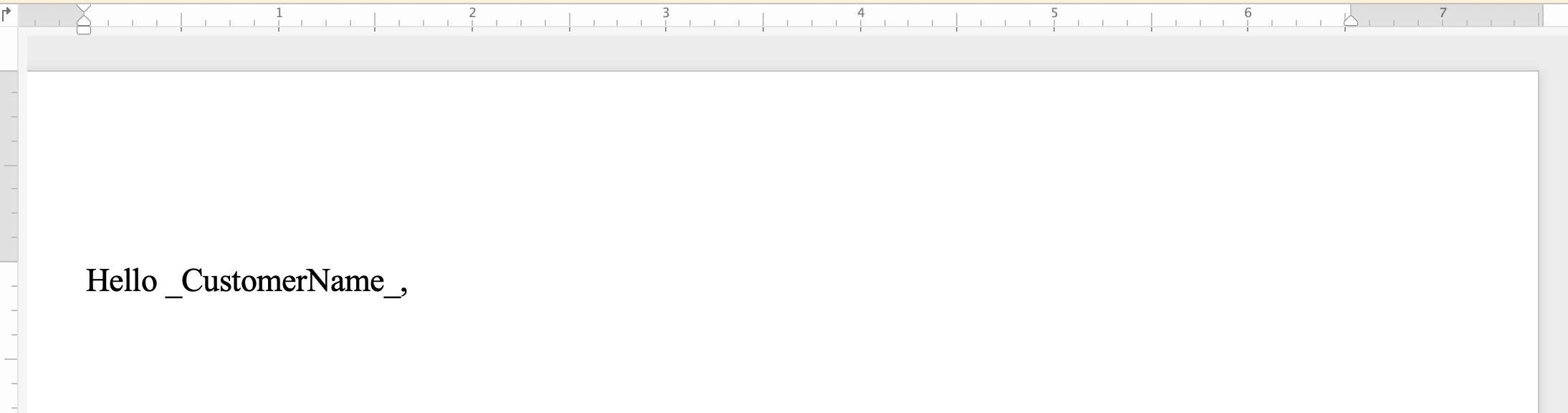
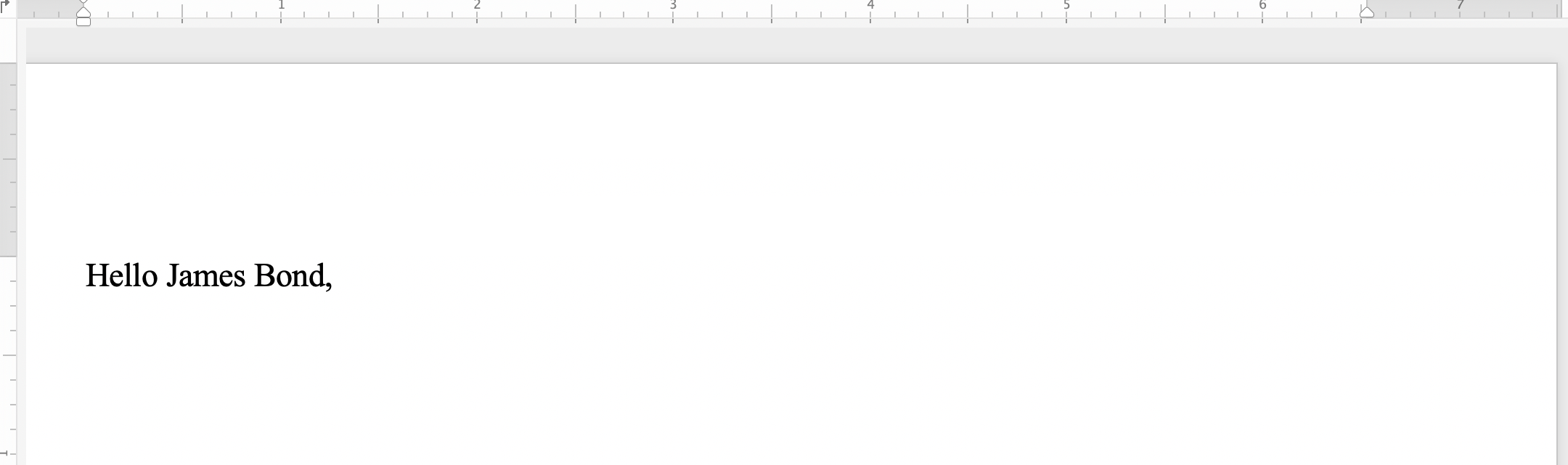
次のコード例は、文字列"_CustomerName_"を見つけて文字列*"James Bond"*に置き換える方法を示しています:
{{< gist "aspose-words-gists" "827e71ccc0b8516a3cfe247b86ce6d4e" "Examples-src-main-java-com-aspose-words-examples-programming_documents-find_replace-FindAndReplace-SimpleStringReplacement.java" >}}
単純な文字列置換を適用する前に、ドキュメントの違いに気付くことができます:
 単純な文字列置換を適用した後:
 ### 正規表現 {#find-and-replace-text-using-regular-expressions}を使用したテキストの検索と置換
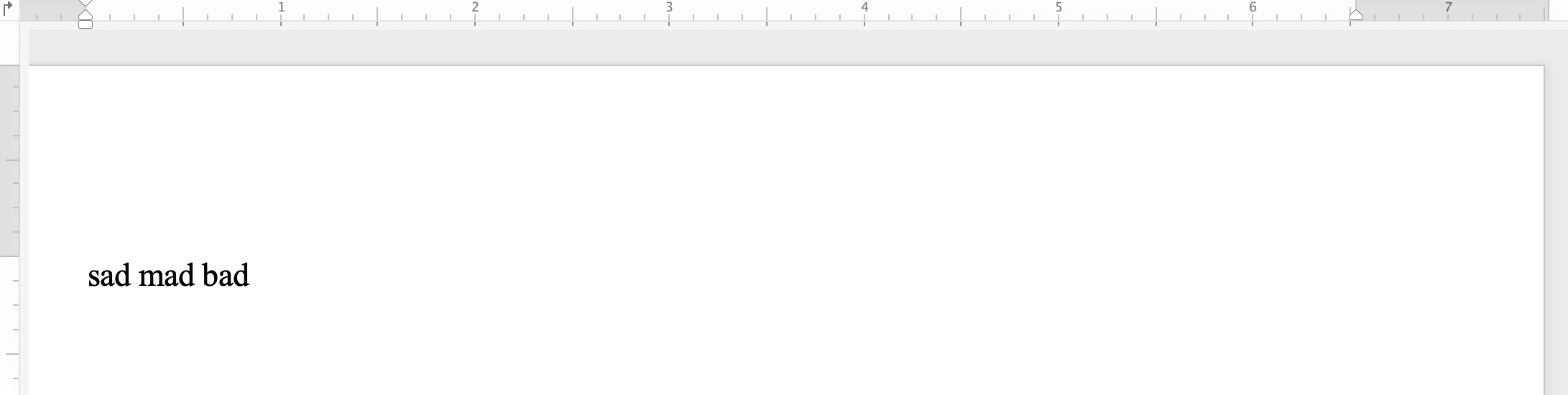
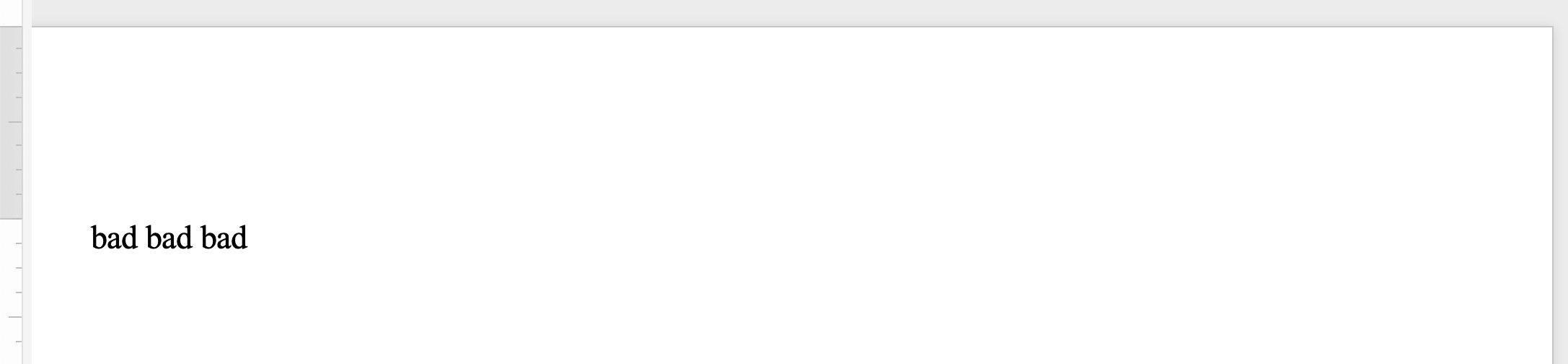
正規表現(regex)は、特定の一連のテキストを記述するパターンです。 単語のすべての二重出現を単一の単語の出現に置き換えたいとします。 次に、次の正規表現を適用してダブルワードパターンを指定できます:`([a-zA-Z]+) \1`。
他の[Replace](https://reference.aspose.com/words/java/com.aspose.words/range/#replace-java.util.regex.Pattern-java.lang.String)メソッドを使用して、`Regex`パラメータを正規表現パターンとして設定して一致を見つけることにより、特定の文字の組み合わせを検索して置換します。
次のコード例は、正規表現パターンに一致する文字列を、指定された置換文字列に置き換える方法を示しています:
{{< gist "aspose-words-gists" "827e71ccc0b8516a3cfe247b86ce6d4e" "Examples-src-main-java-com-aspose-words-examples-programming_documents-find_replace-FindAndReplace-UsingRegularExpression.java" >}}
正規表現で文字列置換を適用する前に、ドキュメントの違いに気付くことができます:
### 正規表現 {#find-and-replace-text-using-regular-expressions}を使用したテキストの検索と置換
正規表現(regex)は、特定の一連のテキストを記述するパターンです。 単語のすべての二重出現を単一の単語の出現に置き換えたいとします。 次に、次の正規表現を適用してダブルワードパターンを指定できます:`([a-zA-Z]+) \1`。
他の[Replace](https://reference.aspose.com/words/java/com.aspose.words/range/#replace-java.util.regex.Pattern-java.lang.String)メソッドを使用して、`Regex`パラメータを正規表現パターンとして設定して一致を見つけることにより、特定の文字の組み合わせを検索して置換します。
次のコード例は、正規表現パターンに一致する文字列を、指定された置換文字列に置き換える方法を示しています:
{{< gist "aspose-words-gists" "827e71ccc0b8516a3cfe247b86ce6d4e" "Examples-src-main-java-com-aspose-words-examples-programming_documents-find_replace-FindAndReplace-UsingRegularExpression.java" >}}
正規表現で文字列置換を適用する前に、ドキュメントの違いに気付くことができます:
 正規表現で文字列置換を適用した後:
 ### メタ文字 {#find-and-replace-text-using-metacharacters}を使用した文字列の検索と置換
特定のテキストまたは語句が複数の段落、セクション、またはページで構成されている場合は、検索文字列または置換文字列でメタ文字を使用できます。 メタ文字の中には、段落区切りの**&p**、セクション区切りの**&b**、改ページの**&m**、改行の**&l**などがあります。
{{% alert color="primary" %}}
メタ文字**&&**は**&**に等しいことに注意してください。 たとえば、段落区切りではない**&p**のテキストを見つける必要がある場合は、**&&p**を使用できます。
{{% /alert %}}
次のコード例は、テキストを段落と改ページに置き換える方法を示しています:
{{< gist "aspose-words-gists" "827e71ccc0b8516a3cfe247b86ce6d4e" "Examples-src-main-java-com-aspose-words-examples-programming_documents-find_replace-FindAndReplace-ReplaceTextContaingMetaCharacters.java" >}}
## 文書 {#find-and-replace-string-in-header-or-footer-of-a-document}のヘッダ/フッタ内の文字列の検索と置換
[HeaderFooter](https://reference.aspose.com/words/java/com.aspose.words/headerfooter/)クラスを使用して、Word文書のヘッダー/フッターセクションでテキストを検索して置き換えることができます。
次のコード例は、ドキュメント内のヘッダーセクションのテキストを置き換える方法を示しています:
{{< gist "aspose-words-gists" "827e71ccc0b8516a3cfe247b86ce6d4e" "Examples-src-main-java-com-aspose-words-examples-programming_documents-find_replace-FindAndReplace-ReplaceTextInHeader.java" >}}
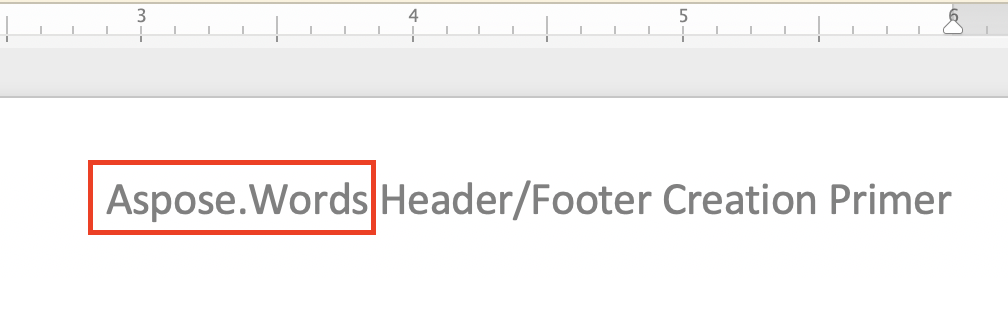
ヘッダー文字列の置換を適用する前に、ドキュメントの違いに気付くことができます:
### メタ文字 {#find-and-replace-text-using-metacharacters}を使用した文字列の検索と置換
特定のテキストまたは語句が複数の段落、セクション、またはページで構成されている場合は、検索文字列または置換文字列でメタ文字を使用できます。 メタ文字の中には、段落区切りの**&p**、セクション区切りの**&b**、改ページの**&m**、改行の**&l**などがあります。
{{% alert color="primary" %}}
メタ文字**&&**は**&**に等しいことに注意してください。 たとえば、段落区切りではない**&p**のテキストを見つける必要がある場合は、**&&p**を使用できます。
{{% /alert %}}
次のコード例は、テキストを段落と改ページに置き換える方法を示しています:
{{< gist "aspose-words-gists" "827e71ccc0b8516a3cfe247b86ce6d4e" "Examples-src-main-java-com-aspose-words-examples-programming_documents-find_replace-FindAndReplace-ReplaceTextContaingMetaCharacters.java" >}}
## 文書 {#find-and-replace-string-in-header-or-footer-of-a-document}のヘッダ/フッタ内の文字列の検索と置換
[HeaderFooter](https://reference.aspose.com/words/java/com.aspose.words/headerfooter/)クラスを使用して、Word文書のヘッダー/フッターセクションでテキストを検索して置き換えることができます。
次のコード例は、ドキュメント内のヘッダーセクションのテキストを置き換える方法を示しています:
{{< gist "aspose-words-gists" "827e71ccc0b8516a3cfe247b86ce6d4e" "Examples-src-main-java-com-aspose-words-examples-programming_documents-find_replace-FindAndReplace-ReplaceTextInHeader.java" >}}
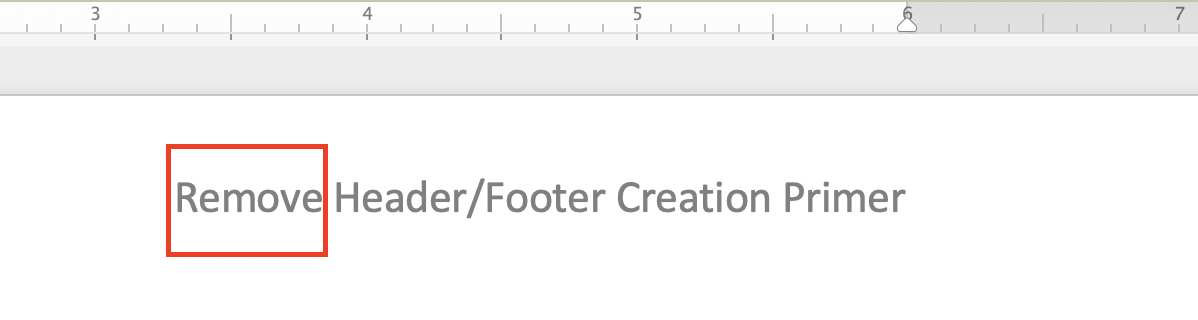
ヘッダー文字列の置換を適用する前に、ドキュメントの違いに気付くことができます:
 ヘッダー文字列置換を適用した後:
 ドキュメント内のフッターセクションのテキストを置き換えるコード例は、前のヘッダーコード例と非常によく似ています。 あなたがする必要があるのは、次の2つの行を置き換えることだけです:
{{< highlight java >}}
HeaderFooter header = headersFooters.get(HeaderFooterType.HEADER_PRIMARY);
header.getRange().replace("Aspose.Words", "Remove", options);
{{< /highlight >}}
以下のようにして:
{{< gist "aspose-words-gists" "827e71ccc0b8516a3cfe247b86ce6d4e" "Examples-src-main-java-com-aspose-words-examples-programming_documents-find_replace-FindAndReplace-ReplaceTextInFooter.java" >}}
フッター文字列置換を適用する前に、ドキュメントの違いに気付くことができます:
ドキュメント内のフッターセクションのテキストを置き換えるコード例は、前のヘッダーコード例と非常によく似ています。 あなたがする必要があるのは、次の2つの行を置き換えることだけです:
{{< highlight java >}}
HeaderFooter header = headersFooters.get(HeaderFooterType.HEADER_PRIMARY);
header.getRange().replace("Aspose.Words", "Remove", options);
{{< /highlight >}}
以下のようにして:
{{< gist "aspose-words-gists" "827e71ccc0b8516a3cfe247b86ce6d4e" "Examples-src-main-java-com-aspose-words-examples-programming_documents-find_replace-FindAndReplace-ReplaceTextInFooter.java" >}}
フッター文字列置換を適用する前に、ドキュメントの違いに気付くことができます:
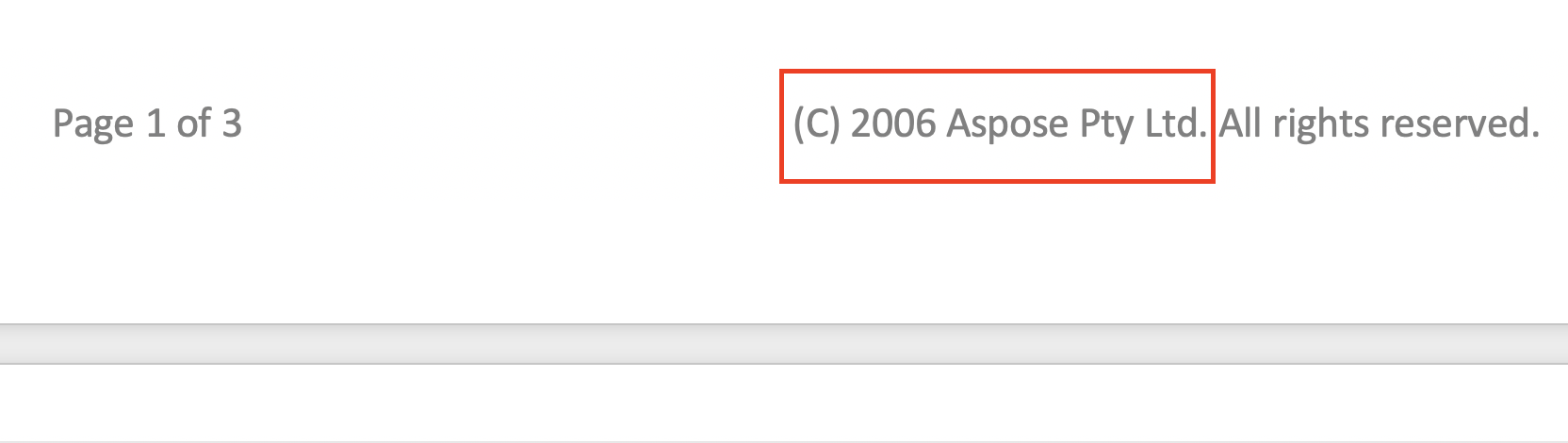 フッター文字列置換を適用した後:
 ## 検索中にテキストを無視して {#ignore-text-during-find-and-replace}を置換する
検索と置換操作を適用している間は、テキストの特定のセグメントを無視できます。 したがって、テキストの特定の部分を検索から除外することができ、検索と置換は残りの部分にのみ適用できます。
Aspose.Wordsは、次のようなテキストを無視するための多くの検索および置換プロパティを提供します[IgnoreDeleted](https://reference.aspose.com/words/java/com.aspose.words/findreplaceoptions/#getIgnoreDeleted), [IgnoreFieldCodes](https://reference.aspose.com/words/java/com.aspose.words/findreplaceoptions/#getIgnoreFieldCodes), [IgnoreFields](https://reference.aspose.com/words/java/com.aspose.words/findreplaceoptions/#getIgnoreFields), [IgnoreFootnotes](https://reference.aspose.com/words/java/com.aspose.words/findreplaceoptions/#getIgnoreFootnotes), と[IgnoreInserted](https://reference.aspose.com/words/java/com.aspose.words/findreplaceoptions/#getIgnoreInserted)。
次のコード例は、delete revisions内のテキストを無視する方法を示しています:
{{< gist "aspose-words-gists" "827e71ccc0b8516a3cfe247b86ce6d4e" "Examples-src-main-java-com-aspose-words-examples-programming_documents-find_replace-IgnoreText-IgnoreTextInsideDeleteRevisions.java" >}}
## 検索と置換操作のカスタマイズ {#customize-find-and-replace-operation}
Aspose.Wordsは、[ApplyFont](https://reference.aspose.com/words/java/com.aspose.words/findreplaceoptions/#getApplyFont)と[ApplyParagraphFormats](https://reference.aspose.com/words/java/com.aspose.words/findreplaceoptions/#getApplyParagraphFormat)プロパティで特定の形式を適用する、[UseSubstitutions](https://reference.aspose.com/words/java/com.aspose.words/findreplaceoptions/#getUseSubstitutions)プロパティで置換パターンで置換を使用するなど、テキストを検索して置換するための多くの異なる[properties](https://reference.aspose.com/words/java/com.aspose.words/findreplaceoptions/)を提供します。
次のコード例は、ドキュメント内の特定の単語を強調表示する方法を示しています:
{{< gist "aspose-words-gists" "827e71ccc0b8516a3cfe247b86ce6d4e" "Examples-src-main-java-com-aspose-words-examples-programming_documents-find_replace-FindAndReplace-CustomizeFindAndReplaceOperation.java" >}}
Aspose.Wordsを使用すると、[IReplacingCallback](https://reference.aspose.com/words/java/com.aspose.words/ireplacingcallback/)インターフェイスを使用して、置換操作中にカスタムメソッドを作成して呼び出すことができます。 正規表現で指定されたテキストをHTMLタグで置き換えるなど、検索と置換操作をカスタマイズする必要があるユースケースがあるかもしれませんので、基本的にはHTMLを挿入して置換を適用します。
文字列をHTMLタグに置き換える必要がある場合は、**IReplacingCallback**インターフェイスを適用して検索と置換操作をカスタマイズし、文書のmatchノードで実行の開始時に一致が開始されるようにします。 **IReplacingCallback**を使用するいくつかの例を提供しましょう。
次のコード例は、指定されたテキストをHTMLに置き換える方法を示しています:
{{< gist "aspose-words-gists" "827e71ccc0b8516a3cfe247b86ce6d4e" "Examples-src-main-java-com-aspose-words-examples-programming_documents-find_replace-FindAndReplace-ReplaceWithHtml.java" >}}
次のコード例は、緑の色で正の数を強調表示し、赤の色で負の数を強調表示する方法を示しています:
{{< gist "aspose-words-gists" "827e71ccc0b8516a3cfe247b86ce6d4e" "Examples-src-main-java-com-aspose-words-examples-programming_documents-find_replace-FindAndReplace-NumberHighlightCallback.java" >}}
次のコード例は、各行の先頭に行番号を追加する方法を示しています:
{{< gist "aspose-words-gists" "827e71ccc0b8516a3cfe247b86ce6d4e" "Examples-src-main-java-com-aspose-words-examples-programming_documents-find_replace-FindAndReplace-TestLineCounter.java" >}}
## 検索中にテキストを無視して {#ignore-text-during-find-and-replace}を置換する
検索と置換操作を適用している間は、テキストの特定のセグメントを無視できます。 したがって、テキストの特定の部分を検索から除外することができ、検索と置換は残りの部分にのみ適用できます。
Aspose.Wordsは、次のようなテキストを無視するための多くの検索および置換プロパティを提供します[IgnoreDeleted](https://reference.aspose.com/words/java/com.aspose.words/findreplaceoptions/#getIgnoreDeleted), [IgnoreFieldCodes](https://reference.aspose.com/words/java/com.aspose.words/findreplaceoptions/#getIgnoreFieldCodes), [IgnoreFields](https://reference.aspose.com/words/java/com.aspose.words/findreplaceoptions/#getIgnoreFields), [IgnoreFootnotes](https://reference.aspose.com/words/java/com.aspose.words/findreplaceoptions/#getIgnoreFootnotes), と[IgnoreInserted](https://reference.aspose.com/words/java/com.aspose.words/findreplaceoptions/#getIgnoreInserted)。
次のコード例は、delete revisions内のテキストを無視する方法を示しています:
{{< gist "aspose-words-gists" "827e71ccc0b8516a3cfe247b86ce6d4e" "Examples-src-main-java-com-aspose-words-examples-programming_documents-find_replace-IgnoreText-IgnoreTextInsideDeleteRevisions.java" >}}
## 検索と置換操作のカスタマイズ {#customize-find-and-replace-operation}
Aspose.Wordsは、[ApplyFont](https://reference.aspose.com/words/java/com.aspose.words/findreplaceoptions/#getApplyFont)と[ApplyParagraphFormats](https://reference.aspose.com/words/java/com.aspose.words/findreplaceoptions/#getApplyParagraphFormat)プロパティで特定の形式を適用する、[UseSubstitutions](https://reference.aspose.com/words/java/com.aspose.words/findreplaceoptions/#getUseSubstitutions)プロパティで置換パターンで置換を使用するなど、テキストを検索して置換するための多くの異なる[properties](https://reference.aspose.com/words/java/com.aspose.words/findreplaceoptions/)を提供します。
次のコード例は、ドキュメント内の特定の単語を強調表示する方法を示しています:
{{< gist "aspose-words-gists" "827e71ccc0b8516a3cfe247b86ce6d4e" "Examples-src-main-java-com-aspose-words-examples-programming_documents-find_replace-FindAndReplace-CustomizeFindAndReplaceOperation.java" >}}
Aspose.Wordsを使用すると、[IReplacingCallback](https://reference.aspose.com/words/java/com.aspose.words/ireplacingcallback/)インターフェイスを使用して、置換操作中にカスタムメソッドを作成して呼び出すことができます。 正規表現で指定されたテキストをHTMLタグで置き換えるなど、検索と置換操作をカスタマイズする必要があるユースケースがあるかもしれませんので、基本的にはHTMLを挿入して置換を適用します。
文字列をHTMLタグに置き換える必要がある場合は、**IReplacingCallback**インターフェイスを適用して検索と置換操作をカスタマイズし、文書のmatchノードで実行の開始時に一致が開始されるようにします。 **IReplacingCallback**を使用するいくつかの例を提供しましょう。
次のコード例は、指定されたテキストをHTMLに置き換える方法を示しています:
{{< gist "aspose-words-gists" "827e71ccc0b8516a3cfe247b86ce6d4e" "Examples-src-main-java-com-aspose-words-examples-programming_documents-find_replace-FindAndReplace-ReplaceWithHtml.java" >}}
次のコード例は、緑の色で正の数を強調表示し、赤の色で負の数を強調表示する方法を示しています:
{{< gist "aspose-words-gists" "827e71ccc0b8516a3cfe247b86ce6d4e" "Examples-src-main-java-com-aspose-words-examples-programming_documents-find_replace-FindAndReplace-NumberHighlightCallback.java" >}}
次のコード例は、各行の先頭に行番号を追加する方法を示しています:
{{< gist "aspose-words-gists" "827e71ccc0b8516a3cfe247b86ce6d4e" "Examples-src-main-java-com-aspose-words-examples-programming_documents-find_replace-FindAndReplace-TestLineCounter.java" >}}