---
title: "Mail Merge Mustache Syntax"
---
{{% alert color="grey" %}}
*Purpose Summary. What is this page about?*
This page explains how to create and work with Mustache syntax templates in Aspose.Words for Python via .NET, covering template creation, Mail Merge with regions, foreach tags, combining with IF fields, and enabling non‑merge fields.
{{% /alert %}}
Aspose.Words allows you to create templates with mustache syntax in addition to the familiar templates. A Mustache is an alternative variant of template syntax that consists of tag names enclosed by `{{ }}` and is backed by a model object that contains the data for the template.
The Mustache syntax is the only option to use with templates that do not contain fields, such as HTML and TXT templates. With Word templates, you have two options either to use fields or Mustache syntax.
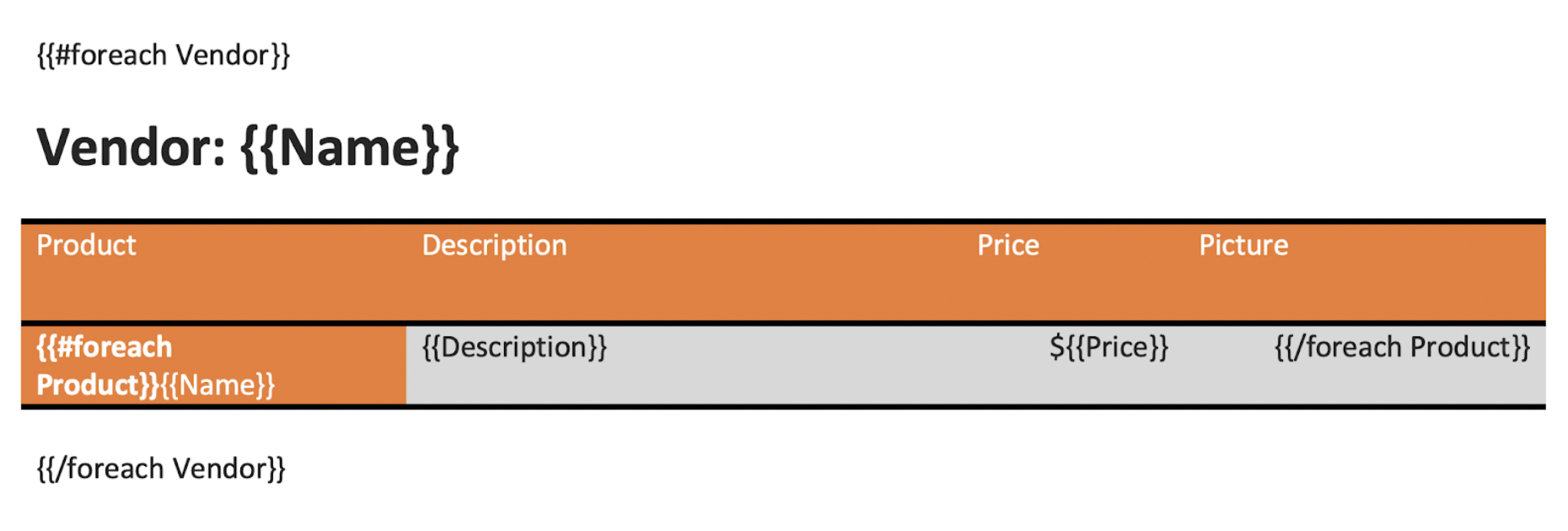
The Mustache syntax supports *foreach* tag, which is an alternative for using Mail Merge with regions. So the benefit is that you can use mustache syntax if for some reason you are not able or simply you do not want to use merge fields and merge regions.
You can also combine Mail Merge fields with some additional fields using the *foreach* tag as shown in the picture below.
 ## Create a Mustache Template
The first important point to clarify is that Mustache is not a templating engine. Mustache is another syntax variant which is available for any template in a [load format](https://reference.aspose.com/words/python-net/aspose.words/loadformat/) supported by Aspose.Words. Therefore, you can create such a template both programmatically and through an interface, you just need to include certain syntax and comply with the Mustache specification.
Let's suppose that you need to send the same email to 50 recipients to personalize the greeting with their corresponding first names. You could replace the recipient's first name by some placeholder as the following:
> Dear {{FirstName}}
>
> I hereby...
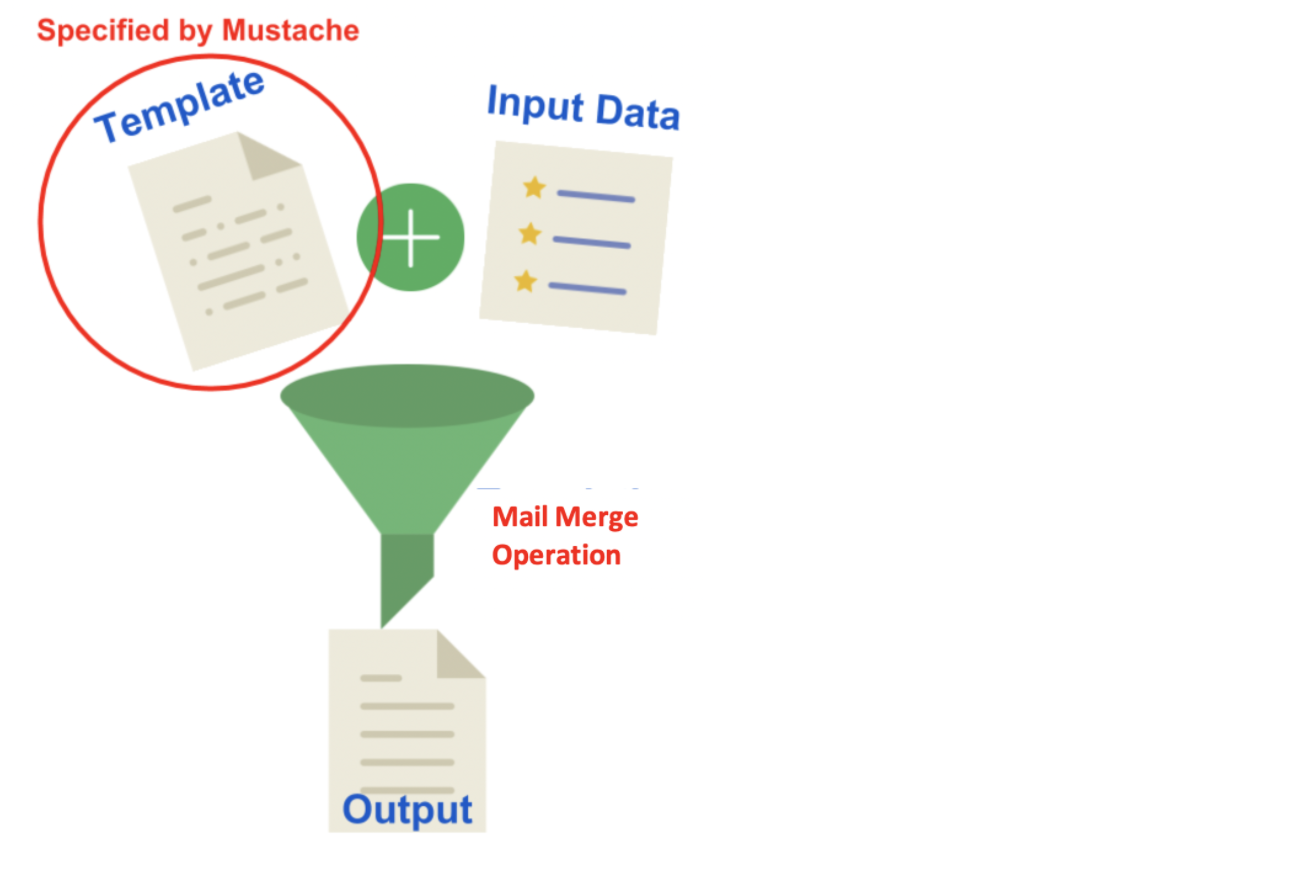
The question here: how you can create 50 emails from 1 single Mustache template? To answer that, you need to perform a Mail Merge with regions to fill the curly braces for placeholders in the template with actual data and generate an output document.
## Create a Mustache Template
The first important point to clarify is that Mustache is not a templating engine. Mustache is another syntax variant which is available for any template in a [load format](https://reference.aspose.com/words/python-net/aspose.words/loadformat/) supported by Aspose.Words. Therefore, you can create such a template both programmatically and through an interface, you just need to include certain syntax and comply with the Mustache specification.
Let's suppose that you need to send the same email to 50 recipients to personalize the greeting with their corresponding first names. You could replace the recipient's first name by some placeholder as the following:
> Dear {{FirstName}}
>
> I hereby...
The question here: how you can create 50 emails from 1 single Mustache template? To answer that, you need to perform a Mail Merge with regions to fill the curly braces for placeholders in the template with actual data and generate an output document.
 {{% alert color="primary" %}}
As you notice from the example above, in Mustache you need to use curly braces for placeholders that look like a mustache when you rotate the curly braces 90 degrees clockwise.
{{% /alert %}}
## Work with Mustache Syntax
Mustache is represented as a logic-less order as it lacks any specific control flow statements such as *for* loops and *if* and *else* conditions. But you can use the section tags processing lists and lambdas to achieve conditional evaluation and looping. So to include the Mustache syntax within the Mail Merge operation, you will need to use the [use_non_merge_fields](https://reference.aspose.com/words/python-net/aspose.words.mailmerging/mailmerge/use_non_merge_fields/) property and set its value to *True*.
## Use `IF` Fields to Make a Mail Merge Intelligent
Aspose.Words allows you to use Mail Merge fields and Mustache tags with the `IF` statement. The `IF` fields can be used in any Mail Merge document to suppress undesired spaces and commas if a field is blank.
The `IF` field formula is shown below:
**{ IF [Condition] [Display Result 1] [Display Result 2] }**
Here, the Condition can be either a merge field or a Mustache tag.
For example, you can use `IF` fields if you need to insert “his”, “her”, “he” or “she” depending on the gender as the following:
**{ IF { MERGEFIELD Gender } = MALE “true text” “false text” }**
**{ IF “{{ GENDER }}” = MALE “true text” “false text” }**
The following code example shows how to perform a Mail Merge operation with Mustache tags and `IF` fields:
{{< gist "aspose-words-gists" "e9d8f984dac599756ccb4a64b8c79768" "Examples-DocsExamples-DocsExamples-Mail Merge and Reporting-base_operations-UseOfifelseMustacheSyntax.py" >}}
You can notice the difference between the document before applying the [use_non_merge_fields](https://reference.aspose.com/words/python-net/aspose.words.mailmerging/mailmerge/use_non_merge_fields/) property:
{{% alert color="primary" %}}
As you notice from the example above, in Mustache you need to use curly braces for placeholders that look like a mustache when you rotate the curly braces 90 degrees clockwise.
{{% /alert %}}
## Work with Mustache Syntax
Mustache is represented as a logic-less order as it lacks any specific control flow statements such as *for* loops and *if* and *else* conditions. But you can use the section tags processing lists and lambdas to achieve conditional evaluation and looping. So to include the Mustache syntax within the Mail Merge operation, you will need to use the [use_non_merge_fields](https://reference.aspose.com/words/python-net/aspose.words.mailmerging/mailmerge/use_non_merge_fields/) property and set its value to *True*.
## Use `IF` Fields to Make a Mail Merge Intelligent
Aspose.Words allows you to use Mail Merge fields and Mustache tags with the `IF` statement. The `IF` fields can be used in any Mail Merge document to suppress undesired spaces and commas if a field is blank.
The `IF` field formula is shown below:
**{ IF [Condition] [Display Result 1] [Display Result 2] }**
Here, the Condition can be either a merge field or a Mustache tag.
For example, you can use `IF` fields if you need to insert “his”, “her”, “he” or “she” depending on the gender as the following:
**{ IF { MERGEFIELD Gender } = MALE “true text” “false text” }**
**{ IF “{{ GENDER }}” = MALE “true text” “false text” }**
The following code example shows how to perform a Mail Merge operation with Mustache tags and `IF` fields:
{{< gist "aspose-words-gists" "e9d8f984dac599756ccb4a64b8c79768" "Examples-DocsExamples-DocsExamples-Mail Merge and Reporting-base_operations-UseOfifelseMustacheSyntax.py" >}}
You can notice the difference between the document before applying the [use_non_merge_fields](https://reference.aspose.com/words/python-net/aspose.words.mailmerging/mailmerge/use_non_merge_fields/) property:
 And after applying the [use_non_merge_fields](https://reference.aspose.com/words/python-net/aspose.words.mailmerging/mailmerge/use_non_merge_fields/) property:
