---
title: "ค้นหาและแทนที่ในJava"
---
คุณสามารถนำทางภายในเอกสารของคุณโดยใช้แป้นพิมพ์และเมาส์แต่ถ้าคุณมีหลายหน้าเ มันจะใช้เวลามากขึ้นเมื่อคุณต้องการแทนที่อักขระหรือคำที่คุณได้ใช้ในเอกสารของคุณ. ฟังก์ชัน"ค้นหาและแทนที่"ช่วยให้คุณสามารถหาลำดับของตัวอักษรในเอกสารและแทนที่ด้วยลำ.
Aspose.Wordsช่วยให้คุณสามารถค้นหาสตริงที่เฉพาะเจาะจงหรือรูปแบบนิพจน์ปกติในเอกสารของคุณและแทนที่ด้วยทางเลือกโดยไม่ต้องติดตั้งและใช้โปรแกรมประยุกต์เพิ่มเติมเช่นMicrosoft Word นี้จะเพิ่มความเร็วในการพิมพ์จำนวนมากและการจัดรูปแบบงานที่อาจช่วยให้คุณประหยัดชั่.
บทความนี้อธิบายถึงวิธีการใช้การแทนที่สตริงและนิพจน์ทั่วไปด้วยการสนับสนุนของอักขระ.
## วิธีการค้นหาและแทนที่ {#ways-to-find-and-replace}
Aspose.Wordsมีสองวิธีที่จะใช้การดำเนินการค้นหาและแทนที่โดยใช้ต่อไปนี้:
1. *Simple string replacement*–เมื่อต้องการค้นหาและแทนที่สตริงที่เฉพาะเจาะจงกับอีกสตริงหนึ่งคุณต้องระบุสตริงการค้นหา(อักขระตัวเลขและตัวเลข)ที่จะถูกแทนที่ตามที่เกิดขึ้นทั้งหมดด้วยสตริงการแทนที่ที่ระบุอื่น สตริงทั้งสองต้องไม่มีสัญลักษณ์ คำนึงถึงว่าการเปรียบเทียบสายอักขระอาจเป็นตัวพิมพ์ใหญ่หรือคุณอาจไม่แน่ใจในการสะก.
2. *Regular expressions*-เพื่อระบุนิพจน์ทั่วไปเพื่อค้นหาการจับคู่สตริงที่ตรงกันและแทนที่ตามนิพจน์ปกติของคุณ หมายเหตุว่าคำถูกกำหนดเป็นถูกสร้างขึ้นของอักขระตัวเลขเท่านั้น คำทั้งหมดเท่านั้นที่ถูกจับคู่และสตริงการป้อนข้อมูลที่เกิดขึ้นจะมีสัญลักษณ์แล้ววลีที่จะไม่พบ.
รแทนที่สตริงแบบง่ายและนิพจน์ทั่วไปเพื่อระบุตัวแบ่งภายในการค้นหาและแทนที่การดำเนิ.
Aspose.Wordsแสดงการค้นหาและแทนที่ฟังก์ชันการทำงานด้วย[IReplacingCallBack](https://reference.aspose.com/words/java/com.aspose.words/ireplacingcallback/) คุณสามารถทำงานกับตัวเลือกมากมายในระหว่างกระบวนการค้นหาและแทนที่โดยใช้ชั้นเรียน[FindReplaceOptions](https://reference.aspose.com/words/java/com.aspose.words/findreplaceoptions/).
### ค้นหาและแทนที่ข้อความโดยใช้การเปลี่ยนสตริงแบบง่าย {#find-and-replace-text-using-simple-string-replacement}
คุณสามารถใช้วิธีการ[Replace](https://reference.aspose.com/words/java/com.aspose.words/range/#replace-java.lang.String-java.lang.String)อย่างใดอย่างหนึ่งเพื่อค้นหาหรือแทนที่สตริงที่เฉพาะเจาะจงและส่ง ในกรณีนี้คุณสามารถระบุสตริงที่จะถูกแทนที่สตริงที่จะแทนที่การเกิดขึ้นทั้งหมดไม่ว่าจะเป็นก.
ตัวอย่างรหัสต่อไปนี้แสดงวิธีการค้นหาสตริง"_CustomerName_"และแทนที่ด้วยสตริง*"James Bond"*:
{{< gist "aspose-words-gists" "827e71ccc0b8516a3cfe247b86ce6d4e" "Examples-src-main-java-com-aspose-words-examples-programming_documents-find_replace-FindAndReplace-SimpleStringReplacement.java" >}}
คุณสามารถสังเกตเห็นความแตกต่างระหว่างเอกสารก่อนที่จะใช้การเปลี่ยนสตริงอย่างง่:
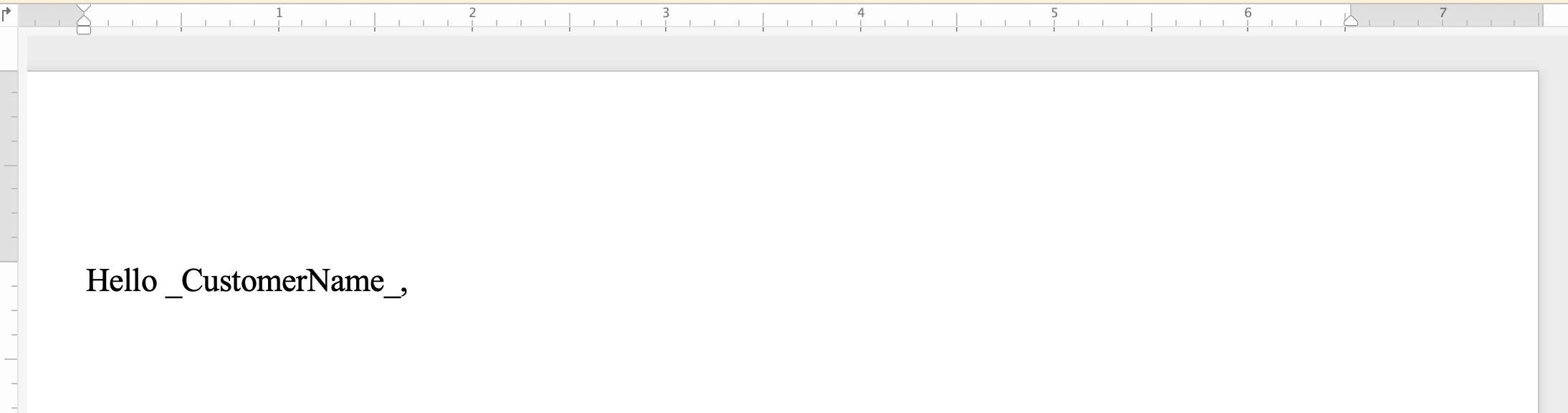 และหลังจากใช้การเปลี่ยนสตริงง่าย:
 ### ค้นหาและแทนที่ข้อความโดยใช้นิพจน์ทั่วไป {#find-and-replace-text-using-regular-expressions}
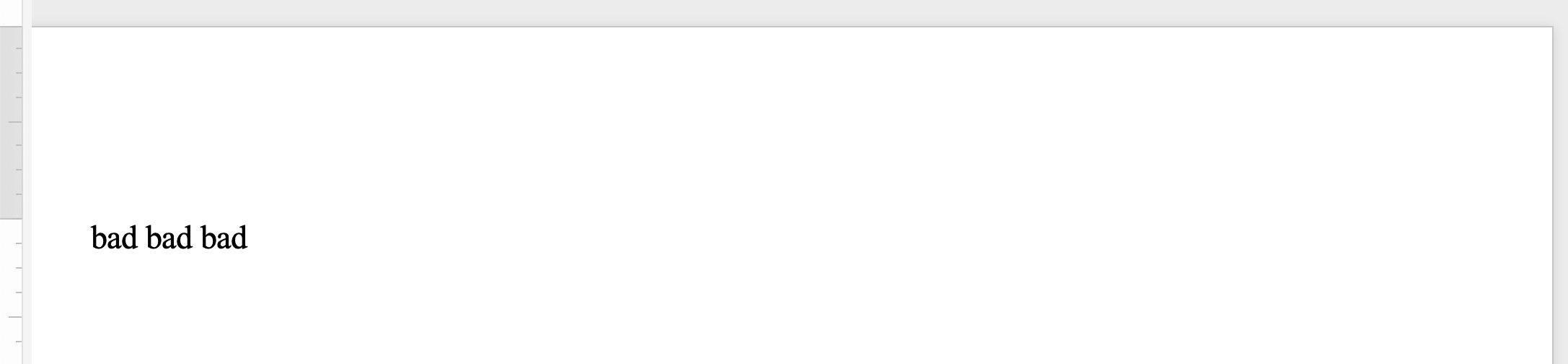
นิพจน์ทั่วไป(รีเอกซ์)เป็นรูปแบบที่อธิบายลำดับของข้อความ สมมติว่าคุณต้องการที่จะแทนที่การเกิดขึ้นคู่ทั้งหมดของคำที่มีการเกิดขึ้นคำเดียว จากนั้นคุณสามารถใช้นิพจน์ปกติต่อไปนี้เพื่อระบุรูปแบบคำสองคำ:`([a-zA-Z]+) \1`.
ใช้วิธีการ[Replace](https://reference.aspose.com/words/java/com.aspose.words/range/#replace-java.util.regex.Pattern-java.lang.String)อื่นๆเพื่อค้นหาและแทนที่ชุดอักขระที่เฉพาะเจาะจงโดยการตั้งค่าพารามิเตอร์`Regex`เป็นรูปแบบนิพจน์ทั่วไปเพื่อค้นหาที่ตรงกัน.
ตัวอย่างรหัสต่อไปนี้แสดงวิธีการแทนที่สตริงที่ตรงกับรูปแบบนิพจน์ปกติกับสตริงแทนที่ที่ระบุ:
{{< gist "aspose-words-gists" "827e71ccc0b8516a3cfe247b86ce6d4e" "Examples-src-main-java-com-aspose-words-examples-programming_documents-find_replace-FindAndReplace-UsingRegularExpression.java" >}}
คุณสามารถสังเกตเห็นความแตกต่างระหว่างเอกสารก่อนที่จะใช้การแทนสตริงด้วยนิพจน์:
### ค้นหาและแทนที่ข้อความโดยใช้นิพจน์ทั่วไป {#find-and-replace-text-using-regular-expressions}
นิพจน์ทั่วไป(รีเอกซ์)เป็นรูปแบบที่อธิบายลำดับของข้อความ สมมติว่าคุณต้องการที่จะแทนที่การเกิดขึ้นคู่ทั้งหมดของคำที่มีการเกิดขึ้นคำเดียว จากนั้นคุณสามารถใช้นิพจน์ปกติต่อไปนี้เพื่อระบุรูปแบบคำสองคำ:`([a-zA-Z]+) \1`.
ใช้วิธีการ[Replace](https://reference.aspose.com/words/java/com.aspose.words/range/#replace-java.util.regex.Pattern-java.lang.String)อื่นๆเพื่อค้นหาและแทนที่ชุดอักขระที่เฉพาะเจาะจงโดยการตั้งค่าพารามิเตอร์`Regex`เป็นรูปแบบนิพจน์ทั่วไปเพื่อค้นหาที่ตรงกัน.
ตัวอย่างรหัสต่อไปนี้แสดงวิธีการแทนที่สตริงที่ตรงกับรูปแบบนิพจน์ปกติกับสตริงแทนที่ที่ระบุ:
{{< gist "aspose-words-gists" "827e71ccc0b8516a3cfe247b86ce6d4e" "Examples-src-main-java-com-aspose-words-examples-programming_documents-find_replace-FindAndReplace-UsingRegularExpression.java" >}}
คุณสามารถสังเกตเห็นความแตกต่างระหว่างเอกสารก่อนที่จะใช้การแทนสตริงด้วยนิพจน์:
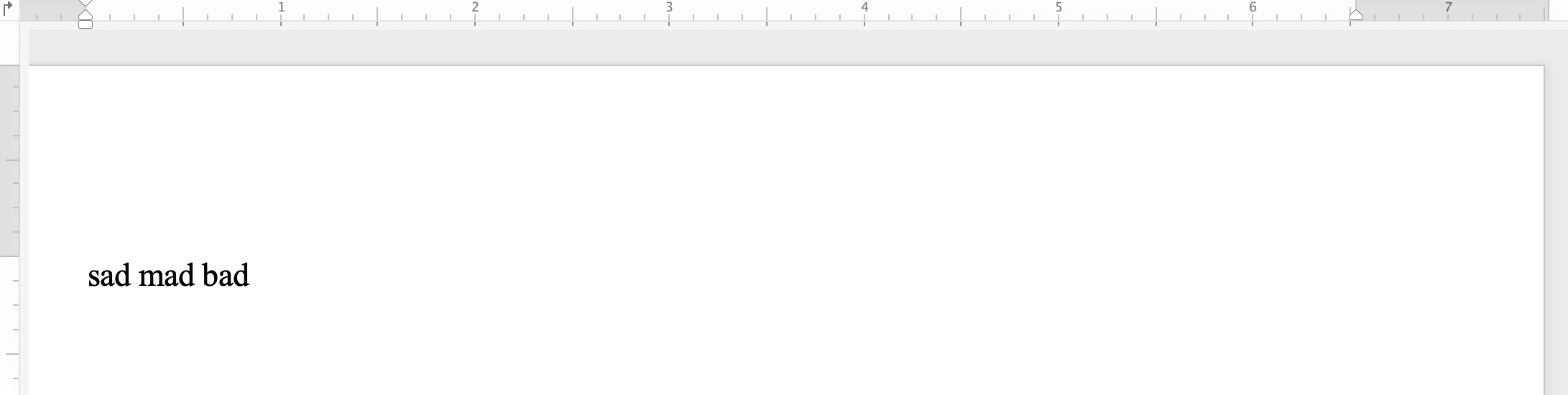 และหลังจากใช้สตริงแทนด้วยนิพจน์ปกติ:
 ### ค้นหาและแทนที่สตริงโดยใช้อักขระเมตา {#find-and-replace-text-using-metacharacters}
คุณสามารถใช้เมตาอักขระในสตริงการค้นหาหรือสตริงการแทนที่ได้ หากข้อความหรือวลีใดวลีหนึ่งประกอบด้วยหลายย่อหน้า หลายส่วน หรือหลายหน้า เมตาอักขระบางตัวได้แก่ **&p** สำหรับการแบ่งย่อหน้า **&b** สำหรับการแบ่งส่วน **&m** สำหรับการแบ่งหน้า และ **&l** สำหรับการแบ่งบรรทัด.
{{% alert color="primary" %}}
โปรดทราบว่าอักขระที่เป็นตัวแทน**&&**เท่ากับ**&** ตัวอย่างเช่น,ถ้าคุณต้องการที่จะหาข้อความสำหรับ**&p**ที่ไม่ได้แบ่งย่อหน้า,แล้วคุณสามารถใช้**&&p**.
{{% /alert %}}
ตัวอย่างรหัสต่อไปนี้แสดงวิธีการแทนที่ข้อความด้วยย่อหน้าและตัวแบ่งหน้า:
{{< gist "aspose-words-gists" "827e71ccc0b8516a3cfe247b86ce6d4e" "Examples-src-main-java-com-aspose-words-examples-programming_documents-find_replace-FindAndReplace-ReplaceTextContaingMetaCharacters.java" >}}
## ค้นหาและแทนที่สตริงในส่วนหัว/ส่วนท้ายของเอกสาร {#find-and-replace-string-in-header-or-footer-of-a-document}
คุณสามารถค้นหาและแทนที่ข้อความในส่วนหัว/ส่วนท้ายของเอกสารคำโดยใช้ชั้นเรียน[HeaderFooter](https://reference.aspose.com/words/java/com.aspose.words/headerfooter/).
ตัวอย่างรหัสต่อไปนี้แสดงวิธีการแทนที่ข้อความของส่วนหัวในเอกสารของคุณ:
{{< gist "aspose-words-gists" "827e71ccc0b8516a3cfe247b86ce6d4e" "Examples-src-main-java-com-aspose-words-examples-programming_documents-find_replace-FindAndReplace-ReplaceTextInHeader.java" >}}
คุณสามารถสังเกตเห็นความแตกต่างระหว่างเอกสารก่อนที่จะใช้การเปลี่ยนสตริงส่วนหัว:
### ค้นหาและแทนที่สตริงโดยใช้อักขระเมตา {#find-and-replace-text-using-metacharacters}
คุณสามารถใช้เมตาอักขระในสตริงการค้นหาหรือสตริงการแทนที่ได้ หากข้อความหรือวลีใดวลีหนึ่งประกอบด้วยหลายย่อหน้า หลายส่วน หรือหลายหน้า เมตาอักขระบางตัวได้แก่ **&p** สำหรับการแบ่งย่อหน้า **&b** สำหรับการแบ่งส่วน **&m** สำหรับการแบ่งหน้า และ **&l** สำหรับการแบ่งบรรทัด.
{{% alert color="primary" %}}
โปรดทราบว่าอักขระที่เป็นตัวแทน**&&**เท่ากับ**&** ตัวอย่างเช่น,ถ้าคุณต้องการที่จะหาข้อความสำหรับ**&p**ที่ไม่ได้แบ่งย่อหน้า,แล้วคุณสามารถใช้**&&p**.
{{% /alert %}}
ตัวอย่างรหัสต่อไปนี้แสดงวิธีการแทนที่ข้อความด้วยย่อหน้าและตัวแบ่งหน้า:
{{< gist "aspose-words-gists" "827e71ccc0b8516a3cfe247b86ce6d4e" "Examples-src-main-java-com-aspose-words-examples-programming_documents-find_replace-FindAndReplace-ReplaceTextContaingMetaCharacters.java" >}}
## ค้นหาและแทนที่สตริงในส่วนหัว/ส่วนท้ายของเอกสาร {#find-and-replace-string-in-header-or-footer-of-a-document}
คุณสามารถค้นหาและแทนที่ข้อความในส่วนหัว/ส่วนท้ายของเอกสารคำโดยใช้ชั้นเรียน[HeaderFooter](https://reference.aspose.com/words/java/com.aspose.words/headerfooter/).
ตัวอย่างรหัสต่อไปนี้แสดงวิธีการแทนที่ข้อความของส่วนหัวในเอกสารของคุณ:
{{< gist "aspose-words-gists" "827e71ccc0b8516a3cfe247b86ce6d4e" "Examples-src-main-java-com-aspose-words-examples-programming_documents-find_replace-FindAndReplace-ReplaceTextInHeader.java" >}}
คุณสามารถสังเกตเห็นความแตกต่างระหว่างเอกสารก่อนที่จะใช้การเปลี่ยนสตริงส่วนหัว:
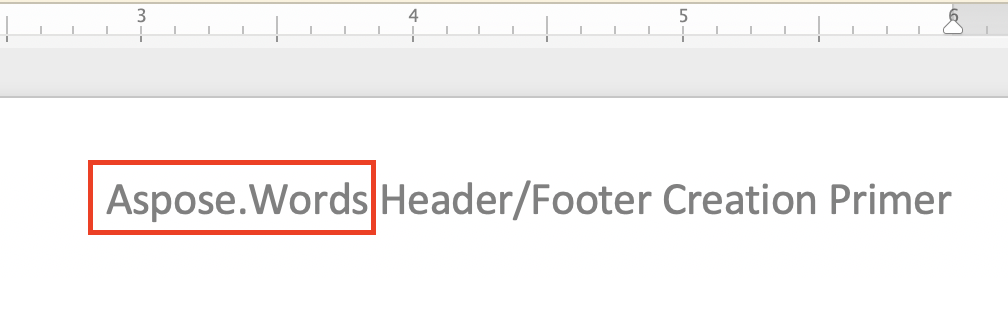 และหลังจากใช้เปลี่ยนสตริงส่วนหัว:
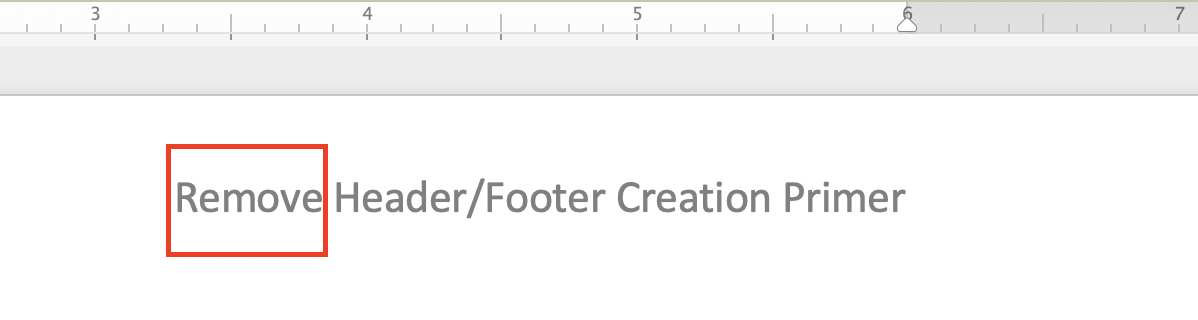 ตัวอย่างรหัสที่จะแทนที่ข้อความของส่วนท้ายในเอกสารของคุณจะคล้ายกับตัวอย่างรหัสส่วน ทั้งหมดที่คุณต้องทำคือการแทนที่ต่อไปนี้สองบรรทัด:
{{< highlight java >}}
HeaderFooter header = headersFooters.get(HeaderFooterType.HEADER_PRIMARY);
header.getRange().replace("Aspose.Words", "Remove", options);
{{< /highlight >}}
ด้วยต่อไปนี้:
{{< gist "aspose-words-gists" "827e71ccc0b8516a3cfe247b86ce6d4e" "Examples-src-main-java-com-aspose-words-examples-programming_documents-find_replace-FindAndReplace-ReplaceTextInFooter.java" >}}
คุณสามารถสังเกตเห็นความแตกต่างระหว่างเอกสารก่อนที่จะใช้สตริงท้ายแทน:
ตัวอย่างรหัสที่จะแทนที่ข้อความของส่วนท้ายในเอกสารของคุณจะคล้ายกับตัวอย่างรหัสส่วน ทั้งหมดที่คุณต้องทำคือการแทนที่ต่อไปนี้สองบรรทัด:
{{< highlight java >}}
HeaderFooter header = headersFooters.get(HeaderFooterType.HEADER_PRIMARY);
header.getRange().replace("Aspose.Words", "Remove", options);
{{< /highlight >}}
ด้วยต่อไปนี้:
{{< gist "aspose-words-gists" "827e71ccc0b8516a3cfe247b86ce6d4e" "Examples-src-main-java-com-aspose-words-examples-programming_documents-find_replace-FindAndReplace-ReplaceTextInFooter.java" >}}
คุณสามารถสังเกตเห็นความแตกต่างระหว่างเอกสารก่อนที่จะใช้สตริงท้ายแทน:
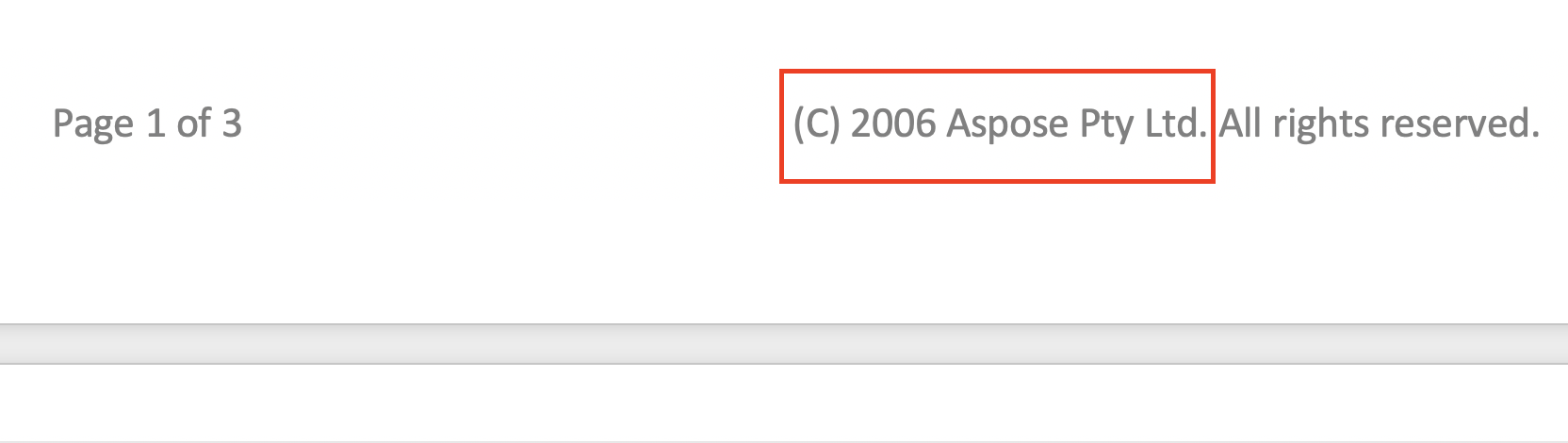 และหลังจากใช้สตริงส่วนท้ายแทน:
 ## ไม่สนใจข้อความระหว่างค้นหาและแทนที่ {#ignore-text-during-find-and-replace}
ในขณะที่ใช้การดำเนินการค้นหาและแทนที่,คุณสามารถละเว้นบางส่วนของข้อความ. ดังนั้นบางส่วนของข้อความที่สามารถแยกออกจากการค้นหาและการค้นหาและแทนที่สามา.
Aspose.Wordsให้หลายคนค้นหาและแทนที่คุณสมบัติสำหรับการละเว้นข้อความเช่น[IgnoreDeleted](https://reference.aspose.com/words/java/com.aspose.words/findreplaceoptions/#getIgnoreDeleted), [IgnoreFieldCodes](https://reference.aspose.com/words/java/com.aspose.words/findreplaceoptions/#getIgnoreFieldCodes), [IgnoreFields](https://reference.aspose.com/words/java/com.aspose.words/findreplaceoptions/#getIgnoreFields), [IgnoreFootnotes](https://reference.aspose.com/words/java/com.aspose.words/findreplaceoptions/#getIgnoreFootnotes), และ[IgnoreInserted](https://reference.aspose.com/words/java/com.aspose.words/findreplaceoptions/#getIgnoreInserted).
ตัวอย่างรหัสต่อไปนี้แสดงวิธีการละเว้นข้อความภายในลบการแก้ไข:
{{< gist "aspose-words-gists" "827e71ccc0b8516a3cfe247b86ce6d4e" "Examples-src-main-java-com-aspose-words-examples-programming_documents-find_replace-IgnoreText-IgnoreTextInsideDeleteRevisions.java" >}}
## ปรับแต่งค้นหาและแทนที่การดำเนินงาน {#customize-find-and-replace-operation}
Aspose.Wordsมีหลาย[properties](https://reference.aspose.com/words/java/com.aspose.words/findreplaceoptions/)เพื่อค้นหาและแทนที่ข้อความเช่นการใช้รูปแบบที่เฉพาะเจาะจงด้วย[ApplyFont](https://reference.aspose.com/words/java/com.aspose.words/findreplaceoptions/#getApplyFont)และ[ApplyParagraphFormats](https://reference.aspose.com/words/java/com.aspose.words/findreplaceoptions/#getApplyParagraphFormat)คุณสมบัติโดยใช้การแทนที่ในรูปแบบการแทนที่ด้วย[UseSubstitutions](https://reference.aspose.com/words/java/com.aspose.words/findreplaceoptions/#getUseSubstitutions)คุณสมบัติและอื่นๆ.
ตัวอย่างรหัสต่อไปนี้แสดงวิธีการเน้นคำเฉพาะในเอกสารของคุณ:
{{< gist "aspose-words-gists" "827e71ccc0b8516a3cfe247b86ce6d4e" "Examples-src-main-java-com-aspose-words-examples-programming_documents-find_replace-FindAndReplace-CustomizeFindAndReplaceOperation.java" >}}
Aspose.Wordsช่วยให้คุณสามารถใช้อินเตอร์เฟซ[IReplacingCallback](https://reference.aspose.com/words/java/com.aspose.words/ireplacingcallback/)เพื่อสร้างและเรียกวิธีการที่กำหนดเองในระหว่างการดำเนินการแทนที่ คุณอาจมีบางกรณีที่คุณต้องปรับแต่งการค้นหาและแทนที่การทำงานเช่นการแทนที่ข้อความที่ระบุด้วยนิพจน์ปกติด้วยHTMLแท็กดังนั้นโดยทั่วไปคุณจะใช้แทนที่ด้วยการแทรกHTML.
หากคุณต้องการแทนสตริงด้วยแท็กHTMLให้ใช้อินเทอร์เฟซ**IReplacingCallback**เพื่อปรับแต่งการดำเนินการค้นหาแ ให้เรามีหลายตัวอย่างของการใช้**IReplacingCallback**.
ตัวอย่างรหัสต่อไปนี้แสดงวิธีการแทนที่ข้อความที่ระบุด้วยHTML:
{{< gist "aspose-words-gists" "827e71ccc0b8516a3cfe247b86ce6d4e" "Examples-src-main-java-com-aspose-words-examples-programming_documents-find_replace-FindAndReplace-ReplaceWithHtml.java" >}}
ตัวอย่างรหัสต่อไปนี้แสดงวิธีการเน้นตัวเลขบวกที่มีสีเขียวและตัวเลขลบที่มีสีแดง:
{{< gist "aspose-words-gists" "827e71ccc0b8516a3cfe247b86ce6d4e" "Examples-src-main-java-com-aspose-words-examples-programming_documents-find_replace-FindAndReplace-NumberHighlightCallback.java" >}}
ตัวอย่างรหัสต่อไปนี้แสดงวิธีการเตรียมหมายเลขบรรทัดแต่ละบรรทัด:
{{< gist "aspose-words-gists" "827e71ccc0b8516a3cfe247b86ce6d4e" "Examples-src-main-java-com-aspose-words-examples-programming_documents-find_replace-FindAndReplace-TestLineCounter.java" >}}
## ไม่สนใจข้อความระหว่างค้นหาและแทนที่ {#ignore-text-during-find-and-replace}
ในขณะที่ใช้การดำเนินการค้นหาและแทนที่,คุณสามารถละเว้นบางส่วนของข้อความ. ดังนั้นบางส่วนของข้อความที่สามารถแยกออกจากการค้นหาและการค้นหาและแทนที่สามา.
Aspose.Wordsให้หลายคนค้นหาและแทนที่คุณสมบัติสำหรับการละเว้นข้อความเช่น[IgnoreDeleted](https://reference.aspose.com/words/java/com.aspose.words/findreplaceoptions/#getIgnoreDeleted), [IgnoreFieldCodes](https://reference.aspose.com/words/java/com.aspose.words/findreplaceoptions/#getIgnoreFieldCodes), [IgnoreFields](https://reference.aspose.com/words/java/com.aspose.words/findreplaceoptions/#getIgnoreFields), [IgnoreFootnotes](https://reference.aspose.com/words/java/com.aspose.words/findreplaceoptions/#getIgnoreFootnotes), และ[IgnoreInserted](https://reference.aspose.com/words/java/com.aspose.words/findreplaceoptions/#getIgnoreInserted).
ตัวอย่างรหัสต่อไปนี้แสดงวิธีการละเว้นข้อความภายในลบการแก้ไข:
{{< gist "aspose-words-gists" "827e71ccc0b8516a3cfe247b86ce6d4e" "Examples-src-main-java-com-aspose-words-examples-programming_documents-find_replace-IgnoreText-IgnoreTextInsideDeleteRevisions.java" >}}
## ปรับแต่งค้นหาและแทนที่การดำเนินงาน {#customize-find-and-replace-operation}
Aspose.Wordsมีหลาย[properties](https://reference.aspose.com/words/java/com.aspose.words/findreplaceoptions/)เพื่อค้นหาและแทนที่ข้อความเช่นการใช้รูปแบบที่เฉพาะเจาะจงด้วย[ApplyFont](https://reference.aspose.com/words/java/com.aspose.words/findreplaceoptions/#getApplyFont)และ[ApplyParagraphFormats](https://reference.aspose.com/words/java/com.aspose.words/findreplaceoptions/#getApplyParagraphFormat)คุณสมบัติโดยใช้การแทนที่ในรูปแบบการแทนที่ด้วย[UseSubstitutions](https://reference.aspose.com/words/java/com.aspose.words/findreplaceoptions/#getUseSubstitutions)คุณสมบัติและอื่นๆ.
ตัวอย่างรหัสต่อไปนี้แสดงวิธีการเน้นคำเฉพาะในเอกสารของคุณ:
{{< gist "aspose-words-gists" "827e71ccc0b8516a3cfe247b86ce6d4e" "Examples-src-main-java-com-aspose-words-examples-programming_documents-find_replace-FindAndReplace-CustomizeFindAndReplaceOperation.java" >}}
Aspose.Wordsช่วยให้คุณสามารถใช้อินเตอร์เฟซ[IReplacingCallback](https://reference.aspose.com/words/java/com.aspose.words/ireplacingcallback/)เพื่อสร้างและเรียกวิธีการที่กำหนดเองในระหว่างการดำเนินการแทนที่ คุณอาจมีบางกรณีที่คุณต้องปรับแต่งการค้นหาและแทนที่การทำงานเช่นการแทนที่ข้อความที่ระบุด้วยนิพจน์ปกติด้วยHTMLแท็กดังนั้นโดยทั่วไปคุณจะใช้แทนที่ด้วยการแทรกHTML.
หากคุณต้องการแทนสตริงด้วยแท็กHTMLให้ใช้อินเทอร์เฟซ**IReplacingCallback**เพื่อปรับแต่งการดำเนินการค้นหาแ ให้เรามีหลายตัวอย่างของการใช้**IReplacingCallback**.
ตัวอย่างรหัสต่อไปนี้แสดงวิธีการแทนที่ข้อความที่ระบุด้วยHTML:
{{< gist "aspose-words-gists" "827e71ccc0b8516a3cfe247b86ce6d4e" "Examples-src-main-java-com-aspose-words-examples-programming_documents-find_replace-FindAndReplace-ReplaceWithHtml.java" >}}
ตัวอย่างรหัสต่อไปนี้แสดงวิธีการเน้นตัวเลขบวกที่มีสีเขียวและตัวเลขลบที่มีสีแดง:
{{< gist "aspose-words-gists" "827e71ccc0b8516a3cfe247b86ce6d4e" "Examples-src-main-java-com-aspose-words-examples-programming_documents-find_replace-FindAndReplace-NumberHighlightCallback.java" >}}
ตัวอย่างรหัสต่อไปนี้แสดงวิธีการเตรียมหมายเลขบรรทัดแต่ละบรรทัด:
{{< gist "aspose-words-gists" "827e71ccc0b8516a3cfe247b86ce6d4e" "Examples-src-main-java-com-aspose-words-examples-programming_documents-find_replace-FindAndReplace-TestLineCounter.java" >}}