---
title: "在C++中查找和替换"
---
您可以使用键盘和鼠标轻松地在文档中导航,但如果您有许多页面要滚动,则需要相当长的时间才能在长文档中找到特定文本。 当您想要替换文档中使用的某些字符或单词时,这将更加耗时。 "查找和替换"功能使您能够在文档中查找字符序列,并将其替换为另一个字符序列。
Aspose.Words允许您在文档中查找特定的字符串或正则表达式模式,并将其替换为替代项,而无需安装和使用其他应用程序(如Microsoft Word)。 这将加快许多打字和格式化任务,可能节省您的工作时间。
本文介绍了如何在元字符的支持下应用字符串替换和正则表达式。
## 查找和替换{#ways-to-find-and-replace}的方法
Aspose.Words提供了两种应用查找和替换操作的方法,方法如下:
1. *Simple string replacement*-要查找并用另一个替换特定字符串,您需要指定一个搜索字符串(字母数字字符),该字符串将根据所有出现的情况用另一个指定的替换字符串替换。 两个字符串都不能包含符号。 请注意,字符串比较可能区分大小写,或者您可能不确定拼写或有几个类似的拼写。
2. *Regular expressions*-指定正则表达式以查找精确的字符串匹配项,并根据正则表达式替换它们。 请注意,单词被定义为仅由字母数字字符组成。 如果只使用匹配的整个单词执行替换,并且输入字符串恰好包含符号,则不会找到短语。
此外,您还可以使用带有简单字符串替换和正则表达式的特殊元字符来指定查找和替换操作中的分隔符。
Aspose.Words使用[Aspose.Words.Replacing](https://reference.aspose.com/words/cpp/namespace/aspose.words.replacing)命名空间提供查找和替换功能。 您可以使用[FindReplaceOptions](https://reference.aspose.com/words/cpp/aspose.words.replacing/findreplaceoptions/)类在查找和替换过程中使用许多选项。
### 使用简单字符串替换{#find-and-replace-text-using-simple-string-replacement}查找和替换文本
您可以使用[Replace](https://reference.aspose.com/words/cpp/aspose.words/range/replace/)方法之一来查找或替换特定字符串,并返回所做的替换数。 在这种情况下,您可以指定要替换的字符串、将替换其所有出现的字符串、替换是否区分大小写以及是否仅影响独立单词。
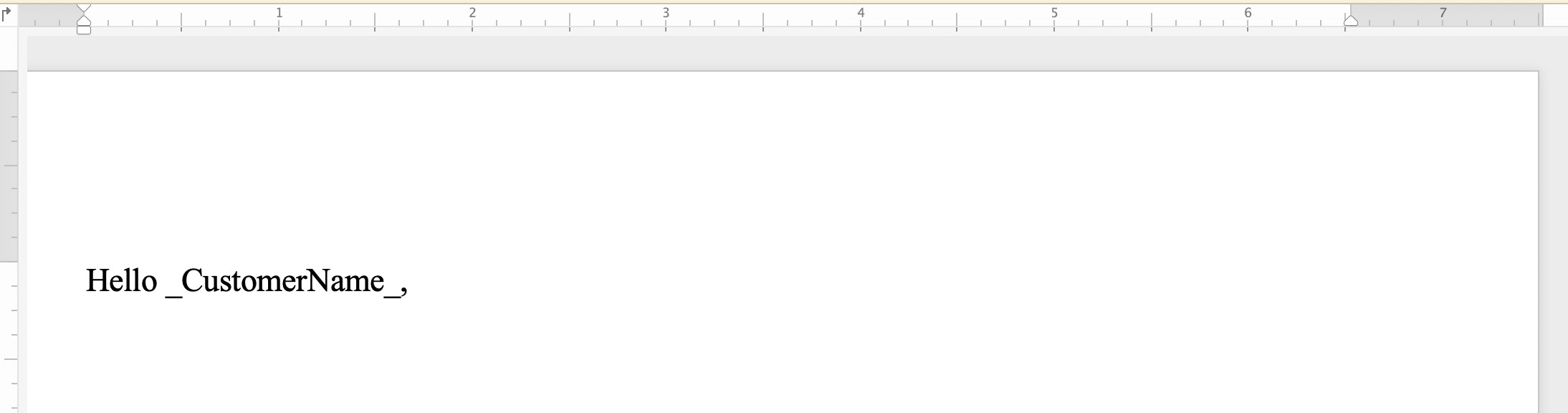
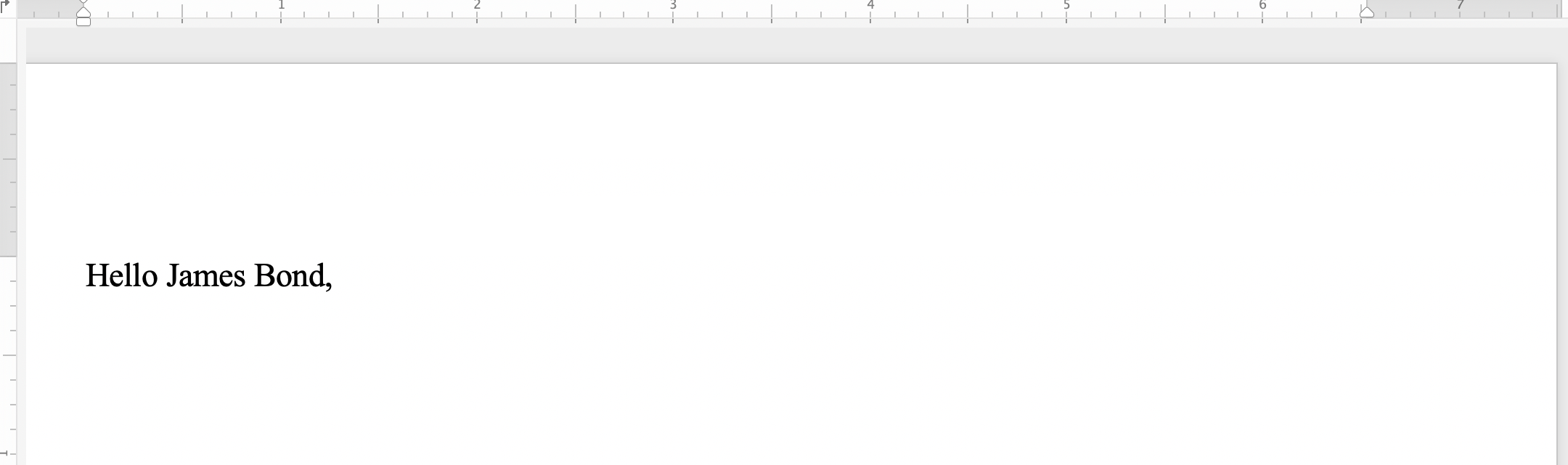
下面的代码示例演示如何查找字符串"_CustomerName_"并将其替换为字符串*"James Bond"*:
{{< gist "aspose-words-gists" "d55d8631947d283b1f0da99afa06c492" "cpp-Programming-Documents-Find-Replace-ReplaceWithString-ReplaceWithString.cpp" >}}
在应用简单字符串替换之前,您可以注意到文档之间的差异:
 和应用简单的字符串替换后:
 ### 使用正则表达式{#find-and-replace-text-using-regular-expressions}查找和替换文本
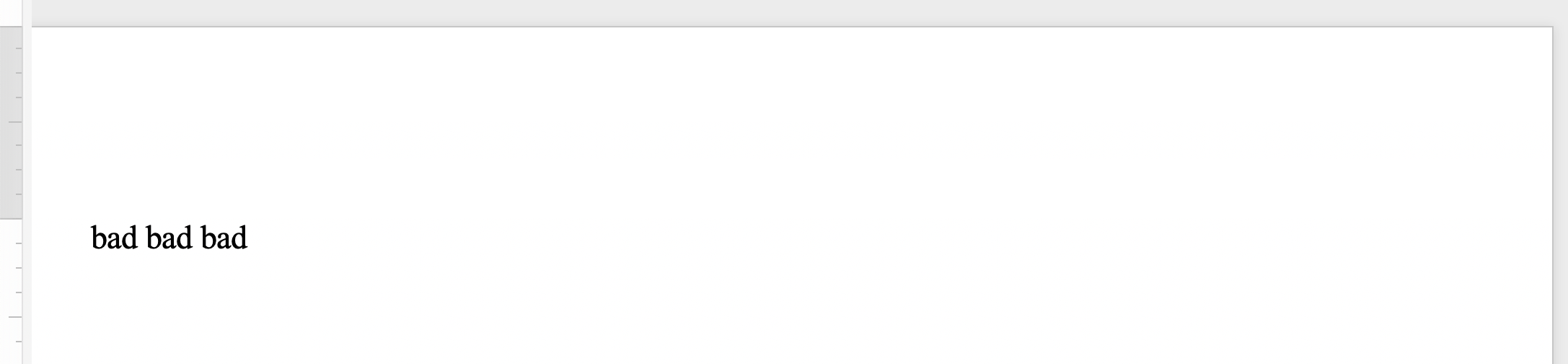
正则表达式(regex)是描述特定文本序列的模式。 假设你想用一个单词的出现替换一个单词的所有双重出现。 然后,您可以应用以下正则表达式来指定双字模式:`([a-zA-Z]+) \1`。
通过将`Regex`参数设置为正则表达式模式来查找匹配项,使用其他[Replace](https://reference.aspose.com/words/cpp/aspose.words/range/replace/)方法来搜索和替换特定的字符组合。
下面的代码示例演示如何将匹配正则表达式模式的字符串替换为指定的替换字符串:
{{< gist "aspose-words-gists" "d55d8631947d283b1f0da99afa06c492" "cpp-Programming-Documents-Find-Replace-ReplaceWithRegex-ReplaceWithRegex.cpp" >}}
在使用正则表达式应用字符串替换之前,您可以注意到文档之间的差异:
### 使用正则表达式{#find-and-replace-text-using-regular-expressions}查找和替换文本
正则表达式(regex)是描述特定文本序列的模式。 假设你想用一个单词的出现替换一个单词的所有双重出现。 然后,您可以应用以下正则表达式来指定双字模式:`([a-zA-Z]+) \1`。
通过将`Regex`参数设置为正则表达式模式来查找匹配项,使用其他[Replace](https://reference.aspose.com/words/cpp/aspose.words/range/replace/)方法来搜索和替换特定的字符组合。
下面的代码示例演示如何将匹配正则表达式模式的字符串替换为指定的替换字符串:
{{< gist "aspose-words-gists" "d55d8631947d283b1f0da99afa06c492" "cpp-Programming-Documents-Find-Replace-ReplaceWithRegex-ReplaceWithRegex.cpp" >}}
在使用正则表达式应用字符串替换之前,您可以注意到文档之间的差异:
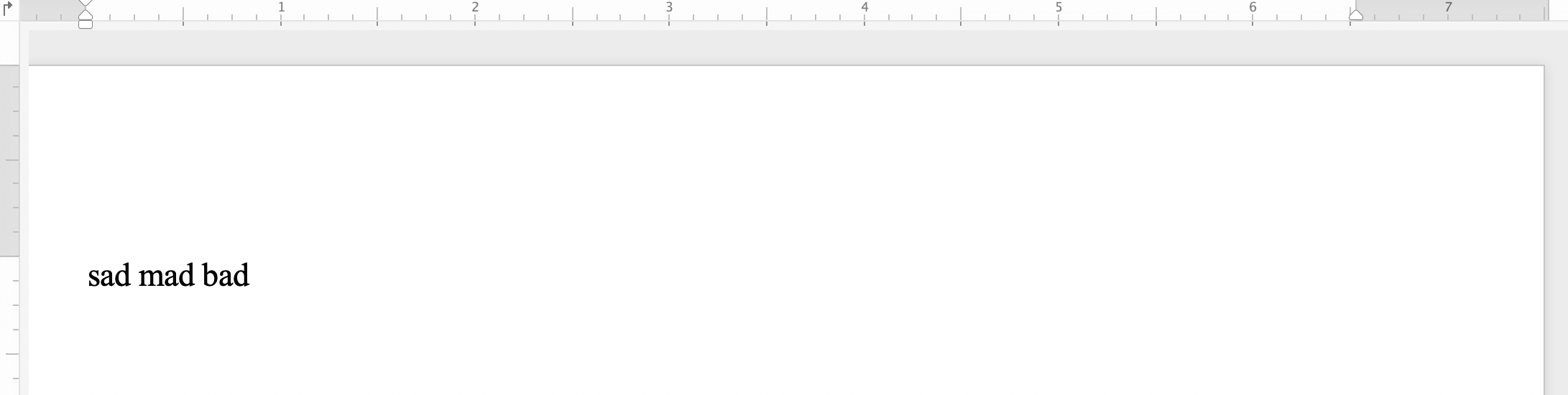 并用正则表达式应用字符串替换后:
 ### 使用元字符{#find-and-replace-text-using-metacharacters}查找和替换字符串
如果特定文本或短语由多个段落、部分或页面组成,则可以在搜索字符串或替换字符串中使用元字符。 一些元字符包括**&p**表示段落分隔符,**&b**表示分段分隔符,**&m**表示分页符,**&l**表示换行符。
{{% alert color="primary" %}}
注意元字符**&&**等于**&**。 例如,如果您需要查找不是段落中断的**&p**的文本,那么您可以使用**&&p**。
{{% /alert %}}
下面的代码示例演示如何用段落和分页符替换文本:
{{< gist "aspose-words-gists" "d55d8631947d283b1f0da99afa06c492" "cpp-Programming-Documents-Find-Replace-FindReplaceUsingMetaCharacters-ReplaceTextContaingMetaCharacters.cpp" >}}
## 查找并替换文档{#find-and-replace-string-in-header-or-footer-of-a-document}页眉/页脚中的字符串
您可以使用[HeaderFooter](https://reference.aspose.com/words/cpp/aspose.words/headerfooter/)类在Word文档的页眉/页脚部分中查找和替换文本。
下面的代码示例演示如何替换文档中的标题部分的文本:
{{< gist "aspose-words-gists" "d55d8631947d283b1f0da99afa06c492" "cpp-Programming-Documents-Find-Replace-ReplaceInHeaderAndFooter-ReplaceTextInFooter.cpp" >}}
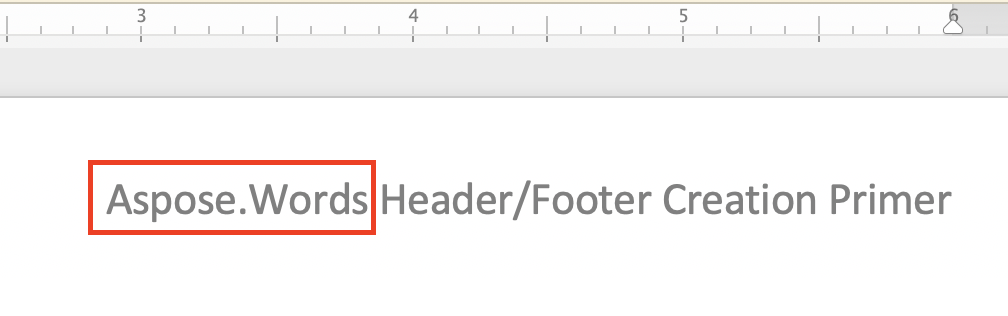
在应用标题字符串替换之前,您可以注意到文档之间的差异:
### 使用元字符{#find-and-replace-text-using-metacharacters}查找和替换字符串
如果特定文本或短语由多个段落、部分或页面组成,则可以在搜索字符串或替换字符串中使用元字符。 一些元字符包括**&p**表示段落分隔符,**&b**表示分段分隔符,**&m**表示分页符,**&l**表示换行符。
{{% alert color="primary" %}}
注意元字符**&&**等于**&**。 例如,如果您需要查找不是段落中断的**&p**的文本,那么您可以使用**&&p**。
{{% /alert %}}
下面的代码示例演示如何用段落和分页符替换文本:
{{< gist "aspose-words-gists" "d55d8631947d283b1f0da99afa06c492" "cpp-Programming-Documents-Find-Replace-FindReplaceUsingMetaCharacters-ReplaceTextContaingMetaCharacters.cpp" >}}
## 查找并替换文档{#find-and-replace-string-in-header-or-footer-of-a-document}页眉/页脚中的字符串
您可以使用[HeaderFooter](https://reference.aspose.com/words/cpp/aspose.words/headerfooter/)类在Word文档的页眉/页脚部分中查找和替换文本。
下面的代码示例演示如何替换文档中的标题部分的文本:
{{< gist "aspose-words-gists" "d55d8631947d283b1f0da99afa06c492" "cpp-Programming-Documents-Find-Replace-ReplaceInHeaderAndFooter-ReplaceTextInFooter.cpp" >}}
在应用标题字符串替换之前,您可以注意到文档之间的差异:
 并在应用标题字符串替换后:
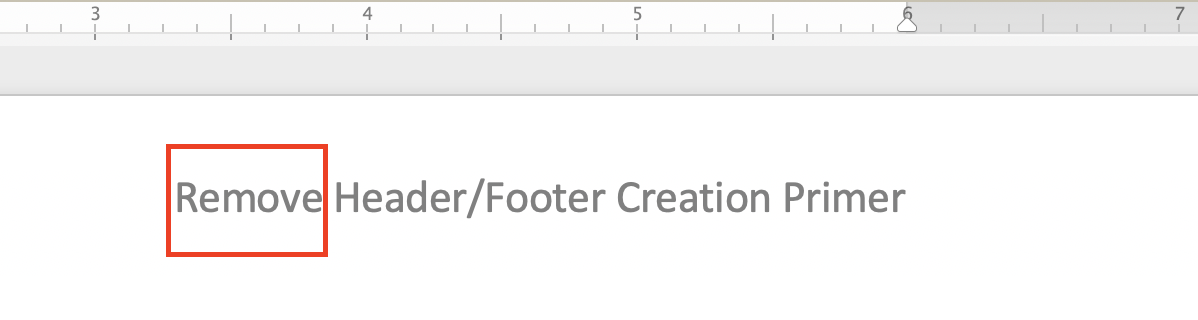 替换文档中页脚部分文本的代码示例与之前的页眉代码示例非常相似。 您需要做的就是替换以下两行:
{{< highlight csharp >}}
auto header = headersFooters->idx_get(HeaderFooterType::HeaderPrimary);
header->get_Range()->Replace(u"Aspose.Words", u"Remove", options);
{{< /highlight >}}
与以下:
{{< highlight csharp >}}
auto footer = headersFooters->idx_get(HeaderFooterType::FooterPrimary);
footer->get_Range()->Replace(u"(C) 2006 Aspose Pty Ltd.", u"Copyright (C) Aspose Pty Ltd.", options);
{{< /highlight >}}
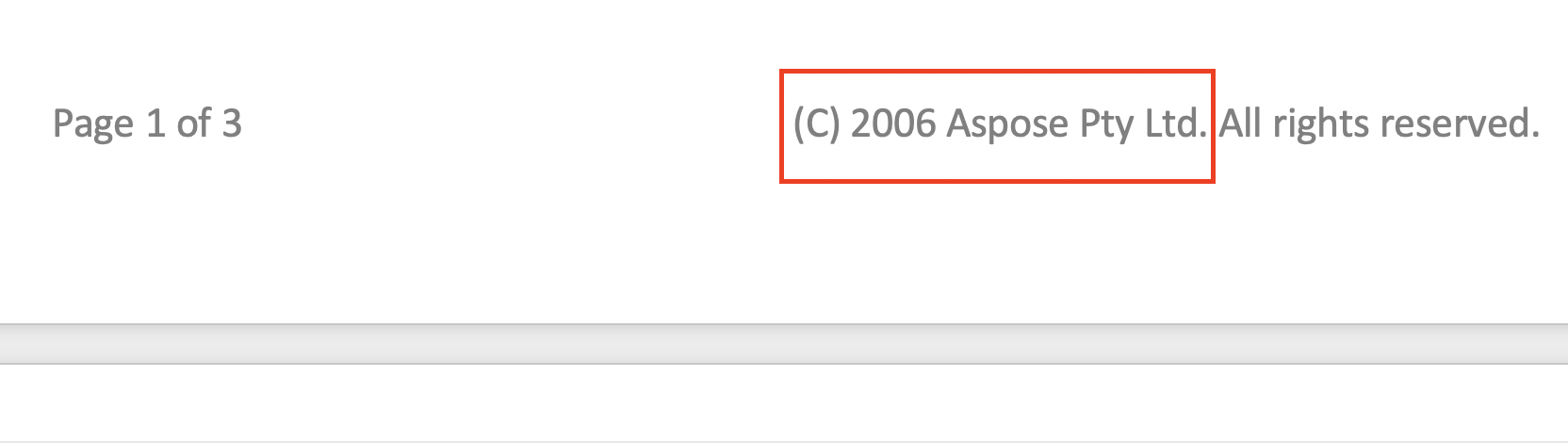
在应用页脚字符串替换之前,您可以注意到文档之间的差异:
替换文档中页脚部分文本的代码示例与之前的页眉代码示例非常相似。 您需要做的就是替换以下两行:
{{< highlight csharp >}}
auto header = headersFooters->idx_get(HeaderFooterType::HeaderPrimary);
header->get_Range()->Replace(u"Aspose.Words", u"Remove", options);
{{< /highlight >}}
与以下:
{{< highlight csharp >}}
auto footer = headersFooters->idx_get(HeaderFooterType::FooterPrimary);
footer->get_Range()->Replace(u"(C) 2006 Aspose Pty Ltd.", u"Copyright (C) Aspose Pty Ltd.", options);
{{< /highlight >}}
在应用页脚字符串替换之前,您可以注意到文档之间的差异:
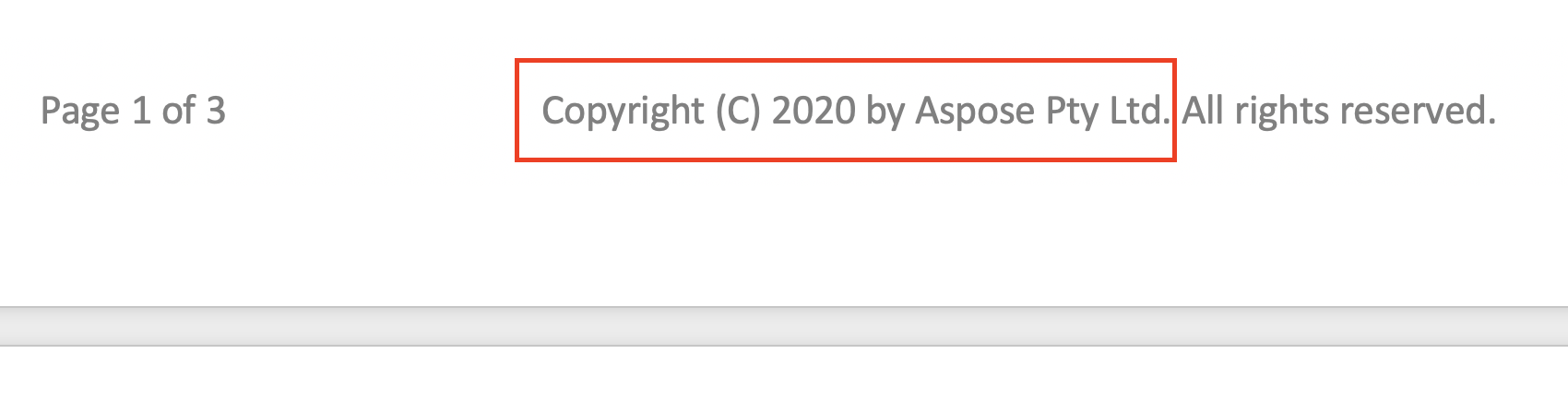
 和应用页脚字符串替换后:
 ## 在查找和替换{#ignore-text-during-find-and-replace}期间忽略文本
在应用查找和替换操作时,可以忽略文本的某些段。 因此,文本的某些部分可以从搜索中排除,并且查找和替换可以仅应用于其余部分。
Aspose.Words提供了许多用于忽略文本的查找和替换属性,例如[IgnoreDeleted](https://reference.aspose.com/words/cpp/aspose.words.replacing/findreplaceoptions), [IgnoreFieldCodes](https://reference.aspose.com/words/cpp/aspose.words.replacing/findreplaceoptions/get_ignorefieldcodes/), [IgnoreFields](https://reference.aspose.com/words/cpp/aspose.words.replacing/findreplaceoptions/get_ignorefields/), [IgnoreFootnotes](https://reference.aspose.com/words/cpp/aspose.words.replacing/findreplaceoptions/get_ignorefootnotes/), 和[IgnoreInserted](https://reference.aspose.com/words/cpp/aspose.words.replacing/findreplaceoptions/get_ignoreinserted/)。
下面的代码示例演示如何忽略删除修订版中的文本:
{{< gist "aspose-words-gists" "d55d8631947d283b1f0da99afa06c492" "cpp-Programming-Documents-Find-Replace-IgnoreText-IgnoreTextInsideDeleteRevisions.cpp" >}}
## 自定义查找和替换操作{#customize-find-and-replace-operation}
Aspose.Words提供了许多不同的[properties](https://reference.aspose.com/words/net/aspose.words.replacing/findreplaceoptions/)来查找和替换文本,例如使用[ApplyFont](https://reference.aspose.com/words/net/aspose.words.replacing/findreplaceoptions/applyfont/)和[ApplyParagraphFormats](https://reference.aspose.com/words/net/aspose.words.replacing/findreplaceoptions/applyparagraphformat/)属性应用特定格式,使用[UseSubstitutions](https://reference.aspose.com/words/net/aspose.words.replacing/findreplaceoptions/usesubstitutions/)属性替换模式中的替换等。
下面的代码示例演示如何突出显示文档中的特定单词:
{{< gist "aspose-words-gists" "d55d8631947d283b1f0da99afa06c492" "cpp-Programming-Documents-Find-Replace-ReplaceWithString-HighlightColor.cpp" >}}
Aspose.Words允许您在替换操作期间使用[IReplacingCallback](https://reference.aspose.com/words/cpp/aspose.words.replacing/ireplacingcallback/)接口创建和调用自定义方法。 您可能有一些用例,您需要自定义查找和替换操作,例如使用HTML标记替换使用正则表达式指定的文本,因此基本上您将使用插入HTML来应用replace。
如果需要用HTML标记替换字符串,请应用**IReplacingCallback**接口自定义查找和替换操作,以便匹配在运行开始时与文档的匹配节点开始。 让我们提供几个使用**IReplacingCallback**的例子。
下面的代码示例演示如何替换为HTML指定的文本:
{{< gist "aspose-words-gists" "d55d8631947d283b1f0da99afa06c492" "cpp-Programming-Documents-Find-Replace-ReplaceWithHTML-ReplaceWithHtml.cpp" >}}
下面的代码示例演示如何突出显示绿色的正数和红色的负数:
{{< gist "aspose-words-gists" "d55d8631947d283b1f0da99afa06c492" "cpp-Programming-Documents-Find-Replace-ReplaceWithHTML-NumberHighlightCallback.cpp" >}}
下面的代码示例演示如何为每行添加行号:
{{< gist "aspose-words-gists" "d55d8631947d283b1f0da99afa06c492" "cpp-Programming-Documents-Find-Replace-ReplaceWithHTML-LineCounter.cpp" >}}
## 在查找和替换{#ignore-text-during-find-and-replace}期间忽略文本
在应用查找和替换操作时,可以忽略文本的某些段。 因此,文本的某些部分可以从搜索中排除,并且查找和替换可以仅应用于其余部分。
Aspose.Words提供了许多用于忽略文本的查找和替换属性,例如[IgnoreDeleted](https://reference.aspose.com/words/cpp/aspose.words.replacing/findreplaceoptions), [IgnoreFieldCodes](https://reference.aspose.com/words/cpp/aspose.words.replacing/findreplaceoptions/get_ignorefieldcodes/), [IgnoreFields](https://reference.aspose.com/words/cpp/aspose.words.replacing/findreplaceoptions/get_ignorefields/), [IgnoreFootnotes](https://reference.aspose.com/words/cpp/aspose.words.replacing/findreplaceoptions/get_ignorefootnotes/), 和[IgnoreInserted](https://reference.aspose.com/words/cpp/aspose.words.replacing/findreplaceoptions/get_ignoreinserted/)。
下面的代码示例演示如何忽略删除修订版中的文本:
{{< gist "aspose-words-gists" "d55d8631947d283b1f0da99afa06c492" "cpp-Programming-Documents-Find-Replace-IgnoreText-IgnoreTextInsideDeleteRevisions.cpp" >}}
## 自定义查找和替换操作{#customize-find-and-replace-operation}
Aspose.Words提供了许多不同的[properties](https://reference.aspose.com/words/net/aspose.words.replacing/findreplaceoptions/)来查找和替换文本,例如使用[ApplyFont](https://reference.aspose.com/words/net/aspose.words.replacing/findreplaceoptions/applyfont/)和[ApplyParagraphFormats](https://reference.aspose.com/words/net/aspose.words.replacing/findreplaceoptions/applyparagraphformat/)属性应用特定格式,使用[UseSubstitutions](https://reference.aspose.com/words/net/aspose.words.replacing/findreplaceoptions/usesubstitutions/)属性替换模式中的替换等。
下面的代码示例演示如何突出显示文档中的特定单词:
{{< gist "aspose-words-gists" "d55d8631947d283b1f0da99afa06c492" "cpp-Programming-Documents-Find-Replace-ReplaceWithString-HighlightColor.cpp" >}}
Aspose.Words允许您在替换操作期间使用[IReplacingCallback](https://reference.aspose.com/words/cpp/aspose.words.replacing/ireplacingcallback/)接口创建和调用自定义方法。 您可能有一些用例,您需要自定义查找和替换操作,例如使用HTML标记替换使用正则表达式指定的文本,因此基本上您将使用插入HTML来应用replace。
如果需要用HTML标记替换字符串,请应用**IReplacingCallback**接口自定义查找和替换操作,以便匹配在运行开始时与文档的匹配节点开始。 让我们提供几个使用**IReplacingCallback**的例子。
下面的代码示例演示如何替换为HTML指定的文本:
{{< gist "aspose-words-gists" "d55d8631947d283b1f0da99afa06c492" "cpp-Programming-Documents-Find-Replace-ReplaceWithHTML-ReplaceWithHtml.cpp" >}}
下面的代码示例演示如何突出显示绿色的正数和红色的负数:
{{< gist "aspose-words-gists" "d55d8631947d283b1f0da99afa06c492" "cpp-Programming-Documents-Find-Replace-ReplaceWithHTML-NumberHighlightCallback.cpp" >}}
下面的代码示例演示如何为每行添加行号:
{{< gist "aspose-words-gists" "d55d8631947d283b1f0da99afa06c492" "cpp-Programming-Documents-Find-Replace-ReplaceWithHTML-LineCounter.cpp" >}}