
.NET Core 中设置 SMTP 客户端活动日志记录
Contents
[
Hide
]
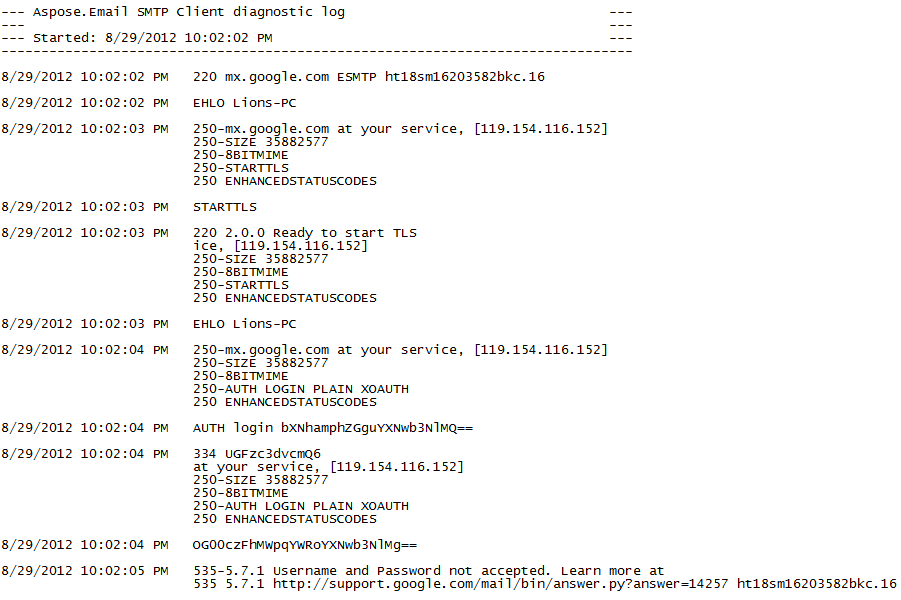
活动日志记录用于调试以及收集和分析有关 SMTP 客户端的工作信息。
启用活动日志记录
使用 appsettings.json 文件启用活动日志记录
注意: 此选项是 .NET Core 应用程序的首选。
日志记录 SmtpClient 可通过以下步骤和代码示例启用:
-
如果尚未添加,请在 C# 项目中添加 appsettings.json 配置文件。
-
确保项目文件的 ItemGroup 部分包含以下行。
<Content Include="appsettings.json"> <CopyToOutputDirectory>Always</CopyToOutputDirectory> </Content> -
然后,将以下内容添加到 appsettings.json 文件中。
   {
     "SmtpDiagnosticLog": "smtp.log",
     "SmtpDiagnosticLog_UseDate": true
   }
上述两个属性为:
-
SmtpDiagnosticLog - 指定日志文件的相对或绝对路径。
-
SmtpDiagnosticLog_UseDate - 指定是否在日志文件名中添加当前日期的字符串表示。
在程序代码中启用活动日志记录
您也可以在代码中立即启用日志记录。
注意: 即使您已经通过配置文件启用了日志记录,此选项仍会生效。
日志记录 SmtpClient 可通过以下步骤和代码示例启用:
- 创建一个 SmtpClient.
- 使用以下方式设置日志文件的路径: LogFileName 属性。
- 设置 UseDateInLogFileName 属性(如果需要)。
   using (var client = new SmtpClient("your smtp server"))
   {
       // Set username, password, port, and security options
       client.Username = "your username";
       client.Password = "your password";
       client.Port = 465;
       client.SecurityOptions = SecurityOptions.SSLImplicit;

       // Set the path to the log file using the LogFileName property.
       client.LogFileName = @"C:\Aspose.Email.Smtp.log";

       // Set the UseDateInLogFileName property if it is necessary.
       client.UseDateInLogFileName = false;

       var eml = new MailMessage("from address", "to address", "this is a test subject", "this is a test body");

       client.Send(eml);
   }
使用 App.config 文件启用活动日志记录
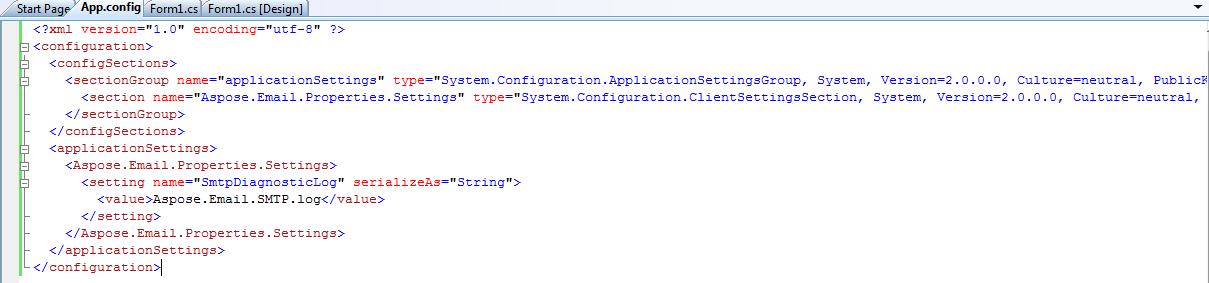
通过修改配置文件中的 configSections 可以记录 SMTP 客户端活动。诊断日志记录可通过以下步骤完成:
- 添加一个名为 "applicationSettings" 的 sectionGroup。
- 添加一个名为 "Aspose.Email.Properties.Settings" 的节。
- 包括名为 SmtpDiagonosticLog 的设置,文件名在 applicationSettings/Aspose.Email.Properties.Settings 中定义
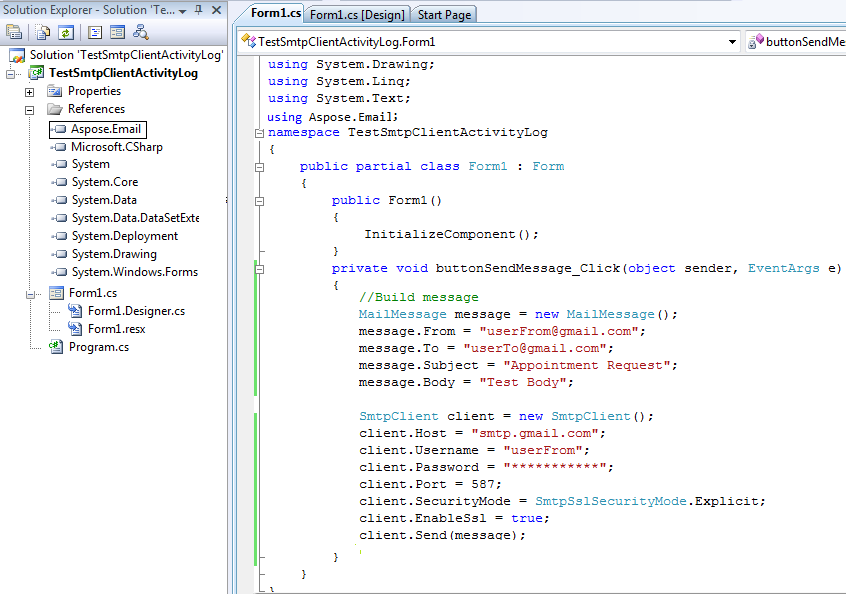
以下是使用…的示例基于窗体的应用程序 SmtpClient 发送电子邮件。通过修改 App.config 文件记录整个活动。创建一个包含单个按钮的窗体应用程序。为按钮的 Click 事件添加以下代码:
- 添加对 Aspose.Email 的引用。
 |
|---|
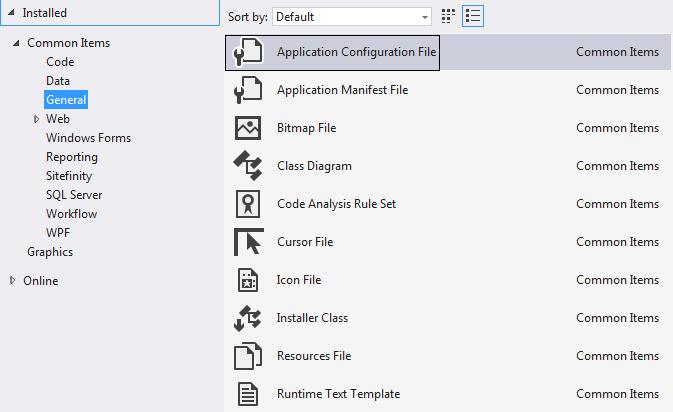
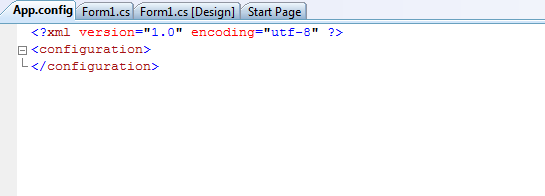
- 添加 App.Config 文件并按如下方式修改其内容:
- 对于 C# .NET,请使用以下选项
 |
|---|
- 对于 VB .NET,请使用以下选项
|
 |
|---|
 |
|---|
- 运行代码后查看 debug 文件夹。将生成以下文件。
 |
|---|