
Convert PDF file to other formats
Convert PDF to EPUB
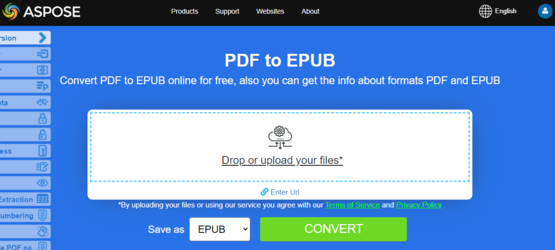
Try to convert PDF to EPUB online
Aspose.PDF for Java presents you online free application “PDF to EPUB”, where you may try to investigate the functionality and quality it works.
EPUB (short for electronic publication) is a free and open e-book standard from the International Digital Publishing Forum (IDPF). Files have the extension .epub.EPUB is designed for reflowable content, meaning that an EPUB reader can optimize text for a particular display device. EPUB also supports fixed-layout content. The format is intended as a single format that publishers and conversion houses can use in-house, as well as for distribution and sale. It supersedes the Open eBook standard.
Aspose.PDF for Java supports the feature to convert PDF documents to EPUB format. Aspose.PDF for Java has a class named EpubSaveOptions which can be used as the second argument to the Document.save(..) method, to generate an EPUB file. Please try using the following code snippet to accomplish this requirement.
// Load PDF document
Document document = new Document(DATA_DIR + "PDFToEPUB.pdf");
// Instantiate Epub Save options
EpubSaveOptions options = new EpubSaveOptions();
// Specify the layout for contents
options.setContentRecognitionMode(EpubSaveOptions.RecognitionMode.Flow);
// Save the ePUB document
document.save(DATA_DIR + "PDFToEPUB_out.epub", options);
document.close();
Convert PDF to LaTeX/TeX
Aspose.PDF for Java support converting PDF to LaTeX/TeX. The LaTeX file format is a text file format with the special markup and used in TeX-based document preparation system for high-quality typesetting.
To convert PDF files to TeX, Aspose.PDF has the class TeXSaveOptions which provides the method setOutDirectoryPath for saving temporary images during the conversion process.
The following code snippet shows the process of converting PDF files into the TEX format with Java.
String documentFileName = Paths.get(DATA_DIR.toString(), "PDFToTeX.pdf").toString();
String texDocumentFileName = Paths.get(DATA_DIR.toString(), "PDFToTeX_out.tex").toString();

// Create Document object
Document document = new Document(documentFileName);

// Instantiate LaTex save option
TeXSaveOptions saveOptions = new TeXSaveOptions();

// Specify the output directory
String pathToOutputDirectory = DATA_DIR.toString();

// Set the output directory path for save option object
saveOptions.setOutDirectoryPath(pathToOutputDirectory);

// Save PDF file into LaTex format
document.save(texDocumentFileName, saveOptions);
document.close();
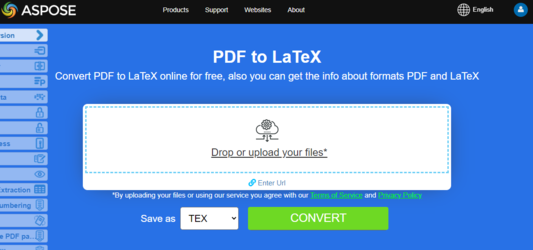
Try to convert PDF to LaTeX/TeX online
Aspose.PDF for Java presents you online free application “PDF to LaTeX”, where you may try to investigate the functionality and quality it works.
Convert PDF to Text
Aspose.PDF for Java support converting whole PDF document and single page to a Text file.
Convert whole PDF document to Text file
You can convert PDF document to TXT file using Visit method of TextAbsorber class.
The following code snippet explains how to extract the texts from the all pages.
// Open document
String pdfFileName = Paths.get(DATA_DIR.toString(), "demo.pdf").toString();
String txtFileName = Paths.get(DATA_DIR.toString(), "PDFToTXT_out.txt").toString();

// Load PDF document
Document document = new Document(pdfFileName);
TextAbsorber ta = new TextAbsorber();
ta.visit(document);
// Save the extracted text in text file
BufferedWriter writer = new BufferedWriter(new FileWriter(txtFileName));
writer.write(ta.getText());
writer.close();
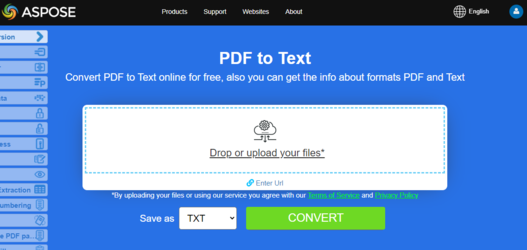
Try to convert Convert PDF to Text online
Aspose.PDF for Java presents you online free application “PDF to Text”, where you may try to investigate the functionality and quality it works.
Convert PDF page to text file
You can convert PDF document to TXT file with Aspose.PDF for Java. You should use Visit method of TextAbsorber class for resolve this task.
The following code snippet explains how to extract the texts from the particular pages.
String pdfFileName = Paths.get(DATA_DIR.toString(), "demo.pdf").toString();
String txtFileName = Paths.get(DATA_DIR.toString(), "PDFToTXT_out.txt").toString();

// Load PDF document
Document document = new Document(pdfFileName);

TextAbsorber ta = new TextAbsorber();
int[] pages = new int[] { 1, 3, 4 };

for (int page : pages) {
    ta.visit(document.getPages().get_Item(page));
}

// Save the extracted text in text file
BufferedWriter writer = new BufferedWriter(new FileWriter(txtFileName));
writer.write(ta.getText());
writer.close();
document.close();
Convert PDF to XPS
Aspose.PDF for Java gives a possibility to convert PDF files to XPS format. Let try to use the presented code snippet for converting PDF files to XPS format with Java.
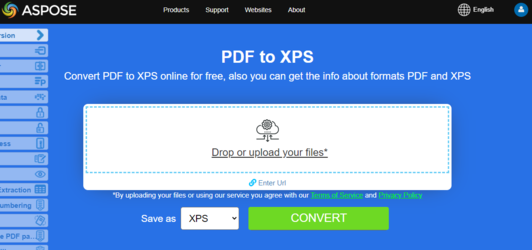
Try to convert PDF to XPS online
Aspose.PDF for Java presents you online free application “PDF to XPS”, where you may try to investigate the functionality and quality it works.
The XPS file type is primarily associated with the XML Paper Specification by Microsoft Corporation. The XML Paper Specification (XPS), formerly codenamed Metro and subsuming the Next Generation Print Path (NGPP) marketing concept, is Microsoft’s initiative to integrate document creation and viewing into the Windows operating system.
To convert PDF files to XPS, Aspose.PDF has the class XpsSaveOptions class that is used as the second argument to the Document.save(..) constructor to generate the XPS file. The following code snippet shows the process of converting PDF files into XPS format.
String documentFileName = Paths.get(DATA_DIR.toString(), "sample.pdf").toString();
String xpsDocumentFileName = Paths.get(DATA_DIR.toString(), "sample-res-xps.xps").toString();

// Create Document object
Document document = new Document(documentFileName);

// Instantiate XPS Save options
XpsSaveOptions saveOptions = new XpsSaveOptions();

// Save output in XML format
document.save(xpsDocumentFileName, saveOptions);
document.close();
Convert PDF to MobiXml
Aspose.PDF for Java gives a possibility to convert PDF files to MobiXml format. Let try to use the presented code snippet for converting PDF files to MobiXml format with Java.
MobiXML is a popular eBook format, designed to be usen on mobile platforms. The MobiXML file type is primarily associated with the Mobipocket eBook format, originally developed by Mobipocket SA and later acquired by Amazon. MobiXML represents the XML-based internal structure used by the Mobipocket format for storing eBook content, metadata, styling, and navigation information.
This format acts as an intermediate or source representation for compiling .mobi or .prc eBooks. MobiXML files typically contain XHTML-like markup, publication metadata, manifest entries, and other structural components that define how an eBook is displayed on compatible reading devices and applications.
To convert PDF files to MobiXml, Aspose.PDF has the class MobiXmlSaveOptions class that is used as the second argument to the Document.save(..) constructor to generate the MobiXml file. The following code snippet shows the process of converting PDF files into MobiXml format.
Example using MobiXmlSaveOptions:
String documentFileName = Paths.get(DATA_DIR.toString(), "sample.pdf").toString();
String mobiDocumentFileName = Paths.get(DATA_DIR.toString(), "sample-res-mobi.mobi").toString();

// Create Document object
Document document = new Document(documentFileName);

// Instantiate MobiXml Save options
MobiXmlSaveOptions saveOptions = new MobiXmlSaveOptions();

// Save output in MobiXml format
document.save(mobiDocumentFileName, saveOptions);
document.close();
Example using SaveFormat:
String documentFileName = Paths.get(DATA_DIR.toString(), "sample.pdf").toString();
String mobiDocumentFileName = Paths.get(DATA_DIR.toString(), "sample-res-mobi.mobi").toString();

// Create Document object
Document document = new Document(documentFileName);

// Save output in MobiXml format
document.save(mobiDocumentFileName, SaveFormat.MobiXml);
document.close();