Generate a Presentation with AI
Generate an editable water-cycle presentation through the default Aspose AI client. The program saves and reopens the deck, checks that the requested topic has useful text, and renders a preview. It makes a genuine network call; generated wording and slide count vary.
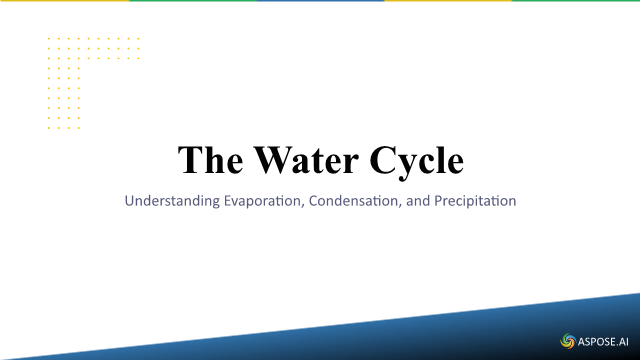
A representative first slide from one execution follows. Generated wording and design may vary.
Prerequisites and input
Use a current supported .NET10 SDK/runtime and the supplied flexible SDK settings; no exact patch is required.
The example uses only synthetic prompts and creates its input presentation where needed. Generation and translation contact the selected model service.
Complete C# example
Copy a C# block into Program.cs in a .NET project with Aspose.Slides.NET6.CrossPlatform installed. Each block is a complete program. Run one block at a time. The ZIP contains the IDE-ready project and its verification checks.
Set ASPOSE_LICENSE_PATH and run dotnet run -- --mode licensed --allow-network to make the model call. Configure the provider as described on this page.
The copied program writes its files under example-output by default.
The copied program requires an authorized Aspose.Slides license in ASPOSE_LICENSE_PATH and explicit --allow-network consent. Missing either prevents all model requests. Set SLIDES_AI_TIMEOUT_SECONDS to change the 180-second timeout. Run the copied file with dotnet run -- --allow-network; generation requires service access and may take time. The program reports error types without printing credentials.
using System;
using System.IO;
using System.Linq;
using System.Drawing;
using System.Net.Http;
using System.Text;
using System.Threading.Tasks;
using Aspose.Slides;
using Aspose.Slides.AI;
using Aspose.Slides.Export;

internal static class Program
{
    private static async Task<int> Main(string[] args)
    {
        var licensePath = Environment.GetEnvironmentVariable("ASPOSE_LICENSE_PATH");
        if (string.IsNullOrWhiteSpace(licensePath) || !args.Contains("--allow-network"))
        {
            Console.Error.WriteLine("Set ASPOSE_LICENSE_PATH to an authorized license and pass --allow-network. No request was sent.");
            return 2;
        }

        var timeoutSeconds = 180.0;
        var timeoutSetting = Environment.GetEnvironmentVariable("SLIDES_AI_TIMEOUT_SECONDS");
        if (timeoutSetting != null && (!double.TryParse(timeoutSetting, System.Globalization.NumberStyles.Float, System.Globalization.CultureInfo.InvariantCulture, out timeoutSeconds) || !double.IsFinite(timeoutSeconds) || timeoutSeconds <= 0))
        {
            Console.Error.WriteLine("SLIDES_AI_TIMEOUT_SECONDS must be a finite positive number.");
            return 2;
        }

        try
        {
            var license = new License();
            license.SetLicense(licensePath);
            if (!license.IsLicensed())
            {
                Console.Error.WriteLine("The license was not applied. No request was sent.");
                return 2;
            }

            Directory.CreateDirectory("example-output");
            using var http = new HttpClient
            {
                Timeout = TimeSpan.FromSeconds(timeoutSeconds)
            };
            using var client = new AsposeAIWebClient(http);
            var agent = new SlidesAIAgent(client);
            using var generatedPresentation = await agent.GeneratePresentationAsync(Prompt, PresentationContentAmountType.Brief);
            if (!SaveEditablePresentation(generatedPresentation, "example-output/generated.pptx"))
                return 1;
            return 0;
        }
        catch (OperationCanceledException)
        {
            Console.Error.WriteLine("The AI request timed out or was cancelled.");
            return 4;
        }
        catch (HttpRequestException)
        {
            Console.Error.WriteLine("The AI service rejected the request or could not be reached. Check provider settings and authorization.");
            return 3;
        }
        catch (Exception error)
        {
            Console.Error.WriteLine("AI operation failed: " + error.GetType().Name + ". Check the license and service configuration.");
            return 2;
        }
    }

    private const string Prompt = "Create a short English presentation about the water cycle. Cover evaporation, condensation and precipitation. Use ordinary text slides with a title and a short paragraph. No charts, tables or images. For every section in the JSON, use the integer 0 for its type field instead of a type name. Return raw JSON without Markdown code fences or commentary.";
    private static string ReadPresentationText(IPresentation deck)
    {
        var text = new StringBuilder();
        void Read(IShapeCollection shapes)
        {
            foreach (IShape shape in shapes)
            {
                if (shape is IAutoShape auto && auto.TextFrame != null)
                    text.AppendLine(auto.TextFrame.Text);
                if (shape is IGroupShape group)
                    Read(group.Shapes);
                if (shape is ITable table)
                    for (int row = 0; row < table.Rows.Count; row++)
                        for (int column = 0; column < table.Columns.Count; column++)
                            text.AppendLine(table[column, row].TextFrame.Text);
            }
        }

        foreach (ISlide slide in deck.Slides)
            Read(slide.Shapes);
        return text.ToString();
    }

    private static bool SaveEditablePresentation(IPresentation generated, string outputPath)
    {
        var generatedText = ReadPresentationText(generated);
        generated.Save(outputPath, SaveFormat.Pptx);
        using var reopened = new Presentation(outputPath);
        if (reopened.Slides.Count == 0 || ReadPresentationText(reopened) != generatedText)
        {
            Console.Error.WriteLine("The generated text was not retained after reopening.");
            return false;
        }

        using var preview = reopened.Slides[0].GetImage(new Size(640, 360));
        preview.Save(Path.ChangeExtension(outputPath, ".png"), Aspose.Slides.ImageFormat.Png);
        Console.WriteLine($"Saved editable presentation: {outputPath}, {reopened.Slides.Count} slides.");
        return true;
    }
}
Run and inspect the downloaded project
dotnet run --project Example.csproj --configuration Release
The program writes “generated.pptx”, “generated.png” and a result.json summary in the current directory. Open the PPTX files to edit their text and review the PNG previews at normal size. The source and the generated output are kept separate. Wording varies between model responses; successful execution checks structure and saved text, not a byte-identical deck.
Limitations
A configured AI service processes the prompt. The default Aspose client avoids hard-coding a model name in this example. Review the generated text and layout before using it. This workflow does not generate images.
Continue with the detailed guide.
Download, prerequisites and run
Download the complete project and open Example.sln. The stable
net8.0/C#12 project accepts compatible installed release SDKs and explicitly runs
on the current .NET10 runtime. No exact SDK patch or locked restore is required.
Bundled Noto Sans fonts include their redistribution notice. See
setup and supported environments.
The bootstrap prints the separate output workspace. Explicit --mode evaluation
ignores all license settings; --mode licensed accepts your authorized license
through --license PATH or ASPOSE_LICENSE_PATH. No license or credential is included.
Default evaluation performs no model request and reports the missing prerequisite with exit2. To execute the real generation/translation, opt in explicitly:
dotnet run --project Example.csproj -- --mode licensed --allow-network
Configured providers also need their endpoint, real model identifier and API key. A prerequisite diagnostic never counts as a generated or translated presentation.