Create, Open, and Save Presentations
Create a presentation, edit a saved copy, and verify that the original file is unchanged.
Input and prerequisites
The code creates its own synthetic input; no presentation or image download is required. Use .NET 8 SDK 8.0.427 and Aspose.Slides for .NET 26.10.0; the supplied project pins these versions and was tested on Windows. Set the ASPOSE_LICENSE_PATH environment variable to your own valid license file to run every assertion in this complete example. Evaluation limits can change the saved content, so the program fails clearly when no license has been applied.
Download the complete project, including the pinned project, package lock and the code below. The license file is not included.
Example
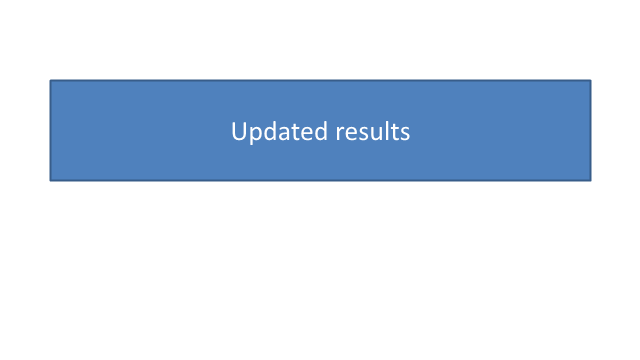
The first using block saves the original. The second opens that file, changes its editable text, and saves to a different name. Reopening both files checks the result rather than treating Save as verification.
using System;
using System.Collections.Generic;
using System.Drawing;
using System.IO;
using System.Linq;
using System.Security.Cryptography;
using System.Text.Json;
using Aspose.Slides;
using Aspose.Slides.Export;

internal static class Program
{
    private static void Main()
    {
        ApplyLicense();
        using (var created = new Presentation())
        {
            created.SlideSize.SetSize(640, 360, SlideSizeScaleType.DoNotScale);
            Label(created.Slides[0], "Quarterly results");
            created.Save("original.pptx", SaveFormat.Pptx);
        }
        string originalHash = Hash("original.pptx");
        using (var editable = new Presentation("original.pptx"))
        {
            editable.Slides[0].Shapes.OfType<IAutoShape>().Single().TextFrame.Text = "Updated results";
            editable.Save("edited.pptx", SaveFormat.Pptx);
        }
        using (var result = new Presentation("edited.pptx"))
        {
            Require(result.Slides.Count == 1, "Unexpected slide count.");
            Require(Text(result.Slides[0]) == "Updated results", "Edited text did not survive saving.");
            using var image = result.Slides[0].GetImage(new Size(640, 360));
            image.Save("preview.png", Aspose.Slides.ImageFormat.Png);
        }
        Require(Hash("original.pptx") == originalHash, "The input was overwritten.");
        using (var original = new Presentation("original.pptx"))
            Require(Text(original.Slides[0]) == "Quarterly results", "Original content changed.");
        Report(new { slide_count = 1, edited_text = "Updated results", original_unchanged = true });
    }

    private static void ApplyLicense()
    {
        string? path = Environment.GetEnvironmentVariable("ASPOSE_LICENSE_PATH");
        var license = new Aspose.Slides.License();
        if (!string.IsNullOrWhiteSpace(path)) license.SetLicense(path);
        if (!license.IsLicensed())
            throw new InvalidOperationException("Set ASPOSE_LICENSE_PATH to a valid license file for this complete example.");
    }

    private static void Require(bool condition, string message)
    {
        if (!condition) throw new InvalidOperationException(message);
    }

    private static IAutoShape Label(ISlide slide, string text)
    {
        var shape = slide.Shapes.AddAutoShape(ShapeType.Rectangle, 50, 80, 540, 100);
        shape.Name = "content-" + text;
        shape.TextFrame.Text = text;
        shape.TextFrame.Paragraphs[0].Portions[0].PortionFormat.FontHeight = 28;
        return shape;
    }

    private static string Text(ISlide slide) => string.Join("|", slide.Shapes.OfType<IAutoShape>().Select(s => s.TextFrame.Text));
    private static string Hash(string file) => Convert.ToHexString(SHA256.HashData(File.ReadAllBytes(file)));
    private static void Report(object checks)
    {
        string json = JsonSerializer.Serialize(new { checks }, new JsonSerializerOptions { WriteIndented = true });
        File.WriteAllText("result.json", json);
        Console.WriteLine(json);
    }
}
Run and check the result
Extract the project into an empty working directory, restore its locked packages, then run it:
dotnet restore Example.csproj --locked-mode
dotnet run --project Example.csproj --configuration Release --no-restore
The example writes “original.pptx”, “edited.pptx”, “preview.png” and “result.json”. It reopens the generated presentation files and checks the expected data. A failed check raises an exception; successful checks are recorded in “result.json”.
Output previews
Practical limits
Dispose each Presentation after its last use. Saving to a new file does not update the source file. For a single slide operation, see the Elements examples.
See the detailed guide and individual slide examples.