
Convert One File
To convert a presentation in a document library:
-
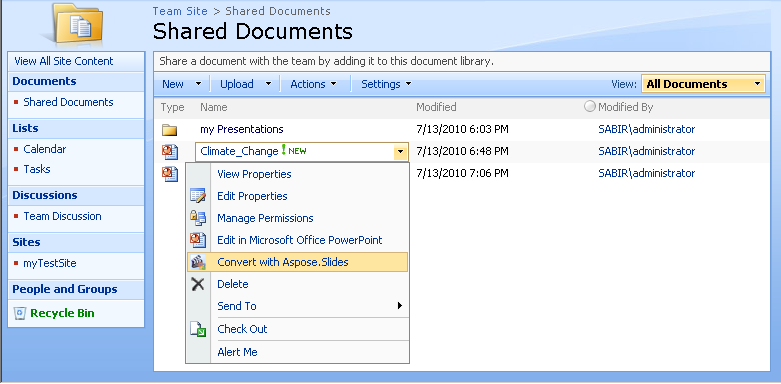
Open the menu of the PPT or PPTX file (its Edit Control Block) and select Convert via Aspose.Slides. On SharePoint 2007, the menu item is named Convert with Aspose.Slides.
Selecting Convert with Aspose.Slides in the menu of a document on SharePoint 2007
-
On the conversion page, select the output format under Convert to. If you wish, change the destination file name and the destination folder.
-
Click Convert.
-
When the conversion is complete, click Source Library or Destination Library to return to a document library. The converted file is in the destination folder.
The same steps, with screenshots of each page, are in Converting Microsoft PowerPoint Documents into Other Formats.