
การให้ลิขสิทธิ์
Note
Aspose.Slides for JasperReports มีให้บริการเป็นการประเมินแบบฟรีโดยไม่มีระยะเวลาจำกัดจาก หน้าดาวน์โหลด. รุ่นการประเมินและรุ่นที่มีลิขสิทธิ์ของผลิตภัณฑ์ใช้ไฟล์ดาวน์โหลดเดียวกัน
เมื่อคุณพอใจกับการประเมินแล้ว, ซื้อใบอนุญาต. ตรวจสอบให้แน่ใจว่าคุณเข้าใจและยอมรับข้อกำหนดการสมัครสมาชิก
ใบอนุญาตสามารถดาวน์โหลดได้จากหน้าการสั่งซื้อเมื่อการสั่งซื้อได้รับการชำระแล้ว ใบอนุญาตเป็นไฟล์ XML แบบข้อความธรรมชาติที่ลงลายมือขอบคุณดิจิทัล ซึ่งประกอบด้วยข้อมูลเช่น ชื่อผู้ใช้, ผลิตภัณฑ์ที่ซื้อและประเภทของใบอนุญาต อย่าปรับเปลี่ยนเนื้อหาของไฟล์ใบอนุญาตในลักษณะใด ๆ: การทำเช่นนั้นจะทำให้ใบอนุญาตเป็นโมฆะ
ดาวน์โหลดใบอนุญาตไปยังคอมพิวเตอร์ของคุณและคัดลอกไปยังโฟลเดอร์ที่เหมาะสม (เช่น โฟลเดอร์แอปพลิเคชันของคุณหรือ JasperReports\lib)
ข้อจำกัดของรุ่นประเมิน
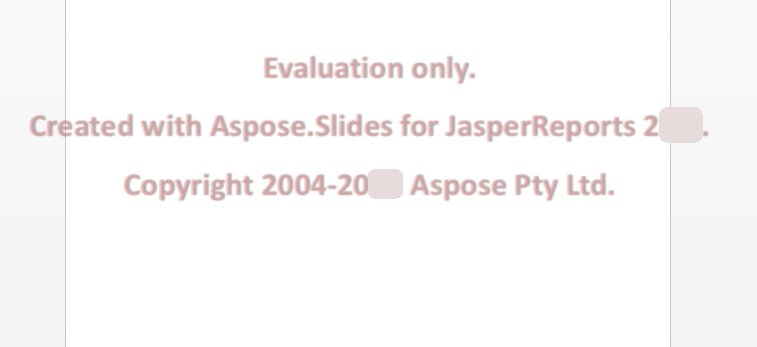
รุ่นประเมินของ Aspose.Slides for JasperReports (โดยไม่มีการระบุใบอนุญาต) จะส่งออกทุกหน้าในรายงาน แต่จะใส่ลายน้ำการประเมินไว้ที่ศูนย์ของแต่ละสไลด์หรือหน้าในรูปแบบเอาต์พุตสี่รูปแบบ (PPT, PPTX, PDF และ HTML) ตามที่แสดงในรูปด้านล่าง ดูรายละเอียดเพิ่มเติมที่ Evaluate Aspose.Slides
การใช้ใบอนุญาต
มีวิธีหลายอย่างในการใช้ใบอนุญาต ขึ้นอยู่กับว่าคุณทำงานบน JasperReports หรือ JasperServer
การใช้ใบอนุญาตสำหรับ JasperReports
เรียกเมธอด setLicense ของคลาส License ด้วยสตรีมที่อ่านไฟล์ใบอนุญาต เหมือนกับใน Aspose.Slides for Java:
import java.io.FileInputStream;

import com.aspose.slides.jasperreports.License;

public class ApplyLicense {
    public static void main(String[] args) {
        try {
            // สร้างอ็อบเจ็กต์สตรีมที่มีไฟล์ใบอนุญาต
            FileInputStream fstream = new FileInputStream("Aspose.Slides.JasperReports.Developer.lic");

            // สร้างอินสแตนซ์ของคลาส License
            License license = new License();

            // กำหนดค่าใบอนุญาตผ่านอ็อบเจ็กต์สตรีม
            license.setLicense(fstream);
        } catch (Exception ex) {
            System.out.println(ex.toString());
        }
    }
}
หรือส่งพาธของไฟล์ใบอนุญาตไปยังผู้ส่งออกในพารามิเตอร์ ASExporterParameters.PPT_LICENSE ในตัวอย่างนี้ jasperPrint คือรายงานที่เต็มรูปแบบ เช่นใน การส่งออกครั้งแรกของคุณ:
ASPptExporter exporter = new ASPptExporter();
exporter.setParameter(JRExporterParameter.JASPER_PRINT, jasperPrint);
exporter.setParameter(JRExporterParameter.OUTPUT_FILE_NAME, "report.ppt");
exporter.setParameter(ASExporterParameters.PPT_LICENSE, "Aspose.Slides.JasperReports.Developer.lic");
exporter.exportReport();
การใช้ใบอนุญาตบน JasperServer
ตั้งค่าคุณสมบัติ licenseFile ของ bean pptExportParameters ใน applicationContext.xml ให้เป็นพาธของไฟล์ใบอนุญาต ตามที่แสดงใน การบูรณาการกับ JasperServer.