
Convert PDF to Excel in Python
Convert PDF to Excel in Python
Aspose.PDF for Python via .NET supports converting PDF files to Excel and other spreadsheet formats from Python code.
Use this page when you need to convert a PDF to XLS, XLSX, CSV, or ODS for table extraction, report reuse, sorting, filtering, or downstream analysis. During PDF to Excel conversion, individual PDF pages can be rendered as Excel worksheets.
The first example converts a PDF file to Spreadsheet 2003 XML format. Later sections show XLSX, XLSM, CSV, ODS, and single-worksheet output.
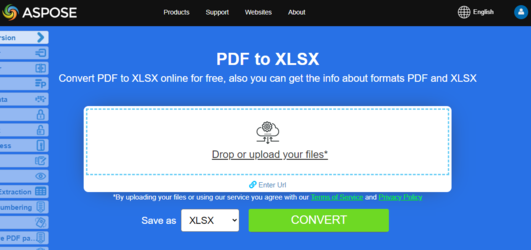
Try to convert PDF to Excel online
Aspose.PDF presents you online application “PDF to XLSX”, where you may try to investigate the functionality and quality it works.
The following code snippet shows the process for converting PDF file into XLS or XLSX format with Aspose.PDF for Python via .NET.
Steps: Convert a PDF file to an Excel (XML Spreadsheet 2003) format
- Load the PDF document.
- Set up Excel save options using ExcelSaveOptions.
- Save the converted file.
from os import path
import aspose.pdf as ap
import sys

def convert_pdf_to_excel_spread_sheet2003(infile, outfile):
    document = ap.Document(infile)
    save_options = ap.ExcelSaveOptions()
    save_options.format = ap.ExcelSaveOptions.ExcelFormat.XML_SPREAD_SHEET2003
    document.save(outfile, save_options)

    print(infile + " converted into " + outfile)
Convert PDF to XLSX in Python
Steps: Convert a PDF file to an XLSX format (Excel 2007+)
- Load the PDF document.
- Set up Excel save options using ExcelSaveOptions.
- Save the converted file.
from os import path
import aspose.pdf as ap
import sys

def convert_pdf_to_excel_2007(infile, outfile):
    document = ap.Document(infile)
    save_options = ap.ExcelSaveOptions()
    save_options.format = ap.ExcelSaveOptions.ExcelFormat.XLSX
    document.save(outfile, save_options)

    print(infile + " converted into " + outfile)
Convert PDF to XLSX with Column Control
When converting a PDF to an Excel format, a blank column can be added as the first column in the output file. Use the insert_blank_column_at_first option of the ExcelSaveOptions class to control this behavior. Its default value is true.
from os import path
import aspose.pdf as ap
import sys

def convert_pdf_to_excel_2007_control_column(infile, outfile):
    document = ap.Document(infile)
    save_options = ap.ExcelSaveOptions()
    save_options.format = ap.ExcelSaveOptions.ExcelFormat.XLSX
    save_options.insert_blank_column_at_first = True
    document.save(outfile, save_options)

    print(infile + " converted into " + outfile)
Convert PDF to a Single Excel Worksheet
Aspose.PDF for Python via .NET shows how to convert a PDF to an Excel (.xlsx) file, with the ‘minimize_the_number_of_worksheets’ option enabled.
Steps: Convert PDF to XLS or XLSX Single Worksheet in Python
- Load the PDF document.
- Set up Excel save options using ExcelSaveOptions.
- The ‘minimize_the_number_of_worksheets’ option reduces the number of Excel sheets by combining PDF pages into fewer worksheets (e.g., one worksheet for the entire document if possible).
- Save the converted file.
from os import path
import aspose.pdf as ap
import sys

def convert_pdf_to_excel_2007_single_excel_worksheet(infile, outfile):
    document = ap.Document(infile)
    save_options = ap.ExcelSaveOptions()
    save_options.format = ap.ExcelSaveOptions.ExcelFormat.XLSX
    save_options.minimize_the_number_of_worksheets = True
    document.save(outfile, save_options)

    print(infile + " converted into " + outfile)
Convert PDF to Excel 2007 Macro-Enabled (XLSM)
This Python example shows how to convert a PDF file into an Excel file in XLSM format (Excel Macro-Enabled Workbook).
from os import path
import aspose.pdf as ap
import sys

def convert_pdf_to_excel_2007_macro(infile, outfile):
    document = ap.Document(infile)
    save_options = ap.ExcelSaveOptions()
    save_options.format = ap.ExcelSaveOptions.ExcelFormat.XLSM
    document.save(outfile, save_options)

    print(infile + " converted into " + outfile)
Convert to other spreadsheet formats
Convert PDF to CSV
The ‘convert_pdf_to_excel_2007_csv’ function performs the same operation as before, but this time the target format is CSV (Comma-Separated Values) instead of XLSM.
Steps: Convert PDF to CSV in Python
- Create an instance of Document object with the source PDF document.
- Create an instance of ExcelSaveOptions with ExcelSaveOptions.ExcelFormat.CSV
- Save it to CSV format by calling save()* method and passing it ExcelSaveOptions.
from os import path
import aspose.pdf as ap
import sys

def convert_pdf_to_excel_2007_csv(infile, outfile):
    document = ap.Document(infile)
    save_options = ap.ExcelSaveOptions()
    save_options.format = ap.ExcelSaveOptions.ExcelFormat.CSV
    document.save(outfile, save_options)

    print(infile + " converted into " + outfile)
Convert PDF to ODS
Steps: Convert PDF to ODS in Python
- Create an instance of Document object with the source PDF document.
- Create an instance of ExcelSaveOptions with ExcelSaveOptions.ExcelFormat.ODS
- Save it to ODS format by calling save() method and passing it ExcelSaveOptions.
Conversion to ODS format performs in the same way as all other formats.
from os import path
import aspose.pdf as ap
import sys

def convert_pdf_to_ods(infile, outfile):
    document = ap.Document(infile)
    save_options = ap.ExcelSaveOptions()
    save_options.format = ap.ExcelSaveOptions.ExcelFormat.ODS
    document.save(outfile, save_options)

    print(infile + " converted into " + outfile)
Related conversions
- Convert PDF to Word if your priority is editable text flow rather than spreadsheet structure.
- Convert PDF to HTML when you need browser-friendly output.
- Convert PDF to other formats for EPUB, Markdown, text, XPS, and related export workflows.