
Create New Presentations Using VSTO and Aspose.Slides for Java
VSTO was developed to let developers build applications that could run inside Microsoft Office. VSTO is COM-based but it’s wrapped inside a .NET object so that it can be used in .NET applications. VSTO needs .NET framework support as well as Microsoft Office CLR-based runtime. Although it can be used for making Microsoft Office add-ins it is nearly impossible to use as a server-side component. It also has serious deployment problems.
Aspose.Slides for Java is a component that can be used to manipulate Microsoft PowerPoint presentations, just like VSTO, but it has several advantages:
- Aspose.Slides contains managed code only and doesn’t require Microsoft Office runtime to be installed.
- It can be used as a client-side component or as a server side component.
- Deployment is easy since Aspose.Slides is contained in a single jar file.
Creating a Presentation
Below are two code examples that illustrate how VSTO and Aspose.Slides for Java can be used to achieve the same goal. The first example is VSTO; the second example uses Aspose.Slides.
VSTO Example
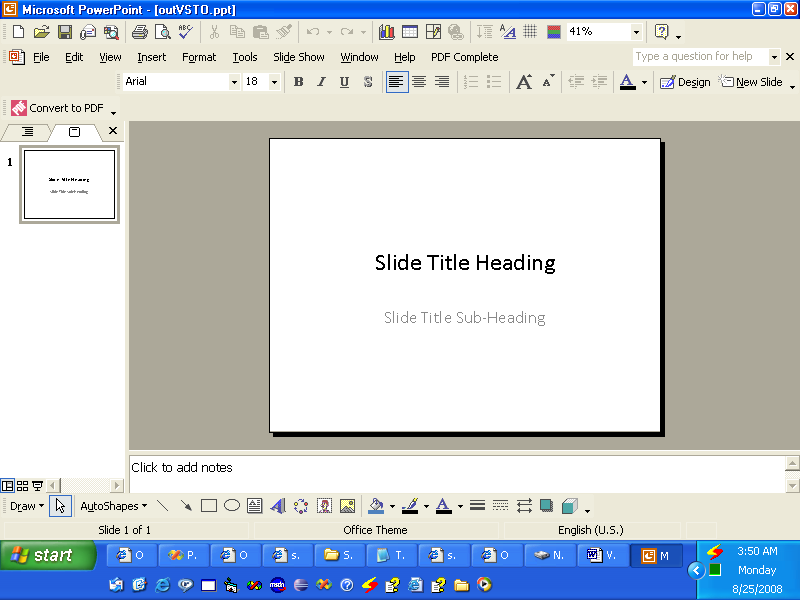
The VSTO output
| //Note: PowerPoint is a namespace which has been defined above like this | |
| //using PowerPoint = Microsoft.Office.Interop.PowerPoint; | |
| //Create a presentation | |
| PowerPoint.Presentation pres = Globals.ThisAddIn.Application | |
| .Presentations.Add(Microsoft.Office.Core.MsoTriState.msoFalse); | |
| //Get the title slide layout | |
| PowerPoint.CustomLayout layout = pres.SlideMaster. | |
| CustomLayouts[PowerPoint.PpSlideLayout.ppLayoutTitle]; | |
| //Add a title slide. | |
| PowerPoint.Slide slide = pres.Slides.AddSlide(1, layout); | |
| //Set the title text | |
| slide.Shapes.Title.TextFrame.TextRange.Text = "Slide Title Heading"; | |
| //Set the sub title text | |
| slide.Shapes[2].TextFrame.TextRange.Text = "Slide Title Sub-Heading"; | |
| //Write the output to disk | |
| pres.SaveAs("c:\\outVSTO.ppt", | |
| PowerPoint.PpSaveAsFileType.ppSaveAsPresentation, | |
| Microsoft.Office.Core.MsoTriState.msoFalse); | |
Aspose.Slides for Java Example
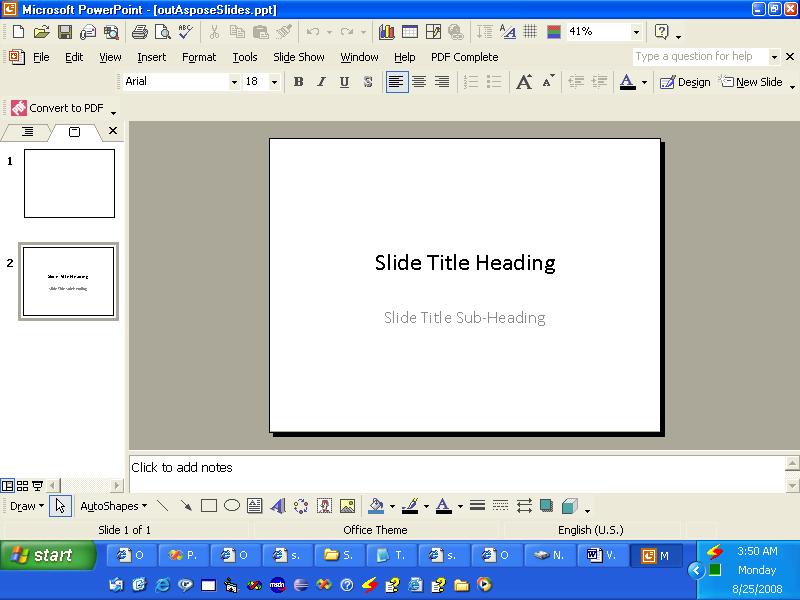
The output from Aspose.Slides
| //Create a presentation | |
| Presentation pres = new Presentation(); | |
| //Add the title slide | |
| ISlide slide = pres.getSlides().addEmptySlide(pres.getLayoutSlides().get_Item(0)); | |
| //Set the title text | |
| ((IAutoShape)slide.getShapes().get_Item(0)).getTextFrame().setText("Slide Title Heading"); | |
| //Set the sub title text | |
| ((IAutoShape)slide.getShapes().get_Item(1)).getTextFrame().setText("Slide Title Sub-Heading"); | |
| //Write output to disk | |
| pres.save("c:\\data\\outAsposeSlides.pptx",SaveFormat.Pptx); |