
Aspose.Slides สำหรับ Xamarin
บทนำ
Xamarin เป็นเฟรมเวิร์กที่ใช้สำหรับการพัฒนาโมบายใน .NET C#. Xamarin มีเครื่องมือและไลบรารีที่ขยายความสามารถของแพลตฟอร์ม .NET มันช่วยให้นักพัฒนาสร้างแอปพลิเคชันสำหรับระบบปฏิบัติการ Android
Aspose.Slides API ทำงานบนแพลตฟอร์ม Xamarin เพื่อให้บรรลุสิ่งนี้ แพ็กเกจ Aspose.Slides .NET เพิ่ม DLL แยกสำหรับ Xamarin Aspose.Slides สำหรับ Xamarin รองรับคุณลักษณะส่วนใหญ่ที่มีในเวอร์ชัน .NET:
- แปลงและดูงานพรีเซนเทชัน
- แก้ไขเนื้อหาในงานพรีเซนเทชัน: ข้อความ, รูปร่าง, แผนภูมิ, SmartArt, เสียง/วิดีโอ, ฟอนท์ ฯลฯ
- จัดการ/ทำงานกับแอนิเมชัน, เอฟเฟ็กต์ 2D, WordArt ฯลฯ
- จัดการเมทาดาต้าและคุณสมบัติของเอกสาร
- พิมพ์, โคลน, ผสาน, เปรียบเทียบ, แบ่ง, ฯลฯ
เราได้ให้การเปรียบเทียบคุณลักษณะทั้งหมดในส่วนอื่นใกล้ส่วนท้ายของหน้านี้
ใน Aspose.Slides for Xamarin API คลาส, เนมสเปซ, ลอจิกและพฤติกรรมจะใกล้เคียงกับเวอร์ชัน .NET ให้มากที่สุด คุณสามารถย้ายแอปพลิเคชัน Aspose.Slides .NET ของคุณไปยัง Xamarin ได้ด้วยค่าใช้จ่ายขั้นต่ำ
ตัวอย่างอย่างเร็ว
คุณสามารถใช้ Aspose.Slides for Xamarin เพื่อสร้างและใช้งานแอปพลิเคชัน C# ของคุณผ่าน Slides for Android
เรานำเสนอ ตัวอย่างของแอป Android ผ่าน Xamarin ที่ใช้ Aspose.Slides เพื่อแสดงสไลด์พรีเซนเทชันและเพิ่มรูปร่างใหม่บนสไลด์เมื่อสัมผัส คุณสามารถค้นหาโค้ดเต็มของตัวอย่างได้บนGitHub.
มาทำการสร้างแอป Xamarin Android กัน:

แรก เราจะสร้างเค้าโครงเนื้อหาที่จะประกอบด้วย ImageView, ปุ่ม Prev และ Next:
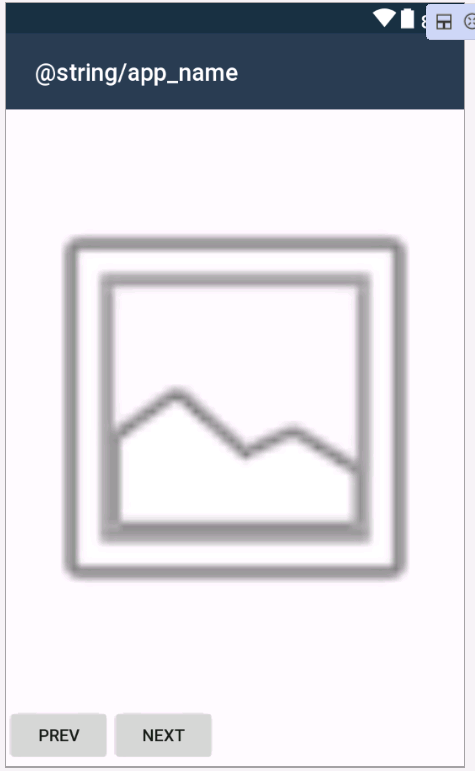
XML - content_main.xml - สร้างเค้าโครงเนื้อหา
 <LinearLayout
    xmlns:android="http://schemas.android.com/apk/res/android"
    xmlns:app="http://schemas.android.com/apk/res-auto"
    xmlns:tools="http://schemas.android.com/tools"
    android:orientation=    "vertical"
    android:layout_width="match_parent"
    android:layout_height="match_parent"
    tools:showIn="@layout/activity_main">
    <LinearLayout
        android:orientation="horizontal"
        android:layout_width="match_parent"
        android:layout_height="match_parent"
        android:layout_weight="1"
        android:id="@+id/linearLayout1">
        <ImageView
            android:src="@android:drawable/ic_menu_gallery"
            android:layout_width="match_parent"
            android:layout_height="match_parent"
            android:id="@+id/imageView"
            android:scaleType="fitCenter" />
    </LinearLayout>

    <LinearLayout
        android:orientation="horizontal"
        android:layout_width="match_parent"
        android:layout_height="match_parent"
        android:layout_weight="10"
        android:id="@+id/linearLayout2">
        <Button
            android:text="Prev"
            android:layout_width="wrap_content"
            android:layout_height="wrap_content"
            android:id="@+id/buttonPrev" />
        <Button
            android:text="Next"
            android:layout_width="wrap_content"
            android:layout_height="wrap_content"
            android:id="@+id/buttonNext"/>
    </LinearLayout>
</LinearLayout>
ที่นี่ เราอ้างอิงไลบรารี “Aspose.Slides.Droid.dll” ที่รวมตัวอย่างพรีเซนเทชัน (“HelloWorld.pptx”) เข้าไปในโฟลเดอร์ Assets ของแอป Xamarin และเพิ่มการเริ่มต้นใน MainActivity:
C# - MainActivity.cs - การเริ่มต้น
[Activity(Label = "@string/app_name", Theme = "@style/AppTheme.NoActionBar", MainLauncher = true)]
public class MainActivity : AppCompatActivity
{
    private Aspose.Slides.Presentation presentation;

    protected override void OnCreate(Bundle savedInstanceState)
    {
        base.OnCreate(savedInstanceState);
        SetContentView(Resource.Layout.activity_main);
    }

    protected override void OnResume()
    {
        if (presentation == null)
        {
            using (Stream input = Assets.Open("HelloWorld.pptx"))
            {
                presentation = new Aspose.Slides.Presentation(input);
            }
        }
    }

    protected override void OnPause()
    {
        if (presentation != null)
        {
            presentation.Dispose();
            presentation = null;
        }
    }
}
ให้เพิ่มฟังก์ชันเพื่อแสดงสไลด์ Prev และ Next เมื่อกดปุ่ม:
C# - MainActivity.cs - แสดงสไลด์เมื่อคลิกปุ่ม Prev และ Next
[Activity(Label = "@string/app_name", Theme = "@style/AppTheme.NoActionBar", MainLauncher = true)]
public class MainActivity : AppCompatActivity
{
    private Button buttonNext;
    private Button buttonPrev;
    ImageView imageView;

    private Aspose.Slides.Presentation presentation;

    private int currentSlideNumber;

    protected override void OnCreate(Bundle savedInstanceState)
    {
        base.OnCreate(savedInstanceState);
        SetContentView(Resource.Layout.activity_main);
    }

    protected override void OnResume()
    {
        base.OnResume();
        LoadPresentation();
        currentSlideNumber = 0;
        if (buttonNext == null)
        {
            buttonNext = FindViewById<Button>(Resource.Id.buttonNext);
        }

        if (buttonPrev == null)
        {
            buttonPrev = FindViewById<Button>(Resource.Id.buttonPrev);
        }

        if(imageView == null)
        {
            imageView= FindViewById<ImageView>(Resource.Id.imageView);
        }

        buttonNext.Click += ButtonNext_Click;
        buttonPrev.Click += ButtonPrev_Click;
        RefreshButtonsStatus();
        ShowSlide(currentSlideNumber);
    }

    private void ButtonNext_Click(object sender, System.EventArgs e)
    {
        if (currentSlideNumber > (presentation.Slides.Count - 1))
        {
            return;
        }

        ShowSlide(++currentSlideNumber);
        RefreshButtonsStatus();
    }

    private void ButtonPrev_Click(object sender, System.EventArgs e)
    {
        if (currentSlideNumber == 0)
        {
            return;
        }

        ShowSlide(--currentSlideNumber);
        RefreshButtonsStatus();
    }

    protected override void OnPause()
    {
        base.OnPause();
        if (buttonNext != null)
        {
            buttonNext.Dispose();
            buttonNext = null;
        }

        if (buttonPrev != null)
        {
            buttonPrev.Dispose();
            buttonPrev = null;
        }

        if(imageView != null)
        {
            imageView.Dispose();
            imageView = null;
        }

        DisposePresentation();
    }

    private void RefreshButtonsStatus()
    {
        buttonNext.Enabled = currentSlideNumber < (presentation.Slides.Count - 1);
        buttonPrev.Enabled = currentSlideNumber > 0;
    }

    private void ShowSlide(int slideNumber)
    {
        Aspose.Slides.Drawing.Xamarin.Size size = presentation.SlideSize.Size.ToSize();
        Aspose.Slides.Drawing.Xamarin.Bitmap bitmap = presentation.Slides[slideNumber].GetThumbnail(size);
        imageView.SetImageBitmap(bitmap.ToNativeBitmap());
    }

    private void LoadPresentation()
    {
        if(presentation != null)
        {
            return;
        }

        using (Stream input = Assets.Open("HelloWorld.pptx"))
        {
            presentation = new Aspose.Slides.Presentation(input);
        }
    }

    private void DisposePresentation()
    {
        if(presentation == null)
        {
            return;
        }

        presentation.Dispose();
        presentation = null;
    }

}
สุดท้าย ให้ implement ฟังก์ชันเพื่อเพิ่มรูปร่างวงรีเมื่อสัมผัสสไลด์:
C# - MainActivity.cs - เพิ่มวงรีเมื่อคลิกสไลด์
 private void ImageView_Touch(object sender, Android.Views.View.TouchEventArgs e)
{
    int[] location = new int[2];
    imageView.GetLocationOnScreen(location);
    int x = (int)e.Event.GetX();
    int y = (int)e.Event.GetY();
    int posX = x - location[0];
    int posY = y - location[0];

    Aspose.Slides.Drawing.Xamarin.Size presSize = presentation.SlideSize.Size.ToSize();

    float coeffX = (float)presSize.Width / imageView.Width;
    float coeffY = (float)presSize.Height / imageView.Height;
    int presPosX = (int)(posX * coeffX);
    int presPosY = (int)(posY * coeffY);
    int width = presSize.Width / 50;

    int height = width;
    Aspose.Slides.IAutoShape ellipse = presentation.Slides[currentSlideNumber].Shapes.AddAutoShape(Aspose.Slides.ShapeType.Ellipse, presPosX, presPosY, width, height);
    ellipse.FillFormat.FillType = Aspose.Slides.FillType.Solid;

    Random random = new Random();
    Aspose.Slides.Drawing.Xamarin.Color slidesColor = Aspose.Slides.Drawing.Xamarin.Color.FromArgb(random.Next(256), random.Next(256), random.Next(256));
    ellipse.FillFormat.SolidFillColor.Color = slidesColor;
    ShowSlide(currentSlideNumber);
}
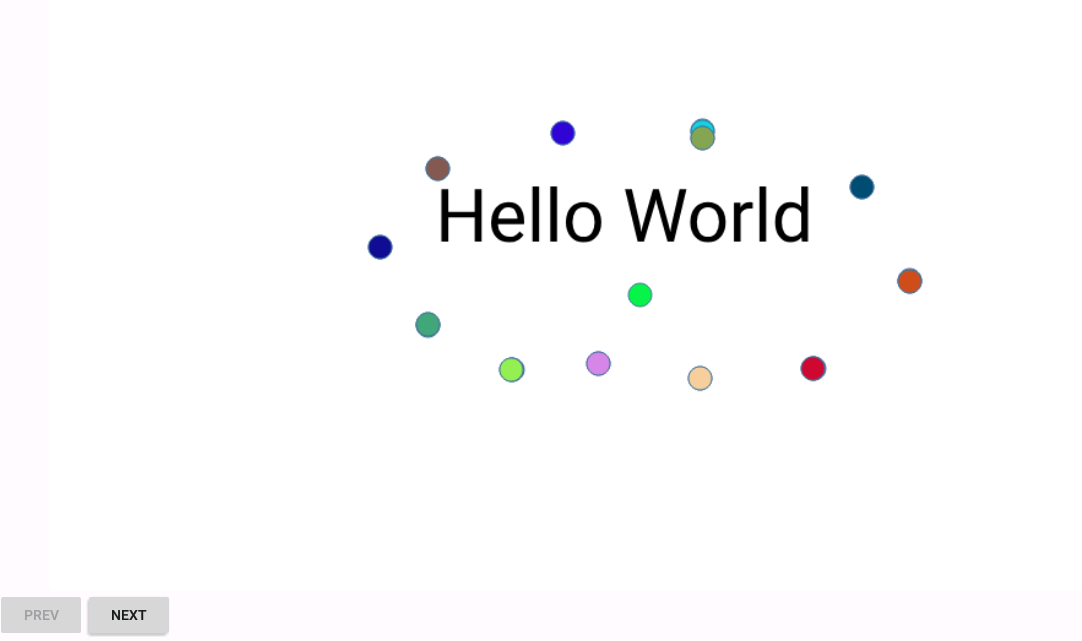
แต่ละการคลิกบนสไลด์พรีเซนเทชันจะทำให้เพิ่มวงรีสีสุ่ม:
คุณสมบัติที่สนับสนุน
| คุณสมบัติ | Aspose.Slides for .NET | Aspose.Slides for Xamarin |
|---|---|---|
| คุณสมบัติงานพรีเซนเทชัน: | ||
| สร้างงานพรีเซนเทชันใหม่ |

|
|
| เปิด/บันทึกรูปแบบ PowerPoint 97 - 2003 |
|
|
| เปิด/บันทึกรูปแบบ PowerPoint 2007 |
|
|
| รองรับส่วนขยาย PowerPoint 2010 |
|
|
| รองรับส่วนขยาย PowerPoint 2013 |
|
|
| รองรับคุณลักษณะ PowerPoint 2016 | restricted | restricted |
| รองรับคุณลักษณะ PowerPoint 2019 | restricted | restricted |
| แปลง PPT เป็น PPTX |
|
|
| แปลง PPTX เป็น PPT |
|
|
| PPTX ใน PPT | restricted | restricted |
| ประมวลผลธีม |
|
|
| ประมวลผลมาโคร |
|
|
| ประมวลผลคุณสมบัติเอกสาร |
|
|
| การป้องกันด้วยรหัสผ่าน |
|
|
| การสกัดข้อความอย่างรวดเร็ว |
|
|
| ฝังฟอนท์ |
|
|
| การแสดงความเห็น |
|
|
| การขัดจังหวะงานที่ใช้เวลานาน |
|
|
| รูปแบบการส่งออก: | ||
|
|
|
|
| XPS |
|
|
| HTML |
|
|
| TIFF |
|

|
| ODP | restricted | restricted |
| SWF | restricted | restricted |
| SVG |
|
|
| รูปแบบการนำเข้า: | ||
| HTML | restricted | restricted |
| ODP |
|
|
| THMX |
|
|
| คุณลักษณะสไลด์แม่: | ||
| เข้าถึงสไลด์แม่ทั้งหมดที่มีอยู่ |
|
|
| สร้าง/ลบสไลด์แม่ |
|
|
| โคลนนสไลด์แม่ |
|
|
| คุณลักษณะสไลด์เค้าโครง: | ||
| เข้าถึงสไลด์เค้าโครงทั้งหมดที่มีอยู่ |
|
|
| สร้าง/ลบสไลด์เค้าโครง |
|
|
| โคลนนสไลด์เค้าโครง |
|
|
| คุณลักษณะสไลด์: | ||
| เข้าถึงสไลด์ทั้งหมดที่มีอยู่ |
|
|
| สร้าง/ลบสไลด์ |
|
|
| โคลนนสไลด์ |
|
|
| ส่งออกสไลด์เป็นรูปภาพ |
|
|
| สร้าง/แก้ไข/ลบส่วนของสไลด์ |
|
|
| คุณลักษณะสไลด์บันทึกย่อ | ||
| เข้าถึงสไลด์บันทึกย่อทั้งหมดที่มีอยู่ |
|
|
| คุณลักษณะรูปร่าง: | ||
| เข้าถึงรูปร่างทั้งหมดของสไลด์ |
|
|
| เพิ่มรูปร่างใหม่ |
|
|
| โคลนนรูปร่าง |
|
|
| ส่งออกรูปร่างแยกเป็นรูปภาพ |
|
|
| ประเภทรูปร่างที่สนับสนุน: | ||
| รูปทรงที่กำหนดล่วงหน้าทั้งหมด |
|
|
| กรอบรูปภาพ |
|
|
| ตาราง |
|
|
| แผนภูมิ |
|
|
| SmartArt |
|
|
| ไดอะแกรมเก่า |
|
|
| WordArt |
|
|
| วัตถุ OLE, ActiveX | restricted | restricted |
| เฟรมวิดีโอ |
|
|
| เฟรมน้ำเสียง |
|
|
| คอนเนคเตอร์ |
|
|
| คุณลักษณะกลุ่มรูปร่าง: | ||
| เข้าถึงกลุ่มรูปร่าง |
|
|
| สร้างกลุ่มรูปร่าง |
|
|
| ยกเลิกการจัดกลุ่มรูปร่างที่มีอยู่ |
|
|
| คุณลักษณะเอฟเฟ็กต์รูปร่าง: | ||
| เอฟเฟ็กต์ 2D | restricted | restricted |
| เอฟเฟ็กต์ 3D |
|
|
| คุณลักษณะข้อความ: | ||
| การจัดรูปแบบย่อหน้า |
|
|
| การจัดรูปแบบส่วนย่อย |
|
|
| คุณลักษณะแอนิเมชัน: | ||
| ส่งออกรูปแบบแอนิเมชันเป็น SWF |
|
|
| ส่งออกรูปแบบแอนิเมชันเป็น HTML |
|
|