

Analyzing your prompt, please hold on...
An error occurred while retrieving the results. Please refresh the page and try again.
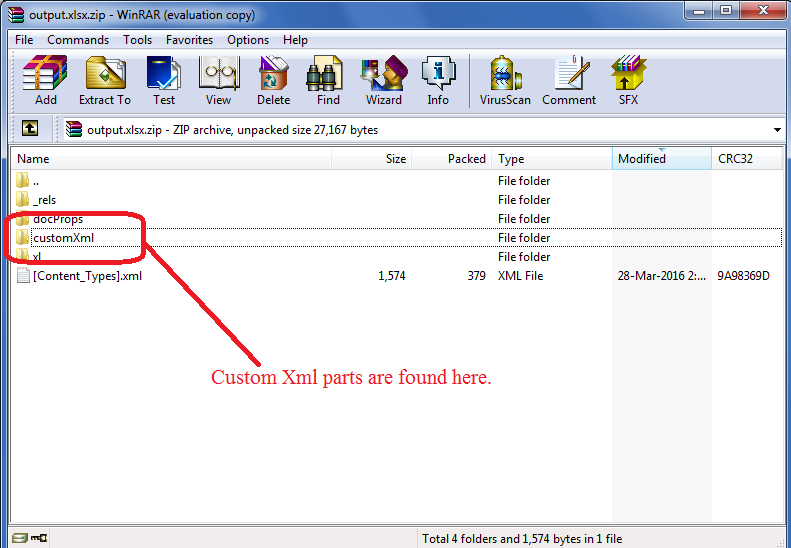
Custom XML Parts are the XML data which is stored by different applications like SharePoint, etc., inside the Excel file. This data is consumed by different applications that need it. Microsoft Excel does not make use of this data, so there is no GUI to add it. You can view this data by changing the extension of a .xlsx file to .zip and then opening it using WinRAR. The data is present inside the customXml folder as shown in this image.
You can add custom XML parts using Aspose.Cells via the Workbook.getContentTypeProperties().add() method.
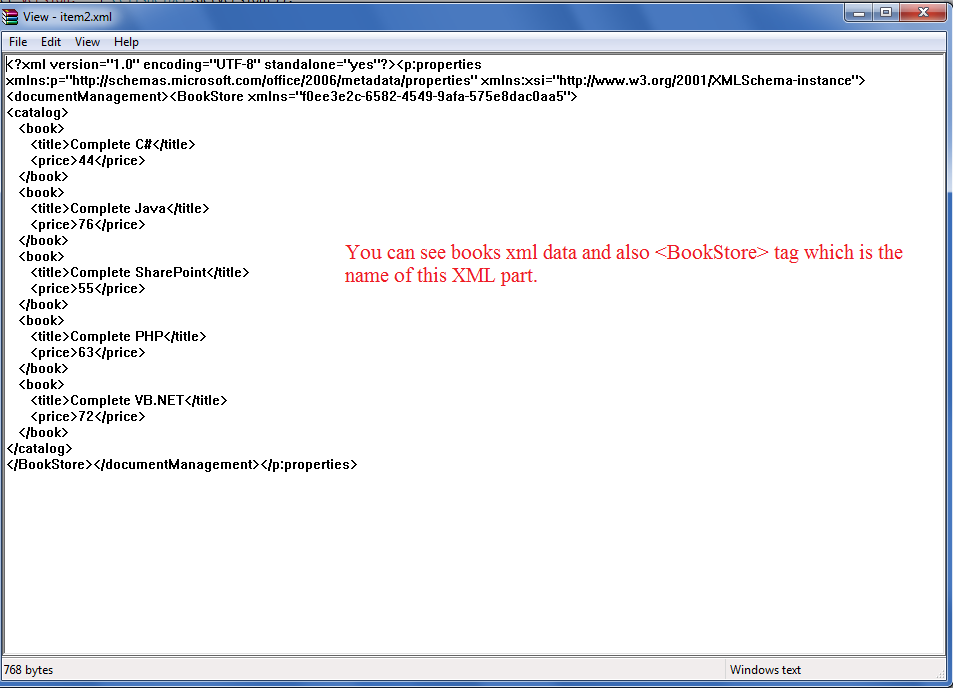
The following sample code makes use of Workbook.getContentTypeProperties().add() method and adds the Book Catalog XML with the name BookStore. The following image shows the result of this code. As you can see, Book Catalog XML is added inside the BookStore node, which is the name of this property.

Analyzing your prompt, please hold on...
An error occurred while retrieving the results. Please refresh the page and try again.