
파이썬에서 PDF를 파워포인트로 변환
Contents
[
Hide
]
파이썬에서 PDF를 파워포인트로 변환
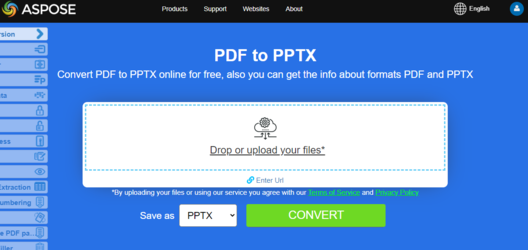
.NET을 통한 파이썬용 Aspose.pdf를 사용하면 파이썬 코드에서 PDF 파일을 파워포인트 PPTX 프레젠테이션으로 변환할 수 있습니다.
PDF 보고서, 슬라이드 덱, 브로셔 또는 유인물의 용도를 PowerPoint 파일로 변경해야 하는 경우 이 워크플로우를 사용하십시오.변환하는 동안 개별 PDF 페이지는 PPTX 파일의 개별 슬라이드로 변환됩니다.
PDF를 PPTX로 변환하는 동안 텍스트를 선택 가능한 텍스트로 렌더링하여 PowerPoint에서 업데이트할 수 있습니다.PDF 파일을 PPTX 형식으로 변환하기 위해 Aspose.PDF 는 다음을 제공합니다. PPTX 저장 옵션 수업.패스 a PptxSaveOptions 객체에 대한 두 번째 인수로서의 객체 저장 () 방법.
파이썬에서 PDF를 PPTX로 변환
PDF를 PPTX로 변환하려면 다음 코드 단계를 사용하십시오.
단계: 파이썬에서 PDF를 파워포인트로 변환
- 의 인스턴스 생성 문서 수업.
- 의 인스턴스 생성 PPTX 저장 옵션 수업.
- 전화해 문서. 저장 () 방법.
import aspose.pdf as ap
from os import path
import sys

def convert_PDF_to_PPTX(infile, outfile):
    document = ap.Document(infile)
    save_options = ap.PptxSaveOptions()
    document.save(outfile, save_options)
슬라이드를 이미지로 사용하여 PDF를 PPTX로 변환
검색 가능한 PDF를 선택 가능한 텍스트 대신 PPTX로 이미지로 변환해야 하는 경우 Aspose.PDF 는 다음을 통해 이러한 기능을 제공합니다. PPTX 저장 옵션 수업.이렇게 하려면 속성을 설정하세요. 슬라이드_AS_이미지 의 PPTX 저장 옵션 다음 코드 샘플과 같이 클래스를 ’true’로 설정합니다.
import aspose.pdf as ap
from os import path
import sys

def convert_PDF_to_PPTX_slides_as_images(infile, outfile):

    document = ap.Document(infile)
    save_options = ap.PptxSaveOptions()
    save_options.slides_as_images = True

    document.save(outfile, save_options)
사용자 지정 이미지 해상도를 사용하여 PDF를 PPTX로 변환
이 방법은 품질 향상을 위해 사용자 지정 이미지 해상도 (300DPI) 를 설정하면서 PDF 문서를 파워포인트 (PPTX) 파일로 변환합니다.
- PDF를 ‘AP.Document’ 개체에 로드합니다.
- ‘PPTXSaveOptions’ 인스턴스를 생성합니다.
- 고품질 렌더링을 위해 ‘이미지_해상도’ 속성을 300DPI로 설정합니다.
- 정의된 저장 옵션을 사용하여 PDF를 PPTX 파일로 저장합니다.
import aspose.pdf as ap
from os import path
import sys

def convert_PDF_to_PPTX_image_resolution(infile, outfile):
    document = ap.Document(infile)
    save_options = ap.PptxSaveOptions()
    save_options.image_resolution = 300

    document.save(outfile, save_options)
관련 전환
- PDF를 워드로 변환 슬라이드 대신 편집 가능한 문서 출력용.
- PDF를 엑셀로 변환 원본 PDF에 테이블이 많은 비즈니스 데이터가 포함된 경우
- PDF를 HTML로 변환 브라우저에서 바로 사용할 수 있는 게시 워크플로우에 적합합니다.