
ایجاد ارائههای جدید با استفاده از VSTO و Aspose.Slides برای .NET
VSTO برای اینکه به توسعهدهندگان امکان ساخت برنامههایی که میتوانند در داخل Microsoft Office اجرا شوند را بدهد، توسعه یافته است. VSTO بر پایه COM است اما در داخل یک شیء .NET بستهبندی شده است تا بتوان از آن در برنامههای .NET استفاده کرد. VSTO به پشتیبانی چارچوب .NET و همچنین زمان اجرای مبتنی بر CLR Microsoft Office نیاز دارد. با اینکه میتوان از آن برای ساخت add‑inهای Microsoft Office استفاده کرد، استفاده از آن بهعنوان یک مؤلفه سمت سرور تقریباً غیرممکن است. همچنین مشکلات جدی در استقرار دارد.
Aspose.Slides for .NET یک مؤلفه است که میتوان از آن برای دستکاری ارائههای Microsoft PowerPoint استفاده کرد، درست مانند VSTO، اما مزایای متعددی دارد:
- Aspose.Slides فقط شامل کدهای مدیریتشده است و نیازی به نصب زمان اجرای Microsoft Office ندارد.
- میتواند بهعنوان یک مؤلفه سمت کلاینت یا بهعنوان یک مؤلفه سمت سرور استفاده شود.
- استقرار آسان است زیرا Aspose.Slides در یک DLL واحد قرار دارد.
ایجاد یک ارائه
در زیر دو مثال کد آورده شده است که نشان میدهند چگونه میتوان از VSTO و Aspose.Slides for .NET برای دستیابی به همان هدف استفاده کرد. مثال اول VSTO است؛ مثال دوم از Aspose.Slides استفاده میکند.
مثال VSTO
خروجی VSTO
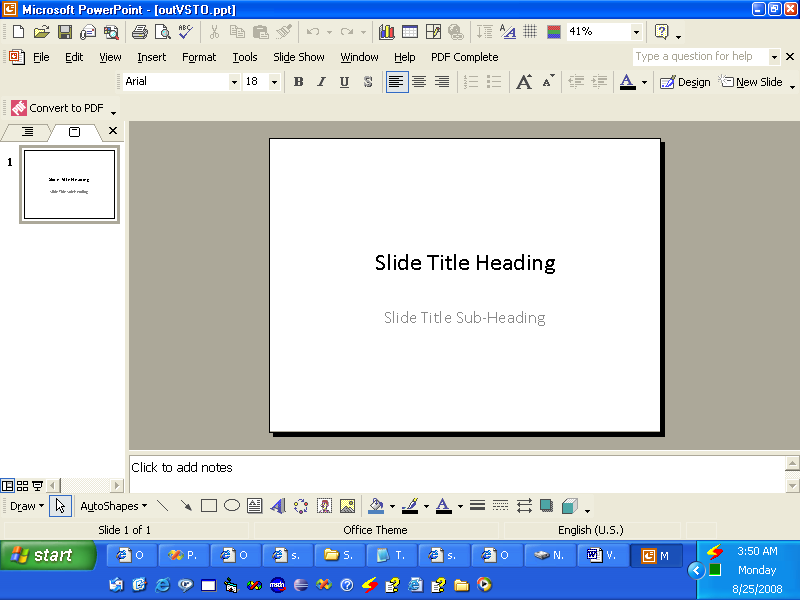
//توجه: PowerPoint یک فضای نام است که در بالا به این شکل تعریف شده است
//using PowerPoint = Microsoft.Office.Interop.PowerPoint;

//ایجاد یک ارائه
PowerPoint.Presentation pres = Globals.ThisAddIn.Application
	.Presentations.Add(Microsoft.Office.Core.MsoTriState.msoFalse);

//دریافت قالب اسلاید عنوان
PowerPoint.CustomLayout layout = pres.SlideMaster.
	CustomLayouts[PowerPoint.PpSlideLayout.ppLayoutTitle];

//افزودن یک اسلاید عنوان.
PowerPoint.Slide slide = pres.Slides.AddSlide(1, layout);

//تنظیم متن عنوان
slide.Shapes.Title.TextFrame.TextRange.Text = "Slide Title Heading";

//تنظیم متن زیرعنوان
slide.Shapes[2].TextFrame.TextRange.Text = "Slide Title Sub-Heading";

//نوشتن خروجی در دیسک
pres.SaveAs("c:\\outVSTO.ppt",
	PowerPoint.PpSaveAsFileType.ppSaveAsPresentation,
	Microsoft.Office.Core.MsoTriState.msoFalse);
مثال Aspose.Slides for .NET
خروجی Aspose.Slides
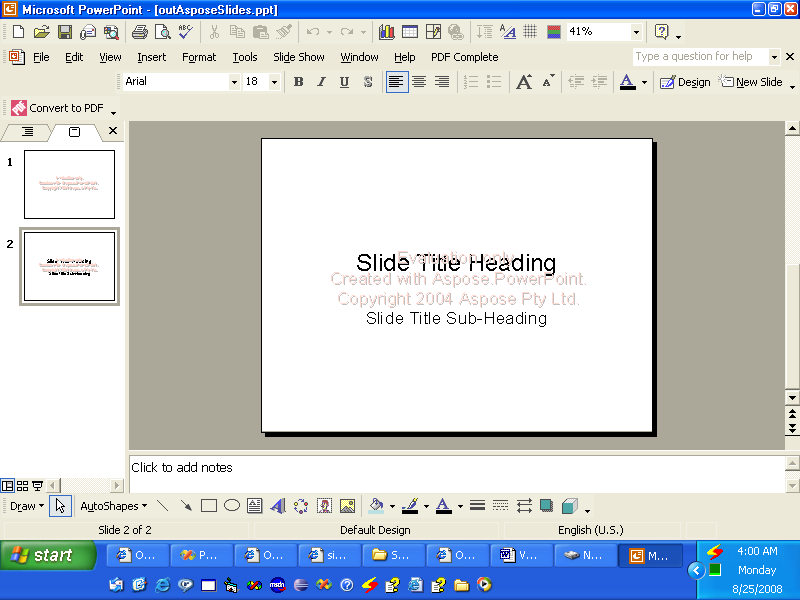
//ایجاد یک ارائه
Presentation pres = new Presentation();

//Add the title slide
ISlide slide = pres.Slides.AddEmptySlide(pres.LayoutSlides[0]);

//Set the title text
((IAutoShape)slide.Shapes[0]).TextFrame.Text = "Slide Title Heading";

//Set the sub title text
((IAutoShape)slide.Shapes[1]).TextFrame.Text = "Slide Title Sub-Heading";

//Write output to disk
pres.Save("c:\\data\\outAsposeSlides.pptx", SaveFormat.Ppt);