
VSTO 및 Aspose.Slides for .NET을 사용하여 새 프레젠테이션 만들기
Contents
[
Hide
]
VSTO는 개발자가 Microsoft Office 내에서 실행될 수 있는 애플리케이션을 만들 수 있도록 개발되었습니다. VSTO는 COM 기반이지만 .NET 객체 안에 래핑되어 .NET 애플리케이션에서 사용할 수 있습니다. VSTO는 .NET 프레임워크 지원과 Microsoft Office CLR 기반 런타임이 필요합니다. Microsoft Office 애드인 제작에 사용할 수는 있지만 서버 측 구성 요소로 사용하기는 거의 불가능합니다. 또한 배포에 심각한 문제가 있습니다.
Aspose.Slides for .NET는 VSTO와 마찬가지로 Microsoft PowerPoint 프레젠테이션을 조작할 수 있는 구성 요소이며, 다음과 같은 여러 장점을 가지고 있습니다:
- Aspose.Slides는 관리 코드만 포함하며 Microsoft Office 런타임을 설치할 필요가 없습니다.
- 클라이언트 측 구성 요소 또는 서버 측 구성 요소로 모두 사용할 수 있습니다.
- Aspose.Slides가 단일 DLL에 포함되어 있어 배포가 쉽습니다.
프레젠테이션 만들기
아래는 VSTO와 Aspose.Slides for .NET를 사용하여 동일한 목표를 달성하는 방법을 보여주는 두 가지 코드 예제입니다. 첫 번째 예제는 VSTO; 두 번째 예제는 Aspose.Slides를 사용합니다.
VSTO 예제
VSTO 출력

//참고: PowerPoint는 위에서 다음과 같이 정의된 네임스페이스입니다
//using PowerPoint = Microsoft.Office.Interop.PowerPoint;

//프레젠테이션 만들기
PowerPoint.Presentation pres = Globals.ThisAddIn.Application
	.Presentations.Add(Microsoft.Office.Core.MsoTriState.msoFalse);

//Get the title slide layout
PowerPoint.CustomLayout layout = pres.SlideMaster.
	CustomLayouts[PowerPoint.PpSlideLayout.ppLayoutTitle];

//Add a title slide.
PowerPoint.Slide slide = pres.Slides.AddSlide(1, layout);

//Set the title text
slide.Shapes.Title.TextFrame.TextRange.Text = "Slide Title Heading";

//Set the sub title text
slide.Shapes[2].TextFrame.TextRange.Text = "Slide Title Sub-Heading";

//Write the output to disk
pres.SaveAs("c:\\outVSTO.ppt",
	PowerPoint.PpSaveAsFileType.ppSaveAsPresentation,
	Microsoft.Office.Core.MsoTriState.msoFalse);
Aspose.Slides for .NET 예제
Aspose.Slides 출력
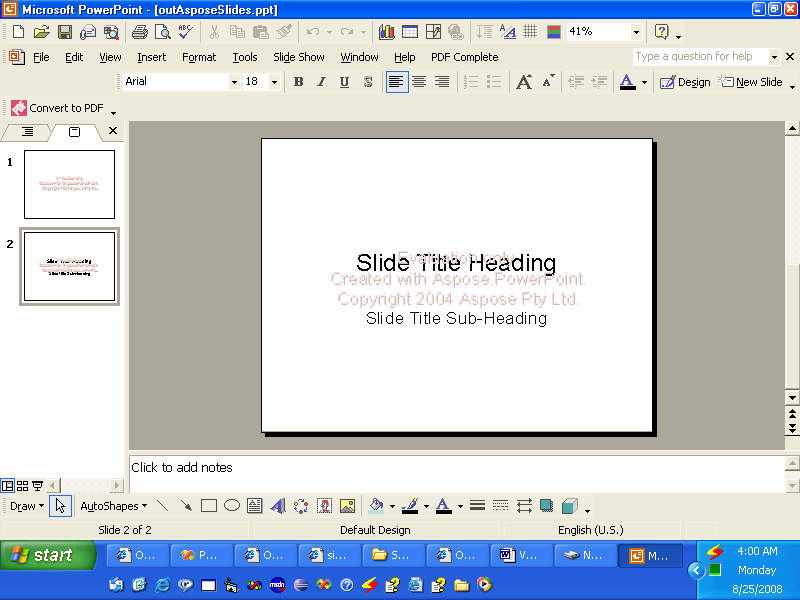
//프레젠테이션 만들기
Presentation pres = new Presentation();

//제목 슬라이드 추가
ISlide slide = pres.Slides.AddEmptySlide(pres.LayoutSlides[0]);


//제목 텍스트 설정
((IAutoShape)slide.Shapes[0]).TextFrame.Text = "Slide Title Heading";

//부제목 텍스트 설정
((IAutoShape)slide.Shapes[1]).TextFrame.Text = "Slide Title Sub-Heading";

//출력을 디스크에 기록
pres.Save("c:\\data\\outAsposeSlides.pptx", SaveFormat.Ppt);