
จัดการคุณสมบัติการนำเสนอใน C++
บทนำ
Aspose.Slides รองรับคุณสมบัติเอกสารสองประเภท: Built-in และ Custom. คุณสมบัติเหล่านี้สามารถเข้าถึงและจัดการได้อย่างง่ายดายโดยใช้ API ของ Aspose.Slides
Aspose.Slides อนุญาตให้คุณทำงานกับคุณสมบัติเอกสารของการนำเสนอผ่านอินเทอร์เฟซ IDocumentProperties อินสแตนซ์ของอินเทอร์เฟซนี้จะถูกคืนค่าจาก IPresentation::get_DocumentProperties ตัวอย่างต่อไปนี้แสดงวิธีการอ่าน, แก้ไข, และจัดการคุณสมบัติเหล่านี้
หมายเหตุ
โปรดทราบว่าคุณไม่สามารถตั้งค่าค่าสำหรับฟิลด์ Application และ Producer ได้ เนื่องจาก Aspose Ltd. และ Aspose.Slides for C++ x.x.x จะถูกแสดงในฟิลด์เหล่านี้จัดการคุณสมบัติการนำเสนอ
Microsoft PowerPoint มีฟีเจอร์ให้เพิ่มคุณสมบัติบางอย่างลงในไฟล์การนำเสนอ คุณสมบัติเอกสารเหล่านี้ช่วยให้ข้อมูลที่เป็นประโยชน์ถูกเก็บร่วมกับเอกสาร (ไฟล์การนำเสนอ) มีคุณสมบัติเอกสารสองประเภทดังนี้
- คุณสมบัติที่กำหนดโดยระบบ (Built-in)
- คุณสมบัติที่ผู้ใช้กำหนด (Custom)
Built-in มีข้อมูลทั่วไปเกี่ยวกับเอกสาร เช่น ชื่อเรื่องของเอกสาร, ชื่อผู้เขียน, สถิติของเอกสาร เป็นต้น Custom คือคุณสมบัติที่ผู้ใช้กำหนดเป็นคู่ Name/Value โดยทั้งชื่อและค่าเป็นของผู้ใช้ ผู้พัฒนาสามารถใช้ Aspose.Slides for C++ เพื่อเข้าถึงและแก้ไขค่าของคุณสมบัติ Built‑in และ Custom ได้ Microsoft PowerPoint 2007 ให้การจัดการคุณสมบัติเอกสารของไฟล์การนำเสนอ เพียงคลิกไอคอน Office แล้วเลือกเมนู Prepare | Properties | Advanced Properties ของ Microsoft PowerPoint 2007 หลังจากเลือก Advanced Properties จะเปิดกล่องโต้ตอบที่ให้คุณจัดการคุณสมบัติเอกสารของไฟล์ PowerPoint ใน Properties Dialog จะพบแท็บหลายหน้าเช่น General, Summary, Statistics, Contents and Custom ทุกแท็บช่วยกำหนดข้อมูลที่เกี่ยวกับไฟล์ PowerPoint ส่วนแท็บ Custom ใช้จัดการคุณสมบัติ Custom ของไฟล์ PowerPoint
อ่านคุณสมบัติสาธารณะจากการนำเสนอที่เข้ารหัส
รหัสผ่านการเปิดไฟล์โดยทั่วไปจะคุ้มครองทั้งเนื้อหาและคุณสมบัติเอกสาร เมื่อการนำเสนอถูกเข้ารหัสด้วยการส่งค่า false ไปยัง IProtectionManager::set_EncryptDocumentProperties คุณสมบัติเอกสารยังคงเป็นสาธารณะ แอปพลิเคชันสามารถส่งค่า true ไปยัง LoadOptions::set_OnlyLoadDocumentProperties เพื่ออ่านเมตาดาต้าสาธารณะได้โดยไม่ต้องระบุรหัสผ่านเปิด
set_OnlyLoadDocumentProperties ควบคุมสิ่งที่ Aspose.Slides โหลด; มันไม่ทำการถอดรหัสอะไรเลย หากคุณสมบัติเ�ถูกเข้ารหัส การโหลดโดยไม่มีรหัสผ่านจะล้มเหลว หากการนำเสนอไม่ได้เข้ารหัส ตัวเลือกจะถูกละเว้นและโหลดการนำเสนอเต็มรูปแบบ
ตัวอย่างต่อไปนี้ตรวจสอบโหมดการโหลดผ่าน IProtectionManager::get_IsOnlyDocumentPropertiesLoaded แล้วอ่านคุณสมบัติ Built‑in ผ่าน IPresentation::get_DocumentProperties:
#include <DOM/IDocumentProperties.h>
#include <DOM/IProtectionManager.h>
#include <DOM/LoadOptions.h>
#include <DOM/Presentation.h>
#include <system/console.h>

using namespace Aspose::Slides;
using namespace System;

auto loadOptions = MakeObject<LoadOptions>();
loadOptions->set_OnlyLoadDocumentProperties(true);

auto presentation = MakeObject<Presentation>(u"public-properties-encrypted.pptx", loadOptions);

if (presentation->get_ProtectionManager()->get_IsOnlyDocumentPropertiesLoaded())
{
    auto properties = presentation->get_DocumentProperties();

    Console::WriteLine(u"Author: " + properties->get_Author());
    Console::WriteLine(u"Title: " + properties->get_Title());
    Console::WriteLine(u"Keywords: " + properties->get_Keywords());
}
else
{
    Console::WriteLine(u"The presentation was not loaded in document-properties-only mode.");
}

presentation->Dispose();
ในโหมดนี้เนื้อหาสไลด์จะไม่ถูกโหลด สไลด์, มาสเตอร์, เลย์เอาต์, รูปร่าง, สื่อและออบเจกต์การนำเสนออื่น ๆ จะไม่พร้อมใช้งาน แอปพลิเคชันควรตรวจสอบ get_IsOnlyDocumentPropertiesLoaded ก่อนทำงานที่ต้องการโมเดลออบเจกต์การนำเสนอเต็มรูปแบบเสมอ
คำเตือน
เมตาดาต้าสาธารณะอาจเปิดเผยชื่อผู้เขียน, ชื่อเรื่อง, เรื่อง, คำสำคัญ, ข้อมูลบริษัท, คอมเมนท์, และค่าที่กำหนดเอง ควรเข้ารหัสคุณสมบัติที่อ่อนไหวพร้อมกับการนำเสนอ ปล่อยให้เป็นสาธารณะเฉพาะเมื่อระบบจัดทำดัชนี, จำแนก, ค้นหา, หรือระบบจัดการเอกสารต้องการเข้าถึงโดยไม่มีรหัสผ่านอัปเดตคุณสมบัติของการนำเสนอที่เข้ารหัส
สำหรับไฟล์ PPTX ที่เข้ารหัส การนำเสนอที่โหลดหลังจากเรียก set_OnlyLoadDocumentProperties(true) มีไว้เพื่ออ่านเมตาดาต้าสาธารณะเท่านั้น Aspose.Slides ไม่สามารถบันทึกการเปลี่ยนแปลงคุณสมบัติจากออบเจกต์ที่มีเมตาดาต้าอย่างเดียวได้ เพราะคุณสมบัติสาธารณะต้องสอดคล้องกับข้อมูลที่อยู่ในการนำเสนอที่เข้ารหัส การอัปเดตจึงต้องใช้รหัสผ่านเปิดไฟล์ที่ถูกต้องและการโหลดเต็มรูปแบบ
ตัวอย่างต่อไปนี้เปิดการนำเสนอด้วย LoadOptions::set_Password, อัปเดตคุณสมบัติ Built‑in สาธารณะ, แล้วบันทึกผลลัพธ์ จากนั้นใช้ IPresentationInfo::get_IsEncrypted เพื่อตรวจสอบว่าการเข้ารหัสยังคงอยู่และเปิดเมตาดาต้าสาธารณะอีกครั้งโดยไม่มีรหัสผ่านเพื่อตรวจสอบค่าที่ใหม่:
#include <DOM/IDocumentProperties.h>
#include <DOM/IPresentationInfo.h>
#include <DOM/IProtectionManager.h>
#include <DOM/LoadOptions.h>
#include <DOM/Presentation.h>
#include <DOM/PresentationFactory.h>
#include <Export/SaveFormat.h>
#include <system/console.h>
#include <system/string.h>

using namespace Aspose::Slides;
using namespace Aspose::Slides::Export;
using namespace System;

const String inputPath = u"public-properties-encrypted.pptx";
const String outputPath = u"updated-public-properties-encrypted.pptx";

{
    auto loadOptions = MakeObject<LoadOptions>();
    loadOptions->set_Password(u"open_password");

    auto presentation = MakeObject<Presentation>(inputPath, loadOptions);
    presentation->get_DocumentProperties()->set_Title(u"Updated Product Roadmap");
    presentation->get_DocumentProperties()->set_Keywords(u"roadmap, planning, indexed");
    presentation->Save(outputPath, SaveFormat::Pptx);
    presentation->Dispose();
}

auto presentationInfo = PresentationFactory::get_Instance()->GetPresentationInfo(outputPath);
Console::WriteLine(presentationInfo->get_IsEncrypted() ? u"The presentation is encrypted." : u"The presentation is not encrypted.");

auto metadataLoadOptions = MakeObject<LoadOptions>();
metadataLoadOptions->set_OnlyLoadDocumentProperties(true);

auto metadataPresentation = MakeObject<Presentation>(outputPath, metadataLoadOptions);

if (metadataPresentation->get_ProtectionManager()->get_IsOnlyDocumentPropertiesLoaded())
{
    Console::WriteLine(u"Title: " + metadataPresentation->get_DocumentProperties()->get_Title());
    Console::WriteLine(u"Keywords: " + metadataPresentation->get_DocumentProperties()->get_Keywords());
}
else
{
    Console::WriteLine(u"The presentation was not loaded in document-properties-only mode.");
}

metadataPresentation->Dispose();
หากแอปพลิเคชันไม่อนุญาตให้ถอดรหัสหรือโหลดเนื้อหาการนำเสนอ จะต้องถือคุณสมบัติสาธารณะของไฟล์ PPTX ที่เข้ารหัสว่าเป็นแบบอ่าน‑อย่างเดียว
เข้าถึงคุณสมบัติ Built‑in
คุณสมบัติเหล่านี้ที่เปิดให้เข้าถึงผ่านอ็อบเจกต์ IDocumentProperties มี: Creator(Author), Description, KeyWords, Created (Creation Date), Modified (Modification Date), Printed (Last Print Date), LastModifiedBy, Keywords, SharedDoc (Is shared between different producers?), PresentationFormat, Subject และ Title
แก้ไขคุณสมบัติ Built‑in
การแก้ไขคุณสมบัติ Built‑in ของไฟล์การนำเสนอทำได้ง่ายเท่ากับการเข้าถึง เพียงกำหนดค่าข้อความให้กับคุณสมบัติที่ต้องการแล้วค่าจะถูกเปลี่ยน ในตัวอย่างด้านล่างได้แสดงวิธีการแก้ไขคุณสมบัติเอกสาร Built‑in ของไฟล์การนำเสนอ
เพิ่มคุณสมบัติการนำเสนอแบบ Custom
Aspose.Slides for C++ ยังอนุญาตให้นักพัฒนาทำการเพิ่มค่าที่กำหนดเองสำหรับคุณสมบัติเอกสารของการนำเสนอ ตัวอย่างด้านล่างแสดงวิธีตั้งค่าคุณสมบัติ Custom สำหรับการนำเสนอ
#include <DOM/IDocumentProperties.h>
#include <DOM/Presentation.h>
#include <Export/SaveFormat.h>
#include <system/object_ext.h>
#include <system/string.h>
using namespace Aspose::Slides;
using namespace Aspose::Slides::Export;
using namespace System;

// สร้างอินสแตนซ์ของคลาส Presentation
auto presentation = System::MakeObject<Presentation>();

// ดึงคุณสมบัติเอกสาร
auto documentProperties = presentation->get_DocumentProperties();

// เพิ่มคุณสมบัติ Custom
documentProperties->idx_set(u"New Custom", ObjectExt::Box<int32_t>(12));
documentProperties->idx_set(u"My Name", ObjectExt::Box<String>(u"Mudassir"));
documentProperties->idx_set(u"Custom", ObjectExt::Box<int32_t>(124));

// ดึงชื่อคุณสมบัติที่ตำแหน่งดัชนีเฉพาะ
String getPropertyName = documentProperties->GetCustomPropertyName(2);

// ลบคุณสมบัติที่เลือก
documentProperties->RemoveCustomProperty(getPropertyName);

// บันทึกการนำเสนอ
presentation->Save(u"CustomDocumentProperties_out.pptx", SaveFormat::Pptx);
เข้าถึงและแก้ไขคุณสมบัติ Custom
Aspose.Slides for C++ ยังอนุญาตให้นักพัฒนาสำรวจค่าของคุณสมบัติ Custom ตัวอย่างด้านล่างแสดงวิธีการเข้าถึงและแก้ไขคุณสมบัติ Custom ทั้งหมดของการนำเสนอ
ตั้งค่าภาษา Proofing
Aspose.Slides มีคุณสมบัติ LanguageId (เปิดให้ใช้โดยคลาส PortionFormat) เพื่อให้คุณตั้งค่าภาษา Proofing สำหรับเอกสาร PowerPoint ภาษา Proofing คือภาษาที่ใช้ตรวจ spelling และ grammar ใน PowerPoint
โค้ด C++ นี้แสดงวิธีตั้งค่าภาษา Proofing สำหรับ PowerPoint:
#include <DOM/AutoShape.h>
#include <DOM/Fonts/FontData.h>
#include <DOM/IFontData.h>
#include <DOM/IParagraph.h>
#include <DOM/IPortionCollection.h>
#include <DOM/IPortionFormat.h>
#include <DOM/ISlide.h>
#include <DOM/ITextFrame.h>
#include <DOM/Portion.h>
#include <DOM/Presentation.h>
using namespace Aspose::Slides;

System::SharedPtr<Presentation> pres = System::MakeObject<Presentation>(u"sample.pptx");
System::SharedPtr<AutoShape> autoShape = System::ExplicitCast<AutoShape>(pres->get_Slide(0)->get_Shape(0));

System::SharedPtr<IParagraph> paragraph = autoShape->get_TextFrame()->get_Paragraph(0);
System::SharedPtr<IPortionCollection> portions = paragraph->get_Portions();
portions->Clear();

System::SharedPtr<Portion> newPortion = System::MakeObject<Portion>();

System::SharedPtr<IFontData> font = System::MakeObject<FontData>(u"SimSun");
System::SharedPtr<IPortionFormat> portionFormat = newPortion->get_PortionFormat();
portionFormat->set_ComplexScriptFont(font);
portionFormat->set_EastAsianFont(font);
portionFormat->set_LatinFont(font);

portionFormat->set_LanguageId(u"zh-CN");
// ตั้งค่า Id ของภาษาตรวจสอบ

newPortion->set_Text(u"1。");
portions->Add(newPortion);
ตั้งค่าภาษาเริ่มต้น
โค้ด C++ นี้แสดงวิธีตั้งค่าภาษาเริ่มต้นสำหรับการนำเสนอ PowerPoint ทั้งหมด:
#include <DOM/IAutoShape.h>
#include <DOM/IParagraph.h>
#include <DOM/IPortion.h>
#include <DOM/IPortionFormat.h>
#include <DOM/IShapeCollection.h>
#include <DOM/ISlide.h>
#include <DOM/ITextFrame.h>
#include <DOM/LoadOptions.h>
#include <DOM/Presentation.h>
#include <DOM/ShapeType.h>
#include <system/console.h>
using namespace Aspose::Slides;

System::SharedPtr<LoadOptions> loadOptions = System::MakeObject<LoadOptions>();
loadOptions->set_DefaultTextLanguage(u"en-US");

System::SharedPtr<Presentation> pres = System::MakeObject<Presentation>(loadOptions);

// เพิ่มรูปสี่เหลี่ยมใหม่พร้อมข้อความ
System::SharedPtr<IAutoShape> shp = pres->get_Slide(0)->get_Shapes()->AddAutoShape(ShapeType::Rectangle, 50.0f, 50.0f, 150.0f, 50.0f);
System::SharedPtr<ITextFrame> textFrame = shp->get_TextFrame();
textFrame->set_Text(u"New Text");

// ตรวจสอบภาษาของส่วนแรก
System::Console::WriteLine(textFrame->get_Paragraph(0)->get_Portion(0)->get_PortionFormat()->get_LanguageId());
ตัวอย่างสด
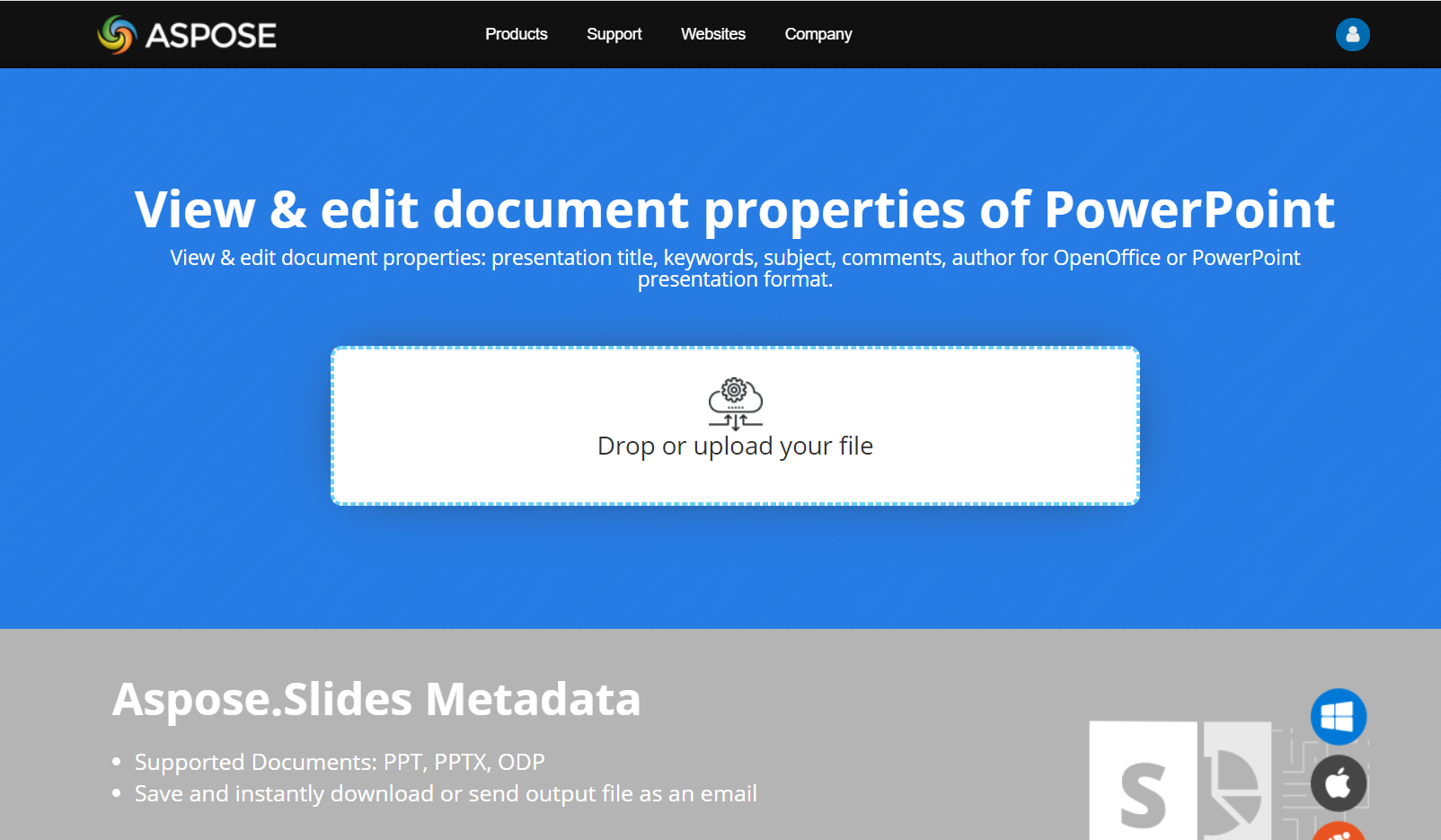
ลองใช้แอปออนไลน์ Aspose.Slides Metadata เพื่อดูวิธีทำงานกับคุณสมบัติเอกสารผ่าน Aspose.Slides API:
คำถามที่พบบ่อย
ฉันจะลบคุณสมบัติ Built‑in จากการนำเสนอได้อย่างไร?
คุณสมบัติ Built‑in เป็นส่วนสำคัญของการนำเสนอและไม่สามารถลบได้ทั้งหมด อย่างไรก็ตามคุณสามารถเปลี่ยนค่า หรือกำหนดเป็นค่าว่างได้หากคุณสมบัตินั้นอนุญาต
ถ้าฉันเพิ่มคุณสมบัติ Custom ที่มีอยู่แล้วจะเกิดอะไรขึ้น?
หากคุณเพิ่มคุณสมบัติ Custom ที่มีอยู่แล้ว ค่าเดิมจะถูกเขียนทับด้วยค่าที่ใหม่ ไม่จำเป็นต้องลบหรือเช็คคุณสมบัติก่อน เพราะ Aspose.Slides จะอัปเดตค่าอัตโนมัติ
ฉันสามารถเข้าถึงคุณสมบัติการนำเสนอโดยไม่ต้องโหลดการนำเสนอเต็มรูปแบบได้หรือไม่?
ได้ ใช้ IPresentationFactory::GetPresentationInfo แล้วตามด้วย IPresentationInfo::ReadDocumentProperties เพื่ออ่านเมตาดาต้าเอกสารที่เก็บไว้โดยไม่ต้องสร้างอินสแตนซ์ Presentation ดูตัวอย่างรายงานครบถ้วนและข้อจำกัดของแต่ละฟอร์แมตใน Build a Lightweight Presentation Inventory
ฉันสามารถอ่านคุณสมบัติสาธารณะของการนำเสนอที่เข้ารหัสโดยไม่ต้องใช้รหัสผ่านเปิดได้หรือไม่?
ได้ การนำเสนอจะต้องถูกเข้ารหัสด้วยการส่ง false ไปยัง set_EncryptDocumentProperties และต้องโหลดด้วยการส่ง true ไปยัง set_OnlyLoadDocumentProperties
ฉันสามารถอัปเดตไฟล์ PPTX ที่เข้ารหัสในโหมดอ่าน‑คุณสมบัติ‑เอกสารเท่านั้นได้หรือไม่?
ไม่ได้ ข้อมูลคุณสมบัติสาธารณะและเข้ารหัสต้องสอดคล้องกัน ดังนั้นการอัปเดตไฟล์ PPTX ที่เข้ารหัสต้องโหลดการนำเสนอเต็มรูปแบบพร้อมรหัสผ่านเปิดที่ถูกต้อง