
Quản lý Thuộc tính Bản trình bày trong C++
Introduction
Aspose.Slides hỗ trợ hai loại thuộc tính tài liệu: Built-in và Custom. Cả hai loại thuộc tính này đều có thể được truy cập và quản lý dễ dàng bằng API Aspose.Slides.
Aspose.Slides cho phép bạn làm việc với thuộc tính tài liệu của bản trình bày thông qua giao diện IDocumentProperties. Một thể hiện của giao diện này được trả về bởi IPresentation::get_DocumentProperties. Các ví dụ sau cho thấy cách đọc, sửa đổi và quản lý các thuộc tính này.
Note
Lưu ý rằng bạn không thể đặt giá trị cho các trường Application và Producer, vì Aspose Ltd. và Aspose.Slides for C++ x.x.x sẽ được hiển thị trong các trường này.Manage Presentation Properties
Microsoft PowerPoint cung cấp tính năng thêm một số thuộc tính vào các tệp bản trình bày. Những thuộc tính tài liệu này cho phép lưu trữ một số thông tin hữu ích cùng với các tài liệu (tệp bản trình bày). Có hai loại thuộc tính tài liệu như sau
- Thuộc tính Được Định Nghĩa Hệ Thống (Built-in)
- Thuộc tính Được Định Nghĩa Người Dùng (Custom)
Built-in chứa thông tin chung về tài liệu như tiêu đề tài liệu, tên tác giả, thống kê tài liệu, v.v. Custom là những thuộc tính do người dùng định nghĩa dưới dạng cặp Tên/Giá trị, trong đó cả tên và giá trị đều được người dùng xác định. Sử dụng Aspose.Slides for C++, các nhà phát triển có thể truy cập và sửa đổi giá trị của các thuộc tính built‑in cũng như custom. Microsoft PowerPoint 2007 cho phép quản lý các thuộc tính tài liệu của các tệp bản trình bày. Bạn chỉ cần nhấp vào biểu tượng Office và tiếp tục mục Prepare | Properties | Advanced Properties trong Microsoft PowerPoint 2007. Sau khi chọn mục Advanced Properties, một hộp thoại sẽ xuất hiện cho phép bạn quản lý các thuộc tính tài liệu của tệp PowerPoint. Trong Properties Dialog, bạn sẽ thấy nhiều tab như General, Summary, Statistics, Contents and Custom. Tất cả các tab này cho phép cấu hình các loại thông tin khác nhau liên quan đến tệp PowerPoint. Tab Custom được dùng để quản lý các thuộc tính tùy chỉnh của tệp PowerPoint.
Read Public Properties from an Encrypted Presentation
Mật khẩu mở thường bảo vệ cả nội dung bản trình bày và các thuộc tính tài liệu. Khi một bản trình bày được mã hoá bằng cách truyền false vào IProtectionManager::set_EncryptDocumentProperties, các thuộc tính tài liệu của nó vẫn ở chế độ công khai. Ứng dụng sau đó có thể truyền true vào LoadOptions::set_OnlyLoadDocumentProperties và đọc siêu dữ liệu công khai mà không cần cung cấp mật khẩu mở.
#include <DOM/IDocumentProperties.h>
#include <DOM/IProtectionManager.h>
#include <DOM/LoadOptions.h>
#include <DOM/Presentation.h>
#include <system/console.h>

using namespace Aspose::Slides;
using namespace System;

auto loadOptions = MakeObject<LoadOptions>();
loadOptions->set_OnlyLoadDocumentProperties(true);

auto presentation = MakeObject<Presentation>(u"public-properties-encrypted.pptx", loadOptions);

if (presentation->get_ProtectionManager()->get_IsOnlyDocumentPropertiesLoaded())
{
    auto properties = presentation->get_DocumentProperties();

    Console::WriteLine(u"Author: " + properties->get_Author());
    Console::WriteLine(u"Title: " + properties->get_Title());
    Console::WriteLine(u"Keywords: " + properties->get_Keywords());
}
else
{
    Console::WriteLine(u"The presentation was not loaded in document-properties-only mode.");
}

presentation->Dispose();
Trong chế độ này, nội dung slide không được tải. Các slide, master, layout, shape, media và các đối tượng khác của bản trình bày sẽ không khả dụng. Ứng dụng luôn nên kiểm tra get_IsOnlyDocumentPropertiesLoaded trước khi thực hiện thao tác yêu cầu mô hình đối tượng bản trình bày đầy đủ.
Warning
Siêu dữ liệu công khai có thể lộ tên tác giả, tiêu đề, chủ đề, từ khóa, thông tin công ty, bình luận và các giá trị tùy chỉnh. Hãy mã hoá các thuộc tính nhạy cảm cùng với bản trình bày. Chỉ để chúng công khai khi hệ thống lập chỉ mục, phân loại, tìm kiếm hoặc quản lý tài liệu có yêu cầu cụ thể để truy cập mà không cần mật khẩu.Update Properties of an Encrypted Presentation
Đối với tệp PPTX được mã hoá, một bản trình bày được tải sau khi gọi set_OnlyLoadDocumentProperties(true) chỉ nhằm mục đích đọc siêu dữ liệu công khai. Aspose.Slides không thể lưu các thuộc tính đã thay đổi từ đối tượng chỉ‑metadata này vì các thuộc tính công khai phải đồng nhất với dữ liệu tương ứng bên trong bản trình bày được mã hoá. Do đó, việc cập nhật chúng yêu cầu mật khẩu mở đúng và tải đầy đủ bản trình bày.
Ví dụ sau mở bản trình bày bằng LoadOptions::set_Password, cập nhật các thuộc tính built‑in công khai, và lưu kết quả. Sau đó sử dụng IPresentationInfo::get_IsEncrypted để xác nhận rằng mã hoá vẫn được giữ và mở lại siêu dữ liệu công khai mà không cần mật khẩu để kiểm tra các giá trị mới:
#include <DOM/IDocumentProperties.h>
#include <DOM/IPresentationInfo.h>
#include <DOM/IProtectionManager.h>
#include <DOM/LoadOptions.h>
#include <DOM/Presentation.h>
#include <DOM/PresentationFactory.h>
#include <Export/SaveFormat.h>
#include <system/console.h>
#include <system/string.h>

using namespace Aspose::Slides;
using namespace Aspose::Slides::Export;
using namespace System;

const String inputPath = u"public-properties-encrypted.pptx";
const String outputPath = u"updated-public-properties-encrypted.pptx";

{
    auto loadOptions = MakeObject<LoadOptions>();
    loadOptions->set_Password(u"open_password");

    auto presentation = MakeObject<Presentation>(inputPath, loadOptions);
    presentation->get_DocumentProperties()->set_Title(u"Updated Product Roadmap");
    presentation->get_DocumentProperties()->set_Keywords(u"roadmap, planning, indexed");
    presentation->Save(outputPath, SaveFormat::Pptx);
    presentation->Dispose();
}

auto presentationInfo = PresentationFactory::get_Instance()->GetPresentationInfo(outputPath);
Console::WriteLine(presentationInfo->get_IsEncrypted() ? u"The presentation is encrypted." : u"The presentation is not encrypted.");

auto metadataLoadOptions = MakeObject<LoadOptions>();
metadataLoadOptions->set_OnlyLoadDocumentProperties(true);

auto metadataPresentation = MakeObject<Presentation>(outputPath, metadataLoadOptions);

if (metadataPresentation->get_ProtectionManager()->get_IsOnlyDocumentPropertiesLoaded())
{
    Console::WriteLine(u"Title: " + metadataPresentation->get_DocumentProperties()->get_Title());
    Console::WriteLine(u"Keywords: " + metadataPresentation->get_DocumentProperties()->get_Keywords());
}
else
{
    Console::WriteLine(u"The presentation was not loaded in document-properties-only mode.");
}

metadataPresentation->Dispose();
Nếu một ứng dụng không được phép giải mã hoặc tải nội dung bản trình bày, nó phải xem các thuộc tính công khai của tệp PPTX được mã hoá là chỉ‑đọc.
Access Built-in Properties
Những thuộc tính này được IDocumentProperties cung cấp bao gồm: Creator(Author), Description, KeyWords, Created (Ngày tạo), Modified (Ngày sửa đổi), Printed (Ngày in lần cuối), LastModifiedBy, Keywords, SharedDoc (Có được chia sẻ giữa các nhà sản xuất khác nhau?), PresentationFormat, Subject và Title
Modify Built-in Properties
Việc sửa đổi các thuộc tính built‑in của tệp bản trình bày dễ dàng như việc truy cập chúng. Bạn chỉ cần gán một giá trị chuỗi cho bất kỳ thuộc tính nào mong muốn và giá trị sẽ được thay đổi. Trong ví dụ dưới đây, chúng tôi đã minh họa cách sửa đổi các thuộc tính tài liệu built‑in của tệp bản trình bày.
Add Custom Presentation Properties
Aspose.Slides for C++ cũng cho phép các nhà phát triển thêm các giá trị tùy chỉnh cho thuộc tính tài liệu của bản trình bày. Một ví dụ dưới đây cho thấy cách đặt các thuộc tính tùy chỉnh cho một bản trình bày.
#include <DOM/IDocumentProperties.h>
#include <DOM/Presentation.h>
#include <Export/SaveFormat.h>
#include <system/object_ext.h>
#include <system/string.h>
using namespace Aspose::Slides;
using namespace Aspose::Slides::Export;
using namespace System;

// Khởi tạo lớp Presentation
auto presentation = System::MakeObject<Presentation>();

// Lấy Thuộc tính Tài liệu
auto documentProperties = presentation->get_DocumentProperties();

// Thêm thuộc tính Tùy chỉnh
documentProperties->idx_set(u"New Custom", ObjectExt::Box<int32_t>(12));
documentProperties->idx_set(u"My Name", ObjectExt::Box<String>(u"Mudassir"));
documentProperties->idx_set(u"Custom", ObjectExt::Box<int32_t>(124));

// Lấy tên thuộc tính tại chỉ mục cụ thể
String getPropertyName = documentProperties->GetCustomPropertyName(2);

// Xóa thuộc tính đã chọn
documentProperties->RemoveCustomProperty(getPropertyName);

// Lưu bản trình bày
presentation->Save(u"CustomDocumentProperties_out.pptx", SaveFormat::Pptx);
Access and Modify Custom Properties
Aspose.Slides for C++ cũng cho phép các nhà phát triển truy cập giá trị của các thuộc tính tùy chỉnh. Một ví dụ dưới đây cho thấy cách bạn có thể truy cập và sửa đổi tất cả các thuộc tính tùy chỉnh cho một bản trình bày.
Set Proofing Language
Aspose.Slides cung cấp thuộc tính LanguageId (được lộ ra bởi lớp PortionFormat) để cho phép bạn đặt ngôn ngữ kiểm tra chính tả cho một tài liệu PowerPoint. Ngôn ngữ kiểm tra chính tả là ngôn ngữ mà PowerPoint sẽ kiểm tra lỗi chính tả và ngữ pháp.
Mã C++ sau cho bạn thấy cách đặt ngôn ngữ kiểm tra chính tả cho PowerPoint:
#include <DOM/AutoShape.h>
#include <DOM/Fonts/FontData.h>
#include <DOM/IFontData.h>
#include <DOM/IParagraph.h>
#include <DOM/IPortionCollection.h>
#include <DOM/IPortionFormat.h>
#include <DOM/ISlide.h>
#include <DOM/ITextFrame.h>
#include <DOM/Portion.h>
#include <DOM/Presentation.h>
using namespace Aspose::Slides;

System::SharedPtr<Presentation> pres = System::MakeObject<Presentation>(u"sample.pptx");
System::SharedPtr<AutoShape> autoShape = System::ExplicitCast<AutoShape>(pres->get_Slide(0)->get_Shape(0));

System::SharedPtr<IParagraph> paragraph = autoShape->get_TextFrame()->get_Paragraph(0);
System::SharedPtr<IPortionCollection> portions = paragraph->get_Portions();
portions->Clear();

System::SharedPtr<Portion> newPortion = System::MakeObject<Portion>();

System::SharedPtr<IFontData> font = System::MakeObject<FontData>(u"SimSun");
System::SharedPtr<IPortionFormat> portionFormat = newPortion->get_PortionFormat();
portionFormat->set_ComplexScriptFont(font);
portionFormat->set_EastAsianFont(font);
portionFormat->set_LatinFont(font);

portionFormat->set_LanguageId(u"zh-CN");
// đặt Id của ngôn ngữ kiểm tra chính tả

newPortion->set_Text(u"1。");
portions->Add(newPortion);
Set Default Language
Mã C++ dưới đây cho bạn thấy cách đặt ngôn ngữ mặc định cho toàn bộ bản trình bày PowerPoint:
#include <DOM/IAutoShape.h>
#include <DOM/IParagraph.h>
#include <DOM/IPortion.h>
#include <DOM/IPortionFormat.h>
#include <DOM/IShapeCollection.h>
#include <DOM/ISlide.h>
#include <DOM/ITextFrame.h>
#include <DOM/LoadOptions.h>
#include <DOM/Presentation.h>
#include <DOM/ShapeType.h>
#include <system/console.h>
using namespace Aspose::Slides;

System::SharedPtr<LoadOptions> loadOptions = System::MakeObject<LoadOptions>();
loadOptions->set_DefaultTextLanguage(u"en-US");

System::SharedPtr<Presentation> pres = System::MakeObject<Presentation>(loadOptions);

// Thêm một hình chữ nhật mới với văn bản
System::SharedPtr<IAutoShape> shp = pres->get_Slide(0)->get_Shapes()->AddAutoShape(ShapeType::Rectangle, 50.0f, 50.0f, 150.0f, 50.0f);
System::SharedPtr<ITextFrame> textFrame = shp->get_TextFrame();
textFrame->set_Text(u"New Text");

// Kiểm tra ngôn ngữ của phần đầu tiên
System::Console::WriteLine(textFrame->get_Paragraph(0)->get_Portion(0)->get_PortionFormat()->get_LanguageId());
Live Example
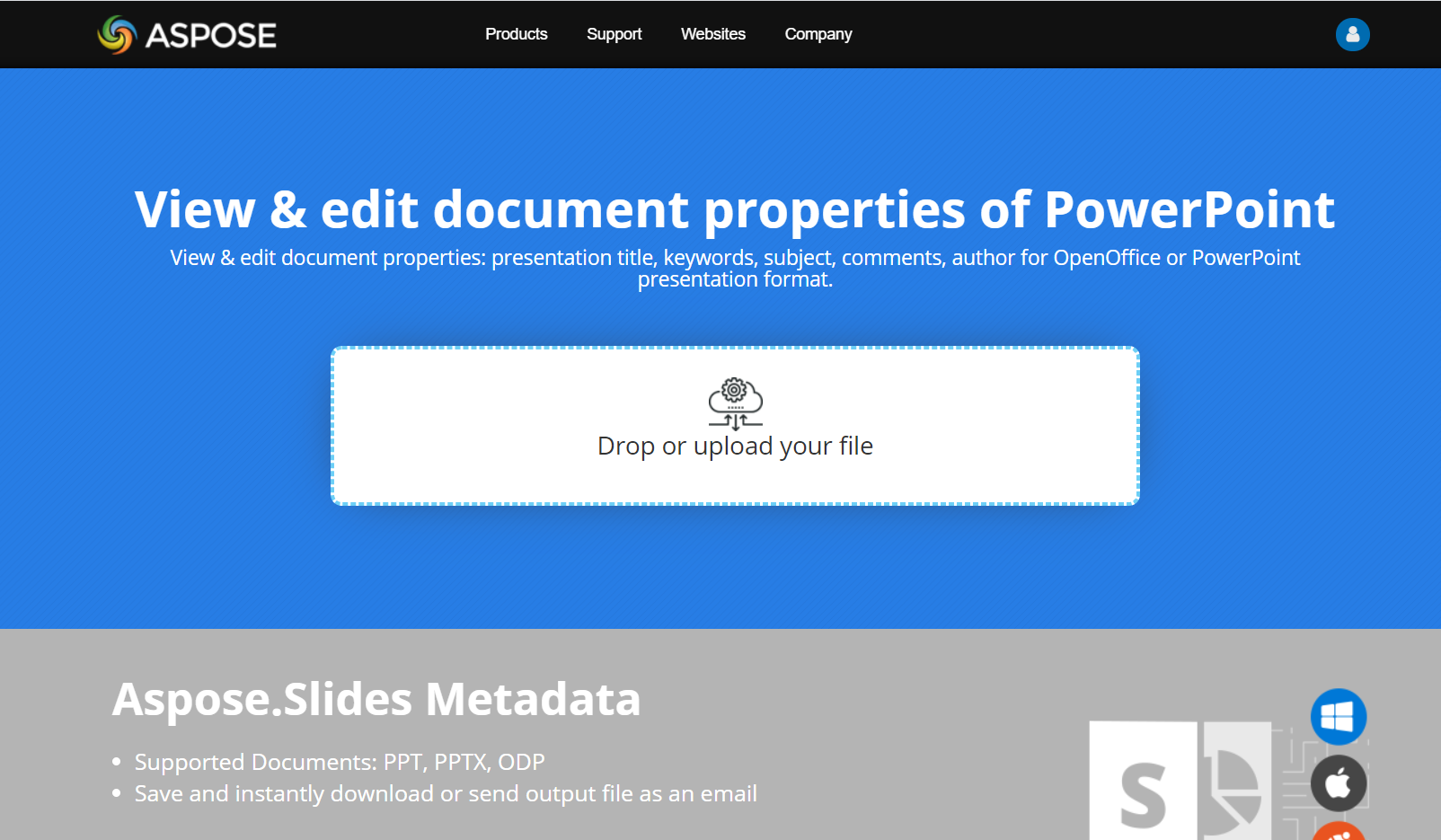
Hãy thử ứng dụng trực tuyến Aspose.Slides Metadata để xem cách làm việc với thuộc tính tài liệu qua API Aspose.Slides:
FAQ
Làm thế nào để tôi xóa một thuộc tính Built-in khỏi bản trình bày?
Các thuộc tính Built-in là một phần không thể tách rời của bản trình bày và không thể bị xóa hoàn toàn. Tuy nhiên, bạn có thể thay đổi giá trị của chúng hoặc đặt chúng thành rỗng nếu thuộc tính cụ thể cho phép.
Nếu tôi thêm một thuộc tính tùy chỉnh đã tồn tại thì sẽ xảy ra gì?
Nếu bạn thêm một thuộc tính tùy chỉnh đã tồn tại, giá trị hiện tại của nó sẽ bị ghi đè bằng giá trị mới. Bạn không cần phải xóa hoặc kiểm tra trước, vì Aspose.Slides sẽ tự động cập nhật giá trị của thuộc tính.
Tôi có thể truy cập thuộc tính bản trình bày mà không tải toàn bộ bản trình bày không?
Có. Sử dụng IPresentationFactory::GetPresentationInfo rồi IPresentationInfo::ReadDocumentProperties để đọc siêu dữ liệu tài liệu đã lưu mà không tạo một thể hiện Presentation. Xem Build a Lightweight Presentation Inventory để biết ví dụ báo cáo đầy đủ và các giới hạn theo định dạng.
Tôi có thể đọc các thuộc tính công khai của một bản trình bày được mã hoá mà không có mật khẩu mở không?
Có. Bản trình bày phải đã được mã hoá bằng cách truyền false vào set_EncryptDocumentProperties, và phải được tải bằng cách truyền true vào set_OnlyLoadDocumentProperties.
Tôi có thể cập nhật một tệp PPTX được mã hoá ở chế độ chỉ‑document‑properties không?
Không. Dữ liệu thuộc tính công khai và đã mã hoá phải luôn đồng nhất, vì vậy việc cập nhật một tệp PPTX được mã hoá yêu cầu tải đầy đủ bản trình bày với mật khẩu mở đúng.