
Quản lý Thuộc tính Bản trình bày bằng Python
Giới thiệu
Aspose.Slides hỗ trợ hai loại thuộc tính tài liệu: Built-in và Custom. Cả hai loại thuộc tính này đều có thể được truy cập và quản lý dễ dàng bằng API Aspose.Slides.
Aspose.Slides cho phép bạn làm việc với các thuộc tính tài liệu của bản trình bày thông qua lớp DocumentProperties . Một thể hiện của lớp này được trả về bởi thuộc tính Presentation.document_properties . Các ví dụ sau đây cho thấy cách đọc, sửa đổi và quản lý các thuộc tính này.
Ghi chú
Xin lưu ý rằng bạn không thể đặt giá trị cho các trường Application và Producer, vì Aspose Ltd. và Aspose.Slides for Python via .NET x.x.x sẽ được hiển thị trong các trường này.Quản lý Thuộc tính Bản trình bày
Microsoft PowerPoint cung cấp tính năng thêm một số thuộc tính vào các tệp bản trình bày. Các thuộc tính tài liệu này cho phép lưu trữ một số thông tin hữu ích cùng với tài liệu (các tệp bản trình bày). Có hai loại thuộc tính tài liệu như sau
- Thuộc tính Được Định Nghĩa Hệ Thống (Built-in) Properties
- Thuộc tính Được Định Nghĩa Bởi Người Dùng (Custom) Properties
Built-in properties contain general information about the document like document title, author’s name, document statistics and so on. Custom properties are those ones, which are defined by the users as Name/Value pairs, where both name and value are defined by the user. Using Aspose.Slides for Python via .NET, developers can access and modify the values of built-in properties as well as custom properties. Microsoft PowerPoint 2007 allows managing the document properties of the presentation files. All you have to do is to click the Office icon and further Prepare | Properties | Advanced Properties menu item of the Microsoft PowerPoint 2007. After you select Advanced Properties menu item, a dialog would appear allowing you to manage the document properties of the PowerPoint file. In the Properties Dialog, you can see that there are many tab pages like General, Summary, Statistics, Contents and Custom. All these tab pages allow configuring different kinds of information related to the PowerPoint files. Custom tab is used to manage the custom properties of the PowerPoint files.
Đọc Thuộc tính Công khai từ Bản trình bày Được Mã hóa
Một mật khẩu mở thường bảo vệ cả nội dung bản trình bày và các thuộc tính tài liệu. Khi một bản trình bày được mã hóa với ProtectionManager.encrypt_document_properties được đặt thành False, các thuộc tính tài liệu của nó vẫn công khai. Ứng dụng sau đó có thể đặt LoadOptions.only_load_document_properties thành True và đọc siêu dữ liệu công khai mà không cần cung cấp mật khẩu mở.
only_load_document_properties controls what Aspose.Slides loads; it does not decrypt anything. If the properties were included in encryption, loading them without the password fails. If the presentation is not encrypted, the option is ignored and the complete presentation is loaded.
The following example verifies the loading mode through ProtectionManager.is_only_document_properties_loaded and then reads built-in properties through Presentation.document_properties:
import aspose.slides as slides

load_options = slides.LoadOptions()
load_options.only_load_document_properties = True

with slides.Presentation("public-properties-encrypted.pptx", load_options) as presentation:
    if presentation.protection_manager.is_only_document_properties_loaded:
        properties = presentation.document_properties

        print("Author: " + properties.author)
        print("Title: " + properties.title)
        print("Keywords: " + properties.keywords)
    else:
        print("The presentation was not loaded in document-properties-only mode.")
Trong chế độ này, nội dung slide không được tải. Slides, masters, layouts, shapes, media và các đối tượng khác của bản trình bày không khả dụng. Ứng dụng nên luôn kiểm tra is_only_document_properties_loaded trước khi thực hiện bất kỳ thao tác nào yêu cầu mô hình đối tượng bản trình bày đầy đủ.
Bảo mật
Public metadata may expose author names, titles, subjects, keywords, company information, comments, and custom values. Encrypt sensitive properties together with the presentation. Leave them public only when indexing, classification, search, or document-management systems have a specific requirement to access them without a password.Cập nhật Thuộc tính của Bản trình bày Được Mã hóa
Đối với tệp PPTX đã được mã hóa, một bản trình bày được tải với only_load_document_properties chỉ nhằm mục đích đọc siêu dữ liệu công khai. Aspose.Slides không thể lưu các thuộc tính đã thay đổi từ đối tượng chỉ có siêu dữ liệu này vì các thuộc tính công cộng phải đồng nhất với dữ liệu tương ứng bên trong bản trình bày đã mã hóa. Do đó việc cập nhật chúng yêu cầu mật khẩu mở đúng và tải đầy đủ bản trình bày.
The following example opens the presentation with LoadOptions.password, updates public built-in properties, and saves the result. It then uses PresentationInfo.is_encrypted to verify that encryption is preserved and reopens the public metadata without a password to verify the new values:
import aspose.slides as slides

input_path = "public-properties-encrypted.pptx"
output_path = "updated-public-properties-encrypted.pptx"

load_options = slides.LoadOptions()
load_options.password = "open_password"

with slides.Presentation(input_path, load_options) as presentation:
    presentation.document_properties.title = "Updated Product Roadmap"
    presentation.document_properties.keywords = "roadmap, planning, indexed"
    presentation.save(output_path, slides.export.SaveFormat.PPTX)

presentation_info = slides.PresentationFactory.instance.get_presentation_info(output_path)
print("The presentation is encrypted: " + str(presentation_info.is_encrypted))

metadata_load_options = slides.LoadOptions()
metadata_load_options.only_load_document_properties = True

with slides.Presentation(output_path, metadata_load_options) as metadata_presentation:
    if metadata_presentation.protection_manager.is_only_document_properties_loaded:
        print("Title: " + metadata_presentation.document_properties.title)
        print("Keywords: " + metadata_presentation.document_properties.keywords)
    else:
        print("The presentation was not loaded in document-properties-only mode.")
Nếu một ứng dụng không được phép giải mã hoặc tải nội dung bản trình bày, nó phải xem các thuộc tính công khai của tệp PPTX đã mã hóa là chỉ đọc.
Truy cập Thuộc tính Built-in
These properties as exposed by IDocumentProperties object include: Creator(Author), Description, Keywords Created (Creation Date), Modified Modification Date, Printed Last Print Date, LastModifiedBy, Keywords, SharedDoc (Is shared between different producers?), PresentationFormat, Subject and Title
import aspose.slides as slides

# Tạo một thể hiện của lớp Presentation đại diện cho bản trình bày
with slides.Presentation("AccessBuiltin Properties.pptx") as pres:
    # Tạo một tham chiếu tới đối tượng liên kết với Presentation
    documentProperties = pres.document_properties

    # Hiển thị các thuộc tính tích hợp
    print("category : " + documentProperties.category)
    print("Current Status : " + documentProperties.content_status)
    print("Creation Date : " + str(documentProperties.created_time))
    print("Author : " + documentProperties.author)
    print("Description : " + documentProperties.comments)
    print("KeyWords : " + documentProperties.keywords)
    print("Last Modified By : " + documentProperties.last_saved_by)
    print("Supervisor : " + documentProperties.manager)
    print("Modified Date : " + str(documentProperties.last_saved_time))
    print("Presentation Format : " + documentProperties.presentation_format)
    print("Last Print Date : " + str(documentProperties.last_printed))
    print("Is Shared between producers : " + str(documentProperties.shared_doc))
    print("Subject : " + documentProperties.subject)
    print("Title : " + documentProperties.title)
Sửa đổi Thuộc tính Built-in
Modifying the built-in properties of presentation files is as easy as that of accessing them. You can simply assign a string value to any desired property and the property value would be modified. In the example given below, we have demonstrated that how we can modify the built-in document properties of the presentation file.
import aspose.slides as slides

# Khởi tạo lớp Presentation đại diện cho bản trình bày
with slides.Presentation("ModifyBuiltinProperties.pptx") as presentation:
    # Tạo một tham chiếu tới đối tượng liên kết với bản trình bày
    documentProperties = presentation.document_properties

    # Thiết lập các thuộc tính tích hợp
    documentProperties.author = "Aspose.Slides for .NET"
    documentProperties.title = "Modifying Presentation Properties"
    documentProperties.subject = "Aspose Subject"
    documentProperties.comments = "Aspose Description"
    documentProperties.manager = "Aspose Manager"

    # Lưu bản trình bày của bạn vào tệp
    presentation.save("DocumentProperties_out.pptx", slides.export.SaveFormat.PPTX)
Thêm Thuộc tính Bản trình bày Tùy chỉnh
Aspose.Slides for Python via .NET also allows developers to add the custom the values for presentation Document properties. An example is given below that shows how to set the custom properties for a presentation.
import aspose.slides as slides

# Khởi tạo lớp Presentation
with slides.Presentation() as presentation:
    # Lấy các thuộc tính tài liệu
    documentProperties = presentation.document_properties

    # Thêm các thuộc tính tùy chỉnh
    documentProperties.set_custom_property_value("New Custom", 12)
    documentProperties.set_custom_property_value("My Nam", "Mudassir")
    documentProperties.set_custom_property_value("Custom", 124)

    # Lấy tên thuộc tính tại chỉ mục cụ thể
    getPropertyName = documentProperties.get_custom_property_name(2)

    # Xóa thuộc tính đã chọn
    documentProperties.remove_custom_property(getPropertyName)

    # Lưu bản trình bày
    presentation.save("CustomDocumentProperties_out.pptx", slides.export.SaveFormat.PPTX)
Truy cập và Sửa đổi Thuộc tính Tùy chỉnh
Aspose.Slides for Python via .NET also allows developers to access the values of custom properties. An example is given below that shows how can you access and modify all of these custom properties for a presentation.
import aspose.slides as slides

# Khởi tạo lớp Presentation đại diện cho PPTX
with slides.Presentation("AccessModifyingProperties.pptx") as presentation:
    # Tạo một tham chiếu tới đối tượng document_properties liên kết với Presentation
    documentProperties = presentation.document_properties

    # Truy cập và sửa đổi các thuộc tính tùy chỉnh
    for i in range(documentProperties.count_of_custom_properties):
        property_name = documentProperties.get_custom_property_name(i)

        # Hiển thị tên và giá trị của các thuộc tính tùy chỉnh
        property_value = [""]
        documentProperties.get_custom_property_value(property_name, property_value)
        print("Custom Property Name : " + property_name)
        print("Custom Property Value : " + property_value[0])

        # Sửa đổi giá trị của các thuộc tính tùy chỉnh
        documentProperties.set_custom_property_value(property_name, "New Value " + str(i + 1))
    # Lưu bản trình bày của bạn vào tệp
    presentation.save("CustomDemoModified_out.pptx", slides.export.SaveFormat.PPTX)
get_custom_property_value returns the value through the one-element list passed as its second argument, and the stored value is cast to the type of the element already in that list. The example above uses [""], so it reads string properties; to read a property stored as a number, pass a numeric placeholder such as [0]—otherwise the call raises an InvalidCastException.
Đặt Ngôn ngữ Kiểm tra Chính tả
Aspose.Slides provides the Language_Id property (exposed by the PortionFormat class) to allow you to set the proofing language for a PowerPoint document. The proofing language is the language for which spellings and grammar in the PowerPoint are checked.
This Python code shows you how to set the proofing language for a PowerPoint:
import aspose.slides as slides

with slides.Presentation("SetProofingLanguage.pptx") as pres:
    auto_shape = pres.slides[0].shapes[0]
    paragraph = auto_shape.text_frame.paragraphs[0]
    paragraph.portions.clear()

    new_portion = slides.Portion()
    font = slides.FontData("SimSun")
    portion_format = new_portion.portion_format
    portion_format.complex_script_font = font
    portion_format.east_asian_font = font
    portion_format.latin_font = font

    # đặt Id của ngôn ngữ kiểm tra chính tả
    portion_format.language_id = "zh-CN"
    new_portion.text = "1。"

    paragraph.portions.add(new_portion)
Đặt Ngôn ngữ Mặc định
This Python code shows you how to set the default language for an entire PowerPoint presentation:
import aspose.slides as slides

load_options = slides.LoadOptions()
load_options.default_text_language = "en_US"

with slides.Presentation(load_options) as pres:
    shp = pres.slides[0].shapes.add_auto_shape(slides.ShapeType.RECTANGLE, 50, 50, 150, 150)
    text_frame = shp.text_frame
    text_frame.text = "New Text"

    print(text_frame.paragraphs[0].portions[0].portion_format.language_id)
Ví dụ Trực tiếp
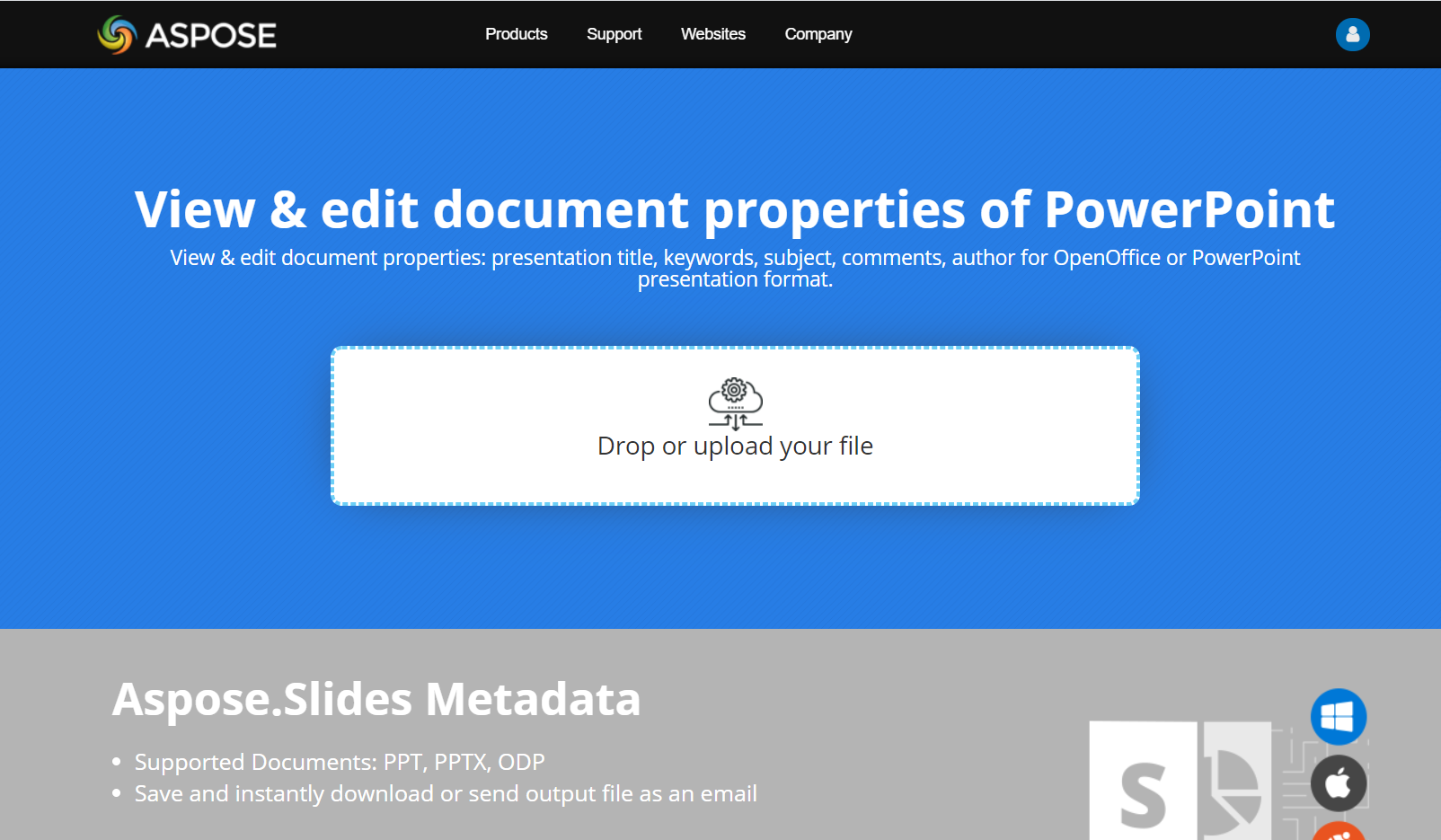
Try Aspose.Slides Metadata online app to see how to work with document properties via Aspose.Slides API:
Câu hỏi Thường gặp
How can I remove a built-in property from a presentation?
Built-in properties are an integral part of the presentation and cannot be removed entirely. However, you can either change their values or set them to empty if allowed by the specific property.
What happens if I add a custom property that already exists?
If you add a custom property that already exists, its existing value will be overwritten with the new one. You do not need to remove or check the property beforehand, as Aspose.Slides automatically updates the property’s value.
Can I access presentation properties without fully loading the presentation?
Yes. Use PresentationFactory.get_presentation_info and then PresentationInfo.read_document_properties to read stored document metadata without creating a Presentation instance. See Build a Lightweight Presentation Inventory for a complete reporting example and format-specific limitations.
Can I read public properties of an encrypted presentation without its opening password?
Yes. The presentation must have been encrypted with encrypt_document_properties set to False, and it must be loaded with only_load_document_properties set to True.
Can I update an encrypted PPTX file in document-properties-only mode?
No. Public and encrypted property data must remain consistent, so updating an encrypted PPTX file requires loading the complete presentation with the correct opening password.