
จัดการคุณสมบัติพรีเซนเทชันด้วย Python
บทนำ
Aspose.Slides รองรับสองประเภทของคุณสมบัติเอกสาร: Built-in และ Custom. ทั้งสองประเภทของคุณสมบัตินี้สามารถเข้าถึงและจัดการได้อย่างง่ายดายโดยใช้ Aspose.Slides API.
Aspose.Slides ให้คุณทำงานกับคุณสมบัติเอกสารพรีเซนเทชันผ่านคลาส DocumentProperties ตัวอย่างของคลาสนี้จะถูกส่งคืนโดยคุณสมบัติ Presentation.document_properties ตัวอย่างต่อไปนี้แสดงวิธีการอ่าน, แก้ไข, และจัดการคุณสมบัติเหล่านี้.
Note
โปรดทราบว่าคุณไม่สามารถตั้งค่าให้กับฟิลด์ Application และ Producer ได้ เพราะ Aspose Ltd. และ Aspose.Slides for Python via .NET x.x.x จะถูกแสดงในฟิลด์เหล่านี้.จัดการคุณสมบัติพรีเซนเทชัน
Microsoft PowerPoint มีฟีเจอร์ในการเพิ่มคุณสมบัติบางอย่างลงในไฟล์พรีเซนเทชัน คุณสมบัติเอกสารเหล่านี้ช่วยให้สามารถเก็บข้อมูลที่เป็นประโยชน์บางส่วนร่วมกับเอกสาร (ไฟล์พรีเซนเทชัน) มีสองประเภทของคุณสมบัติเอกสารดังต่อไปนี้
- คุณสมบัติที่กำหนดโดยระบบ (Built-in)
- คุณสมบัติที่กำหนดโดยผู้ใช้ (Custom)
Built-in properties มีข้อมูลทั่วไปเกี่ยวกับเอกสาร เช่น ชื่อเอกสาร, ชื่อผู้เขียน, สถิติเอกสาร เป็นต้น Custom properties คือคุณสมบัติที่ผู้ใช้กำหนดเป็นคู่ Name/Value โดยทั้งชื่อและค่าเป็นที่กำหนดโดยผู้ใช้ เมื่อใช้ Aspose.Slides for Python via .NET นักพัฒนาสามารถเข้าถึงและแก้ไขค่าของคุณสมบัติ built-in รวมทั้ง custom properties ได้ Microsoft PowerPoint 2007 รองรับการจัดการคุณสมบัติเอกสารของไฟล์พรีเซนเทชัน สิ่งที่คุณต้องทำคือคลิกไอคอน Office แล้วเลือกเมนู Prepare | Properties | Advanced Properties ของ Microsoft PowerPoint 2007 หลังจากที่คุณเลือกเมนู Advanced Properties จะปรากฏหน้าต่างที่ให้คุณจัดการคุณสมบัติเอกสารของไฟล์ PowerPoint ใน Properties Dialog คุณจะเห็นว่ามีหลายแท็บเช่น General, Summary, Statistics, Contents and Custom แท็บเหล่านี้ทั้งหมดช่วยให้กำหนดค่าข้อมูลประเภทต่าง ๆ ที่เกี่ยวกับไฟล์ PowerPoint แท็บ Custom ใช้สำหรับจัดการคุณสมบัติ custom ของไฟล์ PowerPoint.
อ่านคุณสมบัติสาธารณะจากพรีเซนเทชันที่ถูกเข้ารหัส
รหัสผ่านเปิดโดยทั่วไปจะปกป้องทั้งเนื้อหาพรีเซนเทชันและคุณสมบัติเอกสาร เมื่อพรีเซนเทชันถูกเข้ารหัสด้วย ProtectionManager.encrypt_document_properties ที่ตั้งค่าเป็น False คุณสมบัติเอกสารของมันจะคงสาธารณะ แอปพลิเคชันจึงสามารถตั้งค่า LoadOptions.only_load_document_properties เป็น True และอ่านเมทาดาต้าสาธารณะโดยไม่ต้องระบุรหัสผ่านเปิด
only_load_document_properties ควบคุมว่า Aspose.Slides จะโหลดอะไร; มันไม่ทำการถอดรหัสใด ๆ หากคุณสมบัติติดอยู่ในการเข้ารหัส การโหลดโดยไม่มีรหัสผ่านจะล้มเหลว หากพรีเซนเทชันไม่ได้ถูกเข้ารหัส ตัวเลือกนี้จะถูกละเลยและพรีเซนเทชันทั้งหมดจะถูกโหลด
ตัวอย่างต่อไปนี้ตรวจสอบโหมดการโหลดผ่าน ProtectionManager.is_only_document_properties_loaded และจากนั้นอ่านคุณสมบัติ built-in ผ่าน Presentation.document_properties:
import aspose.slides as slides

load_options = slides.LoadOptions()
load_options.only_load_document_properties = True

with slides.Presentation("public-properties-encrypted.pptx", load_options) as presentation:
    if presentation.protection_manager.is_only_document_properties_loaded:
        properties = presentation.document_properties

        print("Author: " + properties.author)
        print("Title: " + properties.title)
        print("Keywords: " + properties.keywords)
    else:
        print("The presentation was not loaded in document-properties-only mode.")
ในโหมดนี้ เนื้อหาแสลิโอจะไม่ถูกโหลด แสลิโอ, มาสเตอร์, เลย์เอาต์, รูปร่าง, สื่อ, และวัตถุพรีเซนเทชันอื่น ๆ จะไม่พร้อมใช้งาน แอปพลิเคชันควรตรวจสอบ is_only_document_properties_loaded เสมอก่อนทำงานที่ต้องการโมเดลวัตถุพรีเซนเทชันแบบครบถ้วน
Security
เมทาดาต้าสาธารณะอาจเปิดเผยชื่อผู้เขียน, ชื่อเรื่อง, หัวข้อ, คำสำคัญ, ข้อมูลบริษัท, ความคิดเห็น, และค่าที่กำหนดเอง ควรเข้ารหัสคุณสมบัติที่ละเอียดอ่อนพร้อมกับพรีเซนเทชัน ให้เก็บเป็นสาธารณะเฉพาะเมื่อมีการทำดัชนี, จัดประเภท, ค้นหา, หรือระบบจัดการเอกสารที่ต้องการเข้าถึงโดยไม่ต้องใช้รหัสผ่านอัปเดตคุณสมบัติของพรีเซนเทชันที่ถูกเข้ารหัส
สำหรับไฟล์ PPTX ที่ถูกเข้ารหัส พรีเซนเทชันที่โหลดด้วย only_load_document_properties มีจุดประสงค์เพื่ออ่านเมทาดาต้าสาธารณะ Aspose.Slides ไม่สามารถบันทึกคุณสมบัตที่ถูกเปลี่ยนจากอ็อบเจ็กต์ที่มีเมทาดาต้าอย่างเดียวได้ เพราะคุณสมบัตสาธารณะต้องสอดคล้องกับข้อมูลที่อยู่ภายในพรีเซนเทชันที่ถูกเข้ารหัส การอัปเดตจึงต้องใช้รหัสผ่านเปิดที่ถูกต้องและการโหลดแบบเต็ม
ตัวอย่างต่อไปนี้เปิดพรีเซนเทชันด้วย LoadOptions.password , อัปเดตคุณสมบัติ built-in สาธารณะ, และบันทึกผลลัพธ์ จากนั้นใช้ PresentationInfo.is_encrypted เพื่อตรวจสอบว่าการเข้ารหัสยังคงอยู่และเปิดเมทาดาต้าสาธารณะอีกครั้งโดยไม่ใช้รหัสผ่านเพื่อยืนยันค่าที่ใหม่:
import aspose.slides as slides

input_path = "public-properties-encrypted.pptx"
output_path = "updated-public-properties-encrypted.pptx"

load_options = slides.LoadOptions()
load_options.password = "open_password"

with slides.Presentation(input_path, load_options) as presentation:
    presentation.document_properties.title = "Updated Product Roadmap"
    presentation.document_properties.keywords = "roadmap, planning, indexed"
    presentation.save(output_path, slides.export.SaveFormat.PPTX)

presentation_info = slides.PresentationFactory.instance.get_presentation_info(output_path)
print("The presentation is encrypted: " + str(presentation_info.is_encrypted))

metadata_load_options = slides.LoadOptions()
metadata_load_options.only_load_document_properties = True

with slides.Presentation(output_path, metadata_load_options) as metadata_presentation:
    if metadata_presentation.protection_manager.is_only_document_properties_loaded:
        print("Title: " + metadata_presentation.document_properties.title)
        print("Keywords: " + metadata_presentation.document_properties.keywords)
    else:
        print("The presentation was not loaded in document-properties-only mode.")
หากแอปพลิเคชันไม่ได้รับอนุญาตให้ถอดรหัสหรือโหลดเนื้อหาพรีเซนเทชัน จะต้องพิจารณาคุณสมบัติสาธารณะของไฟล์ PPTX ที่เข้ารหัสเป็นแบบอ่านอย่างเดียว
เข้าถึงคุณสมบัติ Built-in
คุณสมบัติเหล่านี้ที่เปิดเผยโดยวัตถุ IDocumentProperties ประกอบด้วย: Creator(Author), Description, Keywords, Created (วันที่สร้าง), Modified (วันที่แก้ไข), Printed (วันที่พิมพ์ครั้งล่าสุด), LastModifiedBy, Keywords, SharedDoc (แชร์ระหว่างผู้สร้างต่าง ๆ?), PresentationFormat, Subject และ Title
import aspose.slides as slides

# สร้างอินสแตนซ์ของคลาส Presentation ที่แสดงพรีเซนเทชัน
with slides.Presentation("AccessBuiltin Properties.pptx") as pres:
    # สร้างการอ้างอิงถึงอ็อบเจ็กต์ที่เชื่อมโยงกับ Presentation
    documentProperties = pres.document_properties

    # แสดงคุณสมบัติมาตรฐาน
    print("category : " + documentProperties.category)
    print("Current Status : " + documentProperties.content_status)
    print("Creation Date : " + str(documentProperties.created_time))
    print("Author : " + documentProperties.author)
    print("Description : " + documentProperties.comments)
    print("KeyWords : " + documentProperties.keywords)
    print("Last Modified By : " + documentProperties.last_saved_by)
    print("Supervisor : " + documentProperties.manager)
    print("Modified Date : " + str(documentProperties.last_saved_time))
    print("Presentation Format : " + documentProperties.presentation_format)
    print("Last Print Date : " + str(documentProperties.last_printed))
    print("Is Shared between producers : " + str(documentProperties.shared_doc))
    print("Subject : " + documentProperties.subject)
    print("Title : " + documentProperties.title)
แก้ไขคุณสมบัติ Built-in
การแก้ไขคุณสมบัติ built-in ของไฟล์พรีเซนเทชันทำได้ง่ายเท่ากับการเข้าถึงคุณสมบัติ คุณสามารถกำหนดค่าข้อความให้กับคุณสมบัติใดก็ได้ตามต้องการและค่าของคุณสมบัติก็จะถูกเปลี่ยนแปลง ในตัวอย่างด้านล่าง เราได้สาธิตวิธีการแก้ไขคุณสมบัติเอกสาร built-in ของไฟล์พรีเซนเทชัน
import aspose.slides as slides

# สร้างอินสแตนซ์ของคลาส Presentation ที่แสดงถึง Presentation
with slides.Presentation("ModifyBuiltinProperties.pptx") as presentation:
    # สร้างการอ้างอิงถึงอ็อบเจกต์ที่เชื่อมโยงกับ Presentation
    documentProperties = presentation.document_properties

    # ตั้งค่าคุณสมบัติมาตรฐาน
    documentProperties.author = "Aspose.Slides for .NET"
    documentProperties.title = "Modifying Presentation Properties"
    documentProperties.subject = "Aspose Subject"
    documentProperties.comments = "Aspose Description"
    documentProperties.manager = "Aspose Manager"

    # บันทึกพรีเซนเทชันของคุณลงไฟล์
    presentation.save("DocumentProperties_out.pptx", slides.export.SaveFormat.PPTX)
เพิ่มคุณสมบัติพรีเซนเทชันแบบ Custom
Aspose.Slides for Python via .NET ยังอนุญาตให้นักพัฒนาสามารถเพิ่มค่าที่กำหนดเองสำหรับคุณสมบัติเอกสารของพรีเซนเทชันได้ ตัวอย่างด้านล่างแสดงวิธีการตั้งค่าคุณสมบัติ custom สำหรับพรีเซนเทชัน
import aspose.slides as slides

# สร้างอินสแตนซ์ของคลาส Presentation
with slides.Presentation() as presentation:
    # ดึงคุณสมบัติเอกสาร
    documentProperties = presentation.document_properties

    # เพิ่มคุณสมบัติ custom
    documentProperties.set_custom_property_value("New Custom", 12)
    documentProperties.set_custom_property_value("My Nam", "Mudassir")
    documentProperties.set_custom_property_value("Custom", 124)

    # ดึงชื่อคุณสมบัติที่ตำแหน่งเฉพาะ
    getPropertyName = documentProperties.get_custom_property_name(2)

    # ลบคุณสมบัติที่เลือก
    documentProperties.remove_custom_property(getPropertyName)

    # บันทึกพรีเซนเทชัน
    presentation.save("CustomDocumentProperties_out.pptx", slides.export.SaveFormat.PPTX)
เข้าถึงและแก้ไขคุณสมบัติ Custom
Aspose.Slides for Python via .NET ยังอนุญาตให้นักพัฒนาสามารถเข้าถึงค่าของคุณสมบัติ custom ได้ ตัวอย่างด้านล่างแสดงวิธีที่คุณสามารถเข้าถึงและแก้ไขคุณสมบัติ custom ทั้งหมดสำหรับพรีเซนเทชัน
import aspose.slides as slides

# สร้างอินสแตนซ์ของคลาส Presentation ที่แสดงถึงไฟล์ PPTX
with slides.Presentation("AccessModifyingProperties.pptx") as presentation:
    # สร้างการอ้างอิงถึงอ็อบเจ็กต์ document_properties ที่เชื่อมโยงกับ Presentation
    documentProperties = presentation.document_properties

    # เข้าถึงและแก้ไขคุณสมบัติ custom
    for i in range(documentProperties.count_of_custom_properties):
        property_name = documentProperties.get_custom_property_name(i)

        # แสดงชื่อและค่าของคุณสมบัติ custom
        property_value = [""]
        documentProperties.get_custom_property_value(property_name, property_value)
        print("Custom Property Name : " + property_name)
        print("Custom Property Value : " + property_value[0])

        # แก้ไขค่าของคุณสมบัติ custom
        documentProperties.set_custom_property_value(property_name, "New Value " + str(i + 1))
    # บันทึกพรีเซนเทชันของคุณลงไฟล์
    presentation.save("CustomDemoModified_out.pptx", slides.export.SaveFormat.PPTX)
get_custom_property_value คืนค่าผ่านรายการที่มีหนึ่งองค์ประกอบที่ส่งเป็นอาร์กิวเมนต์ที่สอง และค่าที่จัดเก็บจะถูกแคสต์เป็นประเภทขององค์ประกาศที่มีอยู่ในรายการนั้น ตัวอย่างด้านบนใช้ [""] ทำให้อ่านคุณสมบัติประเภทสตริง; หากต้องการอ่านคุณสมบัติที่จัดเก็บเป็นตัวเลข ให้ส่งตัวแทนเชิงตัวเลขเช่น [0] — มิฉะนั้นการเรียกจะเกิด InvalidCastException
ตั้งค่าภาษา Proofing
Aspose.Slides มีคุณสมบัติ Language_Id (เปิดเผยโดยคลาส PortionFormat) เพื่อให้คุณตั้งค่าภาษา proofing สำหรับเอกสาร PowerPoint ภาษา proofing คือภาษาที่ใช้ตรวจสอบการสะกดและไวยากรณ์ใน PowerPoint
โค้ด Python ด้านล่างแสดงวิธีตั้งค่าภาษา proofing สำหรับ PowerPoint:
import aspose.slides as slides

with slides.Presentation("SetProofingLanguage.pptx") as pres:
    auto_shape = pres.slides[0].shapes[0]
    paragraph = auto_shape.text_frame.paragraphs[0]
    paragraph.portions.clear()

    new_portion = slides.Portion()
    font = slides.FontData("SimSun")
    portion_format = new_portion.portion_format
    portion_format.complex_script_font = font
    portion_format.east_asian_font = font
    portion_format.latin_font = font

    # กำหนด Id ของภาษาการตรวจสอบ
    portion_format.language_id = "zh-CN"
    new_portion.text = "1。"

    paragraph.portions.add(new_portion)
ตั้งค่าภาษาเริ่มต้น
โค้ด Python นี้แสดงวิธีตั้งค่าภาษาเริ่มต้นสำหรับพรีเซนเทชัน PowerPoint ทั้งหมด:
import aspose.slides as slides

load_options = slides.LoadOptions()
load_options.default_text_language = "en_US"

with slides.Presentation(load_options) as pres:
    shp = pres.slides[0].shapes.add_auto_shape(slides.ShapeType.RECTANGLE, 50, 50, 150, 150)
    text_frame = shp.text_frame
    text_frame.text = "New Text"

    print(text_frame.paragraphs[0].portions[0].portion_format.language_id)
ตัวอย่างสด
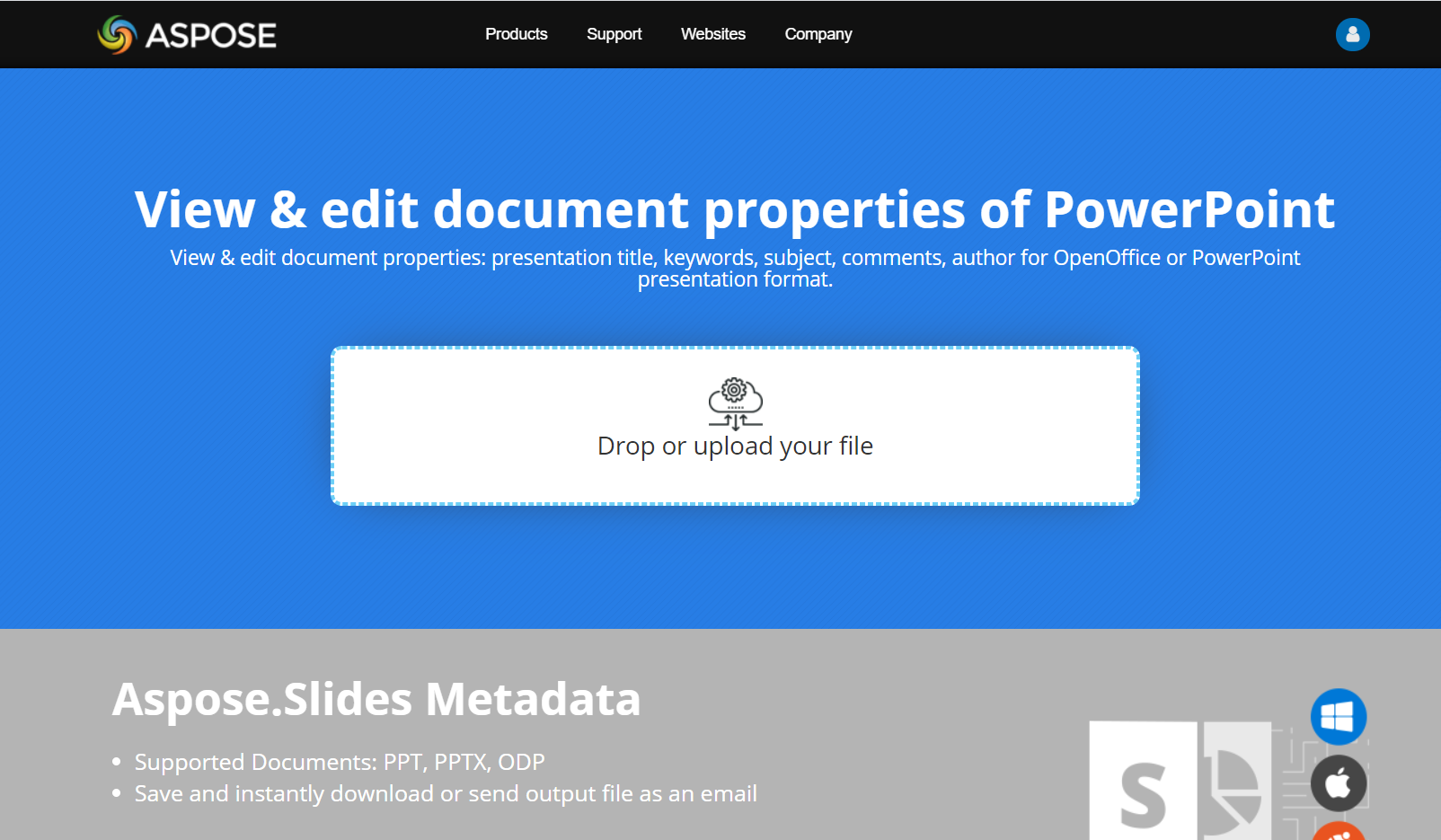
ลองแอปออนไลน์ Aspose.Slides Metadata เพื่อดูวิธีการทำงานกับคุณสมบัติเอกสารผ่าน Aspose.Slides API:
คำถามที่พบบ่อย
ฉันจะลบคุณสมบัติ built-in จากพรีเซนเทชันได้อย่างไร?
คุณสมบัติ built-in เป็นส่วนสำคัญของพรีเซนเทชันและไม่สามารถลบออกได้ทั้งหมด อย่างไรก็ตามคุณสามารถเปลี่ยนค่า หรือกำหนดให้เป็นค่าว่างได้หากคุณสมบัตินั้นอนุญาต
ถ้าฉันเพิ่มคุณสมบัติ custom ที่มีอยู่แล้วจะเกิดอะไรขึ้น?
หากคุณเพิ่มคุณสมบัติ custom ที่มีอยู่แล้ว ค่าที่มีอยู่จะถูกเขียนทับด้วยค่ใหม่ ไม่จำเป็นต้องลบหรือเช็คคุณสมบัติก่อนหน้า เนื่องจาก Aspose.Slides จะอัปเดตค่าโดยอัตโนมัติ
ฉันสามารถเข้าถึงคุณสมบัติพรีเซนเทชันโดยไม่โหลดพรีเซนเทชันเต็มรูปแบบได้หรือไม่?
ใช่ ใช้ PresentationFactory.get_presentation_info จากนั้น PresentationInfo.read_document_properties เพื่ออ่านเมทาดาต้าเอกสารที่จัดเก็บไว้โดยไม่ต้องสร้างอินสแตนซ์ Presentation ดู Build a Lightweight Presentation Inventory เพื่อดูตัวอย่างการรายงานอย่างสมบูรณ์และข้อจำกัดตามรูปแบบ
ฉันสามารถอ่านคุณสมบัติสาธารณะของพรีเซนเทชันที่เข้ารหัสโดยไม่ต้องใช้รหัสผ่านเปิดได้หรือไม่?
ใช่ พรีเซนเทชันต้องถูกเข้ารหัสโดยตั้งค่า encrypt_document_properties เป็น False และต้องถูกโหลดด้วย only_load_document_properties ตั้งเป็น True
ฉันสามารถอัปเดตไฟล์ PPTX ที่เข้ารหัสในโหมด document-properties-only ได้หรือไม่?
ไม่ ทั้งข้อมูลคุณสมบัติสาธารณะและที่เข้ารหัสต้องสอดคล้องกัน ดังนั้นการอัปเดตไฟล์ PPTX ที่เข้ารหัสจำเป็นต้องโหลดพรีเซนเทชันเต็มรูปแบบพร้อมรหัสผ่านเปิดที่ถูกต้อง