
Python으로 프레젠테이션 속성 관리
소개
Aspose.Slides는 두 종류의 문서 속성을 지원합니다: Built-in 및 Custom. 이 두 속성 유형은 Aspose.Slides API를 사용하여 쉽게 액세스하고 관리할 수 있습니다.
Aspose.Slides는 DocumentProperties 클래스를 통해 프레젠테이션 문서 속성을 작업할 수 있도록 합니다. 이 클래스의 인스턴스는 Presentation.document_properties 속성을 통해 반환됩니다. 다음 예제에서는 이러한 속성을 읽고, 수정하고, 관리하는 방법을 보여줍니다.
Note
Application 및 Producer 필드에는 값을 설정할 수 없습니다. Aspose Ltd.와 Aspose.Slides for Python via .NET x.x.x가 해당 필드에 표시됩니다.프레젠테이션 속성 관리
Microsoft PowerPoint는 프레젠테이션 파일에 일부 속성을 추가하는 기능을 제공합니다. 이러한 문서 속성을 통해 문서(프레젠테이션 파일)와 함께 유용한 정보를 저장할 수 있습니다. 문서 속성에는 다음 두 종류가 있습니다.
- System Defined (Built-in) Properties
- User Defined (Custom) Properties
Built-in 속성은 문서 제목, 작성자 이름, 문서 통계 등 일반 정보를 포함합니다. Custom 속성은 사용자가 이름/값 쌍으로 정의한 것으로, 이름과 값 모두 사용자가 지정합니다. Aspose.Slides for Python via .NET을 사용하면 개발자는 내장 속성 및 사용자 정의 속성의 값을 액세스하고 수정할 수 있습니다. Microsoft PowerPoint 2007에서는 프레젠테이션 파일의 문서 속성을 관리할 수 있습니다. Office 아이콘을 클릭하고 Prepare | Properties | Advanced Properties 메뉴 항목을 선택하면 됩니다. Advanced Properties를 선택하면 대화 상자가 나타나 PowerPoint 파일의 문서 속성을 관리할 수 있습니다. Properties Dialog에서는 General, Summary, Statistics, Contents, Custom과 같은 여러 탭 페이지를 볼 수 있으며, 각 탭은 PowerPoint 파일과 관련된 다양한 정보를 구성할 수 있게 합니다. Custom 탭은 PowerPoint 파일의 사용자 정의 속성을 관리하는 데 사용됩니다.
암호화된 프레젠테이션에서 공개 속성 읽기
개방 암호는 일반적으로 프레젠테이션 내용과 문서 속성을 모두 보호합니다. 프레젠테이션이 ProtectionManager.encrypt_document_properties를 False로 설정하여 암호화된 경우, 문서 속성은 공개 상태로 유지됩니다. 이때 애플리케이션은 LoadOptions.only_load_document_properties를 True로 설정하고 개방 암호 없이 공개 메타데이터를 읽을 수 있습니다.
only_load_document_properties는 Aspose.Slides가 로드하는 대상을 제어할 뿐이며, 암호 해독을 수행하지 않습니다. 속성이 암호화에 포함되어 있다면 암호 없이 로드하면 실패합니다. 프레젠테이션이 암호화되지 않은 경우 이 옵션은 무시되고 전체 프레젠테이션이 로드됩니다.
다음 예제는 ProtectionManager.is_only_document_properties_loaded를 통해 로드 모드를 확인한 후 Presentation.document_properties를 사용해 내장 속성을 읽습니다:
import aspose.slides as slides

load_options = slides.LoadOptions()
load_options.only_load_document_properties = True

with slides.Presentation("public-properties-encrypted.pptx", load_options) as presentation:
    if presentation.protection_manager.is_only_document_properties_loaded:
        properties = presentation.document_properties

        print("Author: " + properties.author)
        print("Title: " + properties.title)
        print("Keywords: " + properties.keywords)
    else:
        print("The presentation was not loaded in document-properties-only mode.")
이 모드에서는 슬라이드 내용이 로드되지 않습니다. 슬라이드, 마스터, 레이아웃, 도형, 미디어 및 기타 프레젠테이션 개체를 사용할 수 없습니다. 애플리케이션은 전체 프레젠테이션 개체 모델이 필요한 작업을 수행하기 전에 항상 is_only_document_properties_loaded를 확인해야 합니다.
Security
공개 메타데이터에는 작성자 이름, 제목, 주제, 키워드, 회사 정보, 주석 및 사용자 정의 값이 포함될 수 있어 노출 위험이 있습니다. 민감한 속성은 프레젠테이션과 함께 암호화하십시오. 인덱싱, 분류, 검색 또는 문서 관리 시스템이 암호 없이 접근해야 하는 명확한 요구가 있는 경우에만 공개 상태로 유지하십시오.암호화된 프레젠테이션 속성 업데이트
암호화된 PPTX 파일의 경우 only_load_document_properties로 로드한 프레젠테이션은 공개 메타데이터를 읽기 위한 용도입니다. Aspose.Slides는 이 메타데이터 전용 개체에서 변경된 속성을 저장할 수 없습니다. 공개 속성은 암호화된 프레젠테이션 내부 데이터와 일관성을 유지해야 하기 때문입니다. 따라서 업데이트하려면 올바른 개방 암호와 전체 로드가 필요합니다.
다음 예제는 LoadOptions.password를 사용해 프레젠테이션을 열고, 공개 내장 속성을 업데이트한 뒤 결과를 저장합니다. 그런 다음 PresentationInfo.is_encrypted를 사용해 암호화가 유지되는지 확인하고, 암호 없이 공개 메타데이터를 다시 열어 새로운 값을 검증합니다:
import aspose.slides as slides

input_path = "public-properties-encrypted.pptx"
output_path = "updated-public-properties-encrypted.pptx"

load_options = slides.LoadOptions()
load_options.password = "open_password"

with slides.Presentation(input_path, load_options) as presentation:
    presentation.document_properties.title = "Updated Product Roadmap"
    presentation.document_properties.keywords = "roadmap, planning, indexed"
    presentation.save(output_path, slides.export.SaveFormat.PPTX)

presentation_info = slides.PresentationFactory.instance.get_presentation_info(output_path)
print("The presentation is encrypted: " + str(presentation_info.is_encrypted))

metadata_load_options = slides.LoadOptions()
metadata_load_options.only_load_document_properties = True

with slides.Presentation(output_path, metadata_load_options) as metadata_presentation:
    if metadata_presentation.protection_manager.is_only_document_properties_loaded:
        print("Title: " + metadata_presentation.document_properties.title)
        print("Keywords: " + metadata_presentation.document_properties.keywords)
    else:
        print("The presentation was not loaded in document-properties-only mode.")
애플리케이션이 프레젠테이션 내용을 복호화하거나 로드할 수 없는 경우, 암호화된 PPTX 파일의 공개 속성은 읽기 전용으로 취급해야 합니다.
내장 속성 액세스
IDocumentProperties 객체가 노출하는 이러한 속성에는 Creator(Author), Description, Keywords, Created(작성일), Modified(수정일), Printed(마지막 인쇄일), LastModifiedBy, SharedDoc(다중 제작자 간 공유 여부), PresentationFormat, Subject, Title 등이 포함됩니다.
import aspose.slides as slides

# 프레젠테이션을 나타내는 Presentation 클래스를 인스턴스화합니다
with slides.Presentation("AccessBuiltin Properties.pptx") as pres:
    # Presentation와 연결된 객체에 대한 참조를 생성합니다
    documentProperties = pres.document_properties

    # 내장 속성을 표시합니다
    print("category : " + documentProperties.category)
    print("Current Status : " + documentProperties.content_status)
    print("Creation Date : " + str(documentProperties.created_time))
    print("Author : " + documentProperties.author)
    print("Description : " + documentProperties.comments)
    print("KeyWords : " + documentProperties.keywords)
    print("Last Modified By : " + documentProperties.last_saved_by)
    print("Supervisor : " + documentProperties.manager)
    print("Modified Date : " + str(documentProperties.last_saved_time))
    print("Presentation Format : " + documentProperties.presentation_format)
    print("Last Print Date : " + str(documentProperties.last_printed))
    print("Is Shared between producers : " + str(documentProperties.shared_doc))
    print("Subject : " + documentProperties.subject)
    print("Title : " + documentProperties.title)
내장 속성 수정
프레젠테이션 파일의 내장 속성을 수정하는 것은 해당 속성에 문자열 값을 할당하는 것만큼 쉽습니다. 아래 예제에서는 프레젠테이션 파일의 내장 문서 속성을 수정하는 방법을 보여줍니다.
import aspose.slides as slides

# Presentation을 나타내는 Presentation 클래스를 인스턴스화합니다
with slides.Presentation("ModifyBuiltinProperties.pptx") as presentation:
    # Presentation와 연결된 객체에 대한 참조를 생성합니다
    documentProperties = presentation.document_properties

    # 내장 속성을 설정합니다
    documentProperties.author = "Aspose.Slides for .NET"
    documentProperties.title = "Modifying Presentation Properties"
    documentProperties.subject = "Aspose Subject"
    documentProperties.comments = "Aspose Description"
    documentProperties.manager = "Aspose Manager"

    # 프레젠테이션을 파일에 저장합니다
    presentation.save("DocumentProperties_out.pptx", slides.export.SaveFormat.PPTX)
맞춤 프레젠테이션 속성 추가
Aspose.Slides for Python via .NET은 개발자가 프레젠테이션 문서 속성에 맞춤 값을 추가할 수 있도록 합니다. 아래 예제는 프레젠테이션에 맞춤 속성을 설정하는 방법을 보여줍니다.
import aspose.slides as slides

# Presentation 클래스를 인스턴스화합니다
with slides.Presentation() as presentation:
    # 문서 속성 가져오기
    documentProperties = presentation.document_properties

    # 사용자 정의 속성 추가
    documentProperties.set_custom_property_value("New Custom", 12)
    documentProperties.set_custom_property_value("My Nam", "Mudassir")
    documentProperties.set_custom_property_value("Custom", 124)

    # 특정 인덱스의 속성 이름 가져오기
    getPropertyName = documentProperties.get_custom_property_name(2)

    # 선택한 속성 제거
    documentProperties.remove_custom_property(getPropertyName)

    # 프레젠테이션 저장
    presentation.save("CustomDocumentProperties_out.pptx", slides.export.SaveFormat.PPTX)
맞춤 속성 액세스 및 수정
Aspose.Slides for Python via .NET은 개발자가 맞춤 속성 값을 액세스할 수 있도록 합니다. 아래 예제는 프레젠테이션의 모든 맞춤 속성을 액세스하고 수정하는 방법을 보여줍니다.
import aspose.slides as slides

# PPTX를 나타내는 Presentation 클래스를 인스턴스화합니다
with slides.Presentation("AccessModifyingProperties.pptx") as presentation:
    # Presentation와 연결된 document_properties 객체에 대한 참조를 생성합니다
    documentProperties = presentation.document_properties

    # 맞춤 속성에 접근하고 수정합니다
    for i in range(documentProperties.count_of_custom_properties):
        property_name = documentProperties.get_custom_property_name(i)

        # 맞춤 속성의 이름과 값을 표시합니다
        property_value = [""]
        documentProperties.get_custom_property_value(property_name, property_value)
        print("Custom Property Name : " + property_name)
        print("Custom Property Value : " + property_value[0])

        # 맞춤 속성의 값을 수정합니다
        documentProperties.set_custom_property_value(property_name, "New Value " + str(i + 1))
    # 프레젠테이션을 파일에 저장합니다
    presentation.save("CustomDemoModified_out.pptx", slides.export.SaveFormat.PPTX)
get_custom_property_value는 두 번째 인수로 전달된 단일 요소 리스트에 값을 반환하며, 저장된 값은 해당 리스트에 이미 존재하는 요소의 형식으로 캐스팅됩니다. 위 예제는 [""]를 사용하므로 문자열 속성을 읽습니다; 숫자로 저장된 속성을 읽으려면 [0]과 같은 숫자 플레이스홀더를 전달하십시오—그렇지 않으면 InvalidCastException이 발생합니다.
교정 언어 설정
Aspose.Slides는 PortionFormat 클래스가 노출하는 Language_Id 속성을 제공하여 PowerPoint 문서의 교정 언어를 설정할 수 있게 합니다. 교정 언어는 PowerPoint에서 맞춤법 및 문법 검사가 수행되는 언어를 의미합니다.
다음 Python 코드는 PowerPoint의 교정 언어를 설정하는 방법을 보여줍니다:
import aspose.slides as slides

with slides.Presentation("SetProofingLanguage.pptx") as pres:
    auto_shape = pres.slides[0].shapes[0]
    paragraph = auto_shape.text_frame.paragraphs[0]
    paragraph.portions.clear()

    new_portion = slides.Portion()
    font = slides.FontData("SimSun")
    portion_format = new_portion.portion_format
    portion_format.complex_script_font = font
    portion_format.east_asian_font = font
    portion_format.latin_font = font

    # 교정 언어의 Id를 설정합니다
    portion_format.language_id = "zh-CN"
    new_portion.text = "1。"

    paragraph.portions.add(new_portion)
기본 언어 설정
다음 Python 코드는 전체 PowerPoint 프레젠테이션의 기본 언어를 설정하는 방법을 보여줍니다:
import aspose.slides as slides

load_options = slides.LoadOptions()
load_options.default_text_language = "en_US"

with slides.Presentation(load_options) as pres:
    shp = pres.slides[0].shapes.add_auto_shape(slides.ShapeType.RECTANGLE, 50, 50, 150, 150)
    text_frame = shp.text_frame
    text_frame.text = "New Text"

    print(text_frame.paragraphs[0].portions[0].portion_format.language_id)
실시간 예제
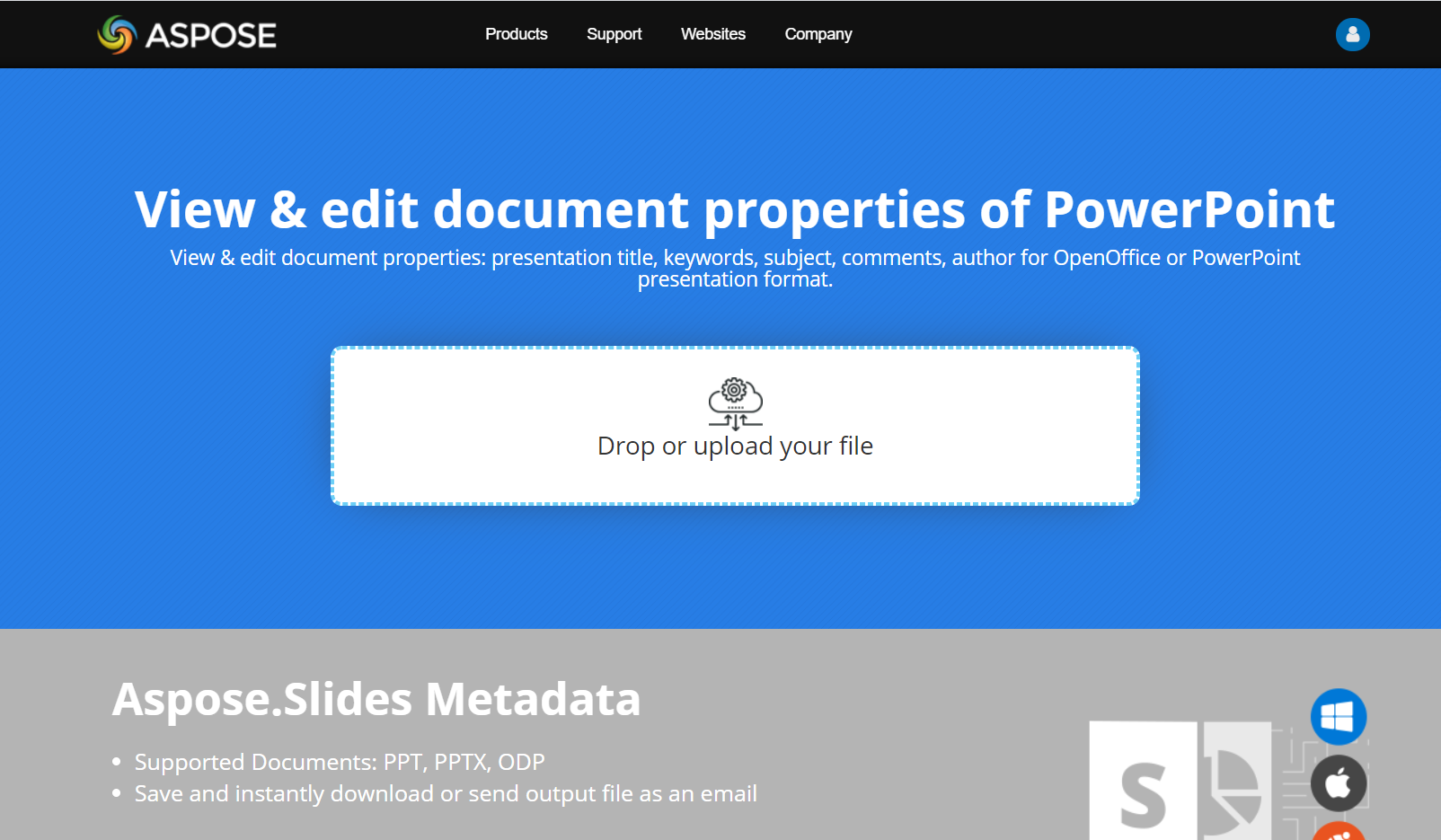
Aspose.Slides Metadata 온라인 앱을 사용해 문서 속성을 Aspose.Slides API로 작업하는 방법을 확인해 보세요:
FAQ
프레젠테이션에서 내장 속성을 제거할 수 있나요?
내장 속성은 프레젠테이션의 필수 부분이며 전체적으로 제거할 수 없습니다. 다만, 특정 속성이 허용하는 경우 값을 변경하거나 빈 값으로 설정할 수 있습니다.
이미 존재하는 맞춤 속성을 추가하면 어떻게 되나요?
이미 존재하는 맞춤 속성을 추가하면 기존 값이 새로운 값으로 덮어쓰기됩니다. 사전에 속성을 제거하거나 확인할 필요 없이 Aspose.Slides가 자동으로 값을 업데이트합니다.
프레젠테이션을 완전히 로드하지 않고 속성에 액세스할 수 있나요?
예. PresentationFactory.get_presentation_info를 사용한 뒤 PresentationInfo.read_document_properties를 호출하면 Presentation 인스턴스를 만들지 않고도 저장된 문서 메타데이터를 읽을 수 있습니다. 전체 보고 예제와 포맷별 제한 사항은 Build a Lightweight Presentation Inventory를 참고하십시오.
암호화된 프레젠테이션의 공개 속성을 개방 암호 없이 읽을 수 있나요?
예. 프레젠테이션이 encrypt_document_properties를 False로 설정해 암호화되었고, only_load_document_properties를 True로 로드한 경우 가능합니다.
문서 속성 전용 모드에서 암호화된 PPTX 파일을 업데이트할 수 있나요?
아니오. 공개 속성과 암호화된 속성 데이터는 일관성을 유지해야 하므로, 암호화된 PPTX 파일을 업데이트하려면 올바른 개방 암호로 전체 프레젠테이션을 로드해야 합니다.