

Analyzing your prompt, please hold on...
An error occurred while retrieving the results. Please refresh the page and try again.
Aspose.SVG for .NET is designed for programmatic SVG processing and rendering. This overview highlights the kinds of content to evaluate before you introduce SVG conversion into a production workflow. Detailed C# configuration and troubleshooting guidance is linked from each section.
An SVG file is a structured graphic document. The final appearance may depend on several parts of the document and the environment in which it is rendered:
For this reason, rendering quality is best evaluated on SVG documents representative of your own application rather than on a single simple sample.
Raster output needs smooth edges for curves, strokes, text outlines, and small graphic elements. Aspose.SVG exposes rendering options such as UseAntialiasing so an application can choose the balance required for its output workflow.

The illustration shows the visible effect of antialiasing on an SVG-to-image result. For C# conversion examples and rendering options, see Convert SVG to Images in C#.
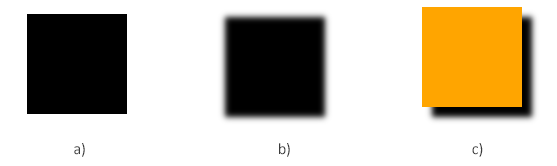
Many SVG assets are more than flat shapes. Brand graphics, illustrations, icons, and diagrams may use gradients and filter effects that must survive rendering to an image or document format.
| Gradient fill | Filter effects |
|---|---|
 |  |
| SVG Gradients – C# Examples | SVG Filters – C# Examples |
These examples demonstrate content that should be included in an evaluation set when an application processes designed artwork rather than simple icons.
Text rendering is one of the first places where an SVG may look different between development and production environments. An SVG can specify a font family and style, but the rendering environment still needs access to the corresponding font resource. CSS inheritance and inline styling can also affect what appears in output files.

If your documents contain branded typography or external styles, include those documents in pre-deployment testing. Use Work with SVG Fonts and Text in C# to learn about font processing, and Fix SVG Styling and Font Issues in C# when output differs between environments.
Use a small representative rendering set before releasing an SVG-processing application:
Aspose.SVG for .NET 25.1 introduced updated image and text rendering properties, including UseAntialiasing and UseHinting. Applications migrating from earlier versions can review
Aspose.SVG for .NET 25.1 – Enhanced Rendering Quality.
| Goal | Guide |
|---|---|
| Convert SVG to output formats in C# | Convert SVG Files in C# |
| Configure SVG-to-image rendering | Convert SVG to Images in C# |
| Resolve fonts, CSS, or browser-vs-output differences | Fix SVG Styling and Font Issues in C# |
| Control fonts, resources, runtime, or network behavior | Environment Configuration |

Analyzing your prompt, please hold on...
An error occurred while retrieving the results. Please refresh the page and try again.