Set Hide Option for Excel Row, Column and Sheet using Dyn-Hide Form
Contents
[
Hide
]
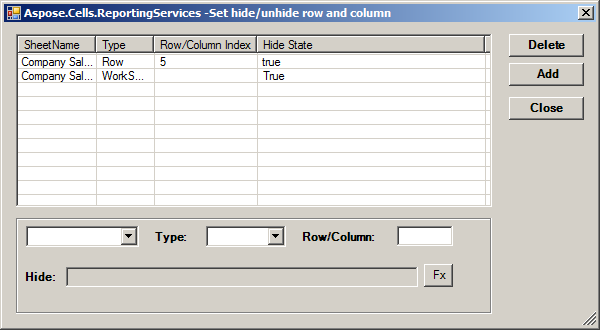
Aspose.Cells for Reporting Services hides any specified row, column and sheet based set in the Hide parameters. The parameters include:
- SheetName represents a worksheet which specifies a hide object.
- Type represents the hide object type. It includes worksheet, row and column.
- Row/Column Index represents the specified hide object. When the type is worksheet, the value is null. Column index supports character. The index value starts from 1.
- Hide State represents the hide state value. The value is true, false or an Excel formula. The parameter only supports Reporting Services report parameters.
Specifying hide options