
إنشاء ملف PDF معقد باستخدام Aspose.PDF
Contents
[
Hide
]
ال مرحبًا، عالم أظهر المثال خطوات بسيطة لإنشاء مستند PDF باستخدام Java و Aspose.PDF. في هذه المقالة، سنلقي نظرة على إنشاء مستند أكثر تعقيدًا باستخدام Java و Aspose.PDF for Java. كمثال، سنأخذ مستندًا من شركة خيالية تشغل خدمات العبارات للركاب. سيتضمن مستندنا صورة، جزئي نص (العنوان والفقرة)، وجدول. لبناء مثل هذا المستند، سنستخدم نهج قائم على DOM. يمكنك قراءة المزيد في القسم أساسيات واجهة برمجة تطبيقات DOM.
إذا أنشأنا مستندًا من الصفر، نحتاج إلى اتباع خطوات معينة:
- إنشاء كائن Document كائن. في هذه الخطوة سننشئ مستند PDF فارغ مع بعض البيانات الوصفية ولكن بدون صفحات.
- أضف صفحة إلى كائن المستند. لذلك، الآن سيكون لدينا مستند بصفحة واحدة.
- لإضافة Image، نقوم بإنشاء FileInputStream، ونحدد المسار إلى الملف الذي نحتاجه. ثم نضيف الصورة إلى المستطيل مع الإحداثيات المحددة.
- إنشاء TextFragment للعنوان. للعنوان سنستخدم خط Arial بحجم 24pt ومحاذاة مركزية.
- إضافة العنوان إلى الصفحة فقرات.
- إنشاء TextFragment للشرح. للشرح سنستخدم الخط Arial بحجم 24pt ومحاذاة مركزية.
- أضف (description) إلى صفحة الفقرات. استخدمنا الخطين “Helvetica” و “Times Roman” في مثالنا، لكن ضع في اعتبارك أن هناك ثلاثة خطوط نظامية فقط في Android:
- عادي (Droid Sans);
- سيريف (Droid Serif);
- مونواسبيس (Droid Sans Mono).
- إنشاء جدول، وإضافة خصائص الجدول.
- إضافة (table) إلى الصفحة فقرات.
- احفظ مستندًا “Complex.pdf”.
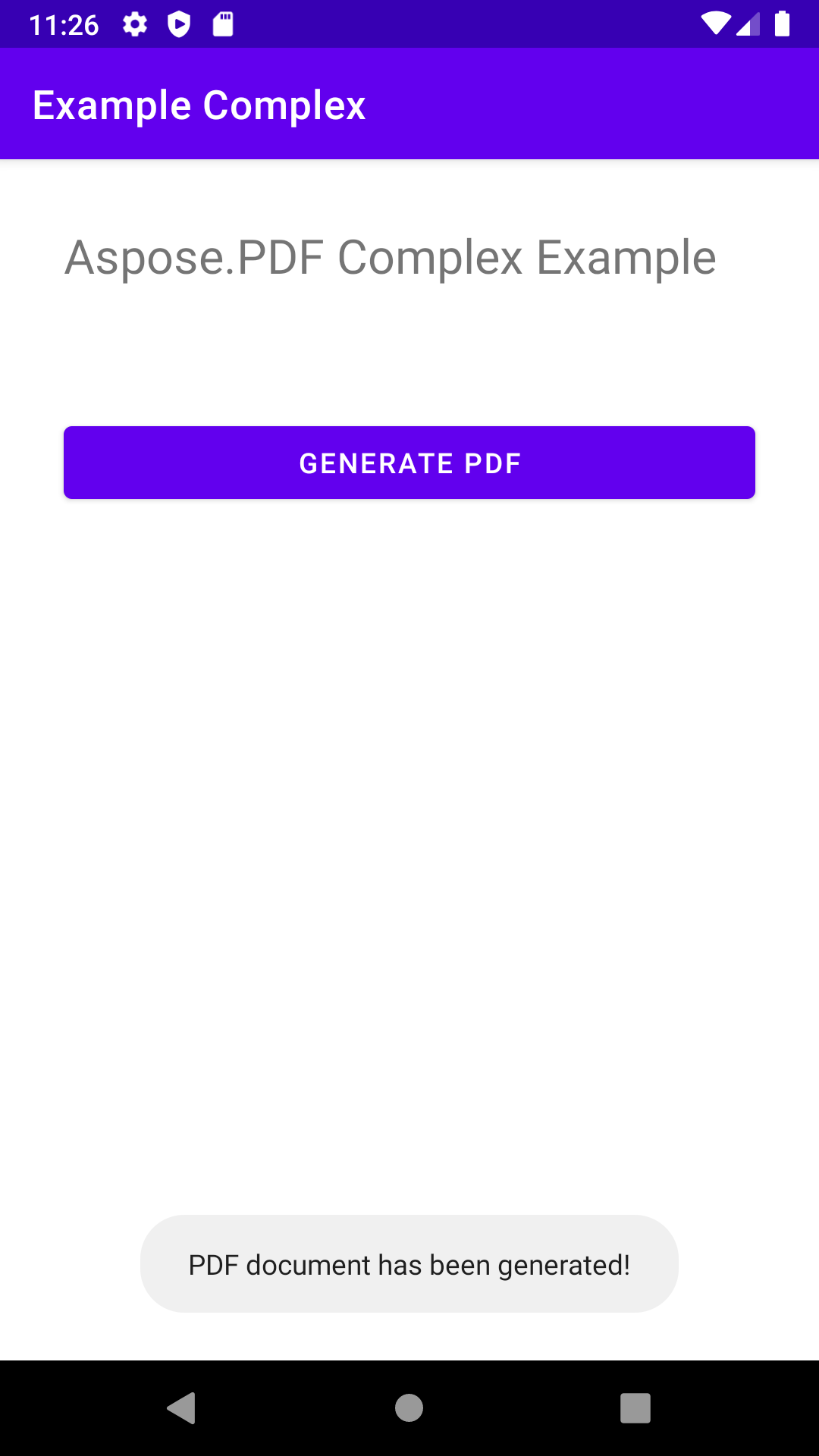
في النهاية، تُعرض نافذة منبثقة بالرسالة “PDF document has been generated!”.
package com.aspose.pdf.examplecomplex;

import androidx.appcompat.app.AppCompatActivity;

import android.os.Bundle;
import android.os.Environment;
import android.widget.Button;
import android.widget.Toast;

import com.aspose.pdf.BorderInfo;
import com.aspose.pdf.BorderSide;
import com.aspose.pdf.Cell;
import com.aspose.pdf.Color;
import com.aspose.pdf.Document;
import com.aspose.pdf.FontRepository;
import com.aspose.pdf.HorizontalAlignment;
import com.aspose.pdf.Page;
import com.aspose.pdf.Position;
import com.aspose.pdf.Rectangle;
import com.aspose.pdf.Row;
import com.aspose.pdf.Table;
import com.aspose.pdf.TextFragment;

import java.io.File;
import java.io.FileInputStream;
import java.time.Duration;
import java.time.LocalTime;

public class MainActivity extends AppCompatActivity {

    Button generate_button;
    File myExternalFile;
    String filepath;
    String filename;

    @Override
    protected void onCreate(Bundle savedInstanceState) {
        super.onCreate(savedInstanceState);
        setContentView(R.layout.activity_main);

        generate_button = (Button) findViewById(R.id.button);
        generate_button.setOnClickListener(v->RunComplexExample());

        if(!isExternalStorageAvailable()||isExternalStorageReadOnly()){
            generate_button.setEnabled(false);
        }
        else{
            filepath = "MyFileStorage";
            filename = "SampleFile.pdf";
            myExternalFile=new File(getExternalFilesDir(filepath), filename);
        }

    }

    private void RunComplexExample() {
        // Initialize document object
        Document document = new Document();

        // Add page
        Page page = document.getPages().add();

        // Add image
        java.io.FileInputStream imageStream = null;
        try {
            imageStream = new FileInputStream("/storage/0F03-0F02/Android/data/com.aspose.pdf.examplecomplex/files/MyFileStorage/logo.png");
        } catch (Exception e) {
            e.printStackTrace();
        }

        // Add image to the page
        page.addImage(imageStream, new Rectangle(20, 730, 120, 830));

        // Add Header
        TextFragment header = new TextFragment("New ferry routes in Fall 2020");
        header.getTextState().setFont(FontRepository.findFont("Helvetica"));
        header.getTextState().setFontSize(24);
        header.setHorizontalAlignment (HorizontalAlignment.Center);
        header.setPosition(new Position(130, 720));
        page.getParagraphs().add(header);

        // Add description
        String descriptionText = "Visitors must buy tickets online and tickets are " +
                "limited to 5,000 per day. Ferry service is operating at half capacity and" +
                " on a reduced schedule. Expect lineups.";

        TextFragment description = new TextFragment(descriptionText);
        description.getTextState().setFont(FontRepository.findFont("Helvetica"));
        description.getTextState().setFontSize(14);
        description.setHorizontalAlignment(HorizontalAlignment.Left);
        page.getParagraphs().add(description);


        // Add table
        Table table = new Table();
        table.setColumnWidths("200");
        table.setBorder(new BorderInfo(BorderSide.Box, 1f, Color.getDarkSlateGray()));
        table.setDefaultCellBorder(new BorderInfo(BorderSide.Box, 0.5f, Color.getBlack()));
        table.getMargin().setBottom(10);
        table.getDefaultCellTextState().setFont(FontRepository.findFont("Times Roman"));

        Row headerRow = table.getRows().add();
        headerRow.getCells().add("Departs City");
        headerRow.getCells().add("Departs Island");


        for (Cell headerRowCell : (Iterable<? extends Cell>) headerRow.getCells())
        {
            headerRowCell.setBackgroundColor(Color.getGray());
            headerRowCell.getDefaultCellTextState()
                    .setForegroundColor(Color.getWhiteSmoke().toRgb());
        }

        LocalTime time = LocalTime.of(6,0);
        Duration incTime = Duration.ofMinutes(30);

        for (int i = 0; i < 10; i++)
        {
            Row dataRow = table.getRows().add();
            dataRow.getCells().add(time.toString());
            time=time.plus(incTime);
            dataRow.getCells().add(time.toString());
        }

        page.getParagraphs().add(table);

        document.save("/storage/0F03-0F02/Android/data/com.aspose.pdf.examplecomplex/files/MyFileStorage/sample.pdf");

        Toast toast = Toast.makeText(MainActivity.this,
                "PDF document has been generated!", Toast.LENGTH_LONG);
        toast.show();
    }

    private static boolean isExternalStorageReadOnly(){
        String extStorageState= Environment.getExternalStorageState();
        return Environment.MEDIA_MOUNTED_READ_ONLY.equals(extStorageState);
    }

    private static boolean isExternalStorageAvailable(){
        String extStorageState=Environment.getExternalStorageState();
        return Environment.MEDIA_MOUNTED.equals(extStorageState);
    }

}
<?xml version="1.0" encoding="utf-8"?>
<LinearLayout xmlns:android="http://schemas.android.com/apk/res/android"
    xmlns:app="http://schemas.android.com/apk/res-auto"
    xmlns:tools="http://schemas.android.com/tools"
    android:layout_width="match_parent"
    android:layout_height="match_parent"
    android:orientation="vertical"
    tools:context=".MainActivity">

    <TextView
        android:layout_width="match_parent"
        android:layout_height="wrap_content"
        android:layout_marginTop="32dp"
        android:layout_marginLeft="32dp"
        android:layout_marginRight="32dp"
        android:text="@string/title"
        android:textSize="24sp"
        android:visibility="visible"
        app:layout_constraintBottom_toBottomOf="parent"
        app:layout_constraintLeft_toLeftOf="parent"
        app:layout_constraintRight_toRightOf="parent"
        app:layout_constraintTop_toTopOf="parent" />

    <Button
        android:id="@+id/button"
        android:layout_width="match_parent"
        android:layout_height="wrap_content"
        android:layout_marginTop="64dp"
        android:layout_marginLeft="32dp"
        android:layout_marginRight="32dp"
        android:text="@string/generate_btn" />

</LinearLayout>