
Aspose.PDF를 사용하여 복잡한 PDF 만들기
Contents
[
Hide
]
그 안녕, 세상 예제에서는 Java와 Aspose.PDF를 사용하여 PDF 문서를 만드는 간단한 단계들을 보여주었습니다. 이 문서에서는 Java와 Aspose.PDF for Java를 사용하여 더 복잡한 문서를 만드는 방법을 살펴보겠습니다. 예시로, 승객 페리 서비스를 운영하는 가상의 회사의 문서를 사용하겠습니다. 우리 문서에는 이미지 하나, 두 개의 텍스트 조각(머리글 및 단락), 그리고 표가 포함됩니다. 이러한 문서를 만들기 위해서는 DOM 기반 접근 방식을 사용할 것입니다. 자세한 내용은 섹션에서 읽을 수 있습니다. DOM API 기본.
문서를 처음부터 만들 경우, 특정 단계를 따라야 합니다:
- 인스턴스화합니다 Document 객체. 이 단계에서는 메타데이터가 포함된 빈 PDF 문서를 페이지 없이 만들 것입니다.
- 추가 페이지 문서 객체에. 따라서 이제 우리의 문서는 한 페이지를 갖게 됩니다.
- 이미지를 추가하기 위해, FileInputStream을 생성하고 필요한 파일의 경로를 지정합니다. 그런 다음 지정된 좌표가 있는 사각형에 그림을 추가합니다.
- 생성 TextFragment 헤더용. 헤더에는 Arial 글꼴을 사용하고 글꼴 크기는 24pt이며 가운데 정렬을 적용합니다.
- 페이지에 헤더 추가 단락.
- 생성 TextFragment 설명을 위해. 설명을 위해 Arial 글꼴을 사용하고 폰트 크기는 24pt이며 가운데 정렬을 적용합니다.
- 페이지에 (description) 단락을 추가합니다. 예시에서는 “Helvetica"와 “Times Roman” 글꼴을 사용했지만, Android에는 시스템 전역 글꼴이 세 가지뿐이라는 점을 기억하세요:
- 일반 (Droid Sans);
- 세리프 (Droid Serif);
- 고정폭 (Droid Sans Mono).
- 표를 만들고, 표 속성을 추가합니다.
- 페이지에 (표)를 추가 단락.
- 문서 “Complex.pdf"를 저장합니다.
끝에 “PDF document has been generated!“라는 메시지가 표시된 팝업이 나타납니다.
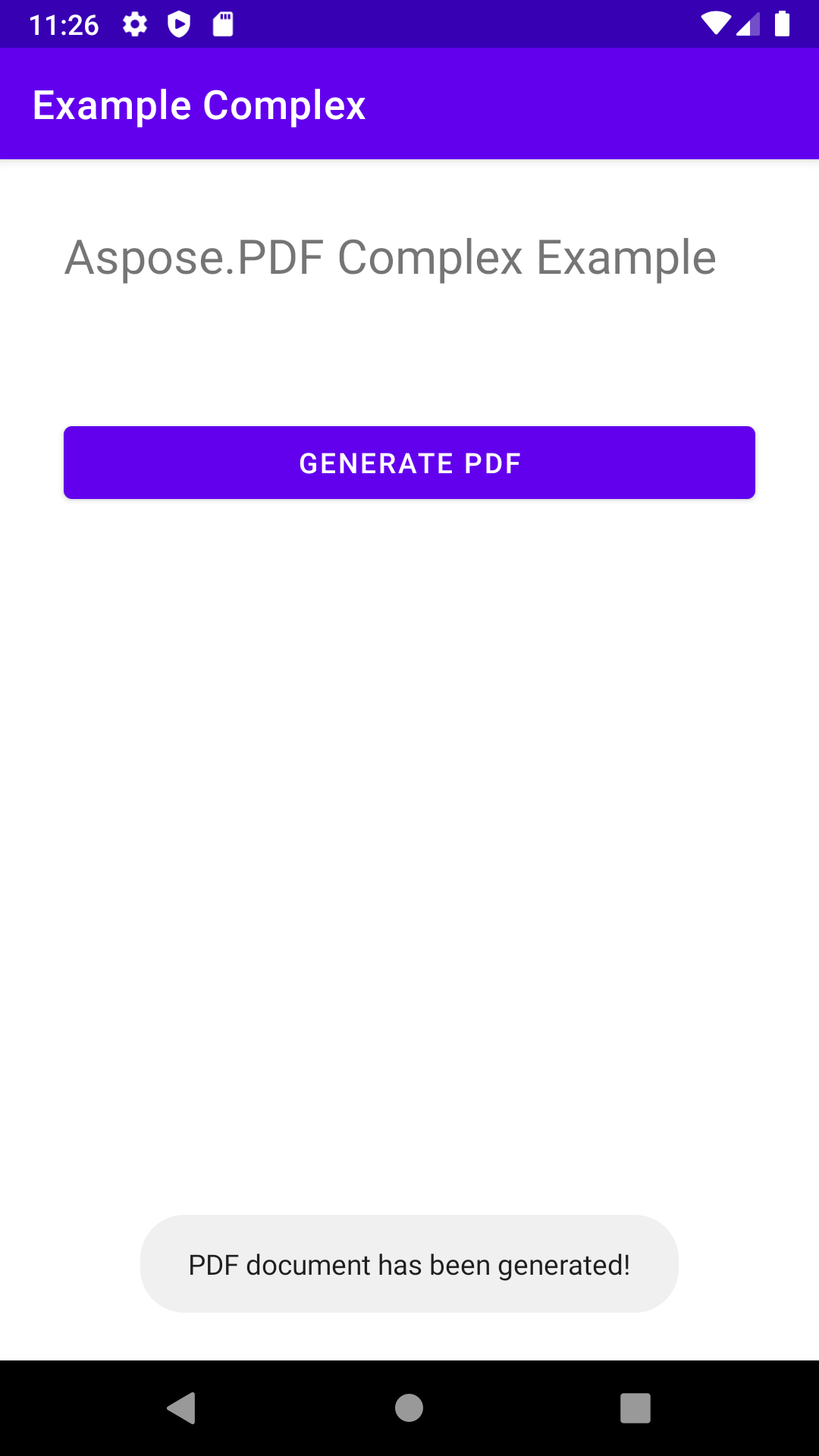
package com.aspose.pdf.examplecomplex;

import androidx.appcompat.app.AppCompatActivity;

import android.os.Bundle;
import android.os.Environment;
import android.widget.Button;
import android.widget.Toast;

import com.aspose.pdf.BorderInfo;
import com.aspose.pdf.BorderSide;
import com.aspose.pdf.Cell;
import com.aspose.pdf.Color;
import com.aspose.pdf.Document;
import com.aspose.pdf.FontRepository;
import com.aspose.pdf.HorizontalAlignment;
import com.aspose.pdf.Page;
import com.aspose.pdf.Position;
import com.aspose.pdf.Rectangle;
import com.aspose.pdf.Row;
import com.aspose.pdf.Table;
import com.aspose.pdf.TextFragment;

import java.io.File;
import java.io.FileInputStream;
import java.time.Duration;
import java.time.LocalTime;

public class MainActivity extends AppCompatActivity {

    Button generate_button;
    File myExternalFile;
    String filepath;
    String filename;

    @Override
    protected void onCreate(Bundle savedInstanceState) {
        super.onCreate(savedInstanceState);
        setContentView(R.layout.activity_main);

        generate_button = (Button) findViewById(R.id.button);
        generate_button.setOnClickListener(v->RunComplexExample());

        if(!isExternalStorageAvailable()||isExternalStorageReadOnly()){
            generate_button.setEnabled(false);
        }
        else{
            filepath = "MyFileStorage";
            filename = "SampleFile.pdf";
            myExternalFile=new File(getExternalFilesDir(filepath), filename);
        }

    }

    private void RunComplexExample() {
        // Initialize document object
        Document document = new Document();

        // Add page
        Page page = document.getPages().add();

        // Add image
        java.io.FileInputStream imageStream = null;
        try {
            imageStream = new FileInputStream("/storage/0F03-0F02/Android/data/com.aspose.pdf.examplecomplex/files/MyFileStorage/logo.png");
        } catch (Exception e) {
            e.printStackTrace();
        }

        // Add image to the page
        page.addImage(imageStream, new Rectangle(20, 730, 120, 830));

        // Add Header
        TextFragment header = new TextFragment("New ferry routes in Fall 2020");
        header.getTextState().setFont(FontRepository.findFont("Helvetica"));
        header.getTextState().setFontSize(24);
        header.setHorizontalAlignment (HorizontalAlignment.Center);
        header.setPosition(new Position(130, 720));
        page.getParagraphs().add(header);

        // Add description
        String descriptionText = "Visitors must buy tickets online and tickets are " +
                "limited to 5,000 per day. Ferry service is operating at half capacity and" +
                " on a reduced schedule. Expect lineups.";

        TextFragment description = new TextFragment(descriptionText);
        description.getTextState().setFont(FontRepository.findFont("Helvetica"));
        description.getTextState().setFontSize(14);
        description.setHorizontalAlignment(HorizontalAlignment.Left);
        page.getParagraphs().add(description);


        // Add table
        Table table = new Table();
        table.setColumnWidths("200");
        table.setBorder(new BorderInfo(BorderSide.Box, 1f, Color.getDarkSlateGray()));
        table.setDefaultCellBorder(new BorderInfo(BorderSide.Box, 0.5f, Color.getBlack()));
        table.getMargin().setBottom(10);
        table.getDefaultCellTextState().setFont(FontRepository.findFont("Times Roman"));

        Row headerRow = table.getRows().add();
        headerRow.getCells().add("Departs City");
        headerRow.getCells().add("Departs Island");


        for (Cell headerRowCell : (Iterable<? extends Cell>) headerRow.getCells())
        {
            headerRowCell.setBackgroundColor(Color.getGray());
            headerRowCell.getDefaultCellTextState()
                    .setForegroundColor(Color.getWhiteSmoke().toRgb());
        }

        LocalTime time = LocalTime.of(6,0);
        Duration incTime = Duration.ofMinutes(30);

        for (int i = 0; i < 10; i++)
        {
            Row dataRow = table.getRows().add();
            dataRow.getCells().add(time.toString());
            time=time.plus(incTime);
            dataRow.getCells().add(time.toString());
        }

        page.getParagraphs().add(table);

        document.save("/storage/0F03-0F02/Android/data/com.aspose.pdf.examplecomplex/files/MyFileStorage/sample.pdf");

        Toast toast = Toast.makeText(MainActivity.this,
                "PDF document has been generated!", Toast.LENGTH_LONG);
        toast.show();
    }

    private static boolean isExternalStorageReadOnly(){
        String extStorageState= Environment.getExternalStorageState();
        return Environment.MEDIA_MOUNTED_READ_ONLY.equals(extStorageState);
    }

    private static boolean isExternalStorageAvailable(){
        String extStorageState=Environment.getExternalStorageState();
        return Environment.MEDIA_MOUNTED.equals(extStorageState);
    }

}
<?xml version="1.0" encoding="utf-8"?>
<LinearLayout xmlns:android="http://schemas.android.com/apk/res/android"
    xmlns:app="http://schemas.android.com/apk/res-auto"
    xmlns:tools="http://schemas.android.com/tools"
    android:layout_width="match_parent"
    android:layout_height="match_parent"
    android:orientation="vertical"
    tools:context=".MainActivity">

    <TextView
        android:layout_width="match_parent"
        android:layout_height="wrap_content"
        android:layout_marginTop="32dp"
        android:layout_marginLeft="32dp"
        android:layout_marginRight="32dp"
        android:text="@string/title"
        android:textSize="24sp"
        android:visibility="visible"
        app:layout_constraintBottom_toBottomOf="parent"
        app:layout_constraintLeft_toLeftOf="parent"
        app:layout_constraintRight_toRightOf="parent"
        app:layout_constraintTop_toTopOf="parent" />

    <Button
        android:id="@+id/button"
        android:layout_width="match_parent"
        android:layout_height="wrap_content"
        android:layout_marginTop="64dp"
        android:layout_marginLeft="32dp"
        android:layout_marginRight="32dp"
        android:text="@string/generate_btn" />

</LinearLayout>