
Création d'un PDF complexe à l'aide d'Aspose.PDF
Le Bonjour, Monde L’exemple présentait des étapes simples pour créer un document PDF en utilisant Java et Aspose.PDF. Dans cet article, nous examinerons la création d’un document plus complexe avec Java et Aspose.PDF pour Java. À titre d’exemple, nous prendrons un document d’une société fictive qui exploite des services de ferries de passagers. Notre document contiendra une image, deux fragments de texte (en-tête et paragraphe) et un tableau. Pour créer un tel document, nous utiliserons une approche basée sur le DOM. Vous pouvez en savoir plus dans la section Bases de l’API DOM.
Si nous créons un document à partir de zéro, nous devons suivre certaines étapes :
- Instancier un Document objet. Dans cette étape, nous créerons un document PDF vide avec quelques métadonnées mais sans pages.
- Ajouter un Page à l’objet document. Ainsi, notre document aura maintenant une page.
- Afin d’ajouter une image, nous créons un FileInputStream, indiquons le chemin du fichier nécessaire. Ensuite, nous ajoutons l’image au rectangle aux coordonnées données.
- Créer un TextFragment Pour l’en-tête. Pour l’en-tête, nous utiliserons la police Arial avec une taille de police de 24 pt et un alignement centré.
- Ajouter l’en-tête à la page Paragraphes.
- Créer un TextFragment pour la description. Pour la description nous utiliserons la police Arial avec une taille de police de 24pt et un alignement centré.
- Ajouter (description) à la page Paragraphes. Nous avons utilisé les polices “Helvetica” et “Times Roman” dans notre exemple, mais gardez à l’esprit qu’il n’existe que trois polices système sous Android :
- normal (Droid Sans);
- serif (Droid Serif) ;
- monospace (Droid Sans Mono).
- Créer un tableau, ajouter les propriétés du tableau.
- Ajouter (table) à la page Paragraphes.
- Enregistrez un document “Complex.pdf”.
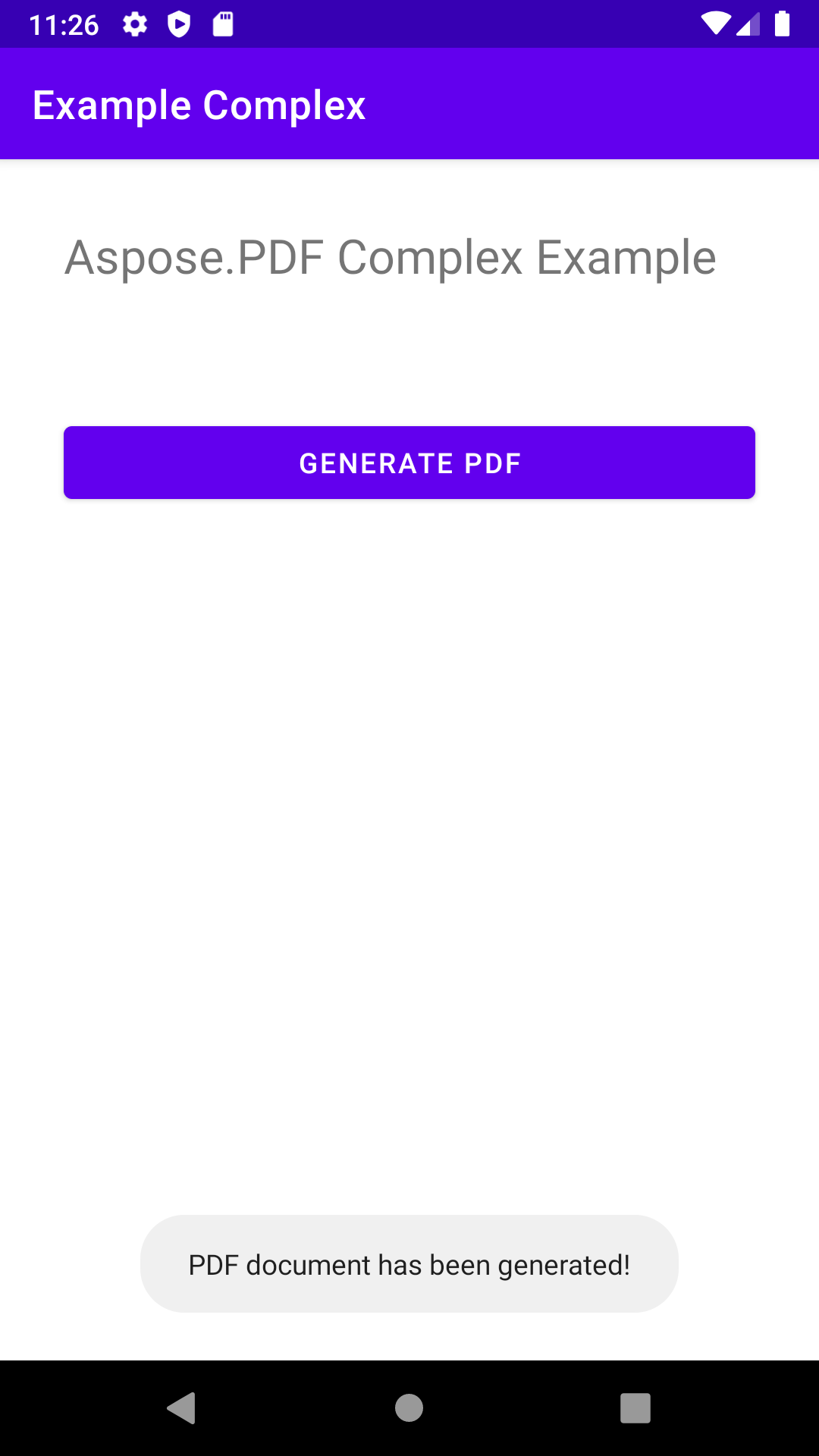
À la fin, une fenêtre contextuelle s’affiche avec le message “PDF document has been generated!”.
package com.aspose.pdf.examplecomplex;

import androidx.appcompat.app.AppCompatActivity;

import android.os.Bundle;
import android.os.Environment;
import android.widget.Button;
import android.widget.Toast;

import com.aspose.pdf.BorderInfo;
import com.aspose.pdf.BorderSide;
import com.aspose.pdf.Cell;
import com.aspose.pdf.Color;
import com.aspose.pdf.Document;
import com.aspose.pdf.FontRepository;
import com.aspose.pdf.HorizontalAlignment;
import com.aspose.pdf.Page;
import com.aspose.pdf.Position;
import com.aspose.pdf.Rectangle;
import com.aspose.pdf.Row;
import com.aspose.pdf.Table;
import com.aspose.pdf.TextFragment;

import java.io.File;
import java.io.FileInputStream;
import java.time.Duration;
import java.time.LocalTime;

public class MainActivity extends AppCompatActivity {

    Button generate_button;
    File myExternalFile;
    String filepath;
    String filename;

    @Override
    protected void onCreate(Bundle savedInstanceState) {
        super.onCreate(savedInstanceState);
        setContentView(R.layout.activity_main);

        generate_button = (Button) findViewById(R.id.button);
        generate_button.setOnClickListener(v->RunComplexExample());

        if(!isExternalStorageAvailable()||isExternalStorageReadOnly()){
            generate_button.setEnabled(false);
        }
        else{
            filepath = "MyFileStorage";
            filename = "SampleFile.pdf";
            myExternalFile=new File(getExternalFilesDir(filepath), filename);
        }

    }

    private void RunComplexExample() {
        // Initialize document object
        Document document = new Document();

        // Add page
        Page page = document.getPages().add();

        // Add image
        java.io.FileInputStream imageStream = null;
        try {
            imageStream = new FileInputStream("/storage/0F03-0F02/Android/data/com.aspose.pdf.examplecomplex/files/MyFileStorage/logo.png");
        } catch (Exception e) {
            e.printStackTrace();
        }

        // Add image to the page
        page.addImage(imageStream, new Rectangle(20, 730, 120, 830));

        // Add Header
        TextFragment header = new TextFragment("New ferry routes in Fall 2020");
        header.getTextState().setFont(FontRepository.findFont("Helvetica"));
        header.getTextState().setFontSize(24);
        header.setHorizontalAlignment (HorizontalAlignment.Center);
        header.setPosition(new Position(130, 720));
        page.getParagraphs().add(header);

        // Add description
        String descriptionText = "Visitors must buy tickets online and tickets are " +
                "limited to 5,000 per day. Ferry service is operating at half capacity and" +
                " on a reduced schedule. Expect lineups.";

        TextFragment description = new TextFragment(descriptionText);
        description.getTextState().setFont(FontRepository.findFont("Helvetica"));
        description.getTextState().setFontSize(14);
        description.setHorizontalAlignment(HorizontalAlignment.Left);
        page.getParagraphs().add(description);


        // Add table
        Table table = new Table();
        table.setColumnWidths("200");
        table.setBorder(new BorderInfo(BorderSide.Box, 1f, Color.getDarkSlateGray()));
        table.setDefaultCellBorder(new BorderInfo(BorderSide.Box, 0.5f, Color.getBlack()));
        table.getMargin().setBottom(10);
        table.getDefaultCellTextState().setFont(FontRepository.findFont("Times Roman"));

        Row headerRow = table.getRows().add();
        headerRow.getCells().add("Departs City");
        headerRow.getCells().add("Departs Island");


        for (Cell headerRowCell : (Iterable<? extends Cell>) headerRow.getCells())
        {
            headerRowCell.setBackgroundColor(Color.getGray());
            headerRowCell.getDefaultCellTextState()
                    .setForegroundColor(Color.getWhiteSmoke().toRgb());
        }

        LocalTime time = LocalTime.of(6,0);
        Duration incTime = Duration.ofMinutes(30);

        for (int i = 0; i < 10; i++)
        {
            Row dataRow = table.getRows().add();
            dataRow.getCells().add(time.toString());
            time=time.plus(incTime);
            dataRow.getCells().add(time.toString());
        }

        page.getParagraphs().add(table);

        document.save("/storage/0F03-0F02/Android/data/com.aspose.pdf.examplecomplex/files/MyFileStorage/sample.pdf");

        Toast toast = Toast.makeText(MainActivity.this,
                "PDF document has been generated!", Toast.LENGTH_LONG);
        toast.show();
    }

    private static boolean isExternalStorageReadOnly(){
        String extStorageState= Environment.getExternalStorageState();
        return Environment.MEDIA_MOUNTED_READ_ONLY.equals(extStorageState);
    }

    private static boolean isExternalStorageAvailable(){
        String extStorageState=Environment.getExternalStorageState();
        return Environment.MEDIA_MOUNTED.equals(extStorageState);
    }

}
<?xml version="1.0" encoding="utf-8"?>
<LinearLayout xmlns:android="http://schemas.android.com/apk/res/android"
    xmlns:app="http://schemas.android.com/apk/res-auto"
    xmlns:tools="http://schemas.android.com/tools"
    android:layout_width="match_parent"
    android:layout_height="match_parent"
    android:orientation="vertical"
    tools:context=".MainActivity">

    <TextView
        android:layout_width="match_parent"
        android:layout_height="wrap_content"
        android:layout_marginTop="32dp"
        android:layout_marginLeft="32dp"
        android:layout_marginRight="32dp"
        android:text="@string/title"
        android:textSize="24sp"
        android:visibility="visible"
        app:layout_constraintBottom_toBottomOf="parent"
        app:layout_constraintLeft_toLeftOf="parent"
        app:layout_constraintRight_toRightOf="parent"
        app:layout_constraintTop_toTopOf="parent" />

    <Button
        android:id="@+id/button"
        android:layout_width="match_parent"
        android:layout_height="wrap_content"
        android:layout_marginTop="64dp"
        android:layout_marginLeft="32dp"
        android:layout_marginRight="32dp"
        android:text="@string/generate_btn" />

</LinearLayout>