
Aspose.PDF を使用して複雑な PDF を作成する
Contents
[
Hide
]
その こんにちは、世界 例では、Java と Aspose.PDF を使用して PDF ドキュメントを作成する簡単な手順を示しました。この記事では、Java と Aspose.PDF for Java を使用して、より複雑なドキュメントを作成する方法を見ていきます。例として、旅客フェリーサービスを運営する架空の会社のドキュメントを使用します。 ドキュメントには画像 1 枚、2 つのテキストフラグメント(ヘッダーと段落)、およびテーブルが含まれます。そのようなドキュメントを作成するには、DOM ベースのアプローチを使用します。詳細はセクションをご参照ください。 DOM API の基本.
最初からドキュメントを作成する場合、特定の手順に従う必要があります:
- インスタンス化する ドキュメント object. このステップでは、メタデータはあるがページのない空の PDF ドキュメントを作成します。
- 追加 ページ ドキュメントオブジェクトに追加します。したがって、今、私たちのドキュメントは1ページになります。
- 画像を追加するために、FileInputStream を作成し、必要なファイルへのパスを指定します。その後、指定された座標の矩形に画像を追加します。
- 作成する TextFragment ヘッダー用です。ヘッダーには Arial フォントをフォントサイズ 24pt で、中央揃えで使用します。
- ページにヘッダーを追加する 段落.
- 作成する TextFragment 説明用です。説明には Arial フォントをフォントサイズ 24pt、センター揃えで使用します。
- ページの段落に (description) を追加します。サンプルでは “Helvetica” と “Times Roman” フォントを使用しましたが、Android にはシステム全体で利用できるフォントが 3 つしかないことに注意してください:
- 標準 (Droid Sans);
- セリフ (Droid Serif);
- 等幅 (Droid Sans Mono).
- テーブルを作成し、テーブルのプロパティを追加します。
- ページに (table) を追加 段落.
- ドキュメント “Complex.pdf” を保存します。
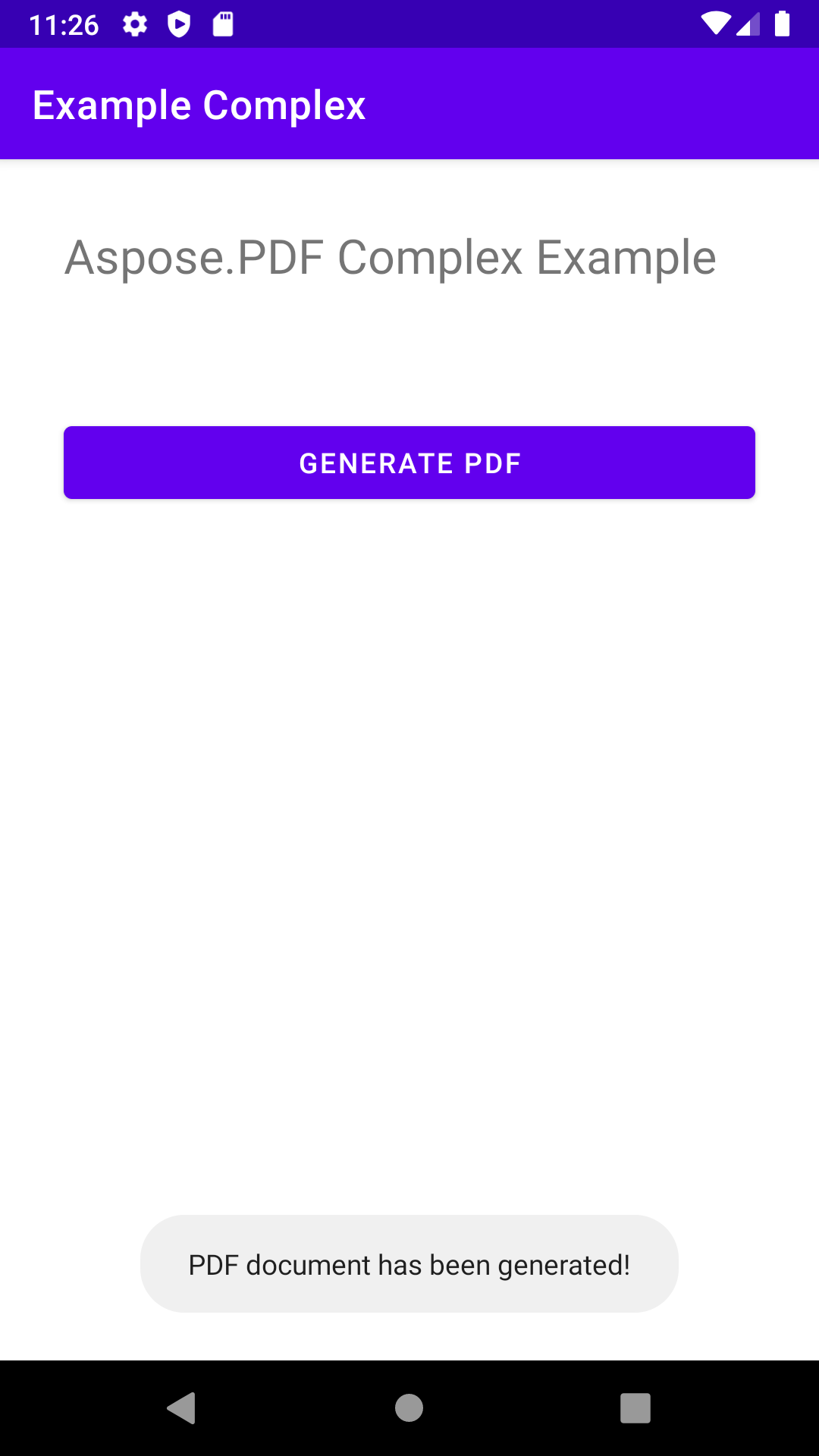
最後に、メッセージ「PDF document has been generated!」というポップアップが表示されます。
package com.aspose.pdf.examplecomplex;

import androidx.appcompat.app.AppCompatActivity;

import android.os.Bundle;
import android.os.Environment;
import android.widget.Button;
import android.widget.Toast;

import com.aspose.pdf.BorderInfo;
import com.aspose.pdf.BorderSide;
import com.aspose.pdf.Cell;
import com.aspose.pdf.Color;
import com.aspose.pdf.Document;
import com.aspose.pdf.FontRepository;
import com.aspose.pdf.HorizontalAlignment;
import com.aspose.pdf.Page;
import com.aspose.pdf.Position;
import com.aspose.pdf.Rectangle;
import com.aspose.pdf.Row;
import com.aspose.pdf.Table;
import com.aspose.pdf.TextFragment;

import java.io.File;
import java.io.FileInputStream;
import java.time.Duration;
import java.time.LocalTime;

public class MainActivity extends AppCompatActivity {

    Button generate_button;
    File myExternalFile;
    String filepath;
    String filename;

    @Override
    protected void onCreate(Bundle savedInstanceState) {
        super.onCreate(savedInstanceState);
        setContentView(R.layout.activity_main);

        generate_button = (Button) findViewById(R.id.button);
        generate_button.setOnClickListener(v->RunComplexExample());

        if(!isExternalStorageAvailable()||isExternalStorageReadOnly()){
            generate_button.setEnabled(false);
        }
        else{
            filepath = "MyFileStorage";
            filename = "SampleFile.pdf";
            myExternalFile=new File(getExternalFilesDir(filepath), filename);
        }

    }

    private void RunComplexExample() {
        // Initialize document object
        Document document = new Document();

        // Add page
        Page page = document.getPages().add();

        // Add image
        java.io.FileInputStream imageStream = null;
        try {
            imageStream = new FileInputStream("/storage/0F03-0F02/Android/data/com.aspose.pdf.examplecomplex/files/MyFileStorage/logo.png");
        } catch (Exception e) {
            e.printStackTrace();
        }

        // Add image to the page
        page.addImage(imageStream, new Rectangle(20, 730, 120, 830));

        // Add Header
        TextFragment header = new TextFragment("New ferry routes in Fall 2020");
        header.getTextState().setFont(FontRepository.findFont("Helvetica"));
        header.getTextState().setFontSize(24);
        header.setHorizontalAlignment (HorizontalAlignment.Center);
        header.setPosition(new Position(130, 720));
        page.getParagraphs().add(header);

        // Add description
        String descriptionText = "Visitors must buy tickets online and tickets are " +
                "limited to 5,000 per day. Ferry service is operating at half capacity and" +
                " on a reduced schedule. Expect lineups.";

        TextFragment description = new TextFragment(descriptionText);
        description.getTextState().setFont(FontRepository.findFont("Helvetica"));
        description.getTextState().setFontSize(14);
        description.setHorizontalAlignment(HorizontalAlignment.Left);
        page.getParagraphs().add(description);


        // Add table
        Table table = new Table();
        table.setColumnWidths("200");
        table.setBorder(new BorderInfo(BorderSide.Box, 1f, Color.getDarkSlateGray()));
        table.setDefaultCellBorder(new BorderInfo(BorderSide.Box, 0.5f, Color.getBlack()));
        table.getMargin().setBottom(10);
        table.getDefaultCellTextState().setFont(FontRepository.findFont("Times Roman"));

        Row headerRow = table.getRows().add();
        headerRow.getCells().add("Departs City");
        headerRow.getCells().add("Departs Island");


        for (Cell headerRowCell : (Iterable<? extends Cell>) headerRow.getCells())
        {
            headerRowCell.setBackgroundColor(Color.getGray());
            headerRowCell.getDefaultCellTextState()
                    .setForegroundColor(Color.getWhiteSmoke().toRgb());
        }

        LocalTime time = LocalTime.of(6,0);
        Duration incTime = Duration.ofMinutes(30);

        for (int i = 0; i < 10; i++)
        {
            Row dataRow = table.getRows().add();
            dataRow.getCells().add(time.toString());
            time=time.plus(incTime);
            dataRow.getCells().add(time.toString());
        }

        page.getParagraphs().add(table);

        document.save("/storage/0F03-0F02/Android/data/com.aspose.pdf.examplecomplex/files/MyFileStorage/sample.pdf");

        Toast toast = Toast.makeText(MainActivity.this,
                "PDF document has been generated!", Toast.LENGTH_LONG);
        toast.show();
    }

    private static boolean isExternalStorageReadOnly(){
        String extStorageState= Environment.getExternalStorageState();
        return Environment.MEDIA_MOUNTED_READ_ONLY.equals(extStorageState);
    }

    private static boolean isExternalStorageAvailable(){
        String extStorageState=Environment.getExternalStorageState();
        return Environment.MEDIA_MOUNTED.equals(extStorageState);
    }

}
<?xml version="1.0" encoding="utf-8"?>
<LinearLayout xmlns:android="http://schemas.android.com/apk/res/android"
    xmlns:app="http://schemas.android.com/apk/res-auto"
    xmlns:tools="http://schemas.android.com/tools"
    android:layout_width="match_parent"
    android:layout_height="match_parent"
    android:orientation="vertical"
    tools:context=".MainActivity">

    <TextView
        android:layout_width="match_parent"
        android:layout_height="wrap_content"
        android:layout_marginTop="32dp"
        android:layout_marginLeft="32dp"
        android:layout_marginRight="32dp"
        android:text="@string/title"
        android:textSize="24sp"
        android:visibility="visible"
        app:layout_constraintBottom_toBottomOf="parent"
        app:layout_constraintLeft_toLeftOf="parent"
        app:layout_constraintRight_toRightOf="parent"
        app:layout_constraintTop_toTopOf="parent" />

    <Button
        android:id="@+id/button"
        android:layout_width="match_parent"
        android:layout_height="wrap_content"
        android:layout_marginTop="64dp"
        android:layout_marginLeft="32dp"
        android:layout_marginRight="32dp"
        android:text="@string/generate_btn" />

</LinearLayout>