Convert PDF to Excel in Go
Aspose.PDF for Go supports converting PDF files to Excel format so you can move tabular or report-based content into a spreadsheet workflow.
Convert PDF to XLSX
Excel provides advanced tools for sorting, filtering, and analyzing data, which makes it more practical than a static PDF when you need to work with extracted business data, reports, invoices, or tables. Converting a PDF to XLSX helps you avoid manual copy operations and gives you a spreadsheet that can be reused in downstream processing or reporting tasks.
Use the Open method to load the source PDF, the SaveXlsX method to export the opened document to Excel format, and the Close method to release the document resources after conversion is complete.
- Use the Open method to load the source PDF file from disk and return a
Documentinstance that represents the file in memory. - Call the SaveXlsX method to convert the opened PDF document to XLSX format and write the generated Excel workbook to the target path.
- Use the Close method after processing to release the native resources associated with the opened PDF document.
  package main

  import "github.com/aspose-pdf/aspose-pdf-go-cpp"
  import "log"

  func main() {
    // Open(filename string) opens a PDF-document with filename
    pdf, err := asposepdf.Open("sample.pdf")
    if err != nil {
      log.Fatal(err)
    }
    // Close() releases allocated resources for PDF-document
    defer pdf.Close()
    // SaveXlsX(filename string) saves previously opened PDF-document as XlsX-document with filename
    err = pdf.SaveXlsX("sample.xlsx")
    if err != nil {
      log.Fatal(err)
    }
  }
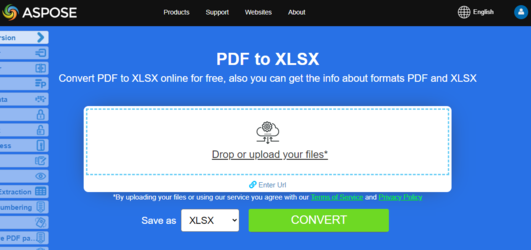
Try to convert PDF to Excel online
Aspose.PDF for Go presents you online free application “PDF to XLSX”, where you may try to investigate the functionality and quality it works.