Python でカーブシェイプを PDF に追加する方法
Contents
[
Hide
]
Curve オブジェクトを追加
.NET 経由の Python 用 Aspose.PDF では追加できます カーブ 図形を PDF ページに変換するには グラフ クラス。
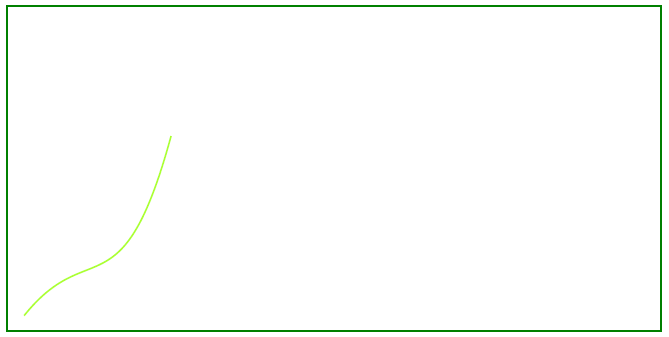
この記事では、アウトラインカーブとフィルカーブの両方を作成する方法を説明します。
以下の手順に従ってください。
- 作成 文書 インスタンス。
- 作成 グラフオブジェクト 特定の寸法で。
- セット 境界 グラフオブジェクト用。
- 追加 グラフ ページの段落コレクションにオブジェクトを追加します。
- PDF ファイルを保存します。
import aspose.pdf as ap
import aspose.pdf.drawing as drawing

def add_curve(outfile: str):
    document = ap.Document()
    page = document.pages.add()
    graph = drawing.Graph(400, 200)
    graph.border = ap.BorderInfo(ap.BorderSide.ALL, ap.Color.green)

    curve1 = drawing.Curve([10, 10, 50, 60, 70, 10, 100, 120])
    curve1.graph_info.color = ap.Color.green_yellow
    graph.shapes.add(curve1)

    page.paragraphs.add(graph)
    document.save(outfile)
以下の図は、コードスニペットを使用して実行した結果を示しています。
塗りつぶされたカーブオブジェクトを作成
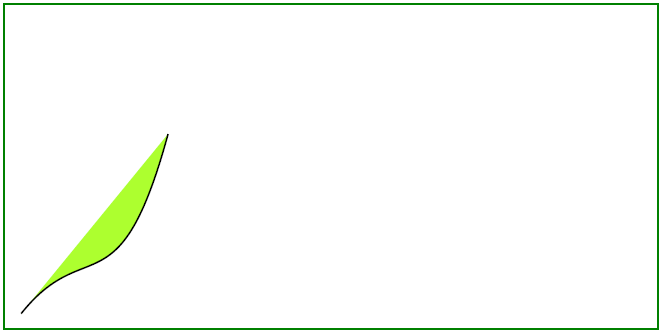
この例は、色で塗りつぶされた Curve オブジェクトを追加する方法を示しています。
import aspose.pdf as ap
import aspose.pdf.drawing as drawing


def add_curve_filled(outfile: str):
    document = ap.Document()
    page = document.pages.add()
    graph = drawing.Graph(400, 200)
    graph.border = ap.BorderInfo(ap.BorderSide.ALL, ap.Color.green)

    curve1 = drawing.Curve([10, 10, 50, 60, 70, 10, 100, 120])
    curve1.graph_info.fill_color = ap.Color.green_yellow
    graph.shapes.add(curve1)

    page.paragraphs.add(graph)
    document.save(outfile)
塗りつぶされた曲線を追加した結果: