
在 Node.js 中将 PDF 转换为图像格式
Node.js 将 PDF 转换为图像
在本文中,我们将向您展示将 PDF 转换为图像格式的选项。
之前扫描的文档通常保存为 PDF 文件格式。不过,您是否需要在图形编辑器中编辑它,或以图像格式进一步发送?我们为您提供了一个通用工具,可使用它将 PDF 转换为图像。 最常见的任务是当您需要将整个 PDF 文档或文档的某些特定页面保存为一组图像时。Aspose for Node.js via C++ 允许您将 PDF 转换为 JPG 和 PNG 格式,以简化从特定 PDF 文件获取图像所需的步骤。
Aspose.PDF for Node.js via C++ 支持各种 PDF 到图像格式的转换。请检查该部分 Aspose.PDF 支持的文件格式.
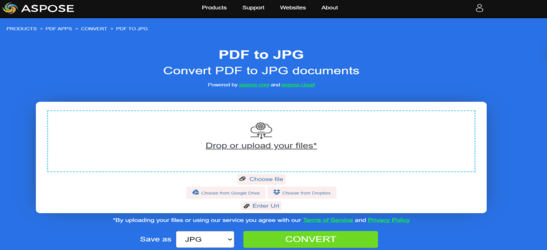
将 PDF 转换为 JPEG
如果您想转换 PDF 文档,可以使用 AsposePdfPagesToJpg 函数。 请查看以下代码片段,以在 Node.js 环境中进行转换。
CommonJS:
- 调用
require并导入asposepdfnodejs模块 作为AsposePdf变量。 - 指定将要转换的 PDF 文件的名称。
- 调用
AsposePdf作为 Promise 并执行文件转换操作。如果成功,则接收该对象。 - 调用函数 AsposePdfPagesToJpg.
- 转换 PDF 文件。因此,如果 ‘json.errorCode’ 为 0,则操作结果保存为 “ResultPdfToJpg{0:D2}.jpg”。其中 {0:D2} 表示两位数格式的页码。图像以 150 DPI 的分辨率保存。如果 json.errorCode 参数不为 0,并且因此在您的文件中出现错误,错误信息将包含在 ‘json.errorText’ 中。
  const AsposePdf = require('asposepdfnodejs');
  const pdf_file = 'Aspose.pdf';
  AsposePdf().then(AsposePdfModule => {
      /*Convert a PDF-file to JPG with template "ResultPdfToJpg{0:D2}.jpg" ({0}, {0:D2}, {0:D3}, ... format page number), resolution 150 DPI and save*/
      const json = AsposePdfModule.AsposePdfPagesToJpg(pdf_file, "ResultPdfToJpg{0:D2}.jpg", 150);
      console.log("AsposePdfPagesToJpg => %O", json.errorCode == 0 ? json.filesNameResult : json.errorText);
  });
ECMAScript/ES6:
- 导入
asposepdfnodejs模块。 - 指定将要转换的 PDF 文件的名称
- 初始化 AsposePdf 模块。如果成功,则接收对象。
- 调用函数 AsposePdfPagesToJpg.
- 转换 PDF 文件。因此,如果 ‘json.errorCode’ 为 0,则操作结果保存为 “ResultPdfToJpg{0:D2}.jpg”。其中 {0:D2} 表示两位数格式的页码。图像以 150 DPI 的分辨率保存。如果 json.errorCode 参数不为 0,并且因此在您的文件中出现错误,错误信息将包含在 ‘json.errorText’ 中。
  import AsposePdf from 'asposepdfnodejs';
  const AsposePdfModule = await AsposePdf();
  const pdf_file = 'Aspose.pdf';
  /*Convert a PDF-file to JPG with template "ResultPdfToJpg{0:D2}.jpg" ({0}, {0:D2}, {0:D3}, ... format page number), resolution 150 DPI and save*/
  const json = AsposePdfModule.AsposePdfPagesToJpg(pdf_file, "ResultPdfToJpg{0:D2}.jpg", 150);
  console.log("AsposePdfPagesToJpg => %O", json.errorCode == 0 ? json.filesNameResult : json.errorText);
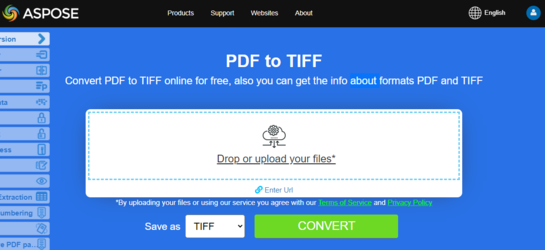
将 PDF 转换为 TIFF
如果您想转换 PDF 文档,可以使用 AsposePdfPagesToTiff 函数。 请查看以下代码片段,以在 Node.js 环境中进行转换。
CommonJS:
- 调用
require并导入asposepdfnodejs模块 作为AsposePdf变量。 - 指定将要转换的 PDF 文件的名称。
- 调用
AsposePdf作为 Promise 并执行文件转换操作。如果成功,则接收该对象。 - 调用函数 AsposePdfPagesToTiff.
- 转换 PDF 文件。因此,如果 ‘json.errorCode’ 为 0,则操作结果保存在 “ResultPdfToTiff{0:D2}.tiff” 中。{0:D2} 表示两位数格式的页码。图像以 150 DPI 的分辨率保存。如果 json.errorCode 参数不为 0,且相应地在您的文件中出现错误,错误信息将包含在 ‘json.errorText’ 中。
  const AsposePdf = require('asposepdfnodejs');
  const pdf_file = 'Aspose.pdf';
  AsposePdf().then(AsposePdfModule => {
      /*Convert a PDF-file to TIFF with template "ResultPdfToTiff{0:D2}.tiff" ({0}, {0:D2}, {0:D3}, ... format page number), resolution 150 DPI and save*/
      const json = AsposePdfModule.AsposePdfPagesToTiff(pdf_file, "ResultPdfToTiff{0:D2}.tiff", 150);
      console.log("AsposePdfPagesToTiff => %O", json.errorCode == 0 ? json.filesNameResult : json.errorText);
  });
ECMAScript/ES6:
- 导入
asposepdfnodejs模块。 - 指定将要转换的 PDF 文件的名称
- 初始化 AsposePdf 模块。如果成功,则接收对象。
- 调用函数 AsposePdfPagesToTiff.
- 转换 PDF 文件。因此,如果 ‘json.errorCode’ 为 0,则操作结果保存在 “ResultPdfToTiff{0:D2}.tiff” 中。{0:D2} 表示两位数格式的页码。图像以 150 DPI 的分辨率保存。如果 json.errorCode 参数不为 0,且相应地在您的文件中出现错误,错误信息将包含在 ‘json.errorText’ 中。
  import AsposePdf from 'asposepdfnodejs';
  const AsposePdfModule = await AsposePdf();
  const pdf_file = 'Aspose.pdf';
  /*Convert a PDF-file to TIFF with template "ResultPdfToTiff{0:D2}.tiff" ({0}, {0:D2}, {0:D3}, ... format page number), resolution 150 DPI and save*/
  const json = AsposePdfModule.AsposePdfPagesToTiff(pdf_file, "ResultPdfToTiff{0:D2}.tiff", 150);
  console.log("AsposePdfPagesToTiff => %O", json.errorCode == 0 ? json.filesNameResult : json.errorText);
尝试在线将 PDF 转换为 PNG
作为我们免费应用程序工作原理的示例,请查看下一个功能。
Aspose.PDF for Node.js 为您提供在线免费应用程序 “PDF 转 PNG”,在这里您可以尝试了解其功能和工作质量。
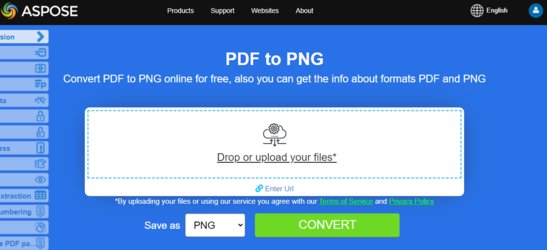
将 PDF 转换为 PNG
如果您想转换 PDF 文档,可以使用 AsposePdfPagesToPng 函数。 请查看以下代码片段,以在 Node.js 环境中进行转换。
CommonJS:
- 调用
require并导入asposepdfnodejs模块 作为AsposePdf变量。 - 指定将要转换的 PDF 文件的名称。
- 调用
AsposePdf作为 Promise 并执行文件转换操作。如果成功,则接收该对象。 - 调用函数 AsposePdfPagesToPng.
- 转换 PDF 文件。因此,如果 ‘json.errorCode’ 为 0,操作结果将保存在 “ResultPdfToPng{0:D2}.png” 中。其中 {0:D2} 表示使用两位数字格式的页码。图像以 150 DPI 的分辨率保存。如果 json.errorCode 参数不为 0,且因此您的文件中出现错误,错误信息将包含在 ‘json.errorText’ 中。
  const AsposePdf = require('asposepdfnodejs');
  const pdf_file = 'Aspose.pdf';
  AsposePdf().then(AsposePdfModule => {
      /*Convert a PDF-file to PNG with template "ResultPdfToPng{0:D2}.png" ({0}, {0:D2}, {0:D3}, ... format page number), resolution 150 DPI and save*/
      const json = AsposePdfModule.AsposePdfPagesToPng(pdf_file, "ResultPdfToPng{0:D2}.png", 150);
      console.log("AsposePdfPagesToPng => %O", json.errorCode == 0 ? json.filesNameResult : json.errorText);
  });
ECMAScript/ES6:
- 导入
asposepdfnodejs模块。 - 指定将要转换的 PDF 文件的名称
- 初始化 AsposePdf 模块。如果成功,则接收对象。
- 调用函数 AsposePdfPagesToPng.
- 转换 PDF 文件。因此,如果 ‘json.errorCode’ 为 0,操作结果将保存在 “ResultPdfToPng{0:D2}.png” 中。其中 {0:D2} 表示使用两位数字格式的页码。图像以 150 DPI 的分辨率保存。如果 json.errorCode 参数不为 0,且因此您的文件中出现错误,错误信息将包含在 ‘json.errorText’ 中。
  import AsposePdf from 'asposepdfnodejs';
  const AsposePdfModule = await AsposePdf();
  const pdf_file = 'Aspose.pdf';
  /*Convert a PDF-file to PNG with template "ResultPdfToPng{0:D2}.png" ({0}, {0:D2}, {0:D3}, ... format page number), resolution 150 DPI and save*/
  const json = AsposePdfModule.AsposePdfPagesToPng(pdf_file, "ResultPdfToPng{0:D2}.png", 150);
  console.log("AsposePdfPagesToPng => %O", json.errorCode == 0 ? json.filesNameResult : json.errorText);
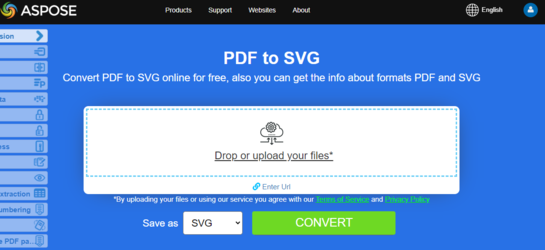
Scalable Vector Graphics (SVG) 是一套基于 XML 的文件格式规范,针对二维矢量图形,涵盖静态和动态图形(交互式或动画)。SVG 规范是一项开放标准,自 1999 年起由万维网联盟(W3C)进行开发。
将 PDF 转换为 SVG
将 PDF 转换为经典 SVG
如果您想转换 PDF 文档,可以使用 AsposePdf页面转Svg 函数。 请查看以下代码片段,以在 Node.js 环境中进行转换。
CommonJS:
- 调用
require并导入asposepdfnodejs模块 作为AsposePdf变量。 - 指定将要转换的 PDF 文件的名称。
- 调用
AsposePdf作为 Promise 并执行文件转换操作。如果成功,则接收该对象。 - 调用函数 AsposePdf页面转Svg.
- 转换 PDF 文件。因此,如果 ‘json.errorCode’ 为 0,则操作结果保存在 “ResultPdfToSvg.svg” 中。如果 json.errorCode 参数不为 0,且相应地在您的文件中出现错误,则错误信息将包含在 ‘json.errorText’ 中。
  const AsposePdf = require('asposepdfnodejs');
  const pdf_file = 'Aspose.pdf';
  AsposePdf().then(AsposePdfModule => {
      /*Convert a PDF-file to SVG and save the "ResultPdfToSvg.svg"*/
      const json = AsposePdfModule.AsposePdfPagesToSvg(pdf_file, "ResultPdfToSvg.svg");
      console.log("AsposePdfPagesToSvg => %O", json.errorCode == 0 ? json.filesNameResult : json.errorText);
  });
ECMAScript/ES6:
- 导入
asposepdfnodejs模块。 - 指定将要转换的 PDF 文件的名称
- 初始化 AsposePdf 模块。如果成功,则接收对象。
- 调用函数 AsposePdf页面转Svg.
- 转换 PDF 文件。因此,如果 ‘json.errorCode’ 为 0,则操作结果保存在 “ResultPdfToSvg.svg” 中。如果 json.errorCode 参数不为 0,且相应地在您的文件中出现错误,则错误信息将包含在 ‘json.errorText’ 中。
  import AsposePdf from 'asposepdfnodejs';
  const AsposePdfModule = await AsposePdf();
  const pdf_file = 'Aspose.pdf';
  /*Convert a PDF-file to SVG and save the "ResultPdfToSvg.svg"*/
  const json = AsposePdfModule.AsposePdfPagesToSvg(pdf_file, "ResultPdfToSvg.svg");
  console.log("AsposePdfPagesToSvg => %O", json.errorCode == 0 ? json.filesNameResult : json.errorText);
将 PDF 转换为压缩的 SVG
如果您想转换 PDF 文档,可以使用 AsposePdfPagesToSvgZip 函数。 请查看以下代码片段,以在 Node.js 环境中进行转换。
CommonJS:
- 调用
require并导入asposepdfnodejs模块 作为AsposePdf变量。 - 指定将要转换的 PDF 文件的名称。
- 调用
AsposePdf作为 Promise 并执行文件转换操作。如果成功,则接收该对象。 - 调用函数 AsposePdfPagesToSvgZip.
- 转换 PDF 文件。因此,如果 ‘json.errorCode’ 为 0,则操作结果保存在 “ResultPdfToSvgZip.zip”。如果 json.errorCode 参数不为 0,并相应地在您的文件中出现错误,错误信息将包含在 ‘json.errorText’ 中。
  const AsposePdf = require('asposepdfnodejs');
  const pdf_file = 'Aspose.pdf';
  AsposePdf().then(AsposePdfModule => {
      /*Convert a PDF-file to SVG(zip) and save the "ResultPdfToSvgZip.zip"*/
      const json = AsposePdfModule.AsposePdfPagesToSvgZip(pdf_file, "ResultPdfToSvgZip.zip");
      console.log("AsposePdfPagesToSvgZip => %O", json.errorCode == 0 ? json.fileNameResult : json.errorText);
  });
ECMAScript/ES6:
- 导入
asposepdfnodejs模块。 - 指定将要转换的 PDF 文件的名称
- 初始化 AsposePdf 模块。如果成功,则接收对象。
- 调用函数 AsposePdfPagesToSvgZip.
- 转换 PDF 文件。因此,如果 ‘json.errorCode’ 为 0,则操作结果保存在 “ResultPdfToSvgZip.zip”。如果 json.errorCode 参数不为 0,并相应地在您的文件中出现错误,错误信息将包含在 ‘json.errorText’ 中。
  import AsposePdf from 'asposepdfnodejs';
  const AsposePdfModule = await AsposePdf();
  const pdf_file = 'Aspose.pdf';
  /*convert a PDF-file to SVG zip and save the "ResultPdfToSvgZip.zip"*/
  const json = AsposePdfModule.AsposePdfPagesToSvgZip(pdf_file, "ResultPdfToSvgZip.zip");
  console.log("AsposePdfPagesToSvgZip => %O", json.errorCode == 0 ? json.fileNameResult : json.errorText)
将 PDF 转换为 DICOM
如果您想转换 PDF 文档,可以使用 AsposePdfPages 转 DICOM 函数。 请查看以下代码片段,以在 Node.js 环境中进行转换。
CommonJS:
- 调用
require并导入asposepdfnodejs模块 作为AsposePdf变量。 - 指定将要转换的 PDF 文件的名称。
- 调用
AsposePdf作为 Promise 并执行文件转换操作。如果成功,则接收该对象。 - 调用函数 AsposePdfPages 转 DICOM.
- 转换 PDF 文件。因此,如果 ‘json.errorCode’ 为 0,操作结果将保存为 “ResultPdfToDICOM{0:D2}.dcm”。其中 {0:D2} 表示两位数格式的页码。图像以 150 DPI 的分辨率保存。如果 json.errorCode 参数不是 0,并且相应地文件中出现错误,则错误信息将包含在 ‘json.errorText’ 中。
  const AsposePdf = require('asposepdfnodejs');
  const pdf_file = 'Aspose.pdf';
  AsposePdf().then(AsposePdfModule => {
      /*Convert a PDF-file to DICOM with template "ResultPdfToDICOM{0:D2}.dcm" ({0}, {0:D2}, {0:D3}, ... format page number), resolution 150 DPI and save*/
      const json = AsposePdfModule.AsposePdfPagesToDICOM(pdf_file, "ResultPdfToDICOM{0:D2}.dcm", 150);
      console.log("AsposePdfPagesToDICOM => %O", json.errorCode == 0 ? json.filesNameResult : json.errorText);
  });
ECMAScript/ES6:
- 导入
asposepdfnodejs模块。 - 指定将要转换的 PDF 文件的名称
- 初始化 AsposePdf 模块。如果成功,则接收对象。
- 调用函数 AsposePdfPages 转 DICOM.
- 转换 PDF 文件。因此,如果 ‘json.errorCode’ 为 0,操作结果将保存为 “ResultPdfToDICOM{0:D2}.dcm”。其中 {0:D2} 表示两位数格式的页码。图像以 150 DPI 的分辨率保存。如果 json.errorCode 参数不是 0,并且相应地文件中出现错误,则错误信息将包含在 ‘json.errorText’ 中。
  import AsposePdf from 'asposepdfnodejs';
  const AsposePdfModule = await AsposePdf();
  const pdf_file = 'Aspose.pdf';
  /*Convert a PDF-file to DICOM with template "ResultPdfToDICOM{0:D2}.dcm" ({0}, {0:D2}, {0:D3}, ... format page number), resolution 150 DPI and save*/
  const json = AsposePdfModule.AsposePdfPagesToDICOM(pdf_file, "ResultPdfToDICOM{0:D2}.dcm", 150);
  console.log("AsposePdfPagesToDICOM => %O", json.errorCode == 0 ? json.filesNameResult : json.errorText);
将 PDF 转换为 BMP
如果您想转换 PDF 文档,可以使用 AsposePdfPagesToBmp 函数。 请查看以下代码片段,以在 Node.js 环境中进行转换。
CommonJS:
- 调用
require并导入asposepdfnodejs模块 作为AsposePdf变量。 - 指定将要转换的 PDF 文件的名称。
- 调用
AsposePdf作为 Promise 并执行文件转换操作。如果成功,则接收该对象。 - 调用函数 AsposePdfPagesToBmp.
- 转换 PDF 文件。因此,如果 ‘json.errorCode’ 为 0,则操作结果保存在 “ResultPdfToBmp{0:D2}.bmp” 中。{0:D2} 表示两位数格式的页码。图像以 150 DPI 的分辨率保存。如果 json.errorCode 参数不为 0,并且相应地在您的文件中出现错误,错误信息将包含在 ‘json.errorText’ 中。
  const AsposePdf = require('asposepdfnodejs');
  const pdf_file = 'Aspose.pdf';
  AsposePdf().then(AsposePdfModule => {
      /*Convert a PDF-file to BMP with template "ResultPdfToBmp{0:D2}.bmp" ({0}, {0:D2}, {0:D3}, ... format page number), resolution 150 DPI and save*/
      const json = AsposePdfModule.AsposePdfPagesToBmp(pdf_file, "ResultPdfToBmp{0:D2}.bmp", 150);
      console.log("AsposePdfPagesToBmp => %O", json.errorCode == 0 ? json.filesNameResult : json.errorText);
  });
ECMAScript/ES6:
- 导入
asposepdfnodejs模块。 - 指定将要转换的 PDF 文件的名称
- 初始化 AsposePdf 模块。如果成功,则接收对象。
- 调用函数 AsposePdfPagesToBmp.
- 转换 PDF 文件。因此,如果 ‘json.errorCode’ 为 0,则操作结果保存在 “ResultPdfToBmp{0:D2}.bmp” 中。{0:D2} 表示两位数格式的页码。图像以 150 DPI 的分辨率保存。如果 json.errorCode 参数不为 0,并且相应地在您的文件中出现错误,错误信息将包含在 ‘json.errorText’ 中。
  import AsposePdf from 'asposepdfnodejs';
  const AsposePdfModule = await AsposePdf();
  const pdf_file = 'Aspose.pdf';
  /*Convert a PDF-file to BMP with template "ResultPdfToBmp{0:D2}.bmp" ({0}, {0:D2}, {0:D3}, ... format page number), resolution 150 DPI and save*/
  const json = AsposePdfModule.AsposePdfPagesToBmp(pdf_file, "ResultPdfToBmp{0:D2}.bmp", 150);
  console.log("AsposePdfPagesToBmp => %O", json.errorCode == 0 ? json.filesNameResult : json.errorText);