

Analyzing your prompt, please hold on...
An error occurred while retrieving the results. Please refresh the page and try again.
Since 2017 the versioning of Aspose.Words for Android via Java complies with Aspose.Words for Java.
Previously, Aspose.Words for Android via Javawas distributed as a single ZIP file that contained the JAR file, demos, and documentation of Aspose.Words for Androidvia Java.
Versions 1.11 and 1.12 were manually divided into two parts: JAR and APK in order to limit the number of methods in the DEX file.In these versions, we provided our own APK loader to initiate the correct loading of the additional classes.dex file. Starting from version 17.2.0 we support the official workflow described here.
Previously, a single JAR of Aspose.Words for Androidvia Java contained 47+ thousand methods which made older versions a little impractical to use in huge android applications. Now starting from this release, we have started to reduce the size of Aspose.Words for Androidvia Javalibrary. Our major concern now is to reduce the number of methods without loss of functionality. We are constantly working on improving the quality and usability of Aspose.Words for Android via Java.
We had divided the library into following two archives:
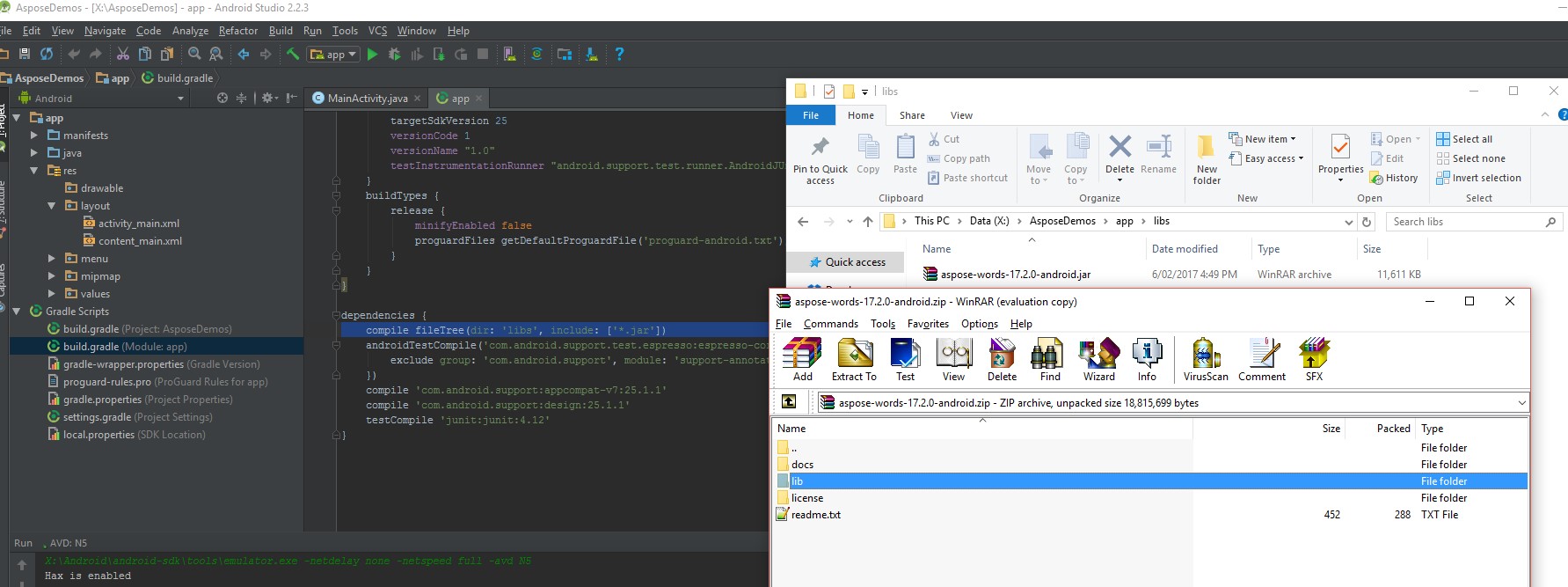
To include Aspose.Words for Androidvia Javainto the project you can use any of the following methods:
AndroidManifest.xml
...
...
<application
    android:allowBackup="true"
    android:icon="@drawable/ic_launcher"
    android:name="com.aspose.words.AsposeWordsApplication"
    android:label="@string/app_name"
    android:theme="@style/AppTheme" >
    <activity
...
...
To initiate a load of .apk file in the onCreate() method and if you do not want to useandroid:name=”com.aspose.words.AsposeWordsApplication”in AndroidManifest.xml
Activity Java file
@Override
protected void onCreate(Bundle savedInstanceState)
{
    super.onCreate(savedInstanceState);

    // load AW manually
    AsposeWordsApplication awapp = new AsposeWordsApplication();

    // this context AW uses to find assets/ folder which contains the second part of the library.
    awapp.loadLibs(getApplicationContext());
    if (!checkIfAWSetUpCorrectly())
            throw new IllegalStateException();
    ...
}
public static boolean checkIfAWSetUpCorrectly()
{
    try
    {
        Class.forName("com.aspose.words.Document");
        return true;
    }
    catch (ClassNotFoundException e)
    {
        e.printStackTrace();
        return false;
    }
}To use Aspose.Words for Androidvia Javain test projects, the same approach can be applied:
AndroidManifest.xml
...
...
<instrumentation
    android:name="com.aspose.words.AsposeWordsTestRunner"
    android:targetPackage="com.aspose.releaseapp" />
...
...
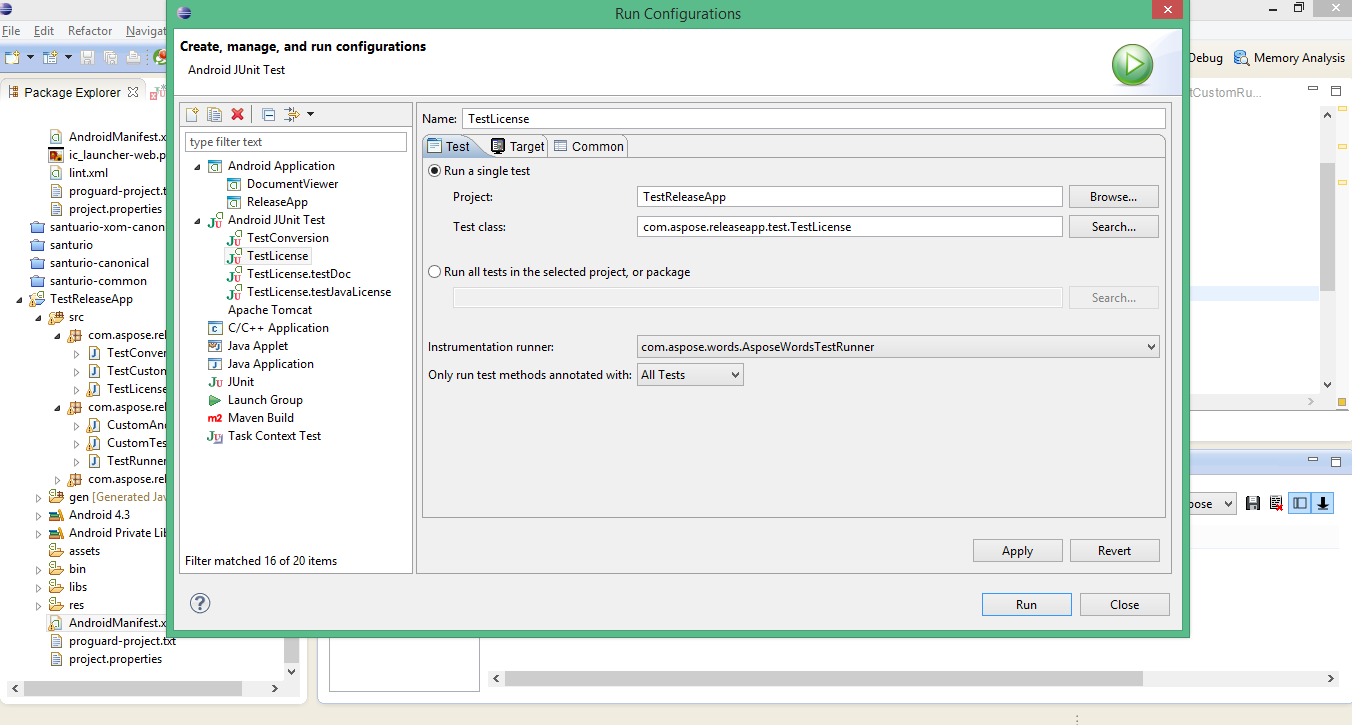
In IDE it might be necessary to indicate AsposeWordsTestRunner in the configuration window as follows:
@Override
public void onStart() {
    new AsposeWordsApplication().loadLibs(getTargetContext());
 // <-- Pass getTargetContext() because aspose-words-1.11-libs-android-jdk15.apk is in the main application's asset folder
    super.onStart();
}
// 1. Add maven repository into your build.gradle
repositories {
    mavenCentral()
    maven { url "https://repository.aspose.com/words/" }
}

// 2. Add 'Aspose.Words for Android via Java' JAR as a dependency
dependencies {
    ...
    ...
    compile (group: 'com.aspose', name: 'aspose-words', version: '20.2', classifier: 'android.via.java')
}
Analyzing your prompt, please hold on...
An error occurred while retrieving the results. Please refresh the page and try again.