

Analyzing your prompt, please hold on...
An error occurred while retrieving the results. Please refresh the page and try again.
Three types of validations can be applied using Aspose.Cells.GridWeb:
Each is discussed in detail below.
List validation allows users to provide cell input either by typing or selecting a value from a menu. To create a list validation for a cell:
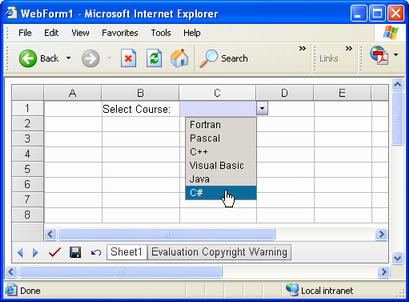
The example code adds a list validation to C1. When a user clicks the cell, a list appears.
Output: Selecting a value from the list
Drop‑down list validation allows users to provide input for cells by selecting a value from a pre‑defined list. To create a drop‑down list validation:
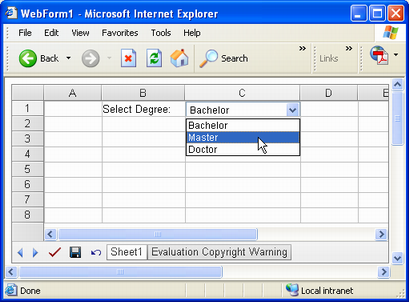
The example code adds a drop‑down list validation to C1. When a user clicks the cell, a drop‑down appears and users can select a value from it.
Selecting a value from a drop‑down
Custom expression validation allows developers to write their own regular expressions to validate input values. To create a custom expression validation:
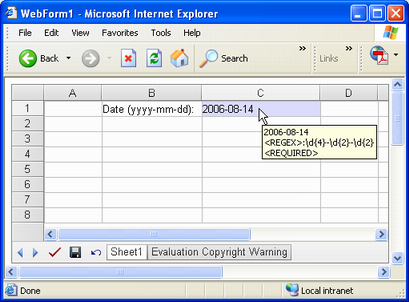
The sample code adds a custom expression validation to C1. Users can only add a date to the cell in the format specified by the regular expression.
Adding a date value to C1 according to a regular expression
Using Aspose.Cells.GridWeb, users may post input data to a server. Even if there are validation rules for different cells, but the GridWeb control’s ForceValidation property is not set to true, invalid input data will still be submitted to the server, and validation will not be enforced. The GridWeb’s ForceValidation property is set to true by default.
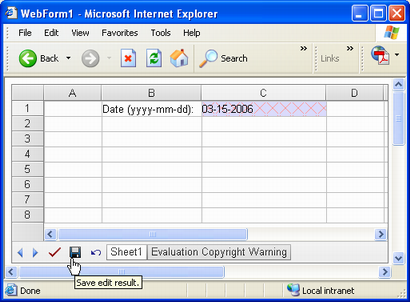
When the ForceValidation property is true, the control does not post data to the web server until the input values of all cells are valid. For example, if someone enters an invalid input value into a cell, or doesn’t enter a value, client‑side validation is activated and users cannot post data even if they click Submit.
Wrong input value highlighted by GridWeb

Analyzing your prompt, please hold on...
An error occurred while retrieving the results. Please refresh the page and try again.