在 Python 中合并 PDF 文件
Contents
[
Hide
]
在 Python 中将多个 PDF 合并或组合为单个 PDF
合并 PDF 文件是用户非常常见的查询。这在您有多个 PDF 文件想要共享或一起存储为一个文档时非常有用。
合并 PDF 文件可以帮助您组织文档,为电脑腾出存储空间,并通过将多个 PDF 文件合并为一个文档与他人共享。
在 Python via .NET 中合并 PDF 并非一项直接的任务,除非使用第三方库。 本文展示了如何使用 Aspose.PDF for Python via .NET 将多个 PDF 文件合并为一个 PDF 文档。
使用 Python 和 DOM 合并 PDF 文件
合并两个 PDF 文件:
- 创建一个新文档。
- 合并 PDF 文件
- 保存合并文档
将多个 PDF 文档合并为单个文件:
import sys
import aspose.pdf as ap
from os import path


def merge_two_documents(infile1, infile2, outfile):
    document1 = ap.Document(infile1)
    document2 = ap.Document(infile2)
    document1.pages.add(document2.pages)
    document1.save(outfile)
将一个 PDF 的页面范围追加到另一个 PDF
使用 Aspose.PDF for Python 将源 PDF 文档的特定页面范围复制并追加到目标 PDF 文档。
- 使用 Document 类打开 PDF 文件。
- 检查源文档是否有页面。
- 验证页面范围。
- 如果起始页大于结束页,则跳过此操作。
- 遍历页面范围。
- 将页面追加到目标文档。
import sys
import aspose.pdf as ap
from os import path


def _append_page_range(source_document, destination_document, start_page, end_page):
    total_pages = len(source_document.pages)
    if total_pages == 0:
        return

    start = max(1, start_page)
    end = min(end_page, total_pages)
    if start > end:
        return

    for page_number in range(start, end + 1):
        destination_document.pages.add(source_document.pages[page_number])
合并多个 PDF 文档为一个
此代码片段说明了如何将多个 PDF 文件合并为一个文档:
- 创建一个空的输出文档。
- 遍历输入文件。
- 加载每个源文档。
- 确定页面范围。
- 将页面追加到输出文档。
- 对所有文档重复此操作。
- 保存合并后的 PDF。
import sys
import aspose.pdf as ap
from os import path


def merge_multiple_documents(input_files, outfile):
    output_document = ap.Document()

    for input_file in input_files:
        source_document = ap.Document(input_file)
        _append_page_range(
            source_document, output_document, 1, len(source_document.pages)
        )

    output_document.save(outfile)
合并多个 PDF 中选定的页面范围
- 加载源 PDF 文档。
- 创建输出文档。
- 为每个文档定义页面范围。
- 从第一个文档追加页面。
- 将第二个文档的页面追加。
- 按所需顺序合并页面。
- 保存合并后的 PDF。
import sys
import aspose.pdf as ap
from os import path


def merge_selected_page_ranges(infile1, infile2, outfile):
    document1 = ap.Document(infile1)
    document2 = ap.Document(infile2)
    output_document = ap.Document()

    _append_page_range(document1, output_document, 1, 2)
    _append_page_range(document2, output_document, 2, 3)

    output_document.save(outfile)
在特定位置将一个 PDF 插入另一个 PDF
- 加载基文件并插入文档。
- 创建输出文档。
- 确定基础文档的总页数。
- 验证插入索引。
- 在插入点之前追加页面。
- 将插入文档的所有页面追加。
- 将基文档的剩余页面追加。
- 保存生成的 PDF。
import sys
import aspose.pdf as ap
from os import path


def merge_insert_document_at_position(infile1, infile2, insert_after_page, outfile):
    base_document = ap.Document(infile1)
    insert_document = ap.Document(infile2)
    output_document = ap.Document()

    base_total_pages = len(base_document.pages)
    insert_index = max(0, min(insert_after_page, base_total_pages))

    _append_page_range(base_document, output_document, 1, insert_index)
    _append_page_range(insert_document, output_document, 1, len(insert_document.pages))
    _append_page_range(
        base_document, output_document, insert_index + 1, base_total_pages
    )

    output_document.save(outfile)
交替页合并 PDF
此示例演示了如何使用 Aspose.PDF for Python 通过交替页面合并两个 PDF 文档。
- 加载输入 PDF 文档。
- 创建输出文档。
- 获取每个文档的页数。
- 计算最大页数。
- 遍历页码。
- 交替追加页面。
- 处理不等页数。
- 保存合并后的 PDF。
import sys
import aspose.pdf as ap
from os import path


def merge_alternating_pages(infile1, infile2, outfile):
    document1 = ap.Document(infile1)
    document2 = ap.Document(infile2)
    output_document = ap.Document()

    document1_pages = len(document1.pages)
    document2_pages = len(document2.pages)
    max_pages = max(document1_pages, document2_pages)

    for page_number in range(1, max_pages + 1):
        if page_number <= document1_pages:
            output_document.pages.add(document1.pages[page_number])
        if page_number <= document2_pages:
            output_document.pages.add(document2.pages[page_number])

    output_document.save(outfile)
合并带有章节分隔符和书签的 PDF
使用 Aspose.PDF for Python 将多个 PDF 文档合并为单个文件,并包含结构化章节和导航书签。
- 创建输出文档。
- 遍历输入文件。
- 加载源文档。
- 添加一个分隔页。
- 创建章节书签。
- 追加源文档页面。
- 跟踪第一页内容。
- 添加嵌套内容书签(可选)。
- 对所有文档重复此操作。
- 保存合并后的 PDF。
import sys
import aspose.pdf as ap
from os import path


def merge_with_section_separators_and_bookmarks(input_files, outfile):
    output_document = ap.Document()

    for section_index, input_file in enumerate(input_files, start=1):
        source_document = ap.Document(input_file)
        source_page_count = len(source_document.pages)

        separator_page = output_document.pages.add()
        separator_page.paragraphs.add(
            ap.text.TextFragment(
                f"Section {section_index}: {path.basename(input_file)}"
            )
        )

        section_bookmark = ap.OutlineItemCollection(output_document.outlines)
        section_bookmark.title = f"Section {section_index}"
        section_bookmark.action = ap.annotations.GoToAction(separator_page)
        output_document.outlines.append(section_bookmark)

        first_content_page_number = len(output_document.pages) + 1
        _append_page_range(source_document, output_document, 1, source_page_count)

        if source_page_count > 0 and first_content_page_number <= len(
            output_document.pages
        ):
            content_bookmark = ap.OutlineItemCollection(output_document.outlines)
            content_bookmark.title = f"Section {section_index} Content"
            content_bookmark.action = ap.annotations.GoToAction(
                output_document.pages[first_content_page_number]
            )
            section_bookmark.append(content_bookmark)

    output_document.save(outfile)
实时示例
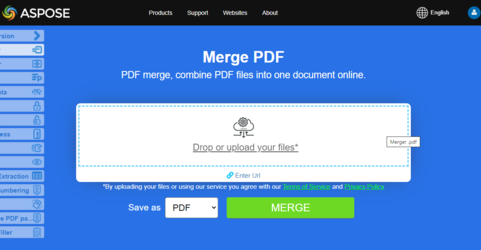
Aspose.PDF 合并器 是一个免费在线网络应用程序,允许您调查演示合并功能的工作原理。