파이썬으로 PDF 파일 병합
Contents
[
Hide
]
파이썬에서 여러 PDF를 단일 PDF로 병합 또는 결합
PDF 파일을 결합하는 것은 사용자들 사이에서 매우 인기 있는 쿼리입니다. 이는 여러 PDF 파일을 하나의 문서로 공유하거나 함께 저장하려는 경우에 유용할 수 있습니다.
PDF 파일을 병합하면 문서를 구성하고, PC에 저장할 공간을 확보하고, 여러 PDF 파일을 하나의 문서로 결합하여 다른 사람들과 공유할 수 있습니다.
.NET을 통해 Python에서 PDF를 병합하는 것은 타사 라이브러리를 사용하지 않고는 간단한 작업이 아닙니다. 이 문서에서는.NET을 통해 Python용 Aspose.PDF 를 사용하여 여러 PDF 파일을 단일 PDF 문서로 병합하는 방법을 보여줍니다.
파이썬과 DOM을 사용하여 PDF 파일 병합
두 PDF 파일을 연결하려면:
- 새 문서 만들기.
- PDF 파일 병합
- 병합된 문서 저장
여러 PDF 문서를 단일 파일로 결합:
import sys
import aspose.pdf as ap
from os import path


def merge_two_documents(infile1, infile2, outfile):
    document1 = ap.Document(infile1)
    document2 = ap.Document(infile2)
    document1.pages.add(document2.pages)
    document1.save(outfile)
한 PDF에서 다른 PDF로 페이지 범위 추가
Python용 Aspose.PDF 를 사용하여 소스 PDF 문서의 특정 페이지 범위를 대상 PDF 문서에 복사하고 추가합니다.
- 문서 클래스를 사용하여 PDF 파일을 엽니다.
- 원본 문서에 페이지가 있는지 확인합니다.
- 페이지 범위를 확인합니다.
- 시작 페이지가 종료 페이지보다 큰 경우 작업을 건너뛰십시오.
- 페이지 범위를 반복하세요.
- 대상 문서에 페이지를 추가합니다.
import sys
import aspose.pdf as ap
from os import path


def _append_page_range(source_document, destination_document, start_page, end_page):
    total_pages = len(source_document.pages)
    if total_pages == 0:
        return

    start = max(1, start_page)
    end = min(end_page, total_pages)
    if start > end:
        return

    for page_number in range(start, end + 1):
        destination_document.pages.add(source_document.pages[page_number])
여러 PDF 문서를 하나로 병합
이 코드 스니펫은 여러 PDF 파일을 단일 문서로 병합하는 방법을 설명합니다.
- 빈 출력 문서를 생성합니다.
- 입력 파일을 반복합니다.
- 각 소스 문서를 로드합니다.
- 페이지 범위를 결정합니다.
- 출력 문서에 페이지를 추가합니다.
- 모든 문서에 대해 이 작업을 반복합니다.
- 병합된 PDF를 저장합니다.
import sys
import aspose.pdf as ap
from os import path


def merge_multiple_documents(input_files, outfile):
    output_document = ap.Document()

    for input_file in input_files:
        source_document = ap.Document(input_file)
        _append_page_range(
            source_document, output_document, 1, len(source_document.pages)
        )

    output_document.save(outfile)
여러 PDF에서 선택한 페이지 범위 병합
- 원본 PDF 문서를 로드합니다.
- 출력 문서를 생성합니다.
- 각 문서의 페이지 범위를 정의합니다.
- 첫 번째 문서의 페이지를 추가합니다.
- 두 번째 문서의 페이지를 추가합니다.
- 원하는 순서로 페이지를 결합합니다.
- 병합된 PDF를 저장합니다.
import sys
import aspose.pdf as ap
from os import path


def merge_selected_page_ranges(infile1, infile2, outfile):
    document1 = ap.Document(infile1)
    document2 = ap.Document(infile2)
    output_document = ap.Document()

    _append_page_range(document1, output_document, 1, 2)
    _append_page_range(document2, output_document, 2, 3)

    output_document.save(outfile)
특정 위치에 한 PDF를 다른 PDF에 삽입
- 베이스를 로드하고 문서를 삽입합니다.
- 출력 문서를 생성합니다.
- 기본 문서의 전체 페이지 수를 결정합니다.
- 삽입 색인의 유효성을 검사합니다.
- 삽입점 앞에 페이지를 추가합니다.
- 삽입 문서의 모든 페이지를 추가합니다.
- 기본 문서의 나머지 페이지를 추가합니다.
- 결과 PDF를 저장합니다.
import sys
import aspose.pdf as ap
from os import path


def merge_insert_document_at_position(infile1, infile2, insert_after_page, outfile):
    base_document = ap.Document(infile1)
    insert_document = ap.Document(infile2)
    output_document = ap.Document()

    base_total_pages = len(base_document.pages)
    insert_index = max(0, min(insert_after_page, base_total_pages))

    _append_page_range(base_document, output_document, 1, insert_index)
    _append_page_range(insert_document, output_document, 1, len(insert_document.pages))
    _append_page_range(
        base_document, output_document, insert_index + 1, base_total_pages
    )

    output_document.save(outfile)
페이지를 번갈아 가며 PDF 병합
이 예제에서는 Python용 Aspose.PDF 를 사용하여 두 PDF 문서의 페이지를 번갈아 병합하는 방법을 보여줍니다.
- 입력 PDF 문서를 로드합니다.
- 출력 문서를 생성합니다.
- 각 문서의 페이지 수를 구합니다.
- 최대 페이지 수를 계산합니다.
- 페이지 번호를 반복해서 살펴보세요.
- 페이지를 번갈아 추가합니다.
- 페이지 수가 같지 않은 경우 처리
- 병합된 PDF를 저장합니다.
import sys
import aspose.pdf as ap
from os import path


def merge_alternating_pages(infile1, infile2, outfile):
    document1 = ap.Document(infile1)
    document2 = ap.Document(infile2)
    output_document = ap.Document()

    document1_pages = len(document1.pages)
    document2_pages = len(document2.pages)
    max_pages = max(document1_pages, document2_pages)

    for page_number in range(1, max_pages + 1):
        if page_number <= document1_pages:
            output_document.pages.add(document1.pages[page_number])
        if page_number <= document2_pages:
            output_document.pages.add(document2.pages[page_number])

    output_document.save(outfile)
섹션 구분자 및 책갈피로 PDF 병합
Python용 Aspose.PDF 를 사용하여 여러 PDF 문서를 구조화된 섹션 및 탐색 북마크가 있는 단일 파일로 병합합니다.
- 출력 문서를 생성합니다.
- 입력 파일을 반복합니다.
- 소스 문서를 로드합니다.
- 구분선 페이지를 추가합니다.
- 섹션 북마크를 생성합니다.
- 소스 문서 페이지를 추가합니다.
- 첫 번째 콘텐츠 페이지를 추적합니다.
- 중첩된 콘텐츠 북마크를 추가합니다 (선택 사항).
- 모든 문서에 대해 이 작업을 반복합니다.
- 병합된 PDF를 저장합니다.
import sys
import aspose.pdf as ap
from os import path


def merge_with_section_separators_and_bookmarks(input_files, outfile):
    output_document = ap.Document()

    for section_index, input_file in enumerate(input_files, start=1):
        source_document = ap.Document(input_file)
        source_page_count = len(source_document.pages)

        separator_page = output_document.pages.add()
        separator_page.paragraphs.add(
            ap.text.TextFragment(
                f"Section {section_index}: {path.basename(input_file)}"
            )
        )

        section_bookmark = ap.OutlineItemCollection(output_document.outlines)
        section_bookmark.title = f"Section {section_index}"
        section_bookmark.action = ap.annotations.GoToAction(separator_page)
        output_document.outlines.append(section_bookmark)

        first_content_page_number = len(output_document.pages) + 1
        _append_page_range(source_document, output_document, 1, source_page_count)

        if source_page_count > 0 and first_content_page_number <= len(
            output_document.pages
        ):
            content_bookmark = ap.OutlineItemCollection(output_document.outlines)
            content_bookmark.title = f"Section {section_index} Content"
            content_bookmark.action = ap.annotations.GoToAction(
                output_document.pages[first_content_page_number]
            )
            section_bookmark.append(content_bookmark)

    output_document.save(outfile)
라이브 예제
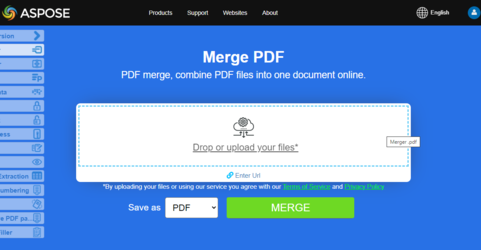
Aspose.PDF 합병 프레젠테이션 병합 기능이 어떻게 작동하는지 조사할 수 있는 온라인 무료 웹 응용 프로그램입니다.