Merge PDF Files in Python
Merge or combine multiple PDF into single PDF in Python
Combining PDF files is a very popular query among users This can be useful when you have several PDF files that you want to share or store together as one document.
Merging PDF files can help you organize your documents, make room for storage on your PC, and share several PDF files with others by combining them into one document.
Merging PDF in Python via .NET is not straightforward task without using 3rd party library. This article shows how to merge multiple PDF files into a single PDF document using Aspose.PDF for Python via .NET.
Merge PDF Files using Python and DOM
To concatenate two PDF files:
- Create a New Document.
- Merge the PDF Files
- Save the Merged Document
Combining multiple PDF documents into a single file:
import sys
import aspose.pdf as ap
from os import path


def merge_two_documents(infile1, infile2, outfile):
    document1 = ap.Document(infile1)
    document2 = ap.Document(infile2)
    document1.pages.add(document2.pages)
    document1.save(outfile)
Append a Page Range from One PDF to Another
Copy and append a specific range of pages from a source PDF document to a destination PDF document using Aspose.PDF for Python.
- Open the PDF files using the Document class.
- Check if the source document has pages.
- Validate the page range.
- Skip the operation if the start page is greater than the end page.
- Iterate through the page range.
- Append pages to the destination document.
import sys
import aspose.pdf as ap
from os import path


def _append_page_range(source_document, destination_document, start_page, end_page):
    total_pages = len(source_document.pages)
    if total_pages == 0:
        return

    start = max(1, start_page)
    end = min(end_page, total_pages)
    if start > end:
        return

    for page_number in range(start, end + 1):
        destination_document.pages.add(source_document.pages[page_number])
Merge Multiple PDF Documents into One
This code snippet explains how to merge multiple PDF files into a single document:
- Create an empty output document.
- Iterate through input files.
- Load each source document.
- Determine page range.
- Append pages to the output document.
- Repeat for all documents.
- Save the merged PDF.
import sys
import aspose.pdf as ap
from os import path


def merge_multiple_documents(input_files, outfile):
    output_document = ap.Document()

    for input_file in input_files:
        source_document = ap.Document(input_file)
        _append_page_range(
            source_document, output_document, 1, len(source_document.pages)
        )

    output_document.save(outfile)
Merge Selected Page Ranges from Multiple PDF
- Load the source PDF documents.
- Create an output document.
- Define page ranges for each document.
- Append pages from the first document.
- Append pages from the second document.
- Combine pages in desired order.
- Save the merged PDF.
import sys
import aspose.pdf as ap
from os import path


def merge_selected_page_ranges(infile1, infile2, outfile):
    document1 = ap.Document(infile1)
    document2 = ap.Document(infile2)
    output_document = ap.Document()

    _append_page_range(document1, output_document, 1, 2)
    _append_page_range(document2, output_document, 2, 3)

    output_document.save(outfile)
Insert One PDF into Another at a Specific Position
- Load the base and insert documents.
- Create an output document.
- Determine total pages in the base document.
- Validate the insertion index.
- Append pages before the insertion point.
- Append all pages from the insert document.
- Append remaining pages from the base document.
- Save the resulting PDF.
import sys
import aspose.pdf as ap
from os import path


def merge_insert_document_at_position(infile1, infile2, insert_after_page, outfile):
    base_document = ap.Document(infile1)
    insert_document = ap.Document(infile2)
    output_document = ap.Document()

    base_total_pages = len(base_document.pages)
    insert_index = max(0, min(insert_after_page, base_total_pages))

    _append_page_range(base_document, output_document, 1, insert_index)
    _append_page_range(insert_document, output_document, 1, len(insert_document.pages))
    _append_page_range(
        base_document, output_document, insert_index + 1, base_total_pages
    )

    output_document.save(outfile)
Merge PDFs by Alternating Pages
This example demonstrates how to merge two PDF documents by alternating their pages using Aspose.PDF for Python.
- Load the input PDF documents.
- Create an output document.
- Get the number of pages in each document.
- Calculate the maximum page count.
- Iterate through page numbers.
- Append pages alternately.
- Handle unequal page counts.
- Save the merged PDF.
import sys
import aspose.pdf as ap
from os import path


def merge_alternating_pages(infile1, infile2, outfile):
    document1 = ap.Document(infile1)
    document2 = ap.Document(infile2)
    output_document = ap.Document()

    document1_pages = len(document1.pages)
    document2_pages = len(document2.pages)
    max_pages = max(document1_pages, document2_pages)

    for page_number in range(1, max_pages + 1):
        if page_number <= document1_pages:
            output_document.pages.add(document1.pages[page_number])
        if page_number <= document2_pages:
            output_document.pages.add(document2.pages[page_number])

    output_document.save(outfile)
Merge PDFs with Section Separators and Bookmarks
Merge multiple PDF documents into a single file with structured sections and navigation bookmarks using Aspose.PDF for Python.
- Create an output document.
- Iterate through input files.
- Load the source document.
- Add a separator page.
- Create a section bookmark.
- Append source document pages.
- Track the first content page.
- Add a nested content bookmark (optional).
- Repeat for all documents.
- Save the merged PDF.
import sys
import aspose.pdf as ap
from os import path


def merge_with_section_separators_and_bookmarks(input_files, outfile):
    output_document = ap.Document()

    for section_index, input_file in enumerate(input_files, start=1):
        source_document = ap.Document(input_file)
        source_page_count = len(source_document.pages)

        separator_page = output_document.pages.add()
        separator_page.paragraphs.add(
            ap.text.TextFragment(
                f"Section {section_index}: {path.basename(input_file)}"
            )
        )

        section_bookmark = ap.OutlineItemCollection(output_document.outlines)
        section_bookmark.title = f"Section {section_index}"
        section_bookmark.action = ap.annotations.GoToAction(separator_page)
        output_document.outlines.append(section_bookmark)

        first_content_page_number = len(output_document.pages) + 1
        _append_page_range(source_document, output_document, 1, source_page_count)

        if source_page_count > 0 and first_content_page_number <= len(
            output_document.pages
        ):
            content_bookmark = ap.OutlineItemCollection(output_document.outlines)
            content_bookmark.title = f"Section {section_index} Content"
            content_bookmark.action = ap.annotations.GoToAction(
                output_document.pages[first_content_page_number]
            )
            section_bookmark.append(content_bookmark)

    output_document.save(outfile)
Live Example
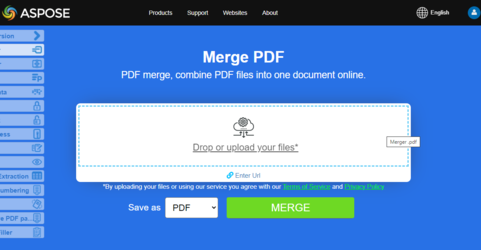
Aspose.PDF Merger is an online free web application that allows you to investigate how presentation merging functionality works.