
จัดการพื้นหลังการนำเสนอใน PHP
บทนำ
สีทึบ, การไล่สี, และรูปภาพมักใช้เป็นพื้นหลังของสไลด์ คุณสามารถตั้งค่าพื้นหลังสำหรับ สไลด์ปกติ (สไลด์เดียว) หรือ สไลด์มาสเตอร์ (ใช้กับหลายสไลด์พร้อมกัน)
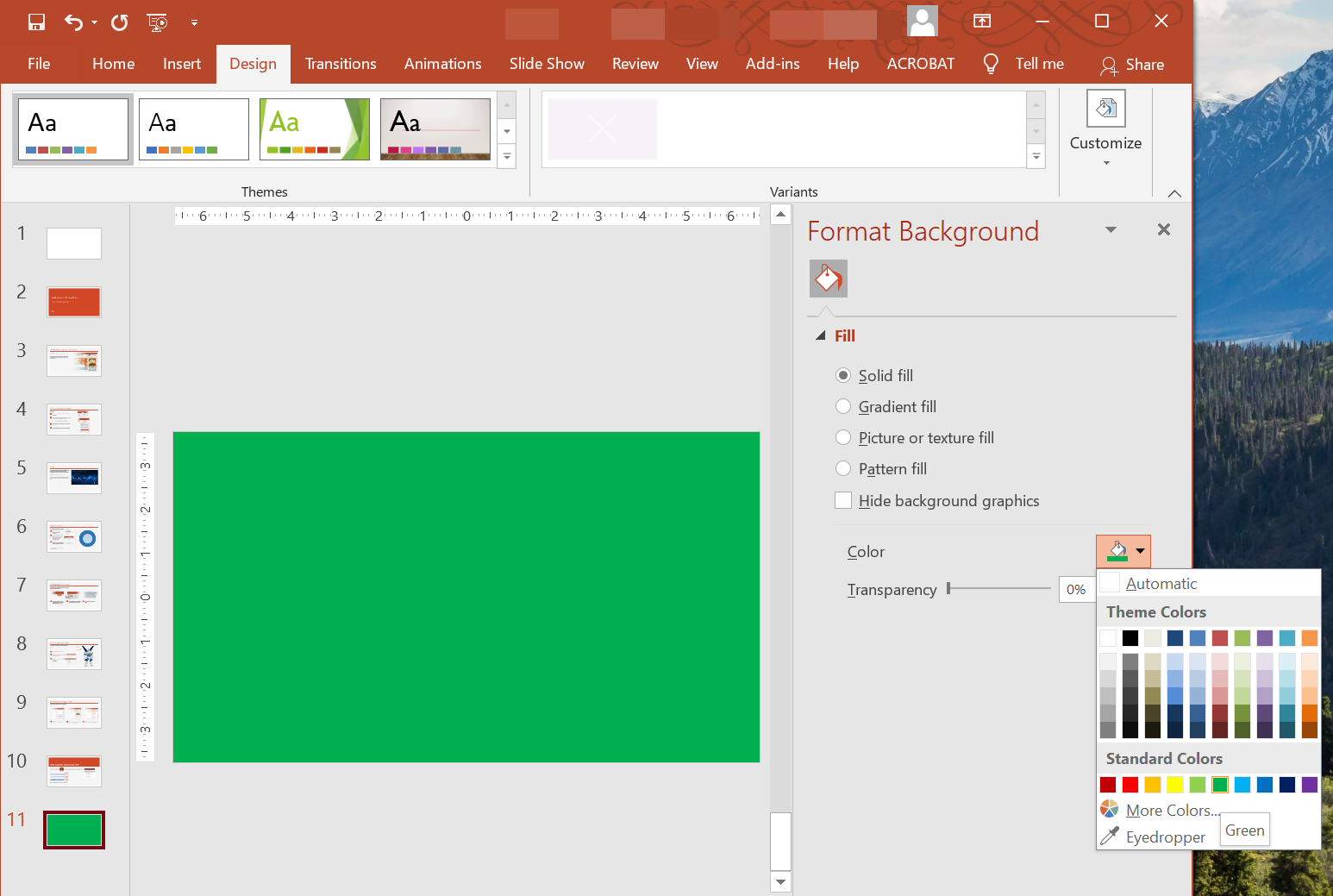
ตั้งค่าพื้นหลังสีทึบสำหรับสไลด์ปกติ
Aspose.Slides ให้คุณตั้งค่าสีทึบเป็นพื้นหลังสำหรับสไลด์เฉพาะในงานนำเสนอ — แม้ว่างานนำเสนอจะใช้สไลด์มาสเตอร์ การเปลี่ยนแปลงนี้จะใช้กับสไลด์ที่เลือกเท่านั้น
- สร้างอินสแตนซ์ของคลาส Presentation .
- ตั้งค่า BackgroundType ของสไลด์เป็น
OwnBackground. - ตั้งค่า FillType ของพื้นหลังสไลด์เป็น
Solid. - ใช้เมธอด getSolidFillColor บน FillFormat เพื่อระบุสีพื้นหลังแบบทึบ.
- บันทึกงานนำเสนอที่แก้ไขแล้ว.
ตัวอย่าง PHP ด้านล่างแสดงวิธีตั้งค่าสีทึบสีฟ้าเป็นพื้นหลังสำหรับสไลด์ปกติ:
// สร้างอินสแตนซ์ของคลาส Presentation.
$presentation = new Presentation();
try {
    $slide = $presentation->getSlides()->get_Item(0);

    // ตั้งค่าสีพื้นหลังของสไลด์เป็นสีน้ำเงิน.
    $slide->getBackground()->setType(BackgroundType::OwnBackground);
    $slide->getBackground()->getFillFormat()->setFillType(FillType::Solid);
    $slide->getBackground()->getFillFormat()->getSolidFillColor()->setColor(java("java.awt.Color")->BLUE);

    // บันทึกงานนำเสนอไปยังดิสก์.
    $presentation->save("SolidColorBackground.pptx", SaveFormat::Pptx);
} finally {
    $presentation->dispose();
}
ตั้งค่าพื้นหลังสีทึบสำหรับสไลด์มาสเตอร์
Aspose.Slides ให้คุณตั้งค่าสีทึบเป็นพื้นหลังของสไลด์มาสเตอร์ในงานนำเสนอ สไลด์มาสเตอร์ทำหน้าที่เป็นเทมเพลตที่ควบคุมการจัดรูปแบบของสไลด์ทั้งหมด ดังนั้นเมื่อคุณเลือกสีทึบเป็นพื้นหลังของสไลด์มาสเตอร์ มันจะใช้กับทุกสไลด์
- สร้างอินสแตนซ์ของคลาส Presentation .
- ตั้งค่า BackgroundType ของสไลด์มาสเตอร์ (ผ่าน
getMasters) เป็นOwnBackground. - ตั้งค่า FillType ของพื้นหลังสไลด์มาสเตอร์เป็น
Solid. - ใช้เมธอด getSolidFillColor เพื่อระบุสีพื้นหลังแบบทึบ.
- บันทึกงานนำเสนอที่แก้ไขแล้ว.
ตัวอย่าง PHP ด้านล่างแสดงวิธีตั้งค่าสีทึบ (สีเขียว) เป็นพื้นหลังสำหรับสไลด์มาสเตอร์:
// สร้างอินสแตนซ์ของคลาส Presentation.
$presentation = new Presentation();
try {
    $masterSlide = $presentation->getMasters()->get_Item(0);

    // ตั้งค่าสีพื้นหลังของสไลด์มาสเตอร์เป็นสีเขียวป่า.
    $masterSlide->getBackground()->setType(BackgroundType::OwnBackground);
    $masterSlide->getBackground()->getFillFormat()->setFillType(FillType::Solid);
    $masterSlide->getBackground()->getFillFormat()->getSolidFillColor()->setColor(java("java.awt.Color")->GREEN);

    // บันทึกงานนำเสนอไปยังดิสก์.
    $presentation->save("MasterSlideBackground.pptx", SaveFormat::Pptx);
} finally {
    $presentation->dispose();
}
ตั้งค่าพื้นหลังแบบไล่สีสำหรับสไลด์
การไล่สีเป็นเอฟเฟกต์กราฟิกที่สร้างโดยการเปลี่ยนสีอย่างค่อยเป็นค่อยไป เมื่อใช้เป็นพื้นหลังของสไลด์ การไล่สีสามารถทำให้การนำเสนอดูศิลป์และเป็นมืออาชีพมากขึ้น Aspose.Slides ให้คุณตั้งค่าสีไล่สีเป็นพื้นหลังของสไลด์
- สร้างอินสแตนซ์ของคลาส Presentation .
- ตั้งค่า BackgroundType ของสไลด์เป็น
OwnBackground. - ตั้งค่า FillType ของพื้นหลังสไลด์เป็น
Gradient. - ใช้เมธอด getGradientFormat บน FillFormat เพื่อกำหนดการตั้งค่าการไล่สีตามที่ต้องการ.
- บันทึกงานนำเสนอที่แก้ไขแล้ว.
ตัวอย่าง PHP ด้านล่างแสดงวิธีตั้งค่าสีไล่สีเป็นพื้นหลังสำหรับสไลด์:
// สร้างอินสแตนซ์ของคลาส Presentation.
$presentation = new Presentation();
try {
    $slide = $presentation->getSlides()->get_Item(0);

    // ใช้เอฟเฟกต์ไล่สีกับพื้นหลัง.
    $slide->getBackground()->setType(BackgroundType::OwnBackground);
    $slide->getBackground()->getFillFormat()->setFillType(FillType::Gradient);
    $slide->getBackground()->getFillFormat()->getGradientFormat()->setTileFlip(TileFlip::FlipBoth);

    // บันทึกงานนำเสนอไปยังดิสก์.
    $presentation->save("GradientBackground.pptx", SaveFormat::Pptx);
} finally {
    $presentation->dispose();
}
ตั้งรูปภาพเป็นพื้นหลังของสไลด์
นอกจากการเติมสีทึบและการไล่สีแล้ว Aspose.Slides ยังให้คุณใช้รูปภาพเป็นพื้นหลังของสไลด์
- สร้างอินสแตนซ์ของคลาส Presentation .
- ตั้งค่า BackgroundType ของสไลด์เป็น
OwnBackground. - ตั้งค่า FillType ของพื้นหลังสไลด์เป็น
Picture. - โหลดรูปภาพที่ต้องการใช้เป็นพื้นหลังของสไลด์.
- เพิ่มรูปภาพลงในคอลเลกชันรูปภาพของงานนำเสนอ.
- ใช้เมธอด getPictureFillFormat บน FillFormat เพื่อกำหนดรูปภาพเป็นพื้นหลัง.
- บันทึกงานนำเสนอที่แก้ไขแล้ว.
ตัวอย่าง PHP ด้านล่างแสดงวิธีตั้งรูปภาพเป็นพื้นหลังของสไลด์:
// สร้างอินสแตนซ์ของคลาส Presentation.
$presentation = new Presentation();
try {
    $slide = $presentation->getSlides()->get_Item(0);

    // ตั้งค่าคุณสมบัติของภาพพื้นหลัง.
    $slide->getBackground()->setType(BackgroundType::OwnBackground);
    $slide->getBackground()->getFillFormat()->setFillType(FillType::Picture);
    $slide->getBackground()->getFillFormat()->getPictureFillFormat()->setPictureFillMode(PictureFillMode::Stretch);

    // โหลดภาพ.
    $image = Images::fromFile("Tulips.jpg");
    // เพิ่มภาพเข้าไปในคอลเลกชันภาพของงานนำเสนอ.
    $ppImage = $presentation->getImages()->addImage($image);
    $image->dispose();

    $slide->getBackground()->getFillFormat()->getPictureFillFormat()->getPicture()->setImage($ppImage);

    // บันทึกงานนำเสนอไปยังดิสก์.
    $presentation->save("ImageAsBackground.pptx", SaveFormat::Pptx);
} finally {
    $presentation->dispose();
}
ตัวอย่างโค้ดต่อไปนี้แสดงวิธีตั้งค่าชนิดการเติมพื้นหลังเป็นรูปภาพแบบต่อภาพ (tiled picture) และปรับคุณสมบัติการต่อภาพ:
$presentation = new Presentation();
try {
    $firstSlide = $presentation->getSlides()->get_Item(0);

    $background = $firstSlide->getBackground();

    $background->setType(BackgroundType::OwnBackground);
    $background->getFillFormat()->setFillType(FillType::Picture);

    $newImage = Images::fromFile("image.png");
    $ppImage = $presentation->getImages()->addImage($newImage);
    $newImage->dispose();

    // ตั้งค่าภาพที่ใช้สำหรับเติมพื้นหลัง.
    $backPictureFillFormat = $background->getFillFormat()->getPictureFillFormat();
    $backPictureFillFormat->getPicture()->setImage($ppImage);

    // ตั้งค่าโหมดการเติมภาพเป็นแบบต่อภาพ (Tile) และปรับคุณสมบัติของการต่อ.
    $backPictureFillFormat->setPictureFillMode(PictureFillMode::Tile);
    $backPictureFillFormat->setTileOffsetX(15);
    $backPictureFillFormat->setTileOffsetY(15);
    $backPictureFillFormat->setTileScaleX(46);
    $backPictureFillFormat->setTileScaleY(87);
    $backPictureFillFormat->setTileAlignment(RectangleAlignment::Center);
    $backPictureFillFormat->setTileFlip(TileFlip::FlipY);

    $presentation->save("TileBackground.pptx", SaveFormat::Pptx);
} finally {
    $presentation->dispose();
}
เปลี่ยนความโปร่งแสงของภาพพื้นหลัง
คุณอาจต้องการปรับความโปร่งแสงของภาพพื้นหลังสไลด์เพื่อให้เนื้อหาของสไลด์โดดเด่นขึ้น ตัวอย่างโค้ด PHP ด้านล่างแสดงวิธีการเปลี่ยนความโปร่งแสงของภาพพื้นหลังสไลด์:
$transparencyValue = 30; // เช่น ตัวอย่าง.

// Get the collection of picture transform operations.
$imageTransform = $slide->getBackground()->getFillFormat()->getPictureFillFormat()->getPicture()->getImageTransform();

// Find an existing fixed-percentage transparency effect.
$transparencyOperation = null;
foreach($imageTransform as $operation) {
    if (java_instanceof($operation, new JavaClass("com.aspose.slides.AlphaModulateFixed"))) {
        $transparencyOperation = $operation;
        break;
    }
}

// Set the new transparency value.
if (java_is_null($transparencyOperation)) {
    $imageTransform->addAlphaModulateFixedEffect(100 - $transparencyValue);
} else {
    $transparencyOperation->setAmount(100 - $transparencyValue);
}
รับค่าพื้นหลังของสไลด์
Aspose.Slides มีคลาส BackgroundEffectiveData สำหรับดึงค่าพื้นหลังที่มีผลของสไลด์ คลาสนี้เปิดเผย FillFormat และ EffectFormat ที่มีผล
โดยใช้เมธอด getBackground ของคลาส BaseSlide คุณสามารถรับพื้นหลังที่มีผลของสไลด์ได้
ตัวอย่าง PHP ด้านล่างแสดงวิธีรับค่าพื้นหลังที่มีผลของสไลด์:
// สร้างอินสแตนซ์ของคลาส Presentation.
$presentation = new Presentation("Sample.pptx");
try {
    $slide = $presentation->getSlides()->get_Item(0);

    // ดึงพื้นหลังที่มีผลโดยคำนึงถึงมาสเตอร์, เลย์เอาต์และธีม.
    $effBackground = $slide->getBackground()->getEffective();

    if ($effBackground->getFillFormat()->getFillType() == FillType::Solid)
        echo "Fill color: " . $effBackground->getFillFormat()->getSolidFillColor() . "\n";
    else
        echo "Fill type: " . $effBackground->getFillFormat()->getFillType() . "\n";
} finally {
    $presentation->dispose();
}
คำถามที่พบบ่อย
ฉันสามารถรีเซ็ตพื้นหลังที่กำหนดเองและกู้คืนพื้นหลังของธีม/เลย์เอาต์ได้หรือไม่?
ใช่. ลบการเติมสีที่กำหนดเองของสไลด์ และพื้นหลังจะถูกสืบทอดอีกครั้งจากสไลด์ layout/master ที่เกี่ยวข้อง (เช่น theme background).
จะเกิดอะไรขึ้นกับพื้นหลังเมื่อฉันเปลี่ยนธีมของงานนำเสนอในภายหลัง?
หากสไลด์มีการเติมสีของตนเอง จะไม่เปลี่ยนแปลง หากพื้นหลังสืบทอดมาจาก layout/master มันจะอัปเดตให้ตรงกับ new theme.