Add Circle Shapes to PDF in Python
Contents
[
Hide
]
Add Circle object
Aspose.PDF for Python via .NET lets you add Circle shapes to PDF pages through the Graph class. Use circles for diagrams, annotations, and simple visual elements.
Follow the steps below:
- Create Document instance.
- Create Graph object with certain dimensions.
- Set border for Graph object.
- Add Graph object to paragraphs collection of page.
- Save our PDF file.
import aspose.pdf as ap
import aspose.pdf.drawing as drawing

def add_circle(outfile: str):
    document = ap.Document()
    page = document.pages.add()
    graph = drawing.Graph(400, 200)
    graph.border = ap.BorderInfo(ap.BorderSide.ALL, ap.Color.green)

    circle = drawing.Circle(100, 100, 40)
    circle.graph_info.color = ap.Color.green_yellow
    graph.shapes.add(circle)

    page.paragraphs.add(graph)
    document.save(outfile)
Our drawn circle will look like this:

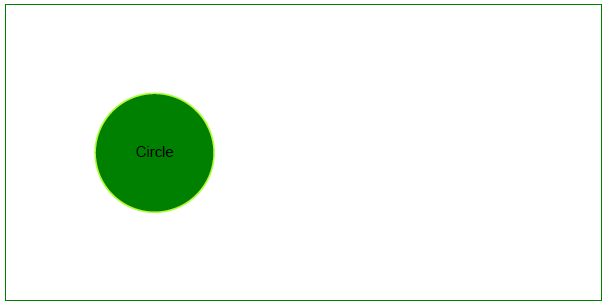
Create Filled Circle Object
This example shows how to add a circle and fill it with color.
import aspose.pdf as ap
import aspose.pdf.drawing as drawing

def add_circle_filled(outfile: str):
    document = ap.Document()
    page = document.pages.add()
    graph = drawing.Graph(400, 200)
    graph.border = ap.BorderInfo(ap.BorderSide.ALL, ap.Color.green)

    circle = drawing.Circle(100, 100, 40)
    circle.graph_info.color = ap.Color.green_yellow
    circle.graph_info.fill_color = ap.Color.green
    circle.text = ap.text.TextFragment("Circle")
    graph.shapes.add(circle)

    page.paragraphs.add(graph)
    document.save(outfile)
Result of adding a filled circle: