
使用 PHP 強化簡報的 AutoFit 功能
簡介
預設情況下,當您新增文字方塊時,Microsoft PowerPoint 會使用 Resize shape to fix text 設定—它會自動調整文字方塊的大小,以確保文字始終能完整容納於其中。
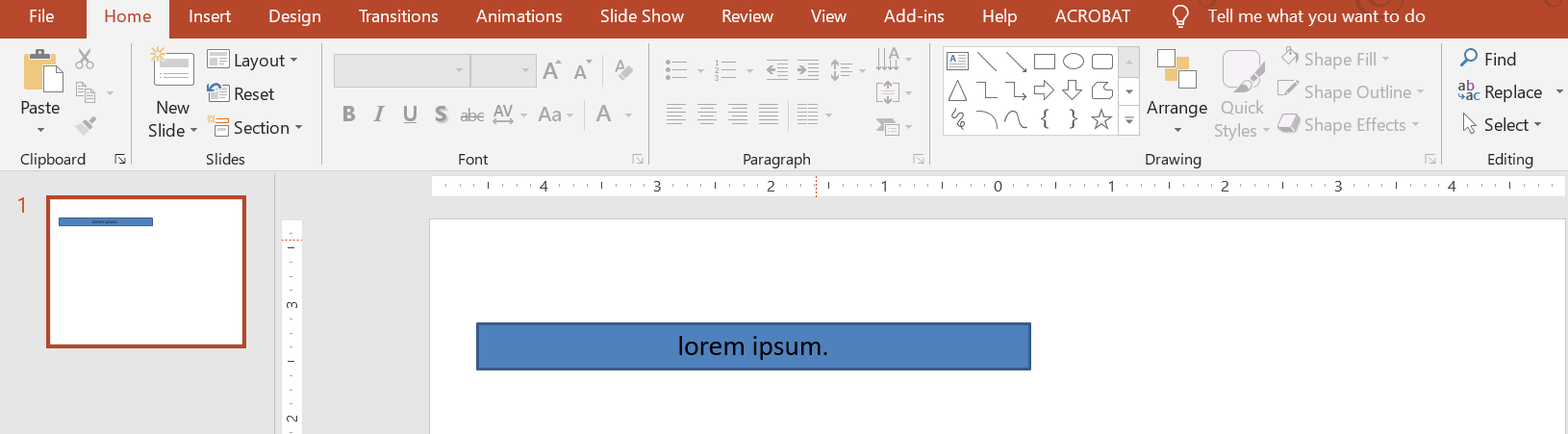
- 當文字方塊中的文字變長或變大時,PowerPoint 會自動放大文字方塊(增加高度),以容納更多文字。
- 當文字方塊中的文字變短或變小時,PowerPoint 會自動縮小文字方塊(減少高度),以清除多餘的空間。
在 PowerPoint 中,有 4 個重要的參數或選項會控制文字方塊的自動調整行為:
- Do not Autofit
- Shrink text on overflow
- Resize shape to fit text
- Wrap text in shape.
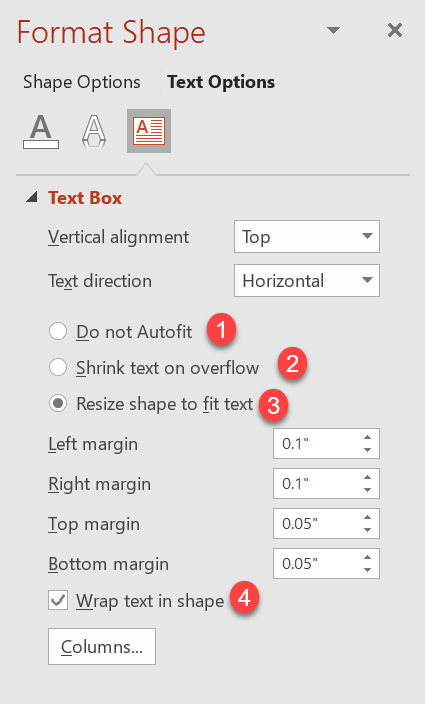
Aspose.Slides for PHP via Java 提供類似的選項——TextFrameFormat 類中某些屬性——讓您能在簡報中控制文字方塊的自動調整行為。
調整形狀大小以匹配文字
如果您希望文字在方塊內始終能完整呈現,則必須使用 Resize shape to fix text 選項。要設定此屬性,將 AutofitType(屬於 TextFrameFormat 類)設定為 Shape。
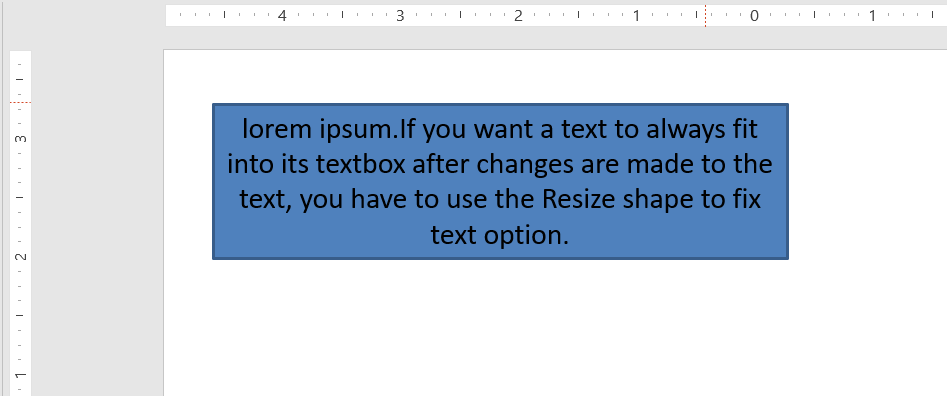
此 PHP 程式碼示範如何在 PowerPoint 簡報中指定文字必須永遠適合其方塊:
  $pres = new Presentation();
  try {
    $slide = $pres->getSlides()->get_Item(0);
    $autoShape = $slide->getShapes()->addAutoShape(ShapeType::Rectangle, 30, 30, 350, 100);
    $portion = new Portion("lorem ipsum...");
    $portion->getPortionFormat()->getFillFormat()->getSolidFillColor()->setColor(java("java.awt.Color")->BLACK);
    $portion->getPortionFormat()->getFillFormat()->setFillType(FillType::Solid);
    $autoShape->getTextFrame()->getParagraphs()->get_Item(0)->getPortions()->add($portion);
    $textFrameFormat = $autoShape->getTextFrame()->getTextFrameFormat();
    $textFrameFormat::setAutofitType(TextAutofitType::Shape);
    $pres->save("Output-presentation.pptx", SaveFormat::Pptx);
  } finally {
    if (!java_is_null($pres)) {
      $pres->dispose();
    }
  }
如果文字變長或變大,文字方塊會自動調整大小(高度增加),以確保所有文字都能容納;若文字變短,則會相反。
不要自動調整大小
如果您希望文字方塊或圖形在文字變更後保持原有尺寸,必須使用 Do not Autofit 選項。要設定此屬性,將 AutofitType(屬於 TextFrameFormat 類)設定為 None。

此 PHP 程式碼示範如何在 PowerPoint 簡報中指定文字方塊必須保留其尺寸:
  $pres = new Presentation();
  try {
    $slide = $pres->getSlides()->get_Item(0);
    $autoShape = $slide->getShapes()->addAutoShape(ShapeType::Rectangle, 30, 30, 350, 100);
    $portion = new Portion("lorem ipsum...");
    $portion->getPortionFormat()->getFillFormat()->getSolidFillColor()->setColor(java("java.awt.Color")->BLACK);
    $portion->getPortionFormat()->getFillFormat()->setFillType(FillType::Solid);
    $autoShape->getTextFrame()->getParagraphs()->get_Item(0)->getPortions()->add($portion);
    $textFrameFormat = $autoShape->getTextFrame()->getTextFrameFormat();
    $textFrameFormat::setAutofitType(TextAutofitType::None);
    $pres->save("Output-presentation.pptx", SaveFormat::Pptx);
  } finally {
    if (!java_is_null($pres)) {
      $pres->dispose();
    }
  }
當文字過長而無法容納於方塊時,文字會溢出。
文字溢出時縮小
如果文字過長而無法容納於方塊,您可以透過 Shrink text on overflow 選項,指定系統自動縮小文字的大小與間距以符合方塊。要設定此屬性,將 AutofitType(屬於 TextFrameFormat 類)設定為 Normal。
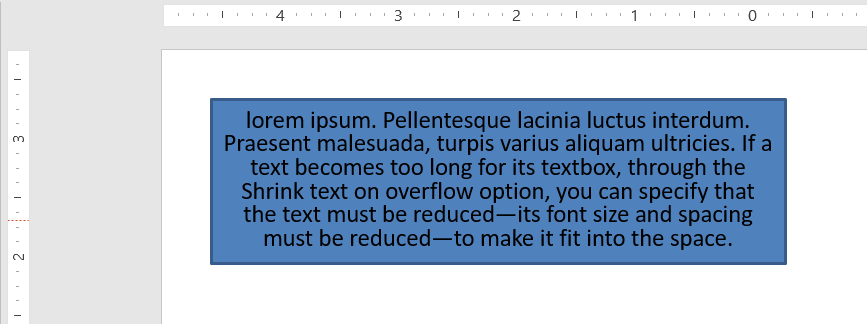
此 PHP 程式碼示範如何在 PowerPoint 簡報中指定文字在溢出時縮小:
  $pres = new Presentation();
  try {
    $slide = $pres->getSlides()->get_Item(0);
    $autoShape = $slide->getShapes()->addAutoShape(ShapeType::Rectangle, 30, 30, 350, 100);
    $portion = new Portion("lorem ipsum...");
    $portion->getPortionFormat()->getFillFormat()->getSolidFillColor()->setColor(java("java.awt.Color")->BLACK);
    $portion->getPortionFormat()->getFillFormat()->setFillType(FillType::Solid);
    $autoShape->getTextFrame()->getParagraphs()->get_Item(0)->getPortions()->add($portion);
    $textFrameFormat = $autoShape->getTextFrame()->getTextFrameFormat();
    $textFrameFormat::setAutofitType(TextAutofitType::Normal);
    $pres->save("Output-presentation.pptx", SaveFormat::Pptx);
  } finally {
    if (!java_is_null($pres)) {
      $pres->dispose();
    }
  }
Info
使用 Shrink text on overflow 選項時,只有當文字過長而無法容納於方塊時,設定才會生效。在形狀內換行
如果您希望文字在超出形狀寬度時自動換行,必須使用 Wrap text in shape 參數。要設定此屬性,請將 WrapText(屬於 TextFrameFormat 類)設定為 true。
此 PHP 程式碼示範如何在 PowerPoint 簡報中使用換行設定:
  $pres = new Presentation();
  try {
    $slide = $pres->getSlides()->get_Item(0);
    $autoShape = $slide->getShapes()->addAutoShape(ShapeType::Rectangle, 30, 30, 350, 100);
    $portion = new Portion("lorem ipsum...");
    $portion->getPortionFormat()->getFillFormat()->getSolidFillColor()->setColor(java("java.awt.Color")->BLACK);
    $portion->getPortionFormat()->getFillFormat()->setFillType(FillType::Solid);
    $autoShape->getTextFrame()->getParagraphs()->get_Item(0)->getPortions()->add($portion);
    $textFrameFormat = $autoShape->getTextFrame()->getTextFrameFormat();
    $textFrameFormat::setWrapText(NullableBool::True);
    $pres->save("Output-presentation.pptx", SaveFormat::Pptx);
  } finally {
    if (!java_is_null($pres)) {
      $pres->dispose();
    }
  }
Note
如果將WrapText 屬性設為 False,當形狀內的文字長度超過形狀寬度時,文字會沿單行延伸超出形狀邊界。
常見問答
文字框的內部邊距會影響 AutoFit 嗎?
是的。內部邊距(Padding)會減少可用的文字區域,導致 AutoFit 會較早觸發—會更早縮小字型或調整圖形尺寸。請先檢查並調整邊距,再調整 AutoFit 設定。
AutoFit 與手動換行或軟換行之間的互動情形為何?
強制換行會保留原位,AutoFit 會在其周圍調整字型大小與間距。移除不必要的換行通常能減少 AutoFit 必須過度縮小文字的情況。
變更主題字型或觸發字型替換會影響 AutoFit 結果嗎?
會。替換為字型度量不同的字型會改變文字的寬度/高度,從而改變最終的字型大小與換行方式。任何字型變更或替換後,請重新檢查投影片的效果。