
在 Python 中將 PowerPoint 簡報轉換為 Word 文件
Contents
[
Hide
]
概述
本篇說明提供開發人員一套使用 Aspose.Slides for Python via .NET 以及 Aspose.Words for Python via .NET,將 PowerPoint 與 OpenDocument 簡報轉換為 Word 文件的解決方案。逐步指南會帶您完成轉換過程的每個階段。
將簡報轉換為 Word 文件
請依照下列說明將 PowerPoint 或 OpenDocument 簡報轉換為 Word 文件:
- 實例化 Presentation 類別並載入簡報檔案。
- 實例化 Document 與 DocumentBuilder 類別以產生 Word 文件。
- 使用 DocumentBuilder.page_setup 屬性將 Word 文件的頁面大小設定為與簡報相同。
- 使用 DocumentBuilder.page_setup 屬性設定 Word 文件的邊界。
- 透過 Presentation.slides 屬性逐一處理簡報的所有投影片。
- 使用 Slide 類別的
get_image方法產生投影片影像,並儲存至記憶體串流。 - 使用 DocumentBuilder 類別的
insert_image方法將投影片影像加入 Word 文件。
- 使用 Slide 類別的
- 將 Word 文件儲存為檔案。
假設我們有一個名為「sample.pptx」的簡報,其內容如下:
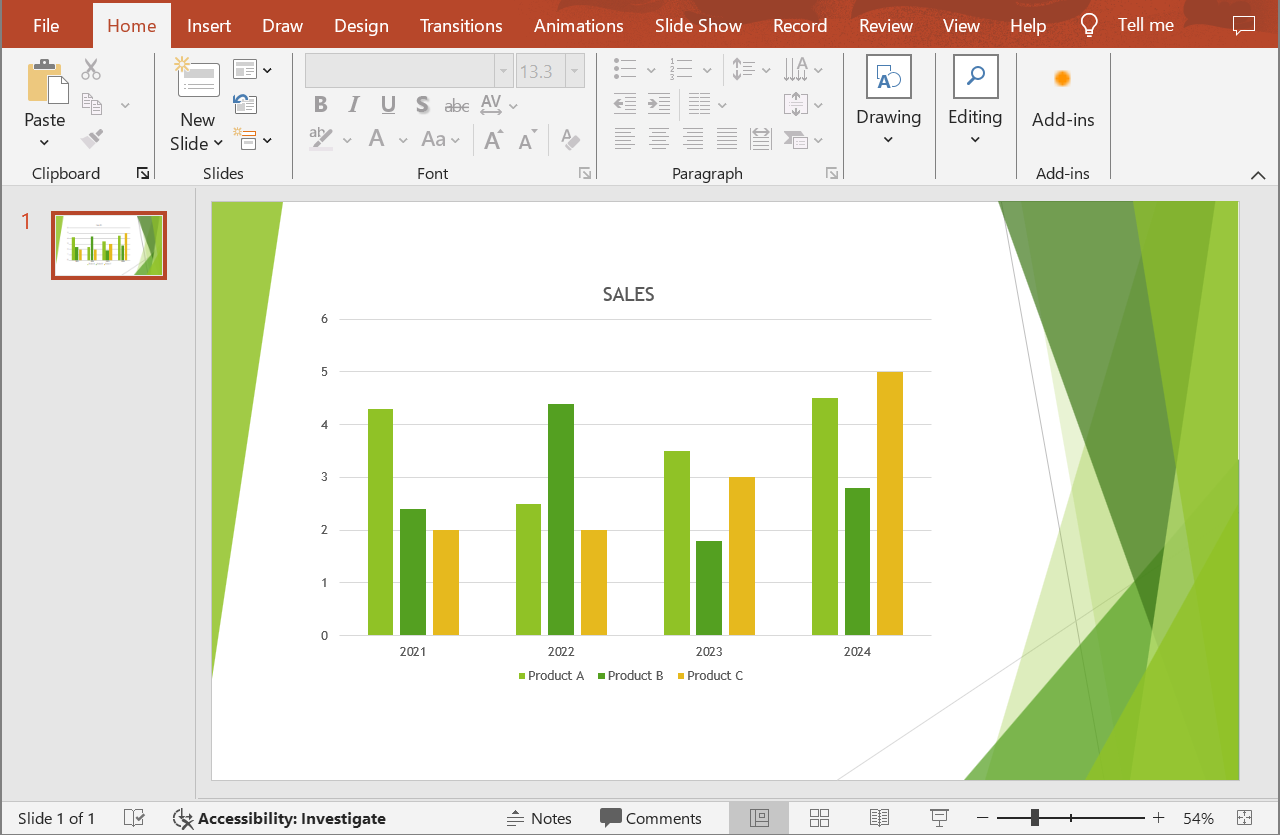
以下 Python 程式碼示範如何將 PowerPoint 簡報轉換為 Word 文件:
import aspose.slides as slides
import aspose.words as words

# 載入簡報檔案。
with slides.Presentation("sample.pptx") as presentation:

    # 建立 Document 與 DocumentBuilder 物件。
    document = words.Document()
    builder = words.DocumentBuilder(document)

    # 設定 Word 文件的頁面大小。
    slide_size = presentation.slide_size.size
    builder.page_setup.page_width = slide_size.width
    builder.page_setup.page_height = slide_size.height

    # 設定 Word 文件的邊界。
    builder.page_setup.left_margin = 0
    builder.page_setup.right_margin = 0
    builder.page_setup.top_margin = 0
    builder.page_setup.bottom_margin = 0

    scale_x = 2
    scale_y = 2

    # 逐一處理所有簡報投影片。
    for slide in presentation.slides:

        # 產生投影片影像並儲存至記憶體串流。
        with slide.get_image(scale_x, scale_y) as image:
            image_stream = BytesIO()
            image.save(image_stream, slides.ImageFormat.PNG)

        # 將投影片影像加入 Word 文件。
        image_stream.seek(0)
        image_width = builder.page_setup.page_width
        image_height = builder.page_setup.page_height
        builder.insert_image(image_stream.read(), image_width, image_height)

        builder.insert_break(words.BreakType.PAGE_BREAK)

    # 儲存 Word 文件至檔案。
    document.save("output.docx")
轉換結果:
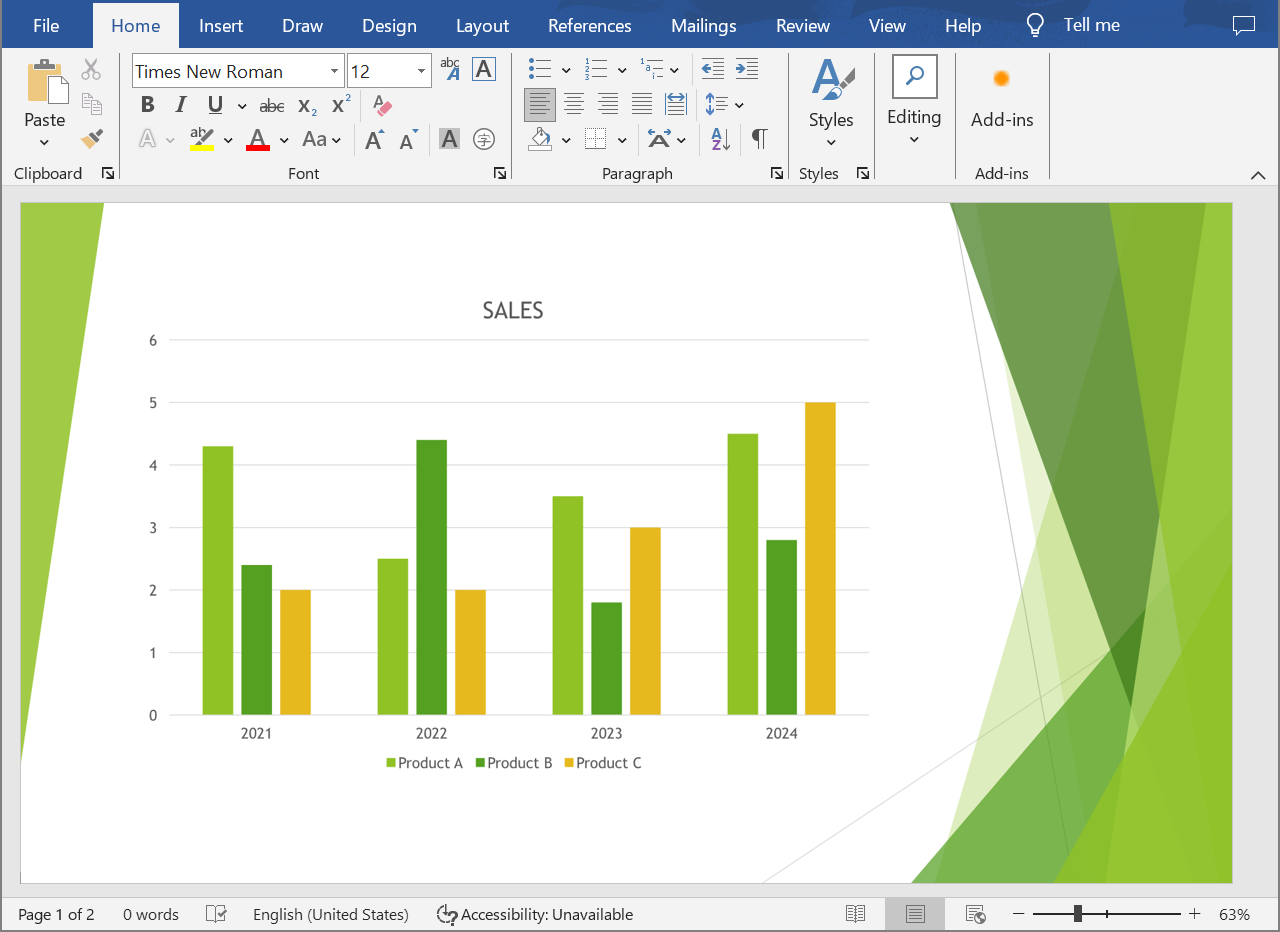
試試我們的 Online PPT to Word Converter ,了解將 PowerPoint 與 OpenDocument 簡報轉換為 Word 文件能為您帶來的效益。
常見問題
需要安裝哪些元件才能將 PowerPoint 與 OpenDocument 簡報轉換為 Word 文件?
只需在 Python 專案中加入 Aspose.Slides for Python via .NET 與 Aspose.Words for Python .NET 的相應套件即可。兩個套件皆為獨立的 API,無需安裝 Microsoft Office。
是否支援所有 PowerPoint 與 OpenDocument 簡報格式?
Aspose.Slides for Python .NET 支援所有簡報格式,包括 PPT、PPTX、ODP 以及其他常見檔案類型。這確保您能處理以各種 Microsoft PowerPoint 版本建立的簡報。