
Python에서 PowerPoint 프레젠테이션을 Word 문서로 변환
개요
이 문서는 Aspose.Slides for Python via .NET와 Aspose.Words for Python via .NET를 사용하여 PowerPoint 및 OpenDocument 프레젠테이션을 Word 문서로 변환하는 솔루션을 개발자에게 제공합니다. 단계별 가이드를 통해 변환 과정의 모든 단계를 안내합니다.
프레젠테이션을 Word 문서로 변환
PowerPoint 또는 OpenDocument 프레젠테이션을 Word 문서로 변환하려면 아래 지침을 따르세요:
- Presentation 클래스를 인스턴스화하고 프레젠테이션 파일을 로드합니다.
- Document 및 DocumentBuilder 클래스를 인스턴스화하여 Word 문서를 생성합니다.
- DocumentBuilder.page_setup 속성을 사용하여 Word 문서의 페이지 크기를 프레젠테이션과 일치하도록 설정합니다.
- DocumentBuilder.page_setup 속성을 사용하여 Word 문서의 여백을 설정합니다.
- Presentation.slides 속성을 통해 모든 프레젠테이션 슬라이드를 순회합니다.
- Slide 클래스의
get_image메서드를 사용하여 슬라이드 이미지를 생성하고 메모리 스트림에 저장합니다. - DocumentBuilder 클래스의
insert_image메서드로 슬라이드 이미지를 Word 문서에 추가합니다.
- Slide 클래스의
- Word 문서를 파일에 저장합니다.
예를 들어 “sample.pptx"라는 프레젠테이션이 다음과 같다고 가정해 보겠습니다:
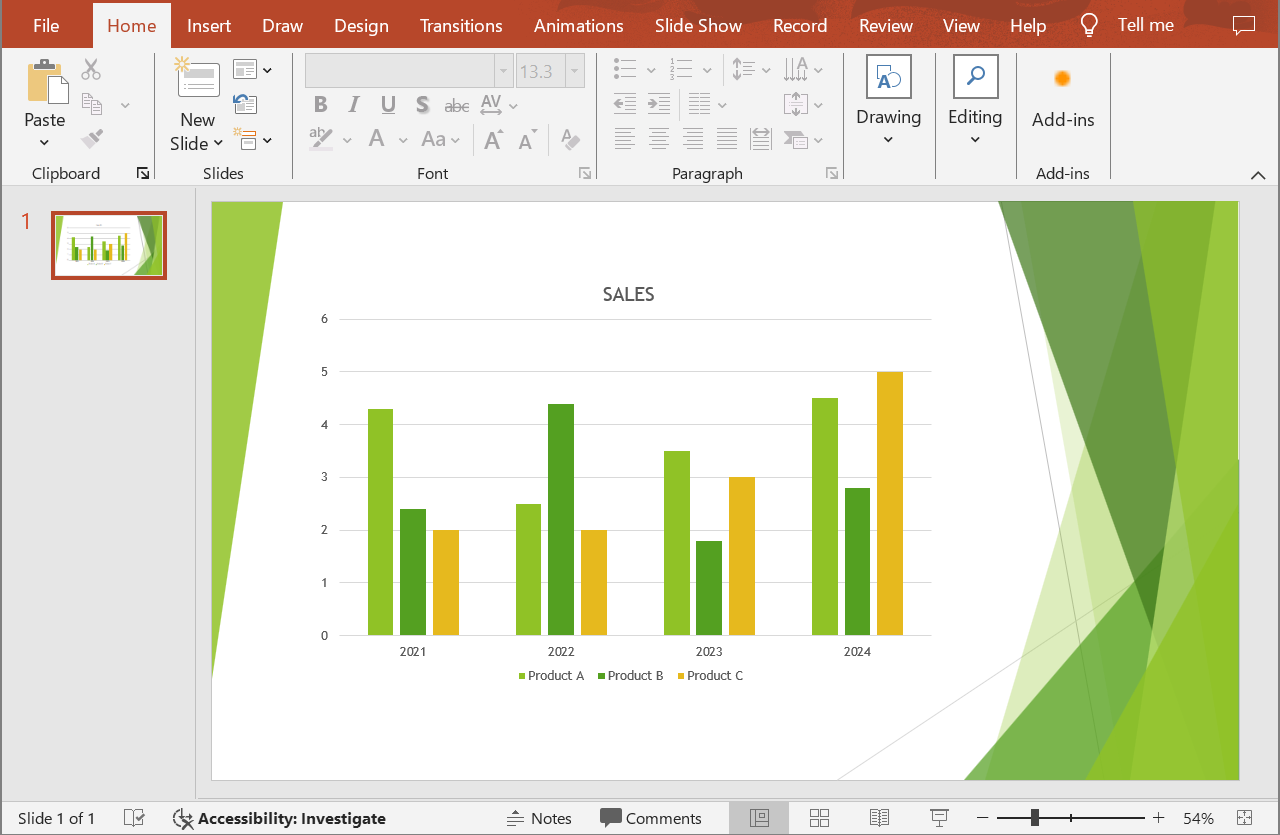
다음 Python 코드 예제는 PowerPoint 프레젠테이션을 Word 문서로 변환하는 방법을 보여줍니다:
import aspose.slides as slides
import aspose.words as words

# 프레젠테이션 파일을 로드합니다.
with slides.Presentation("sample.pptx") as presentation:

    # Document와 DocumentBuilder 객체를 생성합니다.
    document = words.Document()
    builder = words.DocumentBuilder(document)

    # Word 문서의 페이지 크기를 설정합니다.
    slide_size = presentation.slide_size.size
    builder.page_setup.page_width = slide_size.width
    builder.page_setup.page_height = slide_size.height

    # Word 문서의 여백을 설정합니다.
    builder.page_setup.left_margin = 0
    builder.page_setup.right_margin = 0
    builder.page_setup.top_margin = 0
    builder.page_setup.bottom_margin = 0

    scale_x = 2
    scale_y = 2

    # 모든 프레젠테이션 슬라이드를 순회합니다.
    for slide in presentation.slides:

        # 슬라이드 이미지를 생성하고 메모리 스트림에 저장합니다.
        with slide.get_image(scale_x, scale_y) as image:
            image_stream = BytesIO()
            image.save(image_stream, slides.ImageFormat.PNG)

        # 슬라이드 이미지를 Word 문서에 추가합니다.
        image_stream.seek(0)
        image_width = builder.page_setup.page_width
        image_height = builder.page_setup.page_height
        builder.insert_image(image_stream.read(), image_width, image_height)

        builder.insert_break(words.BreakType.PAGE_BREAK)

    # Word 문서를 파일에 저장합니다.
    document.save("output.docx")
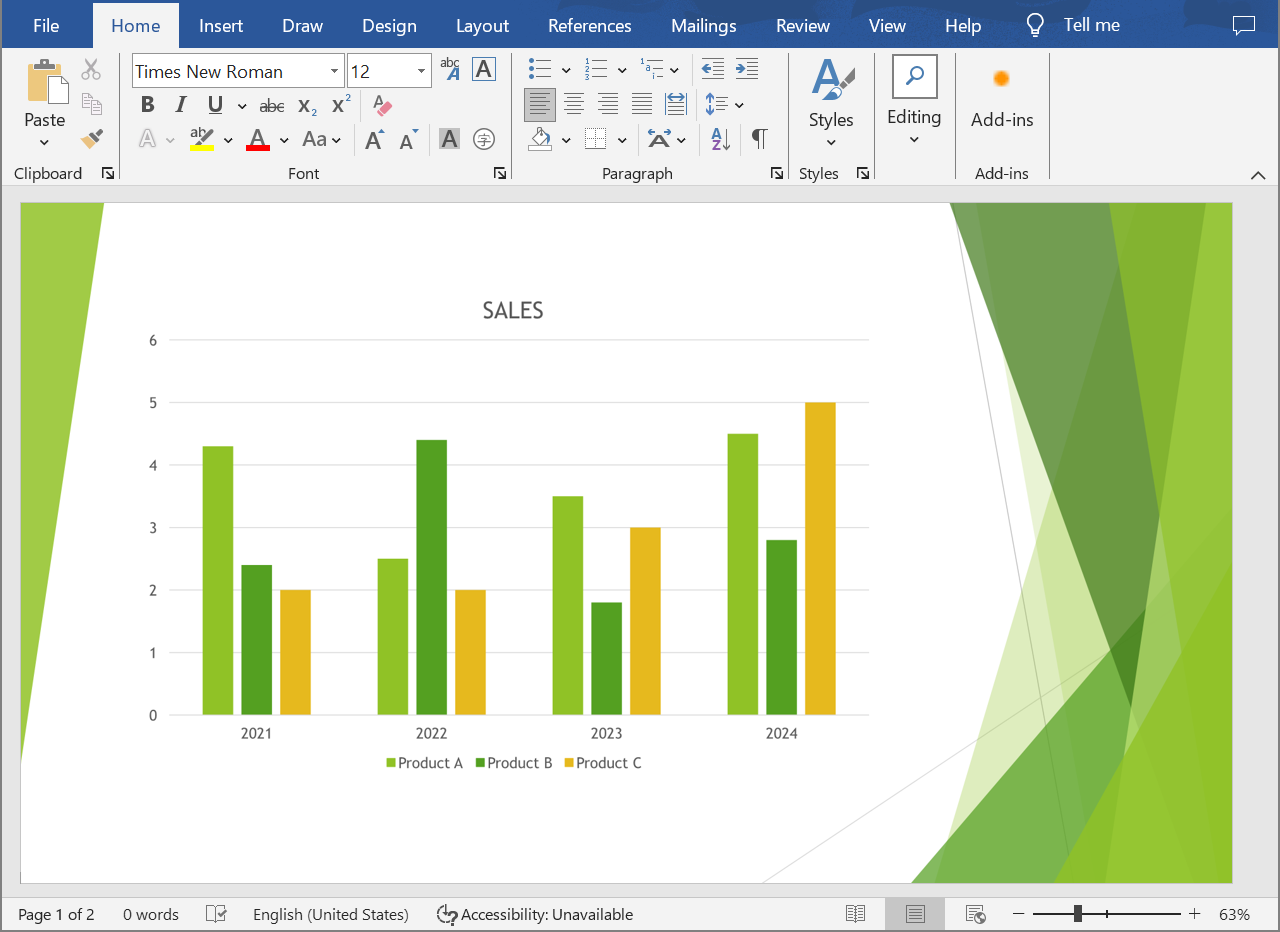
결과:
FAQ
PowerPoint 및 OpenDocument 프레젠테이션을 Word 문서로 변환하려면 어떤 구성 요소를 설치해야 합니까?
Python 프로젝트에 Aspose.Slides for Python via .NET와 Aspose.Words for Python .NET 패키지만 추가하면 됩니다. 두 패키지는 독립형 API로 동작하므로 Microsoft Office를 설치할 필요가 없습니다.
모든 PowerPoint 및 OpenDocument 프레젠테이션 형식을 지원합니까?
Aspose.Slides for Python .NET은 PPT, PPTX, ODP 및 기타 일반 파일 형식을 포함한 모든 프레젠테이션 형식을 지원합니다. 이를 통해 다양한 버전의 Microsoft PowerPoint에서 만든 프레젠테이션을 작업할 수 있습니다.